Want the convenience of AI without sending private files and prompts to the cloud? A compact local AI workstation can summarize documents, assist with coding, transcribe meetings, create embeddings, and run an internal language model from your own desk or office. The key is choosing hardware with enough memory, graphics capability, cooling, storage, and network bandwidth for reliable everyday use.
The MINISFORUM MS-S1 Max is a compelling example of this category. It pairs the AMD Ryzen AI Max+ 395 with 128GB of unified LPDDR5x-8000 memory, a 2TB SSD, Radeon 8060S graphics, dual 10Gb Ethernet, and a 320W power supply. Here is what those specifications mean for local AI, which workloads suit this mini workstation, and how a small team can share it without sacrificing stability.
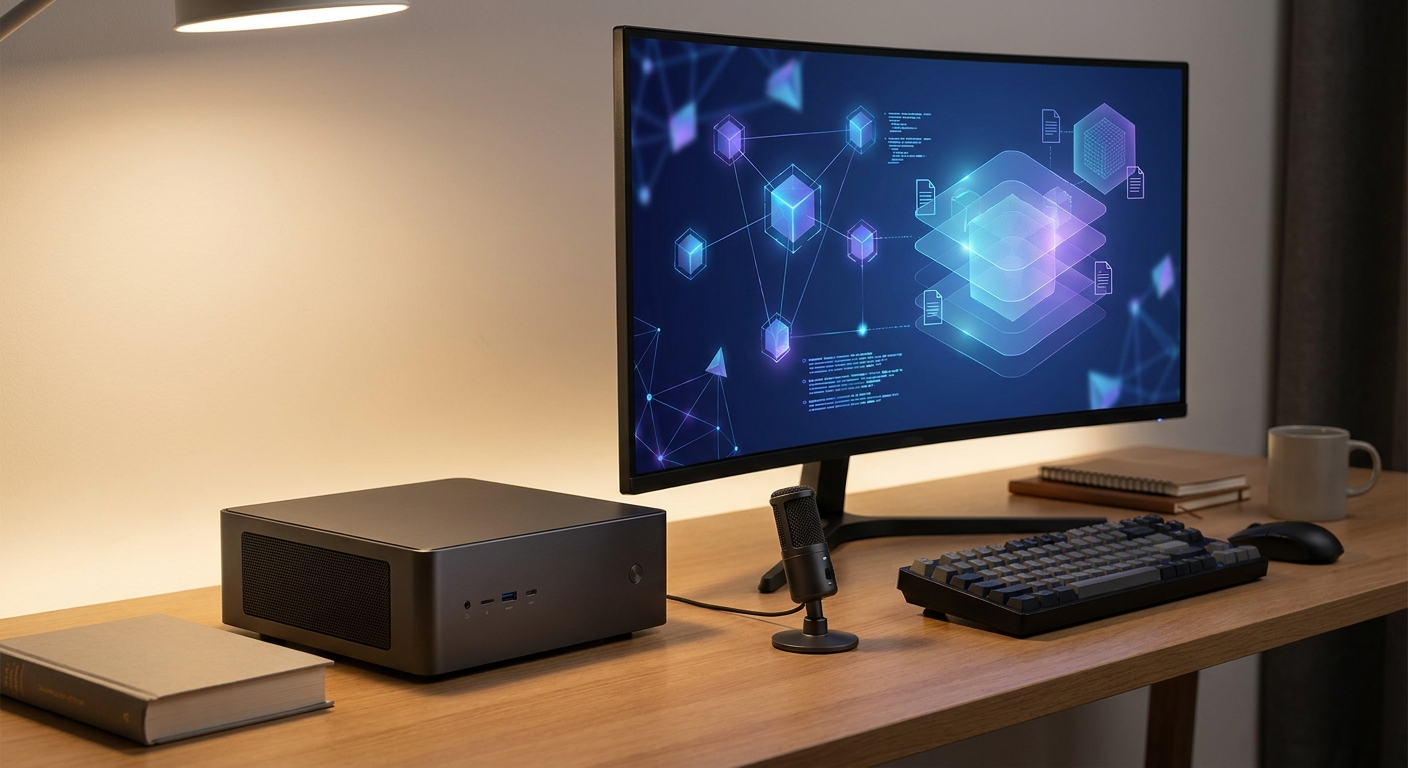
Step 1: Understand Why the Ryzen AI Max+ 395 Matters
The Ryzen AI Max+ 395 is designed for more than basic desktop productivity. Its 16 Zen 5 CPU cores and 32 threads, boost speeds up to 5.1GHz, and 64MB of L3 cache give the system the processing headroom needed for model serving, document preparation, indexing, development tools, and background services running together.
The integrated Radeon 8060S graphics are another important part of the local AI equation. Rather than pairing the processor with a small, fixed graphics-memory pool, the MS-S1 Max uses 128GB of unified LPDDR5x memory. CPU and GPU workloads can draw from the same large memory resource. Unified memory is not identical to dedicated high-end GPU VRAM, but it can provide a much higher memory ceiling for local large-language-model experiments.
The processor provides 16 cores and 32 threads for multitasking and server workloads.
The system includes 128GB of LPDDR5x-8000 unified memory.
The Radeon 8060S graphics can accelerate compatible AI, graphics, and compute applications.
The integrated NPU provides 50 TOPS, while listed total system compute is 126 TOPS.
The 2TB SSD offers a practical starting point for model files, applications, indexes, and datasets.
Keep in mind that TOPS represents peak compute capability, not a guaranteed tokens-per-second result. Actual local AI performance depends on the model architecture, quantization, context length, software runtime, memory bandwidth, and number of simultaneous requests.
Step 2: Match the Hardware to the Right Local AI Models
Quantized models that fit comfortably within the available unified memory are the best place to start. A 7B or 8B model is well suited to interactive chat, coding assistance, and document question answering. A 14B model can deliver stronger reasoning or writing quality while remaining practical for one user. With 128GB of memory, models in the 27B to 32B range become more approachable, leaving room for larger weights, a useful context window, and the operating system.
It is also possible to explore 70B-class models in an appropriate quantized format, but fitting a model is only part of the decision. A model can technically load while leaving too little memory for the context cache, retrieval database, operating system, or multiple sessions. For a team server, a smaller model with predictable latency may be more useful than the largest model the system can load once.
For everyday chat and coding, consider 7B, 8B, or 14B instruction-tuned models in a supported quantized format.
For more advanced analysis, evaluate 27B or 32B models while monitoring memory use and context length.
For document retrieval, combine a moderate language model with a local embedding model and vector database.
For vision workflows, use a multimodal model only after confirming that its image encoder and runtime support the Radeon graphics stack.
For speech workflows, use a local speech-to-text model for transcription, then send the transcript to a language model.
Tools such as Ollama, llama.cpp-based servers, and LM Studio can make local deployment easier. Before buying or configuring a system, verify support for the selected operating system, graphics backend, and model format. The MS-S1 Max is listed without an operating system, so plan for installation and driver setup. Linux is a strong option for a headless server, while Windows may be more convenient for a desktop user who prefers graphical management.
Step 3: Configure the Mini PC for Sustainable Performance
A short benchmark run does not show how a system behaves as a team server. In daily use, the mini PC may generate responses for hours, rebuild a document index, run a web interface, and process several requests at once. Reliable performance depends on more than peak specifications: power mode, cooling, storage, software configuration, and workload limits all matter.
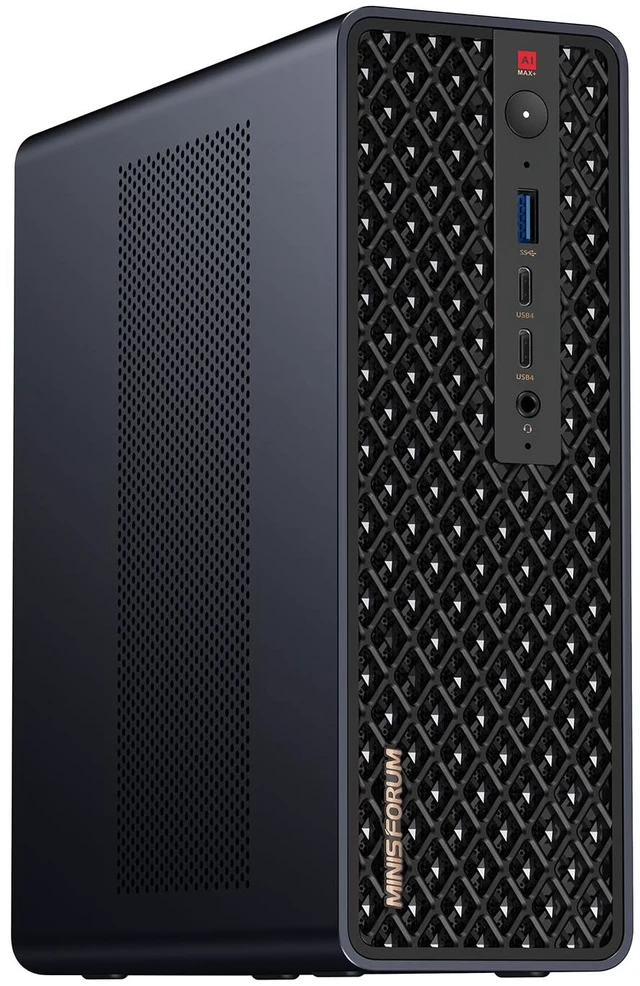
The MS-S1 Max features a copper baseplate, six heat pipes, dual turbine fans, and PCM thermal material. Its listed power design supports 130W continuous operation and 160W peak operation, supplied by a built-in 320W power supply. These specifications support sustained workloads, but good airflow is still essential. Place the system on a hard, open surface, keep intake and exhaust areas clear, and avoid placing it in an unventilated cabinet.
Start with Balanced mode. Check response times, fan behavior, and temperatures before moving to Performance mode.
Use Performance mode strategically. It may help with batch inference or model compilation, but can increase heat and noise during extended sessions.
Keep software current. Install stable chipset, graphics, and operating-system updates, and preserve a known-good configuration before changing drivers.
Separate models from active data. Keep frequently used models on the fast primary NVMe drive and store large archives or backups elsewhere.
Monitor memory and thermals. Track RAM usage, GPU utilization, power draw, temperatures, request queue length, and tokens per second.
Protect the service. If other people will access the system, use automatic restarts, health checks, authentication, and scheduled backups.
The internal expansion options also make the system easier to plan around. It has two M.2 2280 NVMe slots: one PCIe 4.0 x4 slot and one PCIe 4.0 x1 slot, with each slot listed as supporting up to 8TB. A full-length PCIe x16 physical slot operating at PCIe 4.0 x4 is also included. These connections can support extra storage or specialized expansion, but do not assume an external accelerator will work without checking enclosure, driver, power, and software compatibility.
Step 4: Decide How Many People Can Use It
There is no universal user limit for a local AI deployment. Capacity depends on model size, quantization, context length, response-time expectations, and whether requests run in parallel or wait in a queue. A 7B model handling short prompts may serve several light users more comfortably than a 70B model processing long document contexts.
For a small working group, a sensible starting point is one to three active users for a larger 27B, 32B, or 70B-class workload, depending on the runtime and acceptable latency. A smaller 7B to 14B model can support more simultaneous light interactions, particularly when prompts are short and users do not require immediate full-speed streaming. These are planning ranges, not guaranteed results, so test the prompts your team actually uses before committing to a service level.
One user: ideal for model evaluation, long context windows, coding agents, and maximum response speed.
Two to three active users: a practical pilot target for a moderate model with a managed queue.
Four or more active users: more achievable with smaller models, short contexts, caching, and clear request limits.
Many simultaneous users: consider multiple nodes, a dedicated inference server, or a cloud service instead of relying on one mini PC.
The system includes dual 10Gb Ethernet ports, Wi-Fi 7, and Bluetooth 5.4. Dual 10GbE is useful when the model server connects to fast shared storage, a workstation subnet, or a second AI node. Network speed will not directly increase model generation speed, but it can reduce file-transfer and retrieval bottlenecks when documents or databases live on another system.
Step 5: Handle Concurrency Instead of Simply Adding Users
Supporting multiple browser tabs is not the same as managing concurrency. Each request consumes memory for model weights, conversation history, and the key-value cache used during transformer inference. Longer prompts and larger output limits increase the cost of each session. If every user launches an independent model process, available memory can disappear quickly even when one copy of the model fits comfortably.
A more dependable setup loads one shared model server and places a controlled queue in front of it. Configure the server to limit active sequences, cap maximum context length, and reject or defer work when the memory budget is reached. Continuous batching can improve total throughput by processing tokens from several requests together, although it may increase the wait for an individual response. Choose the balance that fits your team’s priorities: faster individual replies or higher total output.
Use one model instance where possible. Avoid launching a separate copy for every employee or browser session.
Set a request queue. Give users a visible position or estimated wait instead of allowing uncontrolled resource contention.
Reserve memory. Leave capacity for the operating system, retrieval service, logs, and context cache.
Limit prompt and output length. Set sensible defaults and offer longer contexts only when they are needed.
Prioritize workloads. Give interactive chat higher priority than overnight indexing or batch summarization.
Cache repeated work. Cache embeddings, common system prompts, and frequently requested reference material where privacy rules permit.
For a two-node or larger deployment, distribute services instead of duplicating everything without a plan. One node can run the user interface and retrieval database while another handles inference, or multiple inference nodes can divide users by team or model. The product information describes a two-unit cluster running a local 235B Q4 model at 10.87 tokens per second and identifies four-node support for a DeepSeek-R1 671B Q4 configuration. Treat those figures as vendor-provided configuration claims rather than guarantees for every software stack, and validate them with the exact model and runtime before planning a production service.

Step 6: Choose the MINISFORUM MS-S1 Max for the Right Scenario
The MINISFORUM MS-S1 Max Mini Workstation with AMD Ryzen AI Max+ 395 is best understood as a compact local AI workstation that can also serve as a small inference node. Its 128GB of unified memory is the standout feature for experimenting with larger quantized models, while the 16-core, 32-thread CPU handles preprocessing, containers, indexing, and general desktop work alongside the model.
Local knowledge assistant: Index internal documents and use retrieval-augmented generation without sending source files to a third party.
Developer workstation: Run a local coding model, containers, databases, and test services on the same machine.
Creative workstation: Use the Radeon 8060S graphics for compatible image, video, and multimodal workflows.
Small-team inference node: Expose a protected API, enforce a queue, and select a model that leaves memory for concurrent sessions.
Expandable lab system: Use the two M.2 NVMe slots, the full-length PCIe x16 slot (PCIe 4.0 x4 electrical), dual 10GbE ports, and 2U rack-mounting support as the deployment grows.
The system is less suitable when you need guaranteed enterprise-scale concurrency, certified multi-user software support, or a specific CUDA-only application. Integrated Radeon acceleration also requires careful model-runtime validation because software support varies. Confirm the framework, operating system, and model format before treating the advertised AI capabilities as production-ready.
Summary: A Practical Local AI Buying Checklist
Choose the Ryzen AI Max+ 395 platform when memory capacity and compact design matter alongside accelerator performance. The MS-S1 Max combines 16 CPU cores, Radeon 8060S graphics, a 50 TOPS NPU, 128GB of unified LPDDR5x-8000 memory, 2TB of storage, and strong connectivity in a 77 x 206 x 222mm chassis weighing 2.8kg. That makes it a flexible foundation for local language models, retrieval systems, development tools, and multimodal experiments.
Before putting it into service, select a model based on memory and latency requirements, install a compatible runtime, test sustained cooling, and measure real prompts with one, two, and several concurrent users. Start with a queue and conservative context limits. If your workload eventually outgrows one node, the dual 10GbE ports and stated cluster-oriented design provide a path toward multiple systems. The best small-team AI setup is not necessarily the one that loads the largest model once; it is the one that delivers predictable responses, keeps private data under your control, and stays dependable throughout the workday.
Frequently Asked Questions
What models can the MINISFORUM MS-S1 Max run locally?
Its 128GB of unified memory makes 7B, 8B, 14B, 27B, and 32B quantized models practical starting points, depending on context length and runtime overhead. Larger 70B-class models may load in suitable quantized formats, but you should reserve memory for the operating system, context cache, embeddings, databases, and concurrent sessions.
Is the MS-S1 Max suitable for several people at once?
It can support a small team when requests are managed through one shared model server, a queue, and sensible context limits. Start by testing one to three active users with the exact model and prompts your team will use, because larger models and long documents can reduce response speed significantly.
Does AMD Radeon acceleration work with every local AI application?
No. Radeon acceleration depends on the operating system, driver stack, runtime, model format, and framework support. Confirm compatibility with tools such as Ollama, llama.cpp, LM Studio, ROCm, or Vulkan before relying on GPU acceleration for production workloads.
Is the MINISFORUM MS-S1 Max good value for local AI?
Its strongest value is the combination of 128GB unified memory, compact size, high CPU performance, and integrated Radeon graphics in one system. It may be less cost-effective than a dedicated NVIDIA workstation for CUDA-dependent software or high-concurrency inference, so compare the complete software and deployment requirements rather than TOPS alone.
What should I check before buying, and is it usually in stock?
Check the exact memory, SSD, operating-system, power-supply, warranty, return, and regional support terms for the seller and configuration you intend to purchase. Stock and pricing can change, so verify availability on the retailer or MINISFORUM product page immediately before ordering and confirm that the listed configuration matches the article.
Read More
MINISFORUM MS-S1 MAX AI Workstation — See the manufacturer's product specifications, configurations, connectivity, and purchase information for the MS-S1 MAX.
AMD Ryzen AI Max+ 395 Product Specifications — Review AMD's official specifications for the Ryzen AI Max+ 395, including its Zen 5 cores, clock speed, cache, and configurable power range.
Ollama AMD Radeon GPU Documentation — Check Ollama's current guidance on AMD Radeon support, ROCm installation, and GPU compatibility limitations.
Minisforum MS-S1 Max Review — Read an independent review covering the MS-S1 Max's hardware, expansion options, performance, and local AI potential.
Minisforum MS-S1 Max Mini PC Review — Explore an additional review focused on the system's local AI development, workstation performance, design, and hardware configuration.