
Memory has been the part of a build that people argue about this year, which is not something I expected to write. For most of the DDR5 era the advice was boring and stable: buy 32GB at 6000 with good timings and stop reading. That advice is still mostly right, but the cost of following it has changed enough that the edges are worth examining again.
So this is not a list of the fastest kits. It is a list of where the money actually goes, and which of those places are worth it.
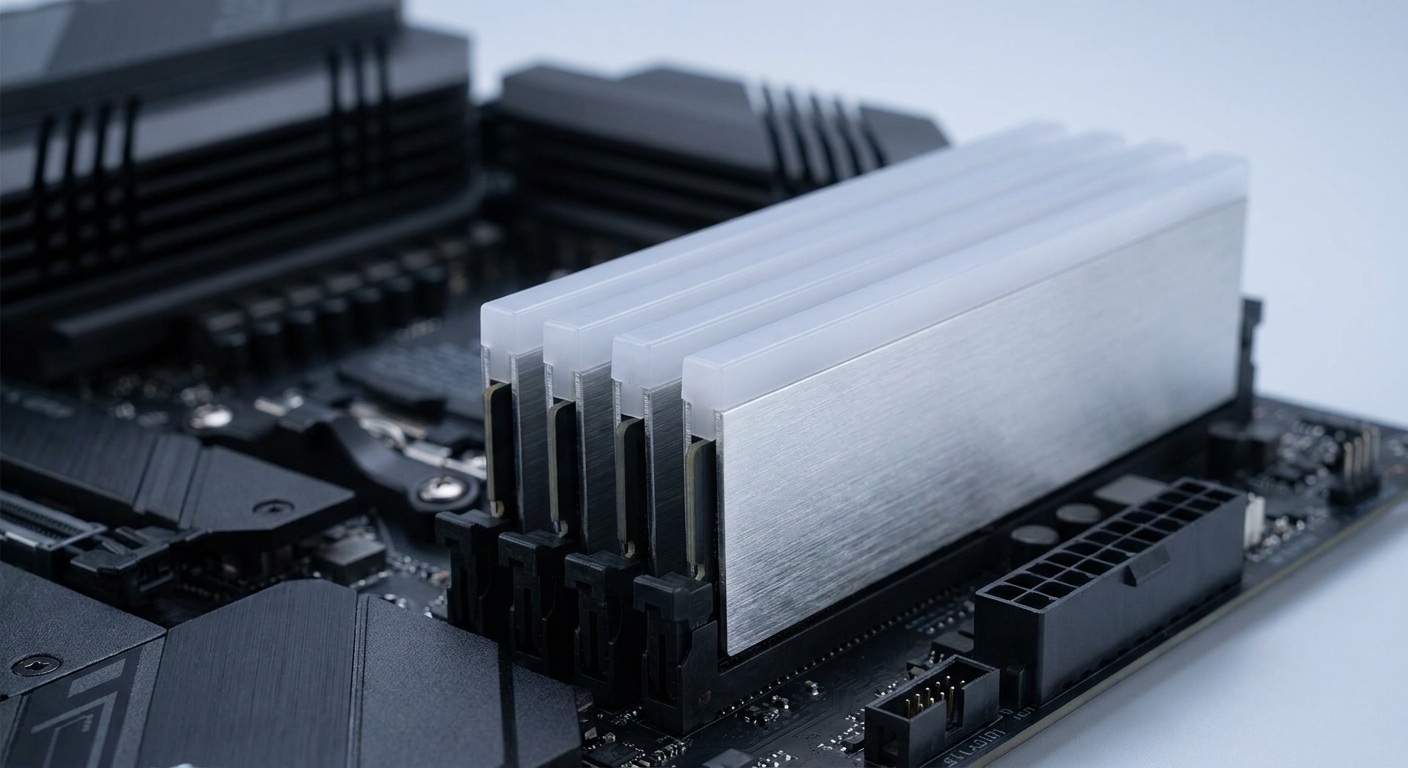
Why the Numbers on the Box Mislead
Speed and latency are one number, not two. A DDR5-6000 CL30 kit and a DDR5-6400 CL32 kit are close enough in real latency that you will not tell them apart. A DDR5-6000 CL40 kit is meaningfully slower than both, despite the identical headline speed. Divide the CAS number by the data rate if you want a rough comparison; ignore either figure alone.
Two sticks beat four. Current AMD chips list a lower supported memory speed with four modules than with two, which is why a 2 x 32GB kit is a better purchase than two 2 x 16GB kits even when the capacity is identical. It also leaves you slots for later.
EXPO and XMP are the same idea. A saved profile the board applies so the memory runs at its rated speed instead of the JEDEC default. If you do not enable it, you paid for a fast kit and are running slow memory. This happens more often than anyone admits.
The Field at a Glance
| Kit | Capacity | Speed | Timings | Voltage | Best for |
|---|---|---|---|---|---|
| Corsair Vengeance | 32GB (2 x 16GB) | DDR5-6000 | 30-36-36-76 | 1.40V | The default gaming kit |
| Patriot Viper Elite 5 | 32GB (2 x 16GB) | DDR5-6000 | 30-40-40-76 | 1.35V | Same idea, with RGB |
| G.SKILL Trident Z5 Neo RGB | 32GB (2 x 16GB) | DDR5-6000 | 30-38-38-96 | 1.35V | AMD EXPO out of the box |
| G.SKILL Trident Z5 Neo RGB | 64GB (2 x 32GB) | DDR5-6000 | 30-40-40-96 | 1.40V | 64GB without losing timings |
| Corsair Vengeance RGB | 64GB (2 x 32GB) | DDR5-6000 | 40-50-50-96 | 1.35V | Capacity first |
| G.SKILL Trident Z5 RGB | 48GB (2 x 24GB) | DDR5-6400 | 32-39-39 | 1.35V | The odd size that makes sense |
| G.SKILL Flare X5 | 96GB (2 x 48GB) | DDR5-5600 | 40-40-40 | 1.25V | Workstation capacity |
| Team T-Force Delta RGB | 64GB (2 x 32GB) | DDR5-5200 | 40-40-40-76 | 1.25V | Low voltage, high capacity |
The Kit I Would Buy Without Thinking
The Corsair Vengeance 32GB DDR5-6000 is the one I keep coming back to: 2 x 16GB, CL30, 30-36-36-76, 1.40V, no lighting, plain black spreaders. Those secondary timings are tighter than most kits at this speed, and the absence of RGB is a feature if you are trying to fit a large air cooler.
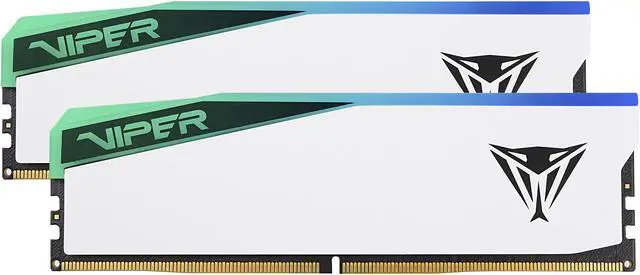
The Patriot Viper Elite 5 32GB lands in the same place from a different direction: DDR5-6000 CL30 at 30-40-40-76 and a lower 1.35V, in white with RGB and an aluminium heat spreader. Slightly looser secondaries, slightly less voltage. In games the gap is noise.
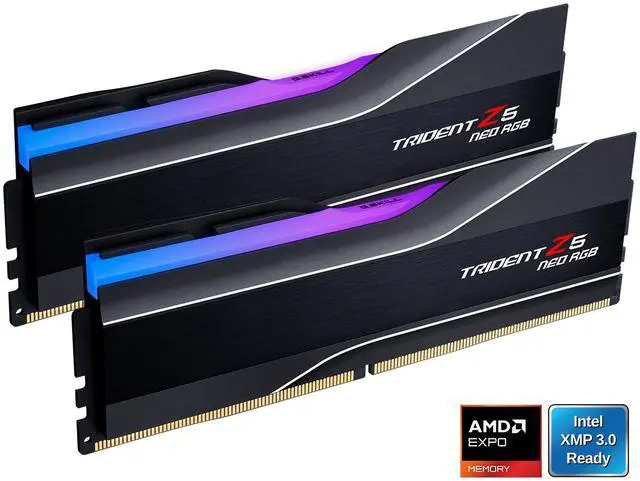
If your board is AMD and you want the profile to just work, the G.SKILL Trident Z5 Neo RGB 32GB carries an AMD EXPO profile at DDR5-6000 CL30, 30-38-38-96, 1.35V. One switch in the BIOS and it is done.
When 64GB Is Actually the Right Call
Gaming does not need 64GB. Video editing, large Photoshop documents, virtual machines and running a local model do, and that last one has pushed a lot of people into this tier over the past year.
The G.SKILL Trident Z5 Neo RGB 64GB is the one to get if you can: 2 x 32GB at DDR5-6000 CL30, 30-40-40-96, 1.40V. Holding CL30 at 64GB is not a given.
The Corsair Vengeance RGB 64GB runs the same DDR5-6000 at CL40, 40-50-50-96, 1.35V. It is the looser kit, and for capacity-bound work rather than latency-bound work that is a perfectly reasonable trade. The Team T-Force Delta RGB 64GB goes further down that road at DDR5-5200 CL40 and only 1.25V, which is the gentlest kit here on both the memory controller and your case temperatures.
The Two Sizes People Forget
Non-binary capacities have quietly become the sensible middle. The G.SKILL Trident Z5 RGB 48GB is 2 x 24GB at DDR5-6400 CL32, 32-39-39, 1.35V. It gives you half again the capacity of a 32GB kit at a speed and latency combination that is genuinely fast, and it is the kit I would suggest to someone who games and edits on the same machine.
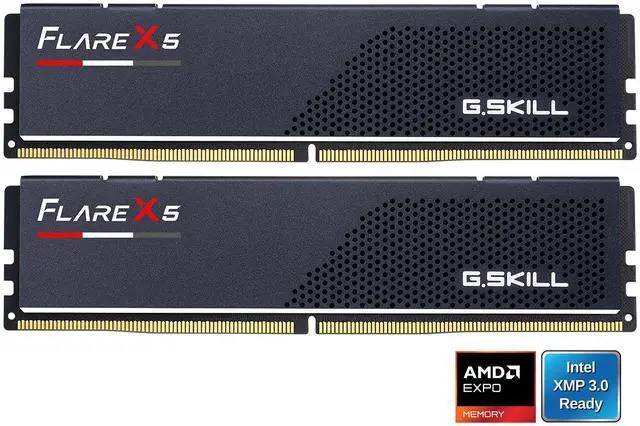
At the top, the G.SKILL Flare X5 96GB is 2 x 48GB at DDR5-5600 CL40, 40-40-40, 1.25V, with no lighting. Reaching 96GB in two modules rather than four is the whole point: you keep the higher supported speed and you keep two slots free.
How I Would Choose
Gaming, nothing unusual: 32GB at 6000 CL30, whichever of the three above you like the look of. AMD system, want it simple: the Trident Z5 Neo EXPO kit. Games plus creative work: the 48GB 6400 CL32 kit. Real workstation load: 64GB at CL30, or 96GB if you know why you need it.
And whatever you buy, go into the BIOS afterwards and turn the profile on. It is one toggle, it is free performance, and skipping it wastes the only part of this decision that actually mattered. Current stock is in Newegg’s DDR5 memory listings.
Frequently Asked Questions
Is 32GB still enough for gaming in 2026? For games alone, yes, comfortably. 32GB only starts to feel tight when you add something else on top, such as recording while playing, keeping a large browser session open, or running creative software in the background. If that describes your machine, 48GB is a better target than 64GB for most people.
Does DDR5 speed actually affect frame rates? It does, but less than people expect, and the effect concentrates in 1% lows rather than averages. Moving from DDR5-5200 CL40 to DDR5-6000 CL30 is a real improvement on a modern platform. Moving from DDR5-6000 CL30 to something considerably faster and looser usually is not.
Should I buy two sticks or four? Two, in nearly every case. Current AMD processors list a lower supported memory speed when four modules are installed than when two are, so a single 2 x 32GB kit is a better purchase than two 2 x 16GB kits at the same total capacity. It also leaves two slots free if you want to expand later.
What is the difference between EXPO and XMP? They are the same concept from different companies: a saved profile stored on the memory that tells the motherboard the rated speed, timings and voltage. EXPO is AMD’s version and XMP is Intel’s, and many kits carry both. Either way, the profile has to be enabled in the BIOS or the memory runs at a slower default.
Do I need low-profile memory for a big air cooler? Often, yes. Tall heat spreaders and RGB diffusers can collide with the fan on a large tower cooler, forcing you to raise the fan or move it. If you are running a dual-tower cooler, check the cooler’s memory clearance figure against the module height, or choose a kit without a tall lighting bar.
Read More
- Tom’s Hardware: Best RAM — Independent testing of DDR5 kits across speeds, timings and platform compatibility.
- TechSpot: DDR5 vs DDR4 in the Latest PC Games — Benchmarks across thirteen games showing where memory generation and speed actually change performance.
- G.SKILL: Memory Products — Official specification pages for the Trident Z5 and Flare X5 kits, including EXPO and XMP profile details.
- Corsair: DDR5 Memory — Manufacturer listings with timings, voltage and module height for the Vengeance range.
- Newegg: DDR5 Desktop Memory — Filter by capacity, speed, CAS latency, voltage and lighting.