"What's the difference between desktop CPUs and server CPUs like Xeon or Threadripper?" It's one of the most searched questions among professionals upgrading their workstations in 2026 — and the answer is more precise than most buyers expect. The gap isn't simply about core count or raw speed. It runs through every layer of silicon design: memory architecture, I/O topology, reliability features, and the fundamental assumptions each platform makes about how it will be used. Understanding these differences is the key to making the right platform decision.
The Core Design Philosophy
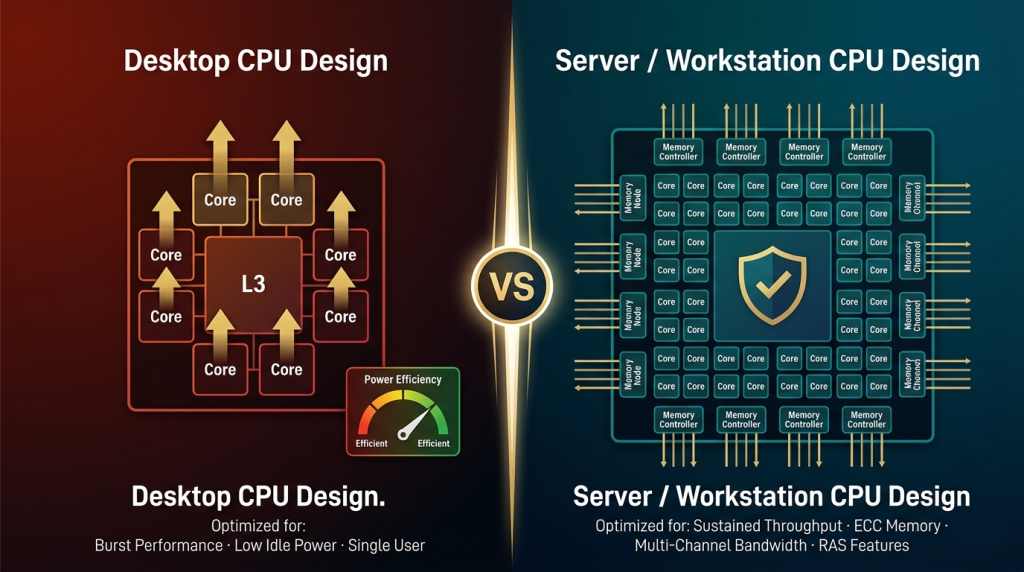
Desktop CPUs are built around one assumption: a single user running variable, bursty workloads on a single socket. The entire architecture — from clock speed tuning to power delivery — optimizes for peak single-threaded responsiveness and energy efficiency during the idle periods that dominate daily desktop use.
Server and workstation processors are designed under the opposite constraint. Intel's Xeon w9-3475X and AMD's Ryzen Threadripper PRO 7965WX assume the processor will run at sustained high utilization — continuously, for hours or weeks — without thermal throttling, memory errors, or I/O contention. Every engineering decision follows from that assumption.
 ECC Memory: The Single Most Important Divide
Error-Correcting Code (ECC) memory support is arguably the most consequential architectural divide between desktop and server-class platforms. In any DRAM system, transient single-bit memory errors occur at a low but nonzero rate — caused by cosmic rays, electrical noise, and aging cell degradation. On a desktop system without ECC, these errors manifest as random application crashes, filesystem corruption, or silent data integrity failures that may go undetected entirely.
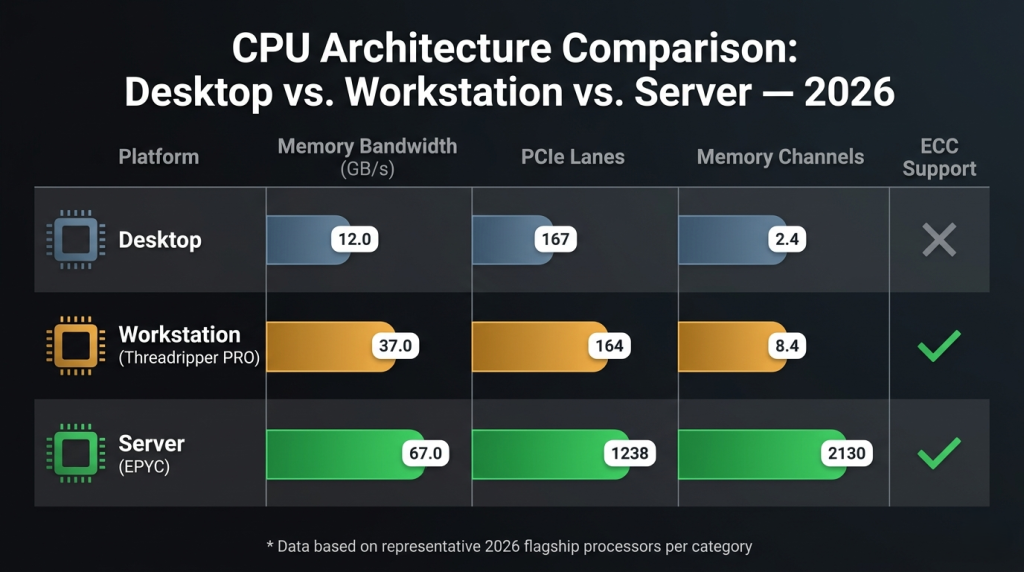
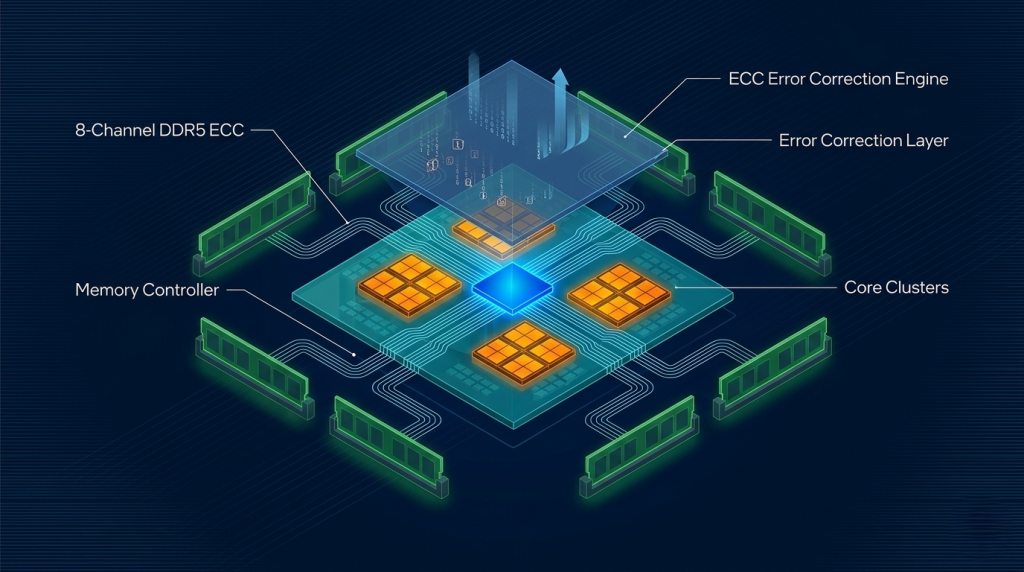
Server and workstation CPUs treat ECC as a foundational requirement, not an option. The AMD EPYC 9554 — a 64-core 5th Gen EPYC processor — supports 12-channel DDR5 ECC with Registered DIMM and Load-Reduced DIMM configurations that add additional layers of memory protection for critical workloads. The AMD Ryzen Threadripper PRO 5955WX brings 8-channel DDR4 ECC to a single-socket workstation format. Neither Intel Core nor AMD Ryzen desktop CPUs support ECC memory — a deliberate platform segmentation enforced by both vendors.
In 2026, this distinction has become more urgent as local AI inference, virtualization, and containerized workloads run continuously on developer workstations. A machine running a local LLM server or VM host for days on end genuinely benefits from memory error protection.
Memory Channels: Where Bandwidth Comes From
The multi-channel memory controllers in server and workstation CPUs scale bandwidth in ways that desktop platforms cannot replicate. This bandwidth gap directly limits how fast workloads that move large data structures — ML training preprocessing, scientific simulation, video pipeline processing — can execute.
| Platform | Memory Channels | ECC Support | Theoretical Peak Bandwidth |
|---|---|---|---|
| Desktop (Ryzen 9 9950X / Core Ultra 9 285K) | 2-channel DDR5 | No | ~95 GB/s |
| AMD Threadripper PRO 7965WX | 8-channel DDR5 ECC | Yes | ~300 GB/s |
| Intel Xeon w9-3475X | 8-channel DDR5 ECC | Yes | ~307 GB/s |
| AMD EPYC 9554 | 12-channel DDR5 ECC | Yes | ~461 GB/s |
This bandwidth gap does not appear in single-threaded benchmarks. It becomes visible the moment workloads become memory-bound — which most sustained multi-threaded professional workloads eventually are.
 PCIe Lane Count and I/O Topology
Desktop CPUs ship with a fixed, modest PCIe lane budget. A typical Intel Core Ultra or AMD Ryzen desktop processor provides 24 to 28 PCIe 5.0 lanes from the CPU directly. That budget is sufficient for one GPU and one NVMe SSD before the chipset's slower PCIe bandwidth must absorb the remaining devices.
Server and workstation processors are designed for I/O density. The Intel Xeon w9-3475X provides 112 PCIe 5.0 lanes. The AMD Threadripper PRO 7965WX offers 88 PCIe 5.0 lanes. The AMD EPYC 9554 scales to 128 PCIe 5.0 lanes per socket — enough to run multiple full-bandwidth GPUs, NVMe RAID arrays, 100GbE networking, and professional PCIe expansion cards simultaneously without any device sharing bandwidth.
This matters in 2026's AI infrastructure context, where multi-GPU workstation configurations and high-speed NVMe storage arrays are no longer reserved for data centers — they are appearing in on-premise AI development workstations.
 RAS Features: Reliability Built Into Silicon
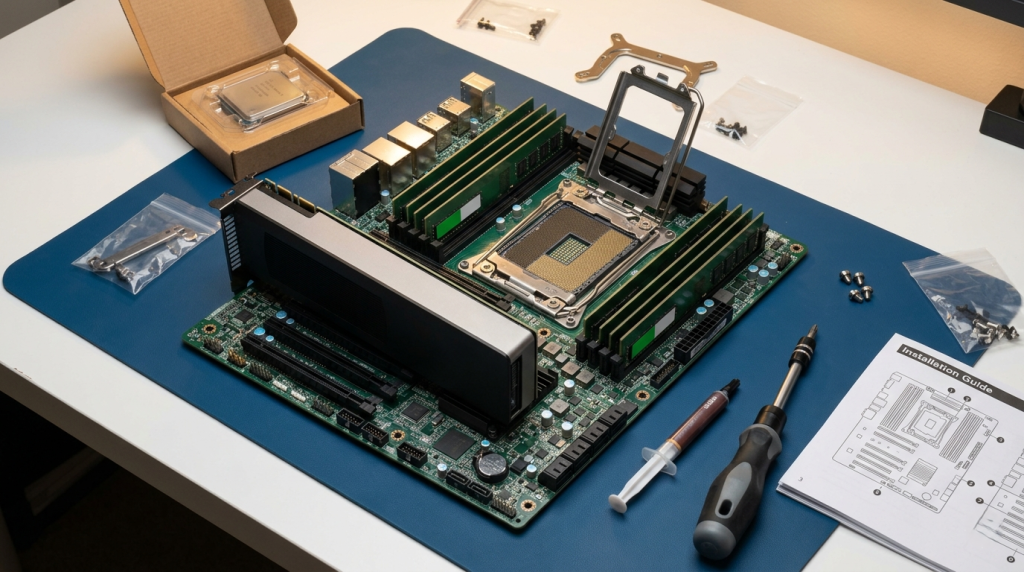
Server CPUs include hardware-level RAS (Reliability, Availability, and Serviceability) capabilities that desktop processors omit entirely. These include memory patrol scrubbing — a background process that proactively scans memory for correctable errors before they accumulate into uncorrectable failures — machine check architecture extensions for detailed hardware fault logging, and platform management interfaces (IPMI/BMC) for remote out-of-band monitoring and recovery.
The Intel Xeon E3-1230 V5 illustrates this principle at the entry level. A modest 4-core Xeon built for light server use, it carries the same ECC support and RAS feature set as its higher-core-count siblings — because the platform guarantee matters regardless of core count. Its predecessor, the Intel Xeon E3-1230 V2, remains in active use in legacy rack environments precisely because the platform was designed for operational longevity.
Threadripper PRO: The Deliberate Middle Ground
AMD's Threadripper PRO family occupies a carefully engineered position between consumer desktop and full datacenter server. The Threadripper PRO 5955WX and 7965WX bring ECC memory support, eight-channel memory architecture, and high PCIe lane counts to a single-socket workstation form factor — without requiring a rack-mount chassis, dual-socket infrastructure, or specialized server OS licensing.
For engineers, ML developers, and VFX professionals who need server-class memory integrity and I/O density in a workstation that sits under a desk, Threadripper PRO occupies the right position on the spectrum.
 The Architecture Gap in 2026
Desktop CPUs are fast, efficient, and designed for one user running one set of tasks. Server and workstation CPUs are designed for continuous operation, data integrity under load, and I/O scalability that no consumer platform can match. Browse the full range of server CPU processors on Newegg to explore the complete workstation and server processor ecosystem — and to understand where the desktop tier ends and the infrastructure tier begins. In 2026, knowing the difference is not academic. It directly determines whether your platform can support the workloads you are already running or planning to run.