
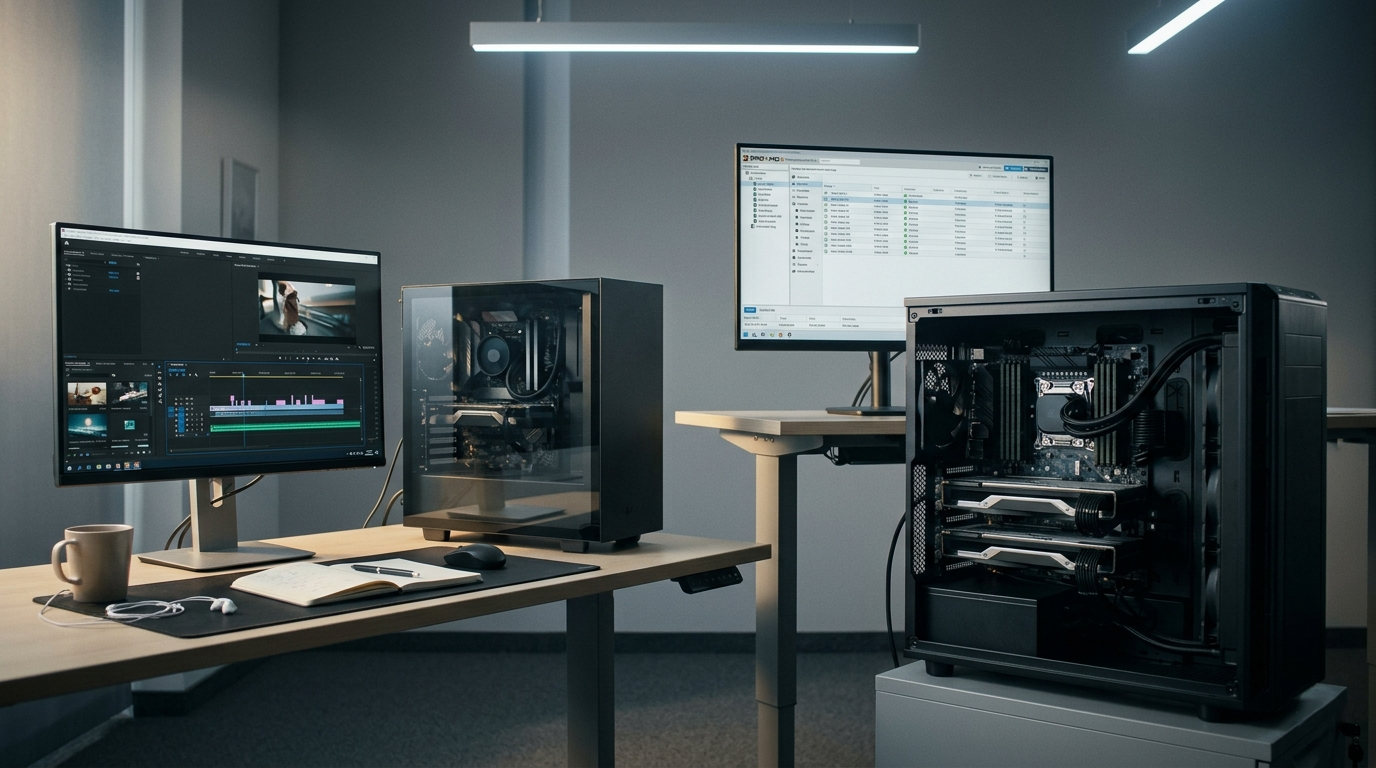
The question is simple enough on the surface: What’s the difference between desktop CPUs and server CPUs like Xeon or Threadripper? But the version that matters to most buyers in 2026 is a more practical one: when does the difference actually affect you? As AI workloads move onto personal workstations, local LLM inference becomes mainstream, and small teams build on-premise infrastructure that would have required a data center three years ago, the decision between desktop and workstation-class silicon has real consequences for real workflows. This guide answers that question by workload — not by specification sheet.
When a Desktop CPU Is Exactly Right
Let us start with the honest answer: for the majority of knowledge workers, content creators, and developers in 2026, a desktop CPU is the correct choice. The modern Ryzen 9 and Intel Core Ultra 9 generation deliver extraordinary multi-threaded performance, support fast DDR5 memory, and handle demanding creative workloads — video editing, 3D rendering, software development, and even moderate AI inference — without difficulty.
If your workload is bursty, if your machine powers off most nights, and if you are the sole user of the system, a desktop CPU gives you excellent performance with excellent power efficiency. The question of whether you need a Xeon or Threadripper only becomes relevant when your workflow pushes into one or more of the following scenarios.
 Scenario 1: Continuous Operation and Memory Integrity
The first threshold where server-class hardware earns its place is sustained 24/7 operation with data integrity requirements. Desktop CPUs do not support ECC (Error-Correcting Code) memory — a feature that detects and corrects single-bit memory errors in real time. Over a desktop gaming or casual productivity session, this limitation is invisible. Over a machine running a local AI inference API, a database, or a rendering farm job for 72 continuous hours, a single undetected memory error can corrupt output, crash a VM, or introduce silent errors into a dataset.
AMD’s Ryzen Threadripper PRO 7965WX and Threadripper PRO 5955WX support 8-channel DDR5 ECC — the right platform for workstations that never fully power down. For teams moving on-premise AI workloads from cloud to local infrastructure, this is a non-negotiable capability.
Scenario 2: Memory-Bandwidth-Bound AI and Simulation Workloads
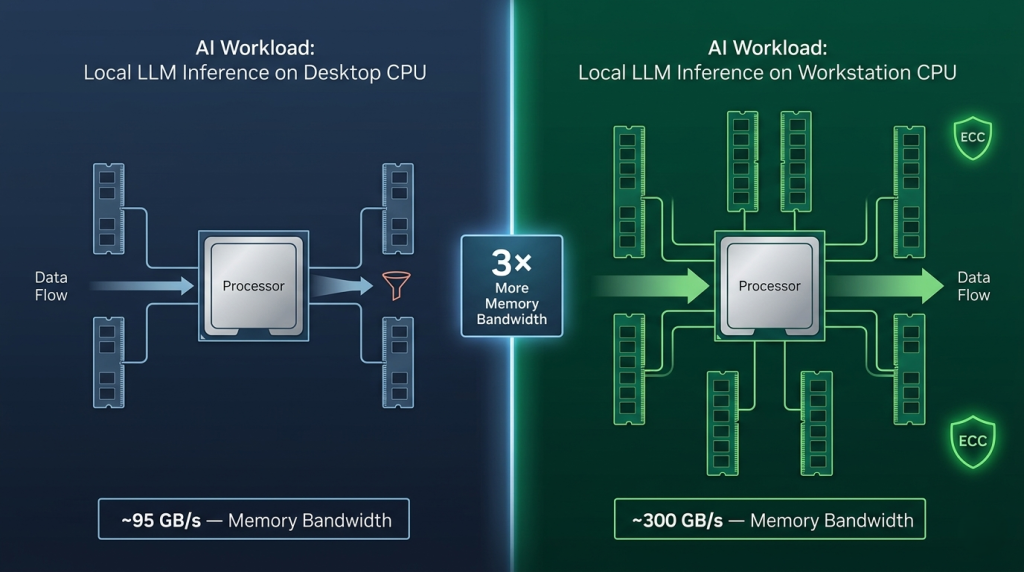
In 2026, local AI inference and ML preprocessing have moved from developer experiments to production workflows. Tools like Ollama, LM Studio, and ComfyUI are running on workstation hardware as permanent services. The binding constraint for these workloads is not core count — it is memory bandwidth and VRAM capacity. But when the workload involves large-batch preprocessing, data augmentation pipelines, or CPU-side tokenization feeding a GPU inference stack, memory bandwidth becomes the CPU-side bottleneck.
A desktop CPU with 2-channel DDR5 provides roughly 95 GB/s of memory bandwidth. The Intel Xeon w9-3475X with 8-channel DDR5 ECC provides over 300 GB/s — more than three times as much, at the same socket count. For ML engineers building on-premise data pipelines that feed GPU training jobs, this bandwidth gap directly reduces preprocessing bottlenecks. Browse the full range of server CPU processors on Newegg to find the right workstation or server processor for bandwidth-intensive workloads.
 Scenario 3: Multi-GPU Configurations and PCIe I/O Density
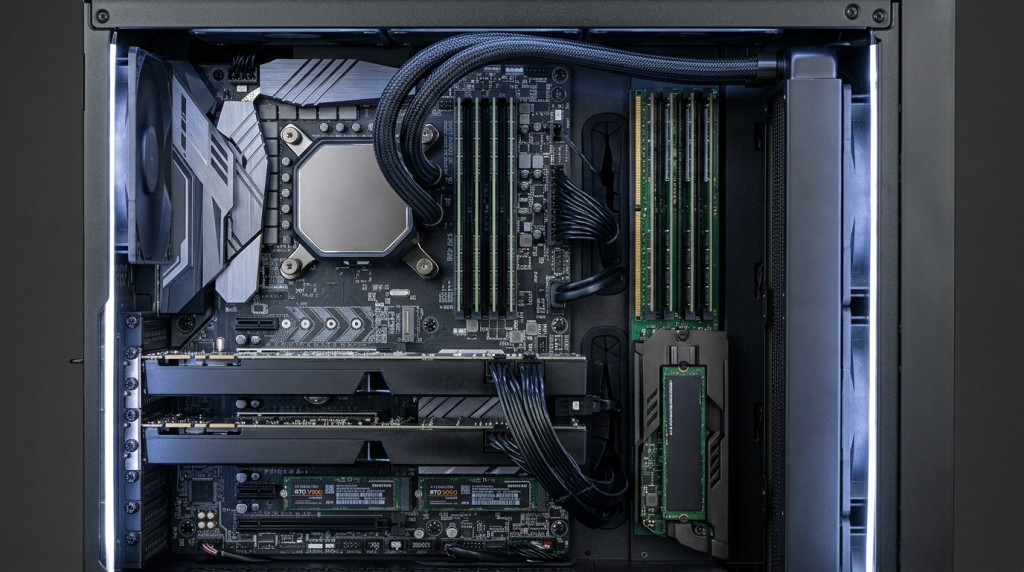
Desktop CPUs provide 24 to 28 PCIe 5.0 lanes from the CPU — enough for one GPU and one NVMe SSD at full bandwidth before devices begin sharing the chipset’s slower interconnect. When a workstation or small server requires two or more full-bandwidth GPUs, plus NVMe RAID storage, plus 10GbE or 25GbE networking, plus professional capture or expansion cards, the desktop PCIe budget runs out quickly.
Server and workstation processors are built for this I/O density. The Intel Xeon w9-3475X provides 112 PCIe 5.0 lanes directly from the CPU — enough to run every device at full bandwidth simultaneously. This is the correct platform for multi-GPU AI workstations, professional broadcast capture setups, and small-team NAS-adjacent builds that need both compute and storage I/O at scale.
Scenario 4: Virtualization Density and VM Host Infrastructure
A desktop CPU running WSL2 or Docker Desktop handles developer-grade virtualization without issue. But running a dedicated VM host — a Proxmox, VMware ESXi, or Hyper-V Server node with five or more production VMs — requires capabilities that desktop CPUs handle imperfectly.
ECC memory is critical here: a single memory error on a VM host can corrupt the state of every running virtual machine simultaneously. High core counts improve VM density. High PCIe lane counts enable GPU passthrough configurations — giving individual VMs direct GPU access for AI workloads or graphics-intensive tasks.
The AMD EPYC 9554 represents the high end of this use case: 64 Zen 4 cores, 12-channel DDR5 ECC, 128 PCIe 5.0 lanes, and the full EPYC RAS feature set designed for enterprise hypervisor environments. At the entry level, legacy processors like the Intel Xeon E3-1230 V5 and E3-1230 V2 still power Proxmox homelab and small business server builds, delivering ECC support in a compact power envelope. For team environments scaling to denser VM configurations, the AMD EPYC 7262 — an 8-core EPYC with full server platform capabilities — provides a cost-accessible entry point into genuine server infrastructure.
 The Decision Framework
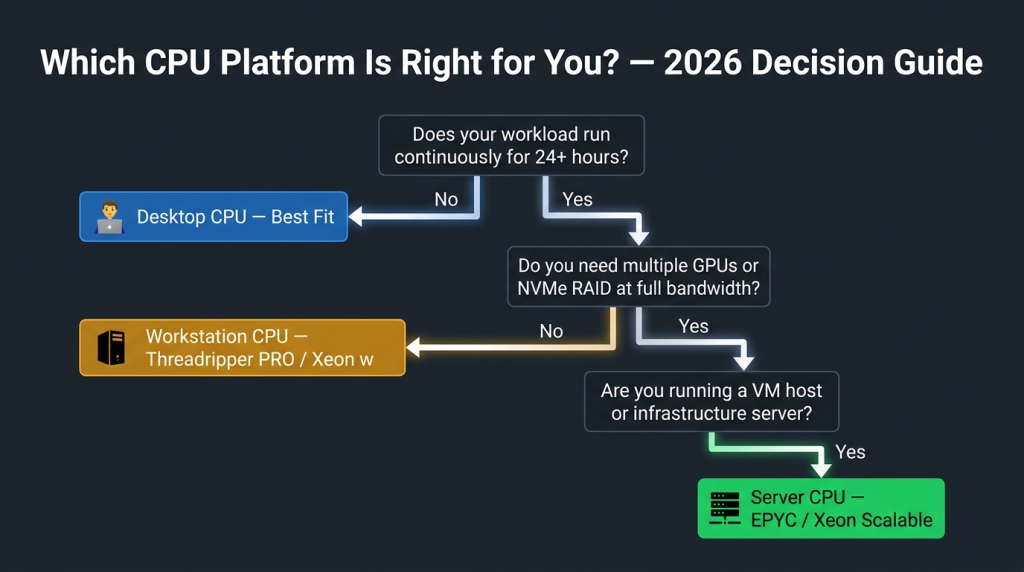
| Workload Characteristic | Desktop CPU | Workstation CPU (Threadripper PRO / Xeon w) | Server CPU (EPYC / Xeon Scalable) |
|---|---|---|---|
| Single user, bursty workloads | Best fit | Overkill | Overkill |
| Continuous 24/7 operation | Risk | Recommended | Recommended |
| ECC memory required | Not supported | Supported | Supported |
| 2+ GPUs at full PCIe bandwidth | Not possible | Supported | Supported |
| VM host with 5+ production VMs | Not ideal | Good | Ideal |
| Memory-bandwidth-bound AI pipelines | Limited | Strong | Strongest |
| Single-user AI development workstation | Sufficient | Best fit | Overkill |
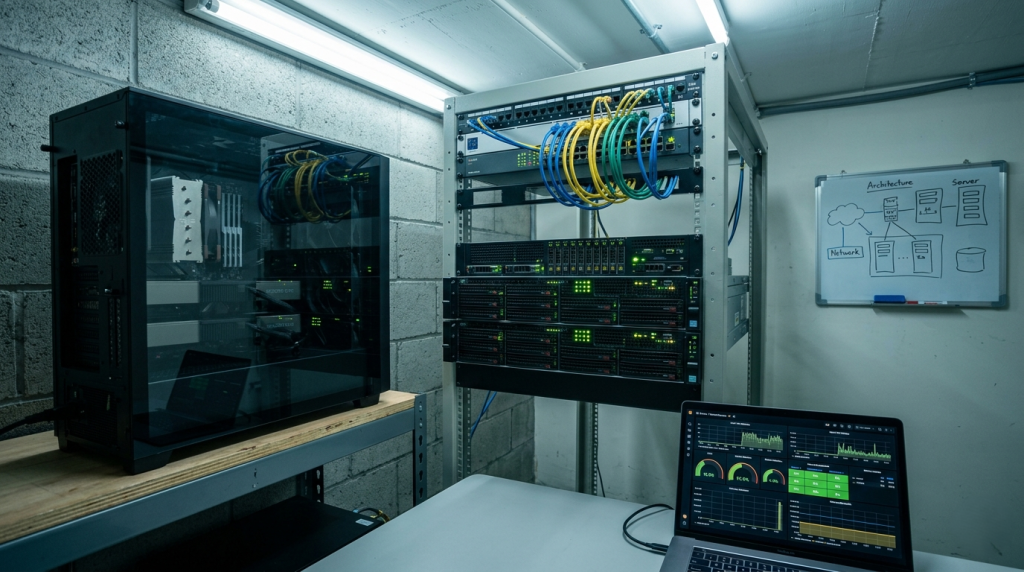 Making the Right Call in 2026
The Xeon and Threadripper PRO platforms exist because desktop CPUs, regardless of their single-threaded speed, were not designed for the operational requirements of sustained professional and infrastructure workloads. In 2026, those requirements have come closer to the individual developer’s desk than ever — as AI models, VM hosts, and continuous compute pipelines move off the cloud and onto local hardware.
If your workload matches any of the scenarios above — continuous operation, memory integrity, multi-GPU I/O density, or VM hosting — a workstation or server CPU is not an upgrade. It is the correct tool for the job.
Related Posts
- Best CPUs for Gaming and Productivity in 2026: Intel vs AMD Showdown
- Should You Buy an Unlocked CPU in 2026? A Practical Guide for Every Type of Builder
- Unlocked vs. Locked CPUs Explained: What the “K” Really Means in 2026
- Desktop CPU vs. Server CPU: What’s Actually Different Under the Hood in 2026
- Intel Core Ultra 7 265K vs Ryzen 7 7800X3D — and the New Contender Changing Everything in 2026