
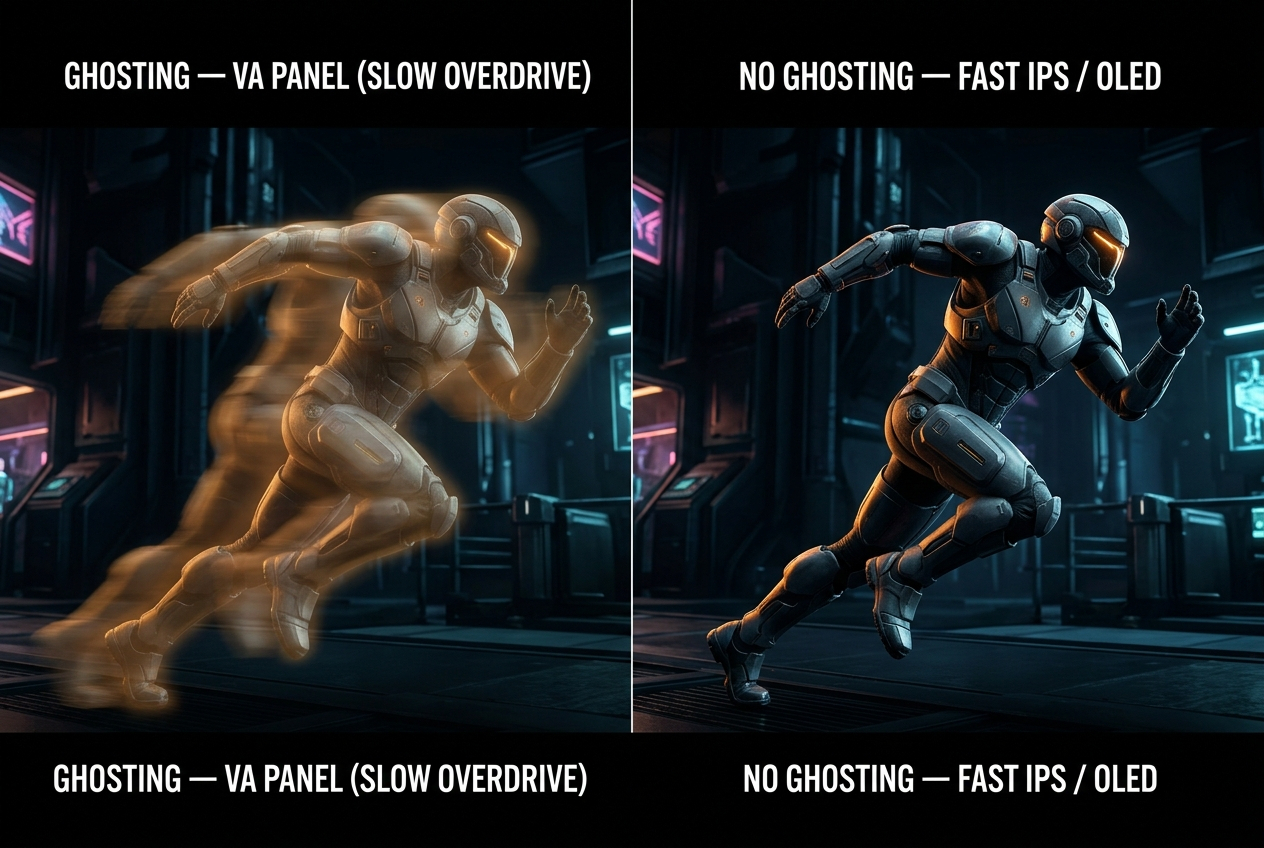
Few things are more frustrating than spending money on a gaming monitor only to discover visible smearing, trailing edges, or blurry motion during fast-paced gameplay. So let’s answer the question directly: Do gaming monitors have motion blur or ghosting issues?
The honest answer is yes — some do, some don’t, and understanding why is the key to buying correctly. In 2026, panel technology and backlight engineering have improved dramatically, but motion artifacts remain a real consideration that varies significantly between monitor types.
Two Distinct Problems: Motion Blur vs. Ghosting
These terms are often used interchangeably, but they describe different phenomena with different causes and different solutions.
Motion Blur
Motion blur is the perceived smearing of moving objects caused by the human visual system tracking movement against a stationary background — not necessarily a monitor defect. Even on a perfect display, your eyes create a blur when tracking fast motion.
However, monitors can significantly worsen or improve this effect. A 60Hz display updates the image only 60 times per second, leaving each frame visible for 16.7ms — long enough for significant perceived blur as your eyes track motion. A 240Hz display updates every 4.2ms, dramatically reducing perceived blur even before any pixel-level technology intervenes.
What makes motion blur worse:
- Lower refresh rates (60Hz vs. 240Hz)
- Persistent phosphor/backlight (traditional always-on backlights)
- High ambient brightness combined with slow pixel transitions
What reduces motion blur:
- Higher refresh rates (144Hz and above)
- Backlight Strobing / ULMB (Ultra Low Motion Blur) technology — covered below
- Variable refresh rate (G-Sync, FreeSync) ensuring smooth frame delivery
Ghosting
Ghosting is a hardware-specific artifact caused by slow pixel response times — the time it takes a pixel to transition from one color to another. When a pixel can’t complete its transition before the next frame arrives, it leaves a visible trailing image behind moving objects. This is a real monitor defect, not a visual perception effect.
Ghosting severity scales directly with panel type:
| Panel Type | Typical GTG Response | Ghosting Risk |
|---|---|---|
| TN | 0.5–1ms | Very Low |
| Fast IPS (Nano IPS, AHVA) | 1–2ms | Low |
| Standard IPS | 3–5ms | Moderate |
| VA | 5–10ms | Moderate to High |
| OLED | <0.1ms | Near Zero |
VA panels are historically the most ghosting-prone category. Their slow pixel transitions — particularly in dark-to-dark transitions — can produce a visible “corona” of trailing smear around fast-moving objects. This is the most commonly cited complaint in VA panel reviews, and remains relevant in 2026 even as manufacturers have improved VA response times.
Overdrive and Its Side Effects
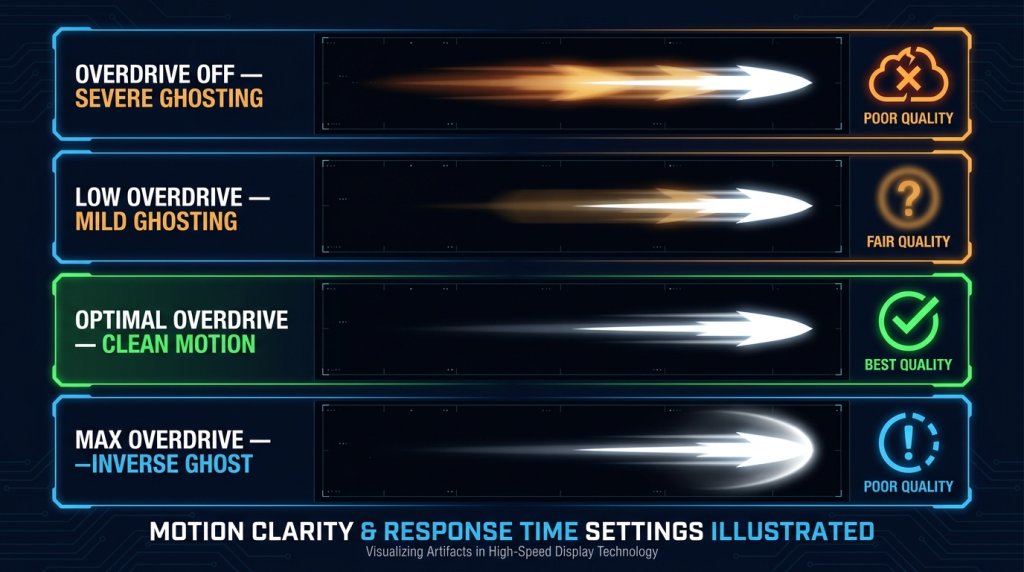
Most modern gaming monitors include an overdrive setting (also called Response Time Enhancement, AMA, or Trace Free depending on manufacturer) that pushes extra voltage through pixels to accelerate transitions. Overdrive reduces ghosting — but too much overdrive introduces its own artifact: inverse ghosting (pixel overshoot), where pixels overshoot their target color and produce a bright halo in front of fast-moving objects.
This is why gaming monitors typically offer multiple overdrive levels (Off, Normal, Extreme, or numeric 1–5 scales). Finding the correct overdrive setting for your specific refresh rate is important:
- Too low: Ghosting persists
- Correct setting: Minimal ghosting with no overshoot
- Too high: Inverse ghosting appears (often looks like a bright white artifact ahead of moving objects)
Reviews and testing data for specific monitor models are essential here — the correct overdrive level is not always the manufacturer’s default, and it varies with refresh rate and VRR usage.
Backlight Strobing: The Motion Clarity Upgrade
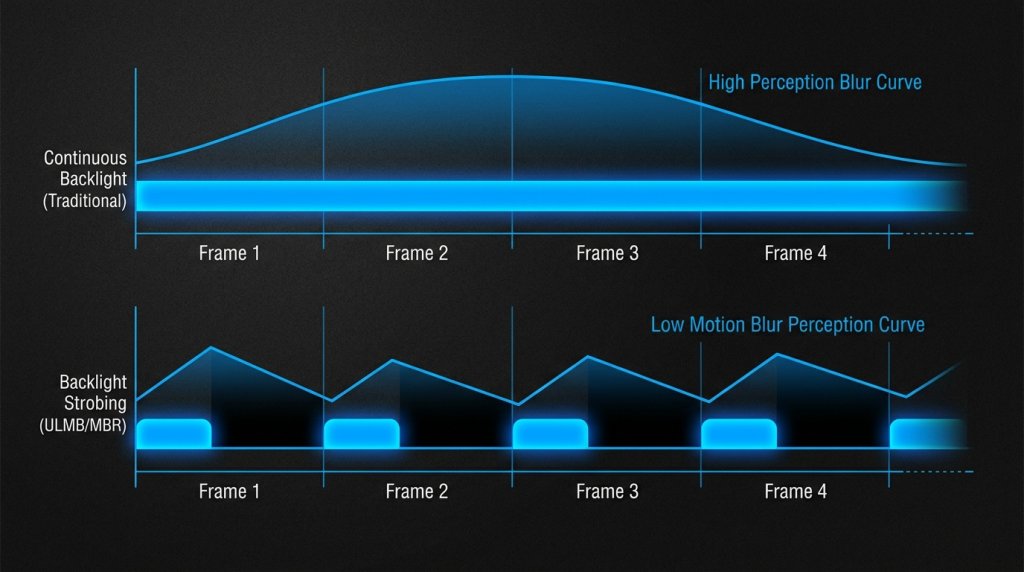
The most effective technology for eliminating motion blur in LCD gaming monitors is backlight strobing — sold under names like ULMB (Ultra Low Motion Blur by NVIDIA), MBR (Motion Blur Reduction), ELMB, or DyAC. Instead of keeping the backlight continuously on, strobing pulses it off between frames, mimicking the phosphor decay of CRT displays.
The result is dramatically sharper perceived motion — approaching the clarity of OLED without requiring OLED panel technology. G-Sync monitors with ULMB support and FreeSync monitors with MBR capabilities are particularly popular with competitive players for this reason.
Trade-off: Backlight strobing typically cannot be active simultaneously with variable refresh rate (G-Sync/FreeSync). Most monitors require choosing between VRR and strobing — you can’t have both active at once. This is a real limitation to factor into your purchase decision.
OLED: Eliminating Both Problems Simultaneously
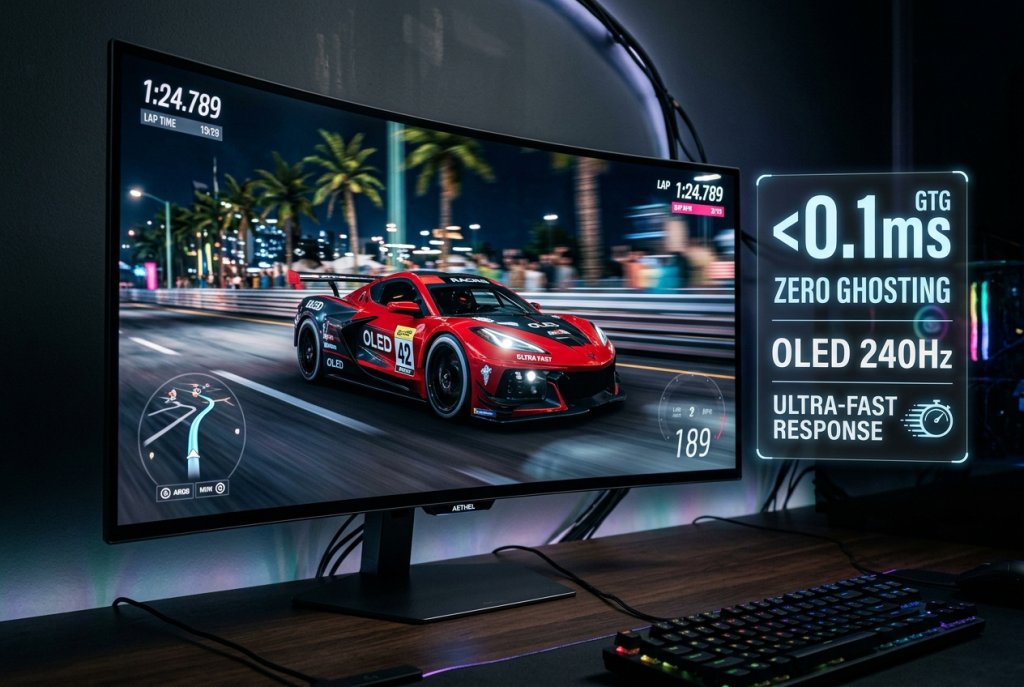
OLED and QD-OLED gaming monitors sidestep the ghosting and motion blur trade-offs that LCD panels navigate. Because each pixel is its own independent light source with sub-0.1ms response time, there is no pixel transition delay to generate ghosting, and no persistent backlight to generate motion smear.
In 2026, OLED gaming monitors have become a practical option for mainstream premium buyers — not just early adopters. HDR-capable OLED monitors combine perfect motion clarity with infinite contrast ratio, making them the gold standard for both competitive motion performance and immersive visual quality.
The remaining consideration — OLED burn-in — is mitigated by modern pixel-shift, automatic brightness limiter (ABL), and logo-detection dimming features. For gaming use (varied content, frequently changing scenes), burn-in risk is significantly lower than for static desktop or productivity use.
What to Check in Reviews Before Buying
When reading reviews for any gaming monitor, these motion-specific signals help identify real-world performance:
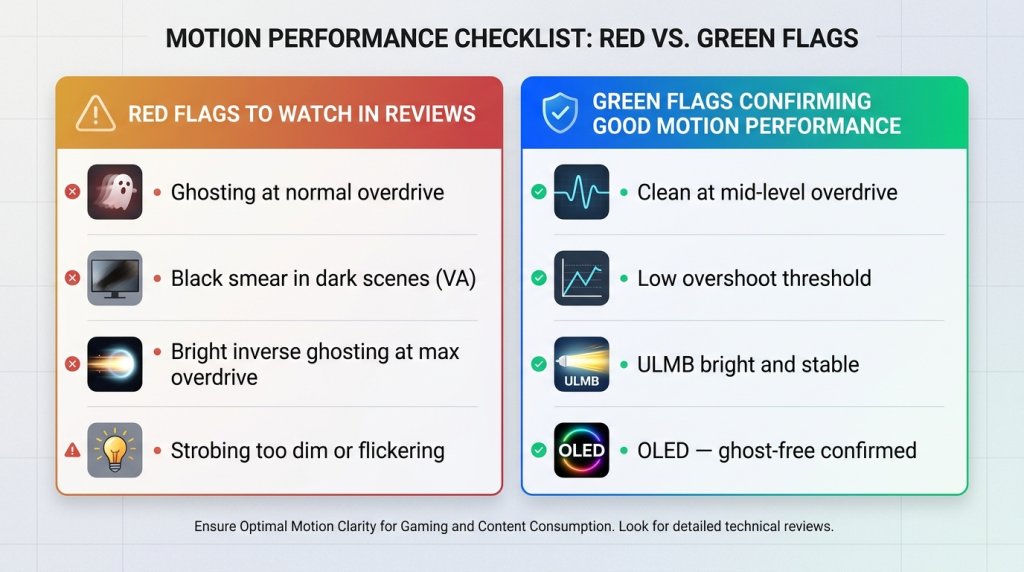
Red Flags:
- Multiple reviewers mentioning ghosting or smearing at standard overdrive settings
- Inverse ghosting artifacts visible in reviewer test images, especially at maximum overdrive
- VA panel users reporting “black smear” in dark scenes (slow dark-to-dark transitions)
- Reviewers noting that backlight strobing causes unacceptable brightness loss or flickering
Green Flags:
- Clean overdrive response at the “Normal” or mid-level setting
- Low inverse ghosting threshold — maximum overdrive produces minimal overshoot
- ULMB or equivalent strobing delivers clear, bright image with minimal flicker
- OLED/QLED models confirmed ghost-free at all tested refresh rates
Practical Buying Guide by Use Case
Competitive gaming priority (minimize ghosting and motion blur): Choose Fast IPS or OLED at 144Hz minimum. 24–26 inch 1080p monitors in this category offer the strongest motion performance for esports titles. Verify overdrive settings in reviews before purchasing.
Immersive single-player gaming: VA panels offer excellent contrast for cinematic games — check specifically for “black smear” complaints in reviews before buying. Alternatively, OLED eliminates the trade-off entirely on larger curved displays in the 33-inch and above category.
Mixed use (competitive + immersive): Fast IPS with confirmed low ghosting at your target refresh rate is the safest all-round choice. Pair with a capable GPU from NVIDIA or AMD that sustains high frame rates to keep VRR in the upper refresh window.
The Bottom Line
Motion blur and ghosting are real issues in gaming monitors — but they’re not inevitable. Panel technology choice, refresh rate, overdrive calibration, and backlight configuration all affect how clean motion looks in practice. OLED panels largely eliminate both problems. Fast IPS panels manage both effectively with proper settings. VA panels require careful review research to avoid ghosting issues.
The most important step is checking recent, measurement-based reviews for the specific model you’re considering — not just specifications on the box.