
If you edit video and game on the same machine, you are asking it to do two demanding jobs. Editing rewards a color-accurate display, fast multi-core CPU exports, plenty of RAM for 4K timelines, and storage that holds project files and cache. Gaming rewards GPU power and refresh rate. The good news in 2026 is that a single RTX 50-series gaming laptop can cover both, and the editing side benefits from GPU acceleration in Premiere Pro, DaVinci Resolve, and CapCut.

What separates a true edit-and-game laptop from a pure gaming machine is the panel and the memory. We pulled the in-stock laptops at Newegg that pair color-capable displays (OLED where it counts) with the CPU, RAM, and storage a real editing workflow needs.
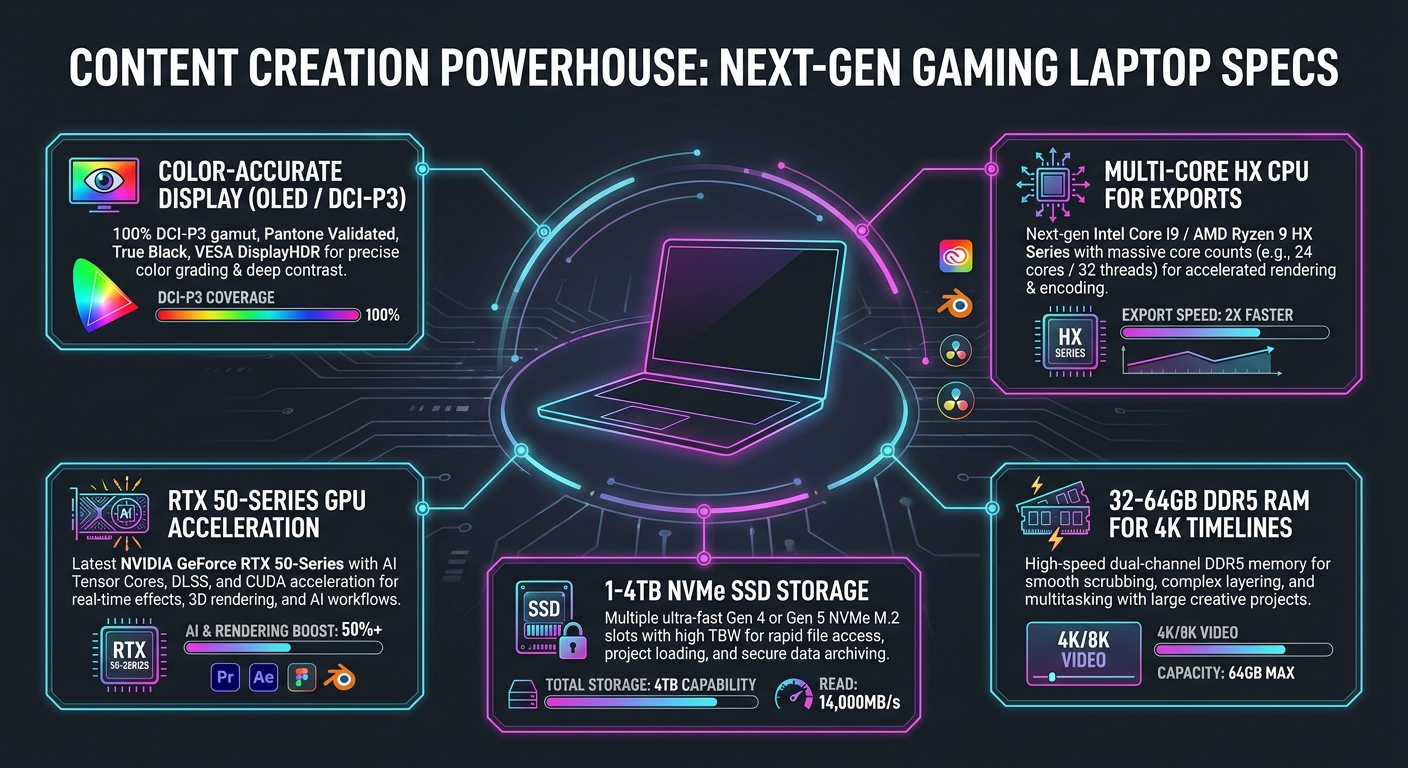
What video editing asks for that pure gaming does not
- A color-accurate display. OLED and high-coverage panels (100% DCI-P3) matter for grading and client-facing work. The single biggest differentiator from a gaming-only laptop.
- CPU cores for export and encode. H.264/H.265 and AV1 exports lean on the CPU. Intel Core Ultra 9 HX and AMD Ryzen 9 HX parts cut export times.
- RAM for 4K and multicam timelines. 32GB is the working floor; 64GB is comfortable for 4K multicam, heavy color, or editing while a game or stream runs.
- Storage for media and cache. 4K footage is huge. 1TB is the minimum; 2TB+ keeps scratch disks and projects local.
- GPU acceleration. RTX 50-series speeds timeline playback, effects, and AI tools in Resolve and Premiere.
Newegg’s Gaming Laptops hub lists the full spec on each page; the six below balance the edit side and the game side best.
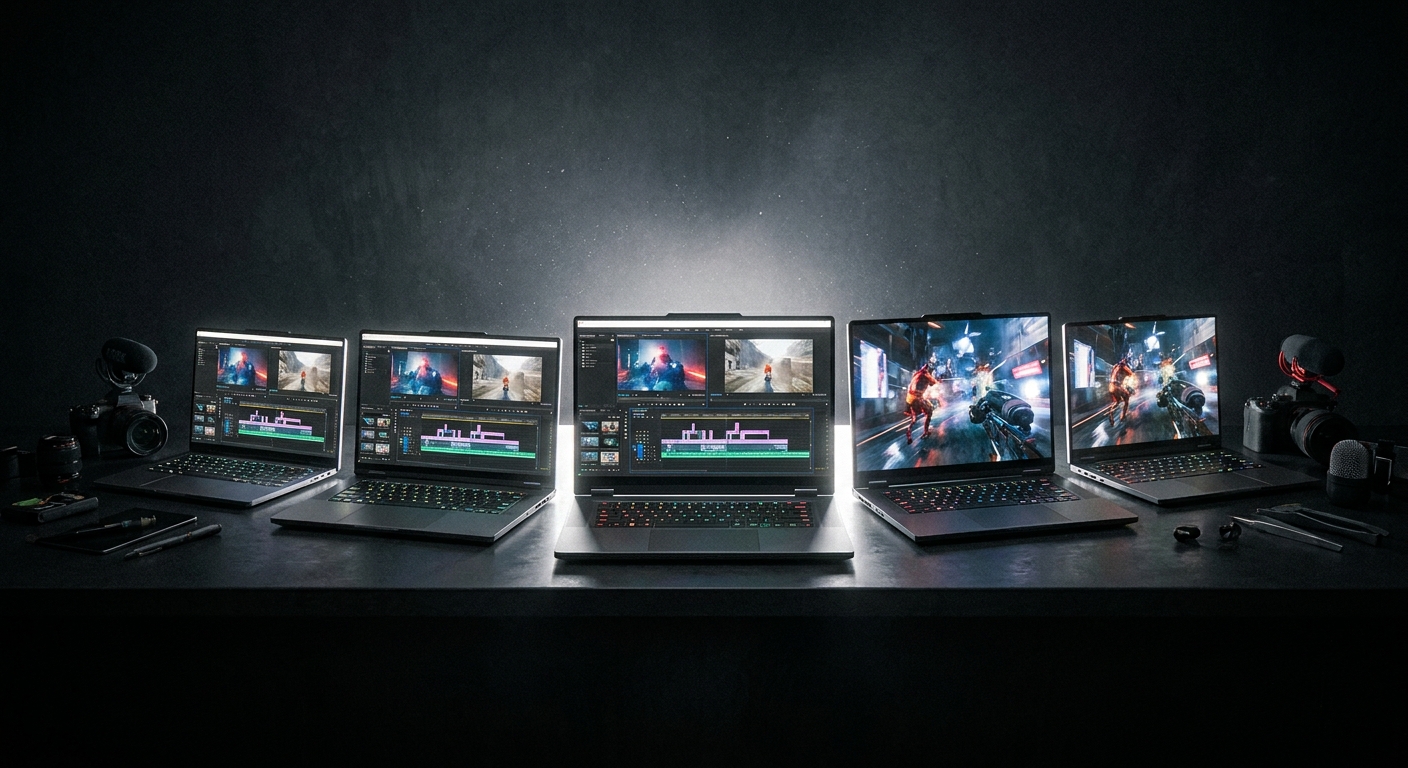
Quick picks: who each one is for
| Pick | Best for | GPU | RAM | Display |
|---|---|---|---|---|
| MSI Stealth 16 AI | Color-accurate OLED in a slim body | RTX 5060 | 32GB | 16″ QHD OLED 240Hz |
| Lenovo Legion Pro 7i | Flagship edit-and-game OLED | RTX 5090 | 64GB | 16″ OLED QHD 240Hz |
| Lenovo Legion 5i (OLED) | Most affordable OLED editor | RTX 5070 | 32GB | 15.1″ OLED QHD+ |
| MSI Titan 18 | 4K multicam and huge media libraries | RTX 5080 | 64GB | 18″ UHD |
| MSI Vector 16 HX AI | Portable 4K editing power | RTX 5080 | 32GB | 16″ QHD+ 240Hz |
| MSI Raider 18 (5080) | Fastest exports with 4TB storage | RTX 5080 | 64GB | 18″ Mini LED |
Browse the full lineup at the Newegg Gaming Laptops collection.
1. MSI Stealth 16 AI: color-accurate OLED in a slim body
The MSI Stealth 16 AI A2HWFG-041US pairs an Intel Core Ultra 7 255H with an RTX 5060, 32GB DDR5, a 1TB NVMe SSD, and a 240Hz QHD OLED display, available at Newegg.
For editors who value portability and a great panel, this is the pick. The QHD OLED covers wide gamut for grading, the 32GB handles 1080p and most 4K timelines, and the slim chassis travels well to shoots and client meetings. It also games comfortably at 1440p.
Watch for: the RTX 5060 is the lightest GPU here. For heavy 4K multicam or effects-laden timelines, step up to a 5080 pick.
2. Lenovo Legion Pro 7i: the flagship edit-and-game OLED
The Lenovo Legion Pro 7i brings an Intel Core Ultra 9 275HX, RTX 5090 (24GB GDDR7), 64GB DDR5, a 2TB SSD, and a 16″ OLED QHD 240Hz panel on Windows 11 Pro, available at Newegg.
This is the no-compromise edit-and-game machine in the Newegg lineup: OLED for color, 64GB for 4K multicam, an RTX 5090 for the fastest timeline playback and GPU effects, and a CPU that exports quickly. It is also a top-tier gaming laptop when the work is done.
Watch for: flagship price and weight. Worth it only if you actually run heavy 4K or color workloads.
3. Lenovo Legion 5i (OLED): the most affordable OLED editor
Newegg lists the Lenovo Legion 5i 83LY002PCF with an Intel Core i7-14700HX, RTX 5070, 32GB DDR5, a 1TB SSD, and a 15.1″ OLED QHD+ display.
If you want OLED color and a capable GPU without flagship spend, this is the value editor. The 15.1″ OLED is genuinely good for grading, the RTX 5070 accelerates Resolve and Premiere, and 32GB plus 1TB covers a working 1080p/4K project load. It games at 1440p well too.
Watch for: 32GB and 1TB are working minimums for 4K. Heavy projects benefit from a 64GB pick.
4. MSI Titan 18: 4K multicam and huge media libraries
The MSI Titan 18 ships with an Intel Core Ultra 9 285HX, RTX 5080, 64GB (32GB x2), a 2TB Gen5 + 4TB Gen4 SSD array, and an 18″ UHD display, available at Newegg.
For editors with large media libraries, the multi-SSD setup (up to 6TB) keeps footage, cache, and exports local. The UHD panel shows true 4K detail on the timeline, and 64GB handles multicam without stutter.
Watch for: UHD and 18 inches drain battery fast off the charger; this is a desk machine.
5. MSI Vector 16 HX AI: portable 4K editing power
The MSI Vector 16 HX AI A2XWIG-034CA gives you an Intel Core Ultra 9 275HX, RTX 5080, 32GB DDR5, a 1TB NVMe SSD, and a 16″ QHD+ 240Hz display, available at Newegg.
The RTX 5080 with 16GB VRAM accelerates 4K timelines and GPU effects, and the Core Ultra 9 275HX exports quickly, all in a 16-inch body that is easier to carry than an 18-inch desktop replacement. A strong middle ground for editors who travel.
Watch for: 32GB and 1TB are the working floor; add an external NVMe for large 4K libraries.
6. MSI Raider 18 (RTX 5080): fastest exports with 4TB storage
The MSI Raider 18 HX AI A2XWIG-014US brings an Intel Core Ultra 9 285HX, RTX 5080, 64GB DDR5-6400, a 4TB SSD, and an 18″ Mini LED 120Hz display, available at Newegg.
The combination of DDR5-6400, 64GB, and a 4TB SSD makes this an export-and-storage powerhouse. Mini LED brings high brightness and contrast for HDR grading, and the 18-inch chassis sustains CPU clocks during long encodes.
Watch for: Mini LED is not OLED; blacks are slightly less perfect, though brightness is higher. Choose based on your grading environment.
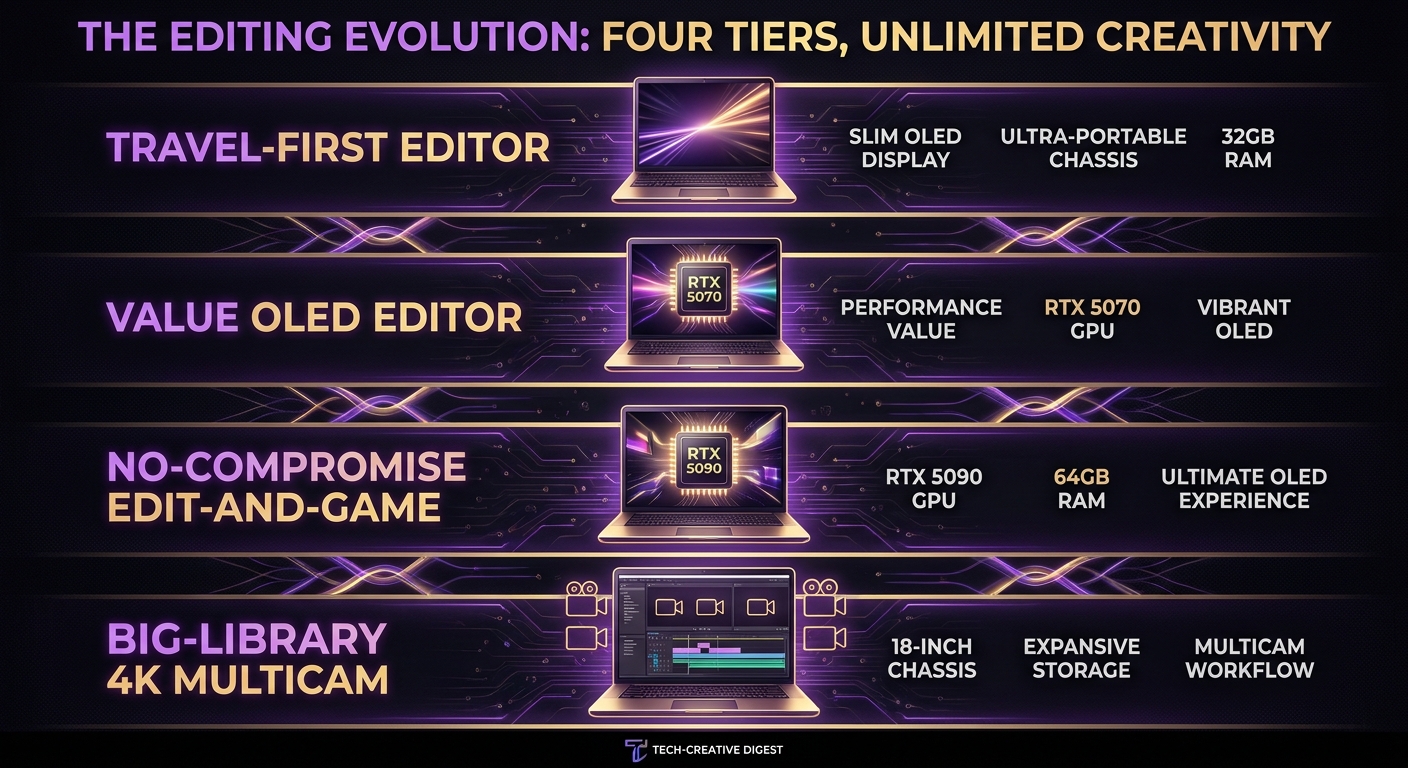
How to choose your tier
- Travel-first editor: MSI Stealth 16 AI (OLED, 32GB) or Vector 16 HX AI (RTX 5080, 32GB).
- Value OLED editor: Lenovo Legion 5i 15.1 OLED.
- No-compromise edit-and-game: Lenovo Legion Pro 7i (RTX 5090, 64GB OLED).
- Big-library / 4K multicam: MSI Titan 18 or MSI Raider 18 for storage and sustained exports.
Each of these is in stock at Newegg, where the product page lists panel type, color, CPU, RAM, and storage so you can match the machine to your codec and timeline.
More gaming laptop guides at Newegg
- How to Choose the Right Gaming Laptop in 2026
- How Much RAM Do You Need in a Laptop?
- What Processor Should I Look for in a Laptop?
- NVIDIA RTX 50 Series Gaming Laptops: Blackwell Performance Guide
See the full range: Newegg Gaming Laptops collection.
Related Posts
- Best RTX 5090 gaming laptops: who should actually buy one, and which Newegg picks are worth it
- Gaming Laptops for Engineering and CS Students: The Best Picks at Newegg
- Gaming Laptops That Double as 3D and CAD Workstations: The Best Picks at Newegg
- Your First Gaming Laptop: The Best Picks at Newegg for Someone New to PC Gaming
- New Laptop Setup 2026: Complete Guide to Updating Drivers and Software
Frequently Asked Questions
Answers to common questions about choosing a laptop for competitive gaming and esports.