
If your headphones start feeling like a clamp after an hour, you are definitely not alone. Sore ears, a tender crown, and that constant need to readjust are all signs your headset is working against your comfort instead of supporting it.
The good news is that headphone pressure is usually fixable. In many cases, it comes down to fit, pad material, weight, or simply using the wrong style for the way you listen. Below, we will break down what causes that pressure, the easiest ways to ease it, and a few desk-friendly gear picks that can help you build a more comfortable setup overall.
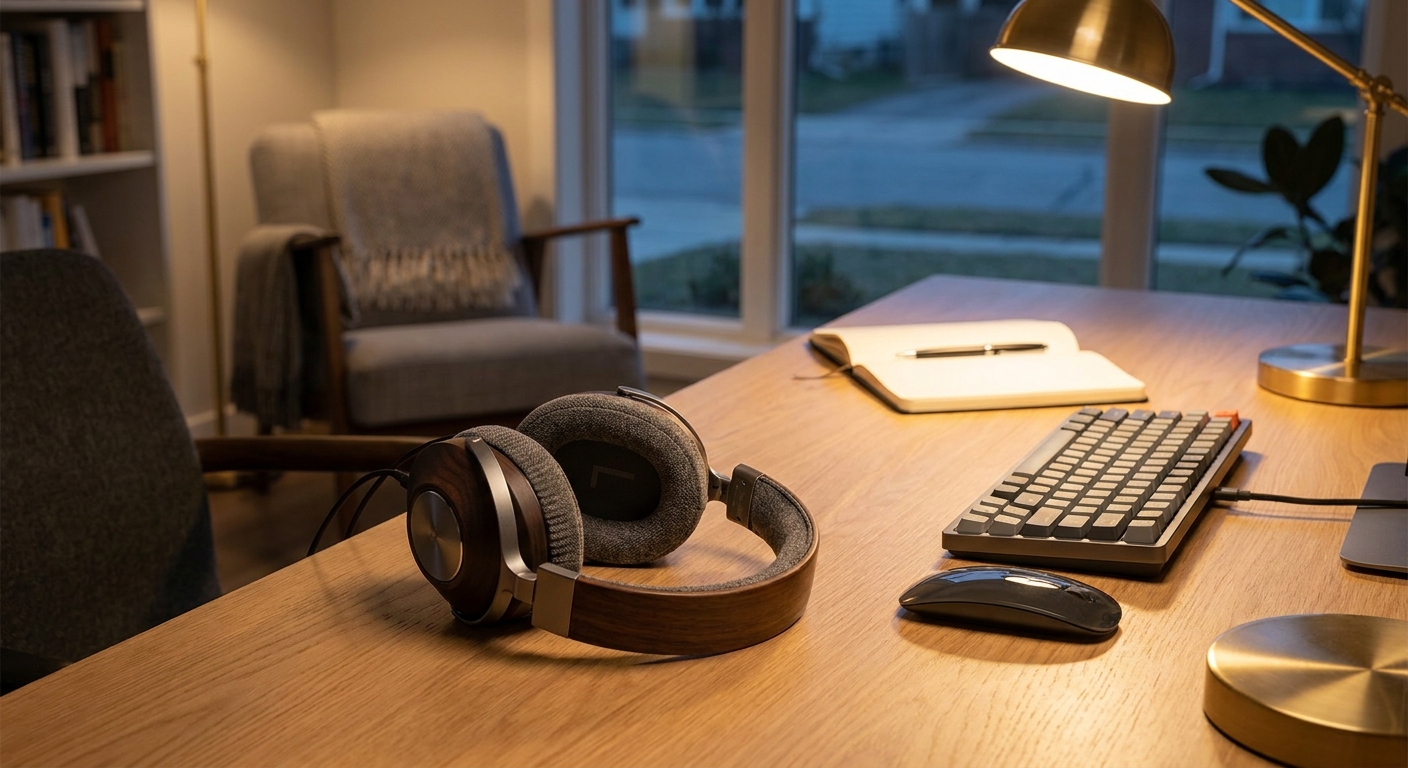
1. What You Need Before You Start
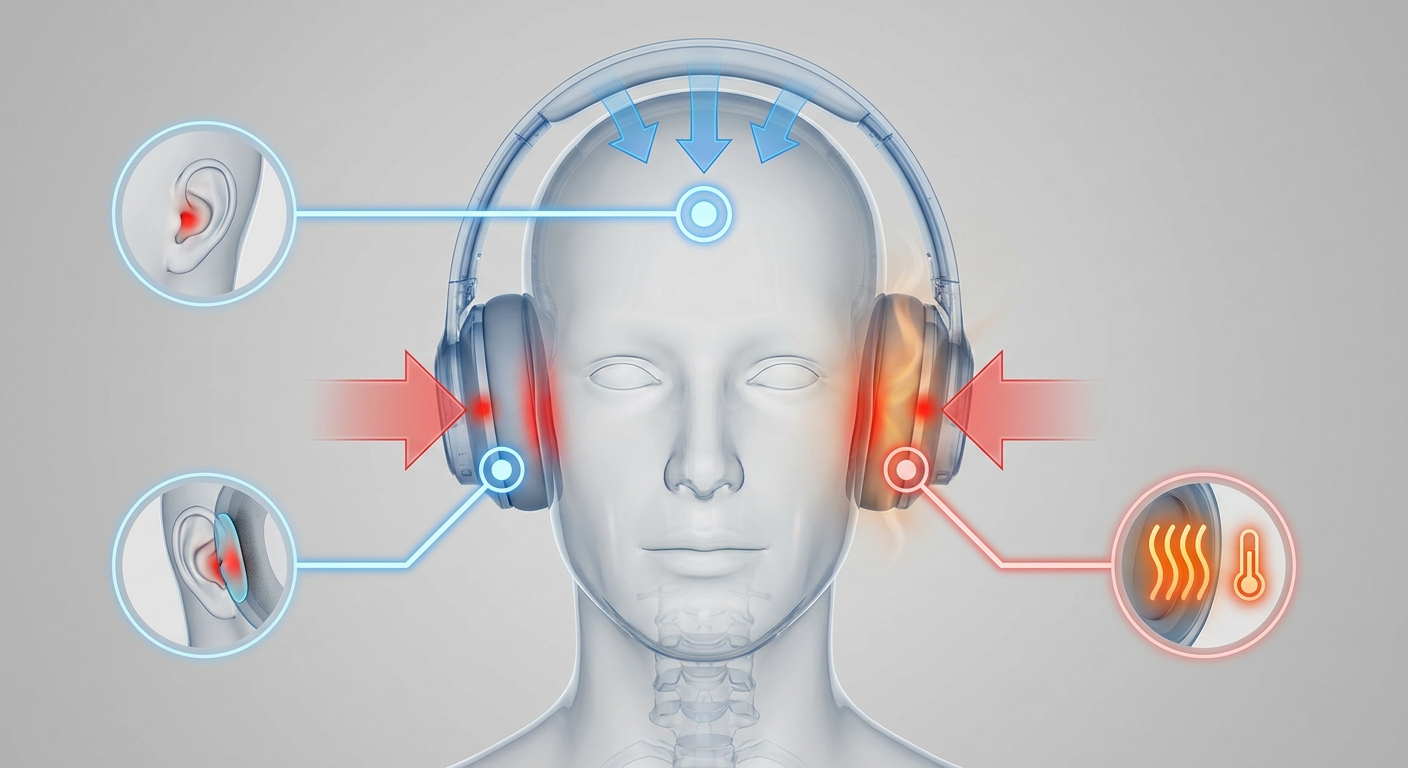
Before you start tweaking your headphones, figure out where the discomfort is coming from. Some models press too hard along the sides of the head. Others dig into the top of the head because the band is stiff or the headset is too heavy. And sometimes the problem is simply heat buildup from pads that trap too much warmth.
A good comfort check starts with three things: fit, material, and how long you wear them at a time. Ideally, your headphones should stay put without squeezing, seal well without pinching, and stay reasonably cool during a long gaming session, workday, or playlist marathon.
Common signs that headphone pressure is too high
- Red marks or soreness around the ears after use
- Pressure on the crown of the head from the headband
- Heat buildup and sweating inside the ear cups
- A need to keep shifting the headphones to feel relief
- Jaw or temple fatigue during long sessions
2. Understand the Main Causes of Ear Pressure
For many over-ear and on-ear headphones, clamp force is the biggest reason they feel uncomfortable. If the headband pushes inward too strongly, the ear cups compress the sides of your head and ears. That tighter fit can help with isolation, but it also makes fatigue show up much faster.
Pad design matters just as much. Shallow pads can bring the drivers too close to your ears, while firm memory foam may create hot spots even when it feels supportive at first. If you want a less sealed feel, semi-open models are worth a look. For example, the Monoprice Semi-Open Over Ear Wired Headphones, Model 143242 are designed to balance ambient noise reduction with more natural sound, and they use soft velvet honeycomb ear caps and a leather headband for extended listening comfort.
Weight and wear time also play a big role. Even a well-padded headset can start to feel tiring if it is heavy or if you wear it for hours without a break. In most cases, the most comfortable setup combines a lighter design, breathable pads, and the habit of taking short pauses before pressure builds up.
3. Step-by-Step Ways to Reduce Headphone Pressure
There is no one-size-fits-all fix, so it helps to improve comfort in stages. Start with fit adjustments, then move on to pads and listening habits. Small changes can go a long way, especially if the discomfort is annoying but not severe.
Try each adjustment one at a time when possible. That makes it much easier to tell which change actually helped instead of guessing. If the headset still feels wrong after the basics, the model may simply not be a great match for your head shape.
Step 1: Adjust the headband carefully
Extend both sides evenly so the cups sit level and the band rests on the widest part of your head. If the headphones feel too tight, some users gently stretch them over a box or stack of books for a short period. Just be careful here, since stretching too far can weaken the fit and reduce seal quality.
Step 2: Reposition the ear cups
The center of the ear cup should line up with your ear opening. If the cups sit too high or too low, pressure points become more noticeable. A slight rotation can also help spread pressure more evenly across the pad instead of concentrating it in one spot.
Step 3: Replace or upgrade the ear pads
Soft, breathable pads often feel better than worn-out or overly firm ones. Velvet and velour usually run cooler over time, while thicker memory foam can reduce direct contact if the original pads are shallow. If your pads are flattened, replacing them is often the fastest comfort upgrade available.
Step 4: Use scheduled breaks
For long gaming or work sessions, take the headphones off for a few minutes every hour. Even a short break gives your skin and cartilage time to recover. This is especially helpful with tighter models that seem fine at first but become painful later.
Step 5: Lower unnecessary listening pressure
People often turn the volume up when their headset feels less secure or when the room is noisy. That creates a second problem, because louder listening can make fatigue feel worse. A stable fit and a quieter desk setup let you keep the volume lower while still hearing details clearly.

4. Choose the Right Headphones for Long Sessions
If headphone pressure keeps coming back, the simplest fix may be choosing a more comfort-focused design. In general, over-ear headphones with breathable pads are easier to live with for long sessions than very tight on-ear models. Semi-open and open designs can also feel less sealed, which many users experience as less pressure overall.
The Jabra Evolve2 75 PC Wireless Headset is a strong comfort-first option for desk use. It features extra-soft cushions, adjustable advanced active noise cancelling, an 8-microphone setup, up to 36 hours of battery life, and a wireless range up to 30 meters. With a 40mm driver and supra-aural ear coupling, it is built for communication-heavy work while still aiming for all-day comfort.
That makes it especially useful if your day includes calls, meetings, and music from the same desk. If you want something that can handle productivity and movement around the room, a wireless headset with ANC and soft padding is often easier to wear than a heavier, more rigid gaming headset.
- For cooler long-session wear, look for breathable pads and lower clamp force
- For office calls, prioritize ANC and microphone quality
- For mixed use, choose a lightweight wireless design with a stable but not aggressive fit
- For natural sound and less sealed pressure, consider semi-open or open-back styles
5. Desktop PC Recommendations That Pair Well With Comfortable Headphones
Comfort is not just about the headset itself. Your desktop setup matters too. A quieter, better-cooled PC can cut down on fan noise, improve call clarity, and make it easier to listen at lower volumes. That can mean less ear fatigue and a calmer desk overall.
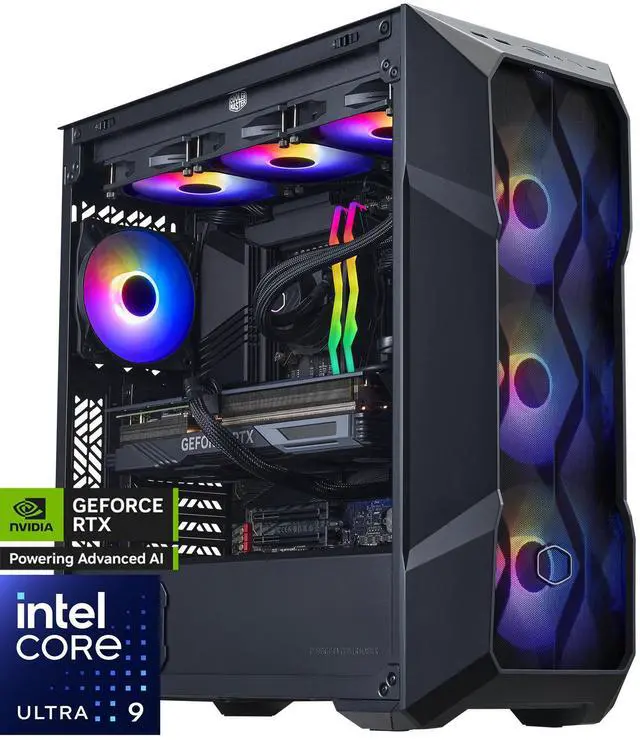
If you are building a more comfort-friendly setup, these desktop PCs stand out for different reasons. For premium all-around performance, the Cooler Master TD5 Pro – Intel Core Ultra 9-285K – GeForce RTX 5090 – 32GB DDR5 6000MHz – 2TB M.2 NVMe SSD – Windows 11 – 360mm AIO – Gaming PC includes an Intel Core Ultra 9 285K, 32GB DDR5 6000 memory, a 2TB M.2 NVMe SSD, and a 360mm AIO cooler. That kind of cooling-focused build is a smart match if you want strong performance without the headset having to compete against loud thermal noise.
If you want another high-end option, the GIGABYTE AORUS SUPREME 5 AS5A7N9-5000 pairs an AMD Ryzen 7 9800X3D with a GeForce RTX 5090, 64GB DDR5 memory, a 2TB Gen5 SSD, WiFi 7, and a 360mm WATERFORCE AIO cooler. Its 2.5G Ethernet, Bluetooth 5.3, and DisplayPort 2.1b outputs make it a strong high-performance workstation for users who want a clean, cable-friendly desk and a very responsive system.
For a slightly more compact but still powerful option, the ABS Kaze Ruby Gaming PC includes an AMD Ryzen 7 9800X3D, RTX 5090, 32GB DDR5 6000MHz, a 2TB PCIe 4.0 x4 NVMe SSD, Wi-Fi 6E, Bluetooth 5.3, and a 360mm liquid cooler. That makes it a strong pick if you want high-end performance without overcomplicating the desktop environment.
For a more mainstream budget-minded system, the ABS Cyclone Aqua Prebuilt Gaming PC offers an Intel Core i5-14400F, GeForce RTX 5060 8GB GDDR7, 32GB DDR4-3200, and a 1TB PCIe 4.0 x4 NVMe SSD. If you just want a reliable machine for work, streaming, and casual gaming while using comfortable headphones, this configuration covers the basics without pushing you into unnecessary spend.
6. Build a More Comfortable Listening Setup
Once the headphone fit is under control, the rest of your desk should support relaxed listening. Keep your desk at the right height so the cable or headband does not pull the headphones downward. If you use a headset with a boom microphone, make sure it is not pushing the cups out of alignment. A stable posture can also reduce the urge to constantly readjust the headset.
It helps to cut down on background distractions too. A quieter PC case, cleaner cable routing, and a stable chair position all make it easier to listen at lower levels. Lower volume reduces long-session fatigue, and a calmer setup keeps your attention on the content instead of the pressure on your ears.
- Use a headset stand so the pads keep their shape between sessions
- Keep ear pads clean to preserve softness and airflow
- Avoid wearing glasses frames that create extra pressure under the cups
- Take breaks before soreness appears, not after it starts
- Match the headphone type to the task: calls, music, gaming, or travel
7. Final Takeaway
Headphone pressure is usually manageable once you know what is causing it. For many people, the best fix is a combination of better fit, softer pads, shorter sessions, and a headset design that better matches the way they listen. If you need all-day comfort, focus on lightweight construction, breathable materials, and clamp force that stays secure without squeezing.
For desk users, pairing comfortable headphones with a quieter, better-cooled desktop can make a real difference in how long you can wear them comfortably. Whether you choose a semi-open wired model for a lighter feel or a wireless ANC headset for meetings and movement, the goal stays the same: stable sound, less pressure, and a setup you can wear for hours without thinking about it.
Frequently Asked Questions
How do I know if my headphones are too tight?
If you get red marks, soreness around your ears, or pressure on the crown of your head after a short session, the clamp force is probably too high. A comfortable fit should feel secure without making you want to keep adjusting the headset.
Will replacing ear pads really improve comfort?
Yes, especially if the original pads are flattened, firm, or trapping heat. Softer, more breathable pads can reduce direct pressure and make long listening sessions feel much easier.
Are over-ear headphones usually more comfortable than on-ear models?
Usually, yes, because over-ear designs spread pressure around the ear instead of pressing directly on it. Even so, fit still matters, since a heavy or tight over-ear headset can still become uncomfortable over time.
What should I look for in a headset for all-day work calls?
Look for a lightweight wireless headset with soft cushions, a stable but not aggressive fit, and clear microphone performance. If your workspace is noisy, active noise cancelling can also help you keep the volume lower, which often reduces fatigue.
Does a quieter desktop PC help with headphone comfort?
Yes, because lower fan noise lets you listen at a lower volume, which can reduce long-session fatigue. A cooler and quieter PC also makes the whole desk environment feel calmer and less distracting.
Read More
- Jabra Evolve2 75 Overview — Official product page for a comfort-focused headset with ANC and business-ready features.
- Jabra Evolve2 75 Support Page — Official support page with warranty, manuals, and product help.
- Monoprice Semi-Open Over Ear Wired Headphones — Official product page for the semi-open headphone model referenced in the article.
- GIGABYTE AORUS SUPREME 5 Specifications — Official specs page for the high-end prebuilt desktop discussed in the article.
- GIGABYTE Announces AORUS SUPREME 5 — Official announcement with background on the AORUS SUPREME 5 prebuilt desktop.