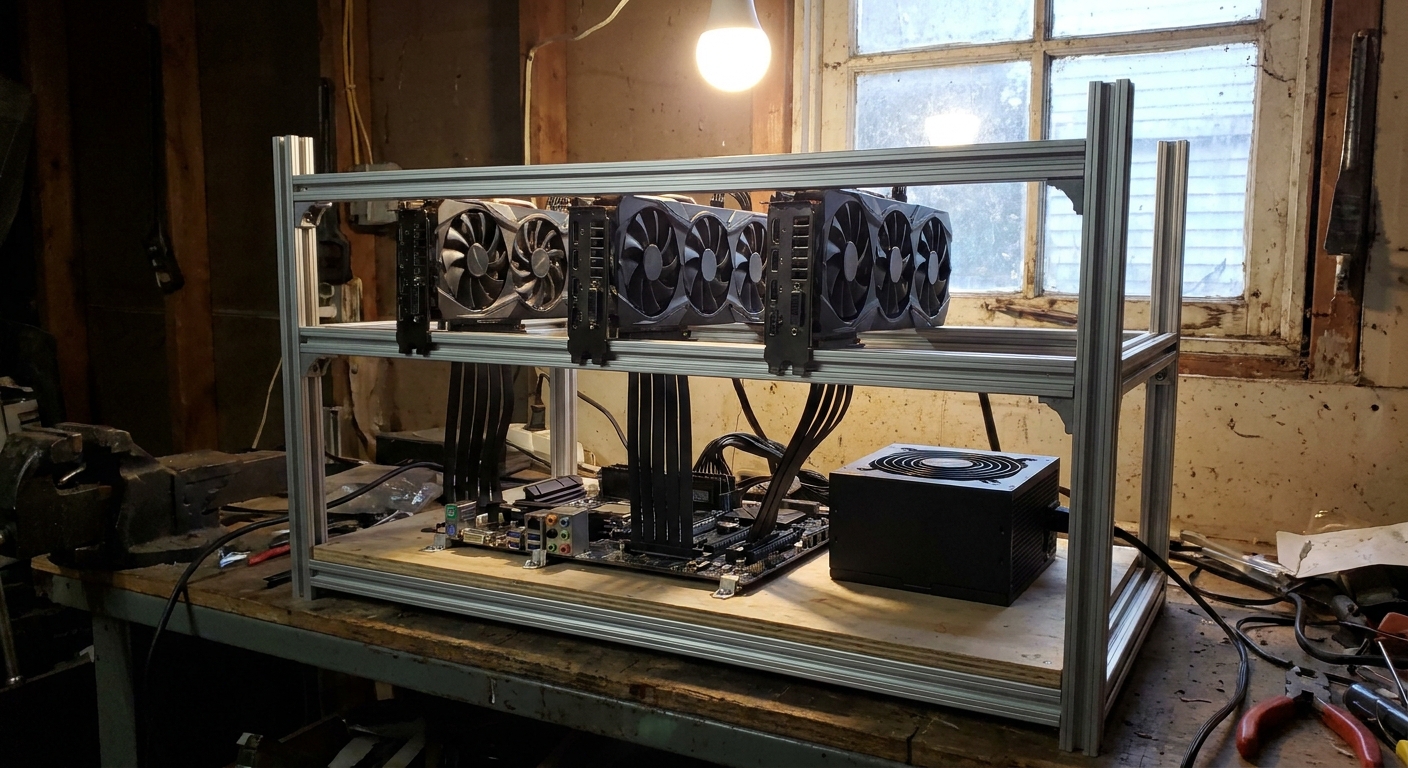
A popular post on r/LocalLLM showed an old-school mining rig, rows of GPUs on an open frame, running a Qwen model at an 8-bit quant with a 95k-token context at about 96 tokens per second. Two comments stood out. One person asked about the electricity bill. Another wondered how it would compare with a Threadripper or Epyc with lots of memory channels and a single big card.
That's the real choice for anyone building a local LLM machine. Here's how the three approaches stack up.
The three contenders
- A stack of used GPUs: several 24GB cards on a frame or in a big case, with the model split across them.
- One big card: a single high-VRAM GPU in a normal desktop.
- A Threadripper workstation: lots of PCIe slots and memory channels, with one or more GPUs.
Side-by-side
| Question | Used GPU stack | One big card | Threadripper |
|---|---|---|---|
| Total VRAM | High (adds up per card) | 32GB to 96GB on one card | Depends on GPUs added |
| Power and heat | Highest | Lowest | Medium to high |
| Noise and space | Open frame, loud | Normal desktop | Large tower |
| Setup effort | Highest | Lowest | Medium |
| Room to grow | Limited by risers and power | Limited to one slot | Best |
Deep dive: the used GPU stack
The appeal is VRAM. A GIGABYTE RTX 3090 EAGLE has 24GB of GDDR6X on a 384-bit bus, and llama.cpp can split a model's layers across several of them. Four cards give you 96GB of combined VRAM.
The costs are everything else. Each card needs power, a slot or riser, and airflow. An open frame like the Baseltek 6-GPU aluminum rig frame solves the space problem, but it's loud and dusty in a living space, and riser cables add another thing that can fail. You'll also want serious power. The MSI MEG Ai1600T PCIE5 is a 1,600W 80 Plus Titanium unit with two 12V-2x6 cables, and big stacks can still need more than one supply.

Deep dive: one big card
A single card is the simplest machine to live with. The GIGABYTE AORUS RTX 5090 has 32GB of GDDR7 on a 512-bit bus, which is a lot of bandwidth for one slot. The NVIDIA RTX PRO 6000 Blackwell Max-Q goes much further, with 96GB of ECC GDDR7 in a dual-slot card, so models that need a whole multi-GPU stack can fit on one GPU.
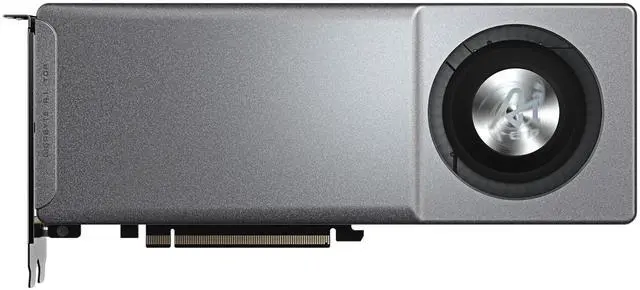
On the AMD side, the GIGABYTE AI TOP Radeon AI PRO R9700 has 32GB of GDDR6 on a 256-bit bus. It's a blower-style card, which makes it easier to put two side by side in a workstation than open-air cards.
Deep dive: the Threadripper workstation
This is the in-between option that one commenter brought up. The AMD Ryzen Threadripper 9960X is a 24-core, 48-thread chip on sTR5. Paired with the GIGABYTE TRX50 AERO D on a BIOS that supports Threadripper 9000, you get quad-channel DDR5 with support for up to 1TB, two PCIe 5.0 x16 slots and a PCIe 4.0 x16 slot wired to the CPU, plus 10GbE and 2.5GbE.
Why does that matter for LLMs? More memory channels mean more bandwidth when part of a model runs from system memory, which helps with large mixture-of-experts models that offload some layers to the CPU. And the extra full-speed slots let you add GPUs without risers.

Software matters as much as hardware
Whatever you build, check your software stack first. llama.cpp and the tools built on it can split layers across several GPUs and offload parts of a model to system memory. NVIDIA cards have the widest support across local AI tools, while AMD's ROCm support has been improving for Radeon AI PRO cards. If you mix GPU brands in one machine, expect more setup work, so I'd keep a multi-GPU rig to one vendor.
Who wins, by situation
- You want maximum VRAM for the hardware you can find, and you have a garage or basement: the used GPU stack. Budget for power and cooling.
- You want a quiet machine at your desk: one big card. The RTX 5090 for 32GB, the RTX PRO 6000 Max-Q if you need 96GB on one GPU.
- You want to start with one or two GPUs and grow: a Threadripper on TRX50, ideally with blower-style cards.
My take
The mining-rig revival is fun, and the numbers in that thread are impressive. But I'd only build one where noise, heat and the power bill don't bother anyone. For most people working at a desk, one big card or a Threadripper with room for a second GPU is the setup they'll still be happy with a year from now.
Frequently Asked Questions
Can I run a local LLM across several GPUs? Yes. Tools such as llama.cpp can split a model's layers across multiple GPUs, so the combined VRAM holds a model that would not fit on one card.
Is a used RTX 3090 still good for local AI? It has 24GB of GDDR6X on a 384-bit bus, which is why it remains popular for local LLMs. The trade-offs are power draw, heat and the age of used cards.
How much VRAM do I need for a local LLM? It depends on model size and quantization. Small models run on 16GB, while larger models at higher-precision quants need 48GB or more spread across cards, or a single card such as the 96GB RTX PRO 6000.
Why would I use a Threadripper for local AI? Threadripper platforms offer more PCIe slots for multiple GPUs and quad-channel memory on TRX50, which helps when parts of a model run from system memory.
How big a power supply does a multi-GPU rig need? Add up the board power of every GPU plus the CPU and leave headroom. Multi-GPU rigs often need 1,600W or more, and some need two power supplies.
Read More
- Multi-GPU local LLM build thread (r/LocalLLM): The old mining-rig build that kicked off this comparison.
- llama.cpp (GitHub): The open-source inference engine that supports splitting models across GPUs.
- Ollama: An easier way to download and run open-weight models locally.
- RTX PRO 6000 vs RTX 5090 for a Local AI Workstation (Newegg Insider): Our deeper comparison of the two big single-card options.
- Local AI Image and Video Generation: How Much VRAM? (Newegg Insider): VRAM guidance for image and video models.