One of the most upvoted posts on r/pcmasterrace in mid-November was a photo of a new PC from a European retailer. The buyer had paid extra for premium assembly, and the CPU cooler still had its protective plastic film on the contact plate. The thread drew more than 400 comments.
Most prebuilts arrive fine. But with Black Friday orders landing, the first hour with a new PC is when problems are easiest to catch and easiest to return. This is the checklist I'd run.
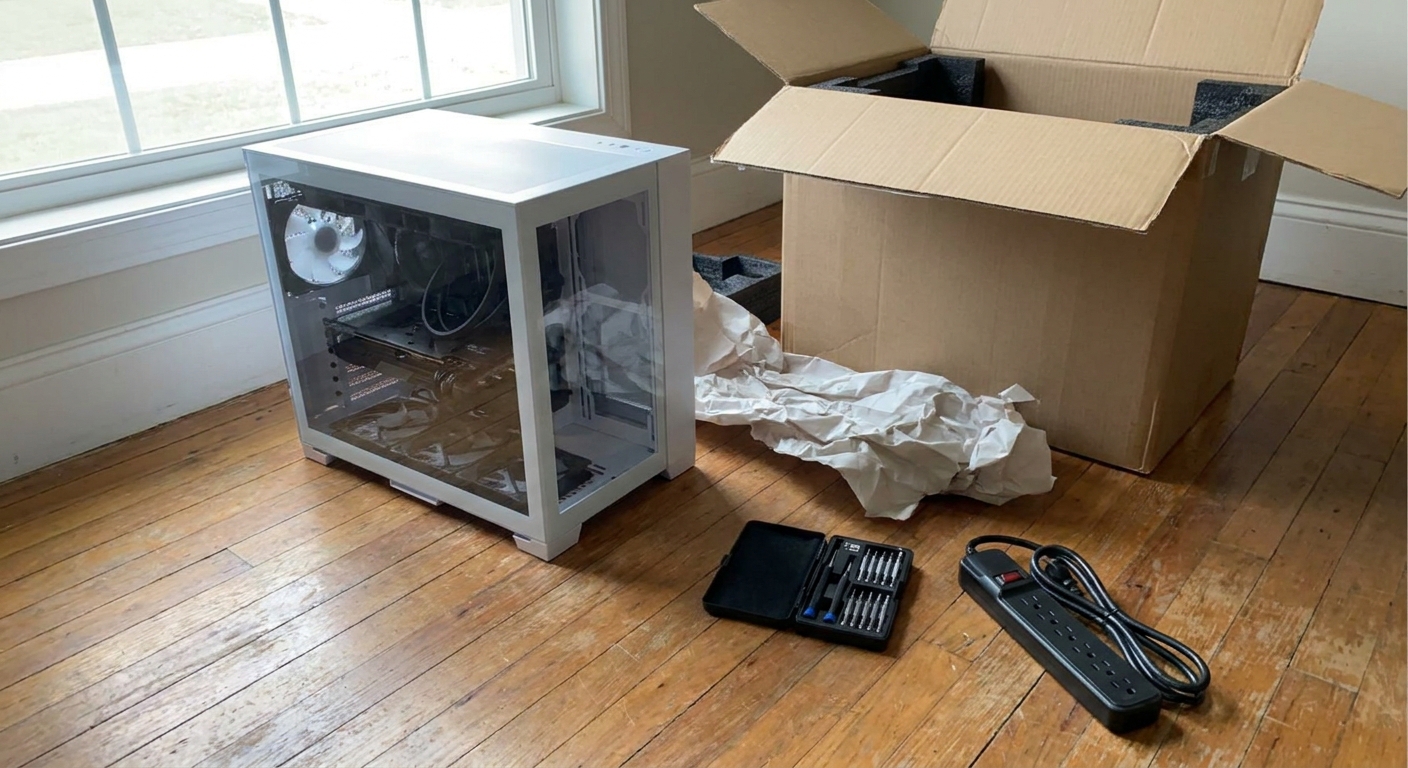
Step 1: Inspect the box before you unpack it
Take photos of the shipping box from every side, especially any crushed corners. If something turns out to be damaged inside, those photos make the conversation with the seller much shorter.
Step 2: Open the side panel before the first boot
Many prebuilts ship with foam or air packs inside the case to keep the graphics card from moving in transit. Take it all out. While the panel is off, look for anything loose: a fan cable resting on a fan, a GPU power cable not fully seated, or the card sagging in its slot.
A small precision kit helps here. The iFixit Mako Driver Kit has 64 bits, which covers the odd screws on side panels, M.2 slots and GPU brackets.

Step 3: Check the cooler and thermal paste
You can't see the contact plate without removing the cooler, and I wouldn't do that on a working PC. What you can check is temperature. If the CPU hits very high temperatures within seconds of a light load, the cooler mount may be the problem, and that's a seller problem, not a DIY project.
Step 4: Plug into the right ports
Connect the monitor to the graphics card, not the motherboard's video outputs. For high refresh rates, use a good cable. A good DisplayPort 2.1 cable, like this 6.6-foot one, supports up to 4K at 240Hz per its listing.
Plug the PC into a surge protector rather than straight into the wall. The APC P8VT3 has eight outlets and a 2,770-joule rating, with room for the monitor, speakers and a console.

Step 5: Confirm what you actually got
Open Task Manager and check the CPU, GPU, memory amount, memory speed and storage. Compare them with the listing.
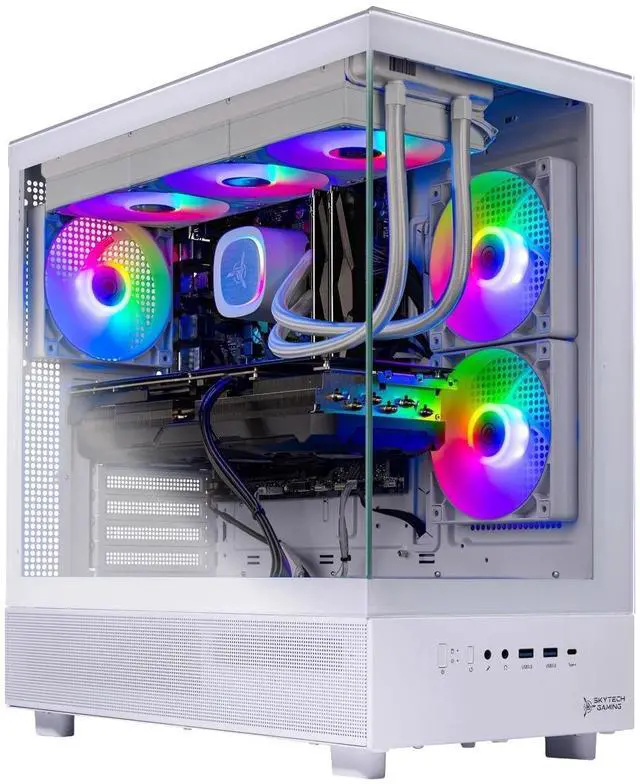
For example, the Skytech Azure 3 lists a Ryzen 7 9800X3D, an RTX 5070 Ti, 32GB of DDR5, a 2TB NVMe SSD and an 850W power supply on a B650 board. The Andromeda Insights V3 Elite 50 lists the same CPU and GPU, also with 32GB and 2TB. If your memory shows a much lower speed than the kit's rating, the EXPO or XMP profile is probably off, and turning it on in the BIOS is a two-minute fix.
Step 6: Check the memory layout
Count the sticks. Some systems, like the ABS Cyclone Aqua, list 16GB as a single 16GB stick, which runs in single-channel mode. That's not a defect, but it's worth fixing. Adding a matching stick, or moving to a kit like the G.SKILL Flare X5 32GB (2 x 16GB) DDR5-6000 CL30, gets you dual-channel.
Step 7: Update and stress test
Run Windows Update, then install the latest GPU driver from Nvidia or AMD. After that, play a demanding game for 30 minutes with a monitoring tool open. You're looking for stable clocks, reasonable temperatures and no crashes. If it fails here, it'll fail later too.
Step 8: Plan storage before your library fills up
A 1TB drive fills quickly with big games. If your system has a free M.2 slot, the Samsung 990 EVO Plus 2TB is a PCIe 4.0 drive rated up to 7,250MB/s reads. It's DRAM-less with HMB, which is fine for a game library drive.
Step 9: Keep the box until you're sure
Keep the box and packing until you're past the return window. On Newegg, items marked with the extended holiday return badge and bought between November 1 and December 31, 2026 can be returned or replaced until January 31, 2027, which gives you time to find problems that only show up after a few weeks.
My take
A new PC should feel like a treat, not a project. An hour of checking right away beats discovering a problem in January.
Frequently Asked Questions
Should I open a new prebuilt PC before turning it on? Yes, at least the side panel. Many prebuilts ship with foam or packing material inside to protect the graphics card, and it should come out before the first boot.
How do I check if my RAM is running in dual-channel mode? Count the memory sticks and check which slots they are in, then confirm the speed in Task Manager under Performance and Memory. One stick means single-channel; two matched sticks in the slots your motherboard manual recommends mean dual-channel.
Do I need to enable EXPO or XMP on a prebuilt? Some prebuilts ship with the memory profile off. If Task Manager shows a much lower speed than the kit's rating, enabling EXPO or XMP in the BIOS usually fixes it.
Where should I plug in the monitor on a gaming PC? Into the graphics card's outputs, not the motherboard's. The motherboard ports use the CPU's integrated graphics, if it has any.
What if something is wrong with my new PC? Document it with photos, contact the seller and check the return policy. On Newegg, eligible items marked with the extended holiday return badge and bought between November 1 and December 31, 2026 can be returned or replaced until January 31, 2027.
Read More
- Paid for premium assembly; cooler came with the film still on (r/pcmasterrace): The thread that prompted this checklist.
- Before You Buy a Black Friday Prebuilt (Newegg Insider): The spec sheet checks I'd do before ordering.
- Black Friday Price Protection and Extended Returns (Newegg): Newegg's holiday price protection and return terms.
- Should You Repaste Your GPU? (Newegg Insider): How to read temperatures before you open anything up.
- Best Prebuilt Gaming PCs in 2026 (Newegg Insider): Our broader prebuilt recommendations.