
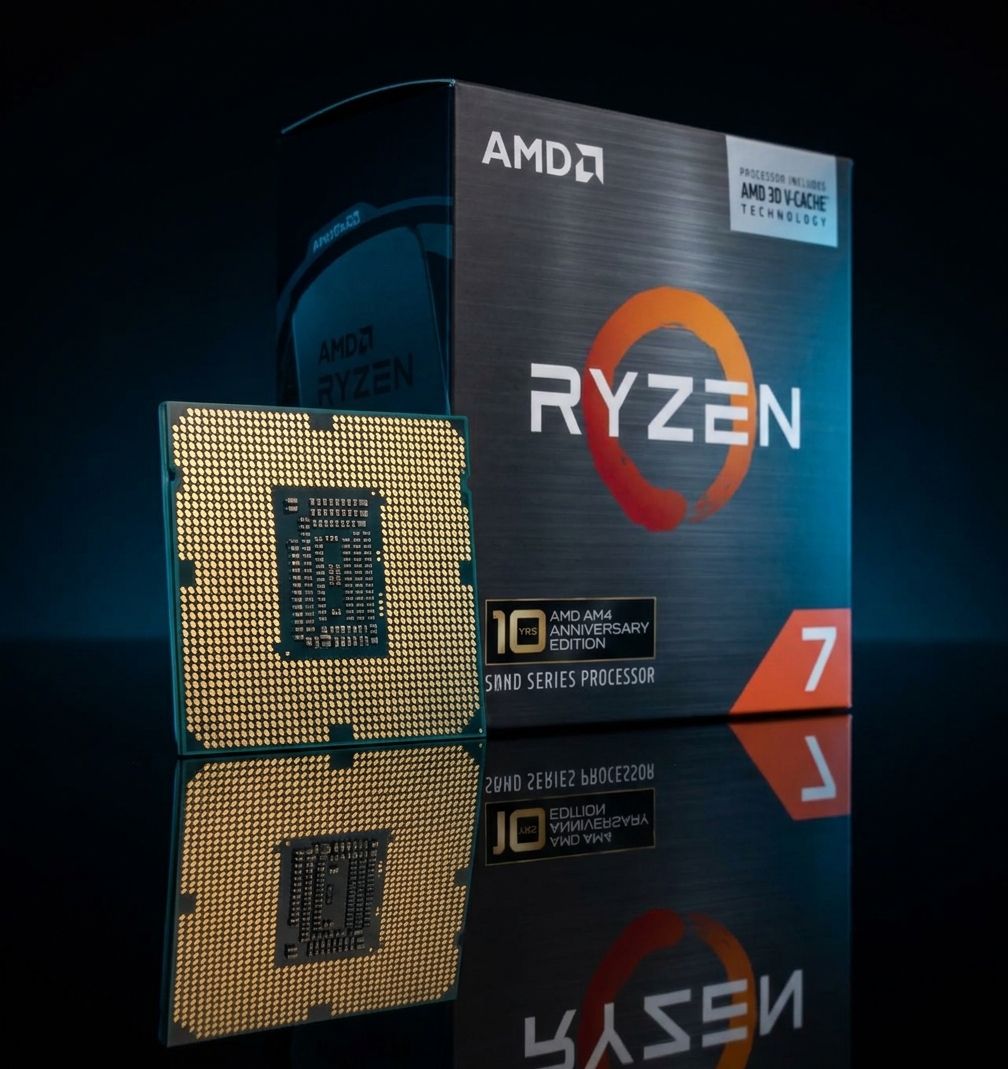
The AMD Ryzen 7 5800X3D has been one of the most searched CPUs on Newegg for the better part of two years running, and with the release of the 10th Anniversary Edition in 2026, interest has spiked again. If you have been asking yourself whether the 5800X3D is still relevant, whether it works with your existing motherboard, or how it actually compares to newer chips, this guide covers all of it.
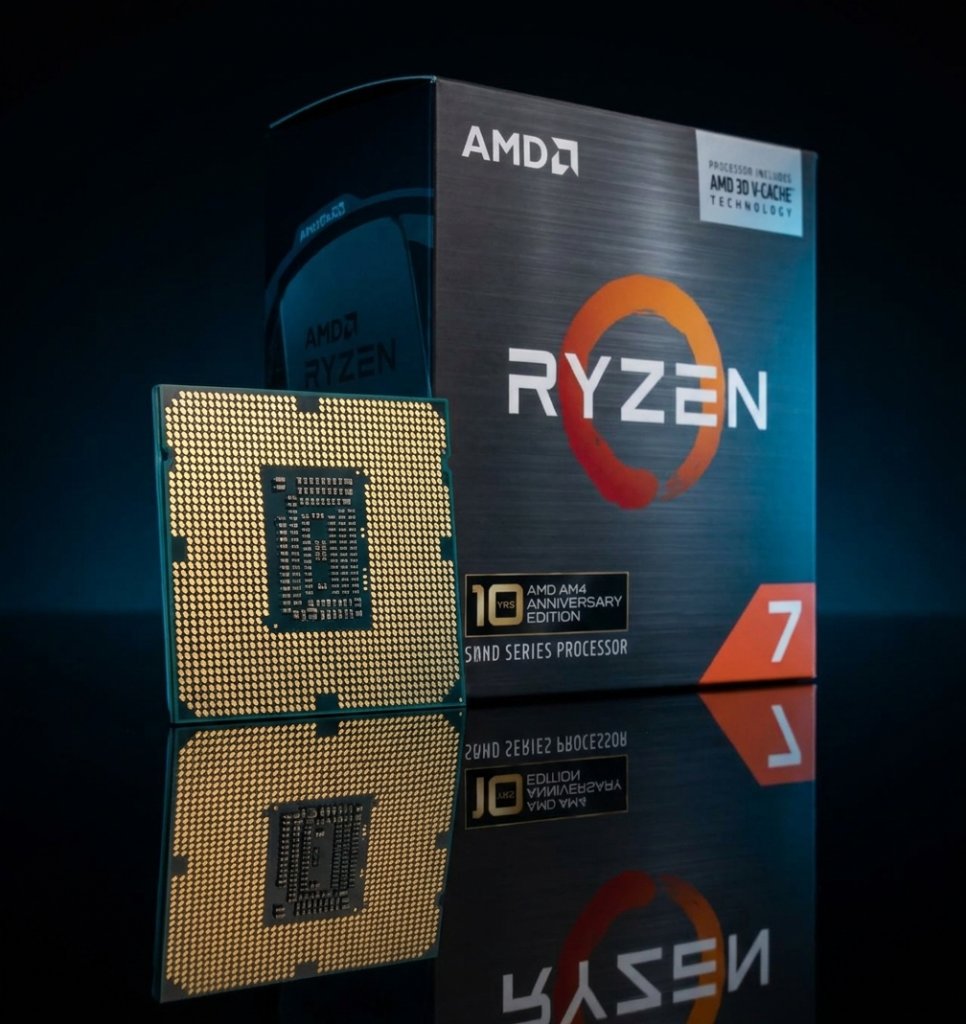 What Exactly Is the Ryzen 7 5800X3D?
The Ryzen 7 5800X3D is a desktop CPU from AMD’s Ryzen 5000 series, based on the “Zen 3” architecture and built on a 7nm process. What sets it apart from every other Ryzen 5000 chip — and most other consumer desktop CPUs — is AMD’s 3D V-Cache technology. Rather than simply increasing clock speeds or core counts, AMD stacked an additional layer of SRAM directly on top of the processor die. The result is a total of 96MB of L3 cache, compared to 32MB on the standard Ryzen 7 5800X.
For gaming, that extra cache has a dramatic effect. Modern games frequently bottleneck on how quickly the CPU can pull data into its working memory. A larger cache reduces the frequency of expensive trips to main system RAM, keeping the CPU’s cores fed with data and letting them run at full efficiency. The 5800X3D was the first desktop processor to use this technology, and it remains one of the most cache-dense AM4 chips ever made.
The processor has 8 cores and 16 threads, a base clock of 3.4 GHz, and a boost clock of up to 4.5 GHz. Its TDP is 105W. It supports DDR4 memory up to 3200 MHz officially, and it has no integrated graphics. The cooler is not included in the box, though the 10th Anniversary Edition adds a Carbice Ice Pad thermal interface material.
Is the 5800X3D Still Worth It in 2026?
This is the question we get the most. The short answer: yes, particularly if you are already on an AM4 platform.
AMD conducted performance testing in April 2026 using the 5800X3D paired with DDR4-3600 memory and an RTX 5090 GPU. Across a library of 35 titles — including Monster Hunter Wilds, Cyberpunk 2077, Baldur’s Gate 3, and Black Myth: Wukong — the 5800X3D delivered an average of 10% more FPS than the Intel Core i9-14900K. That is a significant result for a processor built on a platform that launched in 2016.
The more relevant comparison for most buyers is against older Ryzen processors they might already own. Against the Ryzen 7 3700X, the 5800X3D delivers over 40% more gaming performance. Against the Ryzen 7 2700X, the gap widens to over 2X in gaming FPS. If you are running either of those chips, or anything in the Ryzen 3000 series or earlier, upgrading to the 5800X3D is one of the most cost-effective gaming upgrades you can make without replacing your motherboard.
For new builds starting from scratch in 2026, AM5 with a Ryzen 9000 series processor offers more headroom for future upgrades. But for existing AM4 owners, the 5800X3D remains the most powerful gaming CPU you can drop into your current board.

What Motherboards Are Compatible?
The 5800X3D uses Socket AM4 and works with the following chipsets: AMD A520, AMD B450, AMD B550, AMD X470, and AMD X570.
In most cases you will need a BIOS update to ensure your board recognizes the 5800X3D, especially on older B450 or X470 boards. The update process typically involves downloading the latest BIOS from your motherboard manufacturer’s website and flashing it before installing the new CPU. Most boards from ASUS, GIGABYTE, MSI, and ASRock support this process, and some newer boards support BIOS Flashback, which lets you flash without a CPU installed.
One note on memory: the 5800X3D officially supports DDR4-3200, but AMD’s own benchmarks use DDR4-3600 in their testing. Running DDR4-3600 with well-tuned timings is widely considered the sweet spot for extracting the most gaming performance from the 5800X3D.
What Cooler Should I Use?
The 5800X3D does not come with a cooler (except for the Carbice Ice Pad included with the 10th Anniversary Edition). For cooling, you have two solid approaches.
A mid-range air cooler — something like the Noctua NH-D15 or be quiet! Dark Rock Pro 4 — is more than sufficient for the 105W TDP. The 5800X3D is not a heavy overclocking chip (the 3D V-Cache stack requires running the chip within its stock configuration for stability), so you do not need exotic cooling. A 240mm or 280mm all-in-one liquid cooler also works well and can keep temperatures lower for sustained workloads.
One important note: unlike the standard 5800X, the 5800X3D does not support traditional overclocking via the BIOS multiplier. AMD locks the clocks to protect the V-Cache layer. What you can do is enable PBO (Precision Boost Overdrive) for a modest boost in sustained scenarios, and tune memory for better gaming performance.
10th Anniversary Edition vs. Standard: Which Should I Buy?
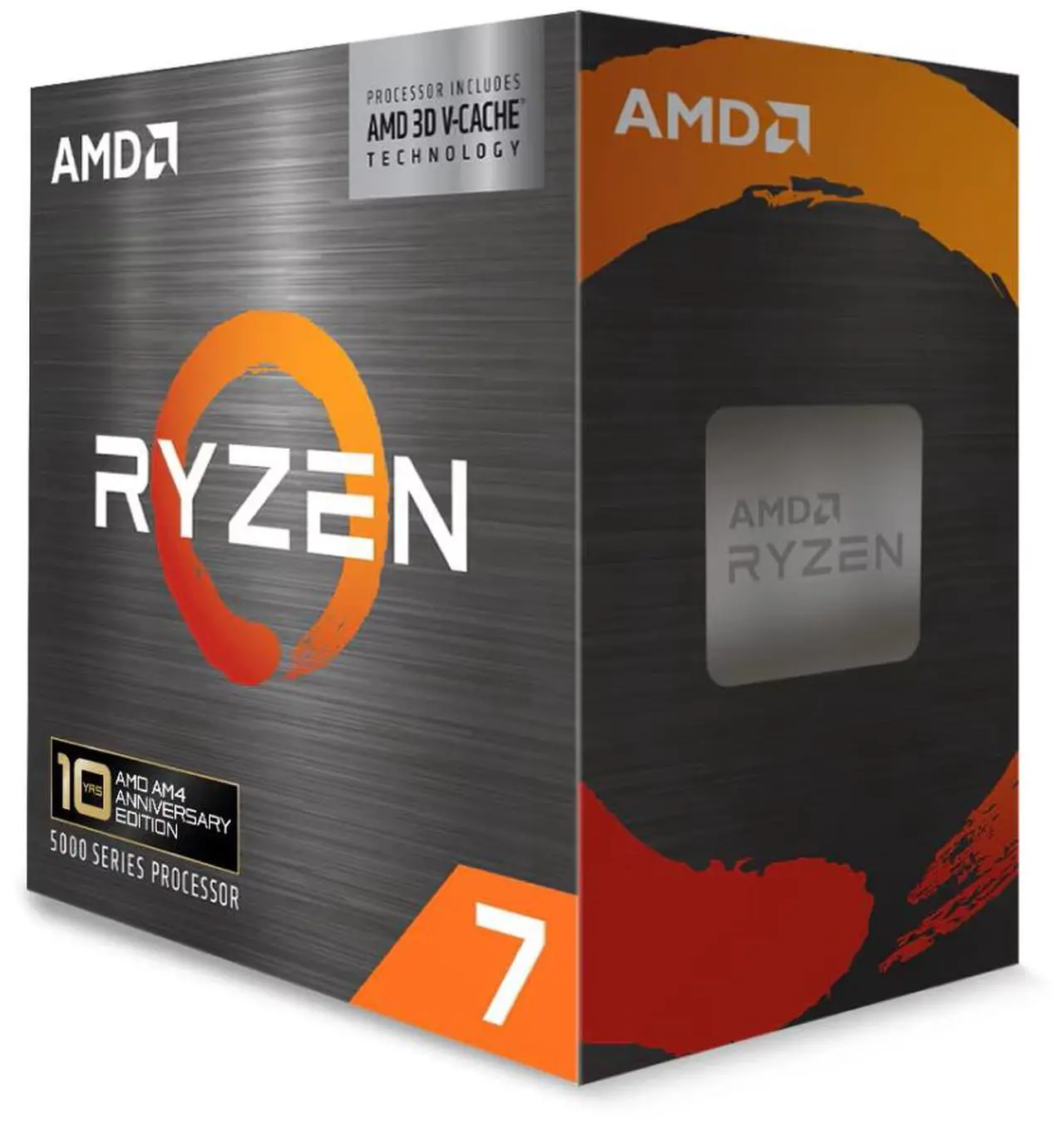
The 10th Anniversary Edition (model 100-100000651POF) carries the same silicon as the standard 5800X3D (100-100000651WOF). Performance is identical. The differences are:
The Anniversary Edition includes special commemorative packaging with 10th Anniversary branding — a collector’s item for AM4 enthusiasts. It also includes the Carbice Ice Pad thermal interface in the box, which you would otherwise need to purchase separately or use your own thermal paste.
If you value the collectible aspect or want the convenience of the Ice Pad bundled in, the Anniversary Edition makes sense. If you simply want the best AM4 gaming CPU at the lowest possible price, the standard 5800X3D delivers the same gaming performance.
Both versions are available on Newegg:
AMD Ryzen 7 5800X3D 10th Anniversary Edition on Newegg
Browse all Ryzen 7 5800X3D options on Newegg
What About the Ryzen 7 5700X3D?
AMD has also released the Ryzen 7 5700X3D, which brings 3D V-Cache to a lower price point. AMD’s April 2026 testing shows the 5800X3D maintaining a lead over the 5700X3D across a wide game library, making the 5800X3D the better choice if you are prioritizing raw gaming performance and the price difference is acceptable to you.
Final Recommendations
For AM4 owners on Ryzen 3000 series or older: the 5800X3D is the single most impactful CPU upgrade you can make without replacing your platform. The gaming performance uplift is substantial.
For AM4 owners already on a Ryzen 5000 series chip: the upgrade benefit is smaller. A 5600X or 5800X owner will see a moderate improvement, but you may want to evaluate whether the cost justifies it versus saving toward an AM5 platform instead.
For new builders starting fresh: AM5 offers better long-term headroom. But if you have an existing AM4 board and want to squeeze the most gaming performance out of it, the 5800X3D remains the definitive answer.
Related Posts
- Best Wi-Fi 7 Routers in 2026
- Best Prebuilt Gaming PCs in 2026
- Best Wireless Gaming Headsets in 2026
- Gen5 or Gen4? The NVMe SSDs I Would Buy in 2026
- Do You Still Need a Graphics Card? Integrated Graphics in 2026
Frequently Asked Questions
Answers to common questions about the Ryzen 7 5800X3D.