
This security key buying guide explains why a small USB or NFC key has become one of the most practical upgrades for your accounts in 2026. AI tools can now produce flawless copies of bank, email, and shopping login pages in seconds. However, a strong password alone no longer helps much once you type it into a fake site. Instead, a hardware security key changes that math. It checks which website is asking before it answers, so a lookalike page gets nothing it can reuse. In this part of Newegg Insider’s Help Me Get Protected series, you will learn the protocols, compare the real lineup from Yubico, Kensington, Google, Thetis, FEITIAN, Identiv, and OnlyKey, and set up a primary key plus a backup.
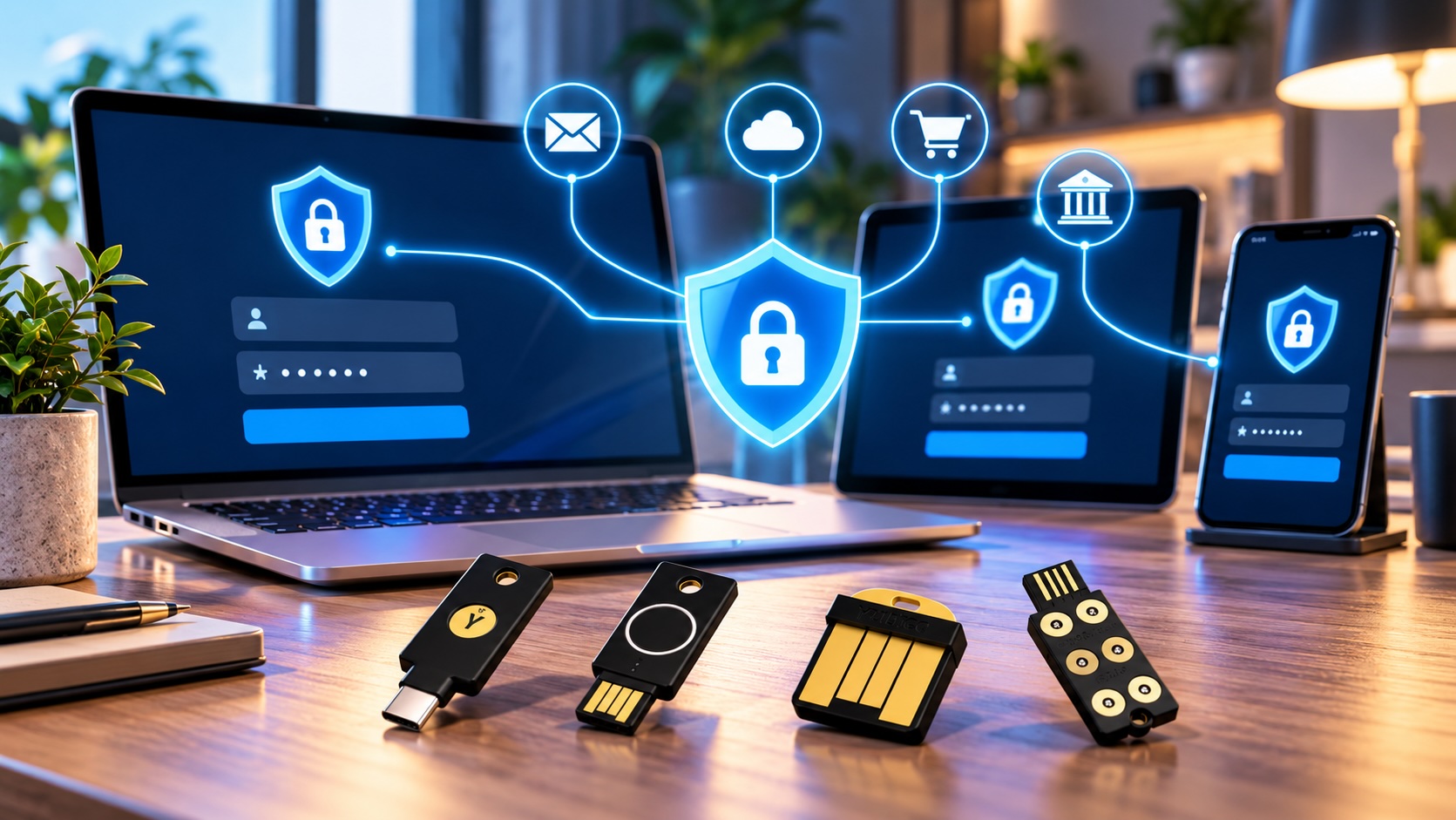
Why This Security Key Buying Guide Starts With AI Phishing
A security key helps because it is designed to refuse sign-in requests from the wrong domain, even when the page looks perfect. That single check targets the exact trick AI phishing depends on.
How a key checks the real website
When you register a key, it creates a unique credential tied to that site’s domain, such as your bank’s real address. Next, the browser tells the key which domain is asking. If the address is a lookalike, the key has no matching credential. Therefore, it simply does not respond. You do not need to spot the fake URL yourself, because the key does that check for you.
Why SMS and app codes fall short
Codes by text message or authenticator app still beat passwords alone. However, a person can read a code and type it anywhere. For example, a fake login page can ask for your six-digit code and relay it to the real site within seconds. Attackers also try SIM swaps to redirect text messages to their own phone. Instead, a key never hands over a reusable secret. For a deeper look at the lures themselves, read the series guide on how to spot AI scams.
FIDO2, Passkeys, U2F, OTP, PIV, and OpenPGP Explained
FIDO2 and passkeys are the modern standards most shoppers need, while OTP, PIV, and OpenPGP matter mainly for older systems and technical work. Every security key buying guide uses these labels, so knowing them helps you read product listings with confidence.
FIDO2, WebAuthn, and passkeys
FIDO2 is the open standard behind phishing-resistant sign-in. WebAuthn is the browser side of it, and CTAP is how the key talks to your device. A passkey is a FIDO2 credential that can replace your password. For example, some passkeys live in a phone or password manager. In addition, others live on a hardware key, which keeps them off any computer.
U2F
FIDO U2F is the older, second-factor-only version of the standard. Most keys still support it, so older accounts keep working.
OTP and TOTP
One-time password features let a key generate or store rotating codes. For instance, several Thetis models list TOTP/HOTP support alongside FIDO2. In practice, this helps with sites that only offer app codes.
PIV smart card and OpenPGP
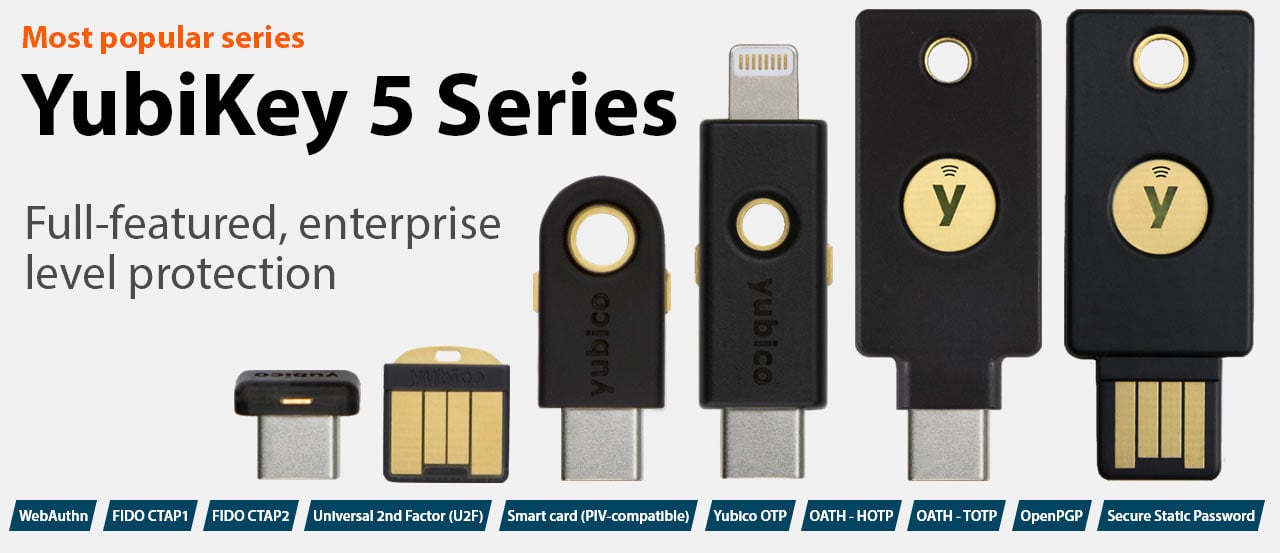
PIV turns a key into a smart card for workplace logins, certificates, and document signing. In addition, OpenPGP lets developers sign code and encrypt email with keys stored on hardware. Yubico positions the YubiKey 5 Series as its multi-protocol line, so confirm the protocol list on the listing before you buy for a specific system.
FIPS-validated models
FIPS versions go through formal validation of their cryptographic module. In practice, regulated employers and contractors often require them, while most households do not.
NFC Security Keys for Phones and Laptops
NFC keys plug into a laptop and also tap against a phone, which makes them the most flexible choice for most people. First, pick the plug that matches your computer, then use the tap for your phone.
Yubico Security Key Series
The Yubico Security Key C NFC is a focused FIDO key with a USB-C plug. Its listing says Basic Compatibility, meaning FIDO2 and U2F only. That suits anyone who wants passkeys for email and major accounts. On the other hand, a USB-A Security Key NFC fits older desktops.
YubiKey 5 NFC and 5C NFC
Next, step up to the YubiKey 5 NFC with USB-A if you also need smart card or code features. The YubiKey 5C NFC for USB-C laptops offers the same approach for modern MacBooks and ultrabooks. Both suit power users and developers.
Kensington, FEITIAN, and Identiv NFC options
The Kensington VeriMark NFC+ USB-C key lists FIDO2/WebAuthn for passwordless login on Windows, macOS, and Chrome. In addition, the FEITIAN K9 with USB-A and NFC covers FIDO2 on older ports. The Identiv uTrust FIDO2 NFC key lists FIDO, FIDO2, U2F, and WebAuthn support.
Nano, Lightning, and Specialty Keys
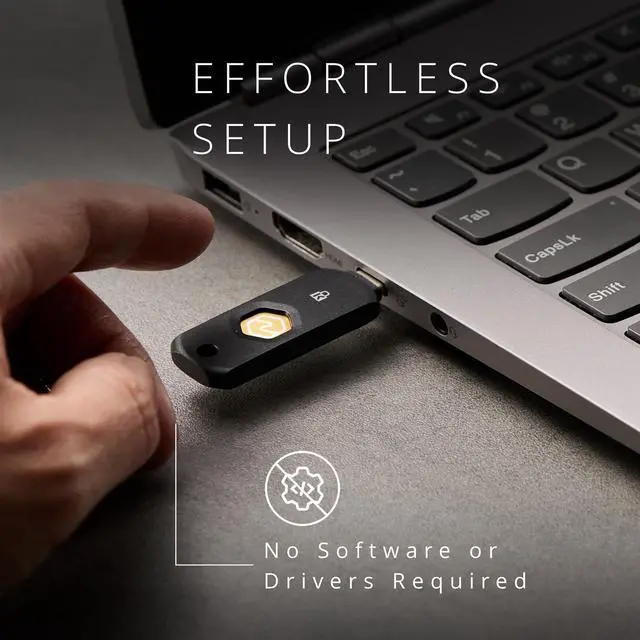
Nano keys stay plugged into a laptop, while Lightning and specialty keys solve specific device or workflow needs. However, these models trade flexibility for convenience.
YubiKey 5 Nano and 5C Nano
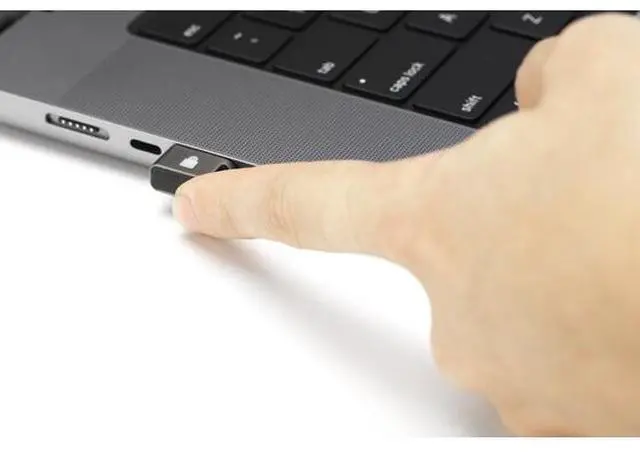
The YubiKey 5C Nano sits almost flush in a USB-C port. Instead of pressing a button, you touch its edge to approve a sign-in. The YubiKey 5 Nano does the same for USB-A. Both suit a work laptop that rarely leaves your bag. However, a key that lives in the laptop travels with it, so keep your backup elsewhere.
YubiKey 5Ci for Lightning iPhones
The YubiKey 5Ci with USB-C and Lightning has a connector on each end. It serves households that still use a Lightning iPhone next to a USB-C computer.
Google Titan, Thetis, and FEITIAN K39
The Google Titan Security Key with USB-C suits people who live mostly in Google accounts and Chrome. For example, the Thetis Nano-C adds TOTP/HOTP on a compact USB-C body. Finally, the FEITIAN K39 offers FIDO2 on USB-C with a keyring loop.
OnlyKey
The OnlyKey hardware password manager combines FIDO2/U2F with a six-button PIN pad. It suits tinkerers who want stored logins and a device PIN on one key.
Fingerprint Security Keys
Fingerprint keys replace the PIN with your finger, so only an enrolled user can approve a sign-in. They suit shared offices and people who dislike typing PINs.
The YubiKey Bio Series FIDO Edition reads your fingerprint on the key itself. It comes in USB-A and USB-C (Bio C) versions. In practice, the fingerprint template stays on the key, not on the computer. Note the FIDO Edition label, which signals passkeys and FIDO sign-in rather than smart card use.
Next, Kensington offers a compact alternative. The Kensington VeriMark Guard 2.1 USB-C lists FIDO2, WebAuthn/CTAP2.1, and FIDO U2F with cross-platform support. A USB-A version exists, and the earlier VeriMark Guard remains in the lineup. In this security key buying guide, these keys serve people who want a small fingerprint reader that stays with their keychain.
Finally, the Thetis BIOFP Plus pairs a fingerprint sensor with USB-C and a swivel cap. Its listing notes FIDO certification.
Before you buy, enroll two fingers on any biometric key during setup. Therefore, a cut or bandage does not lock you out.

Desktop Fingerprint Readers, IT Keys, and Smart Card Readers
Desktop readers and IT keys bring fingerprint sign-in to PCs without a built-in sensor, while smart card readers connect badges to workstations. These tools focus on the computer rather than on your accounts.
Kensington VeriMark Desktop
The Kensington VeriMark Desktop 2.0 Fingerprint Key sits on a cable at the edge of your desk. Its listing names Windows Hello and Windows Hello for Business. In addition, the original VeriMark Desktop reader lists FIDO U2F and FIDO2. That combination suits home offices with a tower PC hidden under the desk.
VeriMark IT keys
The VeriMark IT and IT 2.0 keys plug straight into a laptop, in USB-A or USB-C. Kensington lists Windows Hello and Windows Hello for Business on both. Therefore, they fit company-managed Windows laptops without a fingerprint sensor.
Identiv smart card readers
The Identiv uTrust 3700 F reads contactless smart cards. On the other hand, the uTrust 2700 R handles cards inserted into a USB reader. Both suit offices that already issue PIV or badge cards.
How to Choose With This Security Key Buying Guide
Start with your ports and phone, then decide on biometrics, then buy two matching keys. The table below condenses this security key buying guide into one view.
| Product | Connector | NFC | Biometric | Who it’s for |
|---|---|---|---|---|
| Yubico Security Key C NFC | USB-C | Yes | No | Everyday passkeys; first key |
| YubiKey 5 NFC / 5C NFC | USB-A or USB-C | Yes | No | Power users; smart card and codes |
| YubiKey 5 Nano / 5C Nano | USB-A or USB-C | No | No | Always-plugged work laptop |
| YubiKey 5Ci | USB-C and Lightning | No | No | Lightning iPhone plus USB-C computer |
| YubiKey Bio Series | USB-A or USB-C | No | Yes | Fingerprint instead of PIN |
| Kensington VeriMark Guard 2.1 | USB-A or USB-C | No | Yes | Compact fingerprint key |
| Kensington VeriMark Desktop 2.0 | USB cable | No | Yes | Windows Hello on desktop PCs |
| Google Titan YT1 | USB-C | No | No | Google-centric users |
| Thetis Pro-C | USB-C | Yes | No | FIDO2 plus TOTP/HOTP codes |
| OnlyKey | USB-A | No | No; PIN pad | Tinkerers; stored passwords |
Match your phone and laptop
Check every device you sign in from. For example, a USB-C laptop and an Android phone pair well with a USB-C NFC key. However, recent iPhones with USB-C can plug in directly or use NFC. Older Lightning iPhones work with NFC keys or the 5Ci. If you are shopping for a new laptop too, Newegg’s Laptop Finder can narrow the machine first.
Buy two keys
Always buy a primary and a backup. One key is a single point of failure. In practice, many buyers pick two identical keys, which keeps setup simple.
How to Set Up Your Security Keys
Register both keys on every important account in one sitting, then store the backup somewhere else. The process takes about 10 minutes per account.
- Start with email. Your email resets every other password, so protect it first.
- Add your password manager. Next, register both keys on the vault that stores everything else.
- Cover Microsoft, Google, and Apple accounts. Look for “passkey” or “security key” under sign-in settings.
- Add your bank and card accounts where they offer security key or passkey sign-in.
- Set a key PIN if prompted, and enroll fingers on biometric models.
- Save recovery codes. Store them on an encrypted drive such as the iStorage datAshur PRO2 32GB, which unlocks with a keypad PIN.
- Move the backup offsite. A safe at home or a trusted relative’s house works well.
Accessories that help
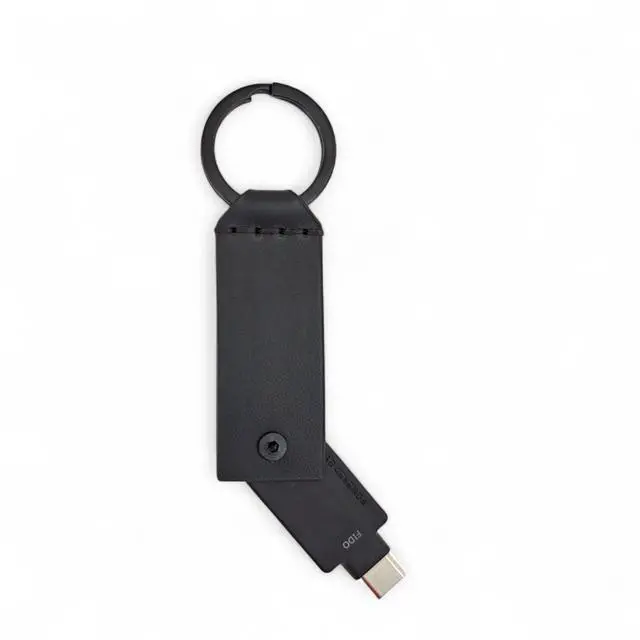
A key on your keychain takes daily wear. A leather keychain case for YubiKey 5 NFC and 5C NFC adds a flip cover and a metal ring. Instead, waterproof capsule cases offer a sturdier shell for travel.
Crypto holders can also add a key to exchange logins and email, as covered in the series guide on crypto wallet security.
Business Rollout Tips and FIPS Models
For teams, a security key buying guide comes down to process. Businesses get the most value when they issue two keys per person, standardize on one or two models, and write a lost-key process first. In practice, a small pilot reveals problems before a full rollout.
Standardize and pilot
Pick one USB-C model and one USB-A model to limit help desk questions. Then run a two-week pilot with a mixed group of staff. Thetis also sells “for Business” versions of its Nano and Pro keys, which its listings position for employee and school accounts.
Plan for lost keys
Decide in advance how staff report a lost key and how IT revokes it. In addition, keep a small stock of spare keys ready to issue.
When FIPS matters
If your contracts or policies require FIPS-validated authenticators, choose models such as the YubiKey 5C NFC FIPS. In addition, Yubico offers FIPS versions of the 5 NFC, 5C, 5 Nano, 5C Nano, and 5Ci. Confirm the exact validation level with your compliance team before ordering.
Get Protected Checklist From This Security Key Buying Guide
Use this short checklist to finish the job in one weekend.
- List every device and port you sign in from.
- Choose a key type: NFC, nano, fingerprint, or desktop reader.
- Buy two keys, a primary and a backup.
- Register both on email, password manager, bank, Microsoft, Google, and Apple accounts.
- Turn off SMS codes where the account allows it.
- Save recovery codes on an encrypted drive.
- Store the backup key offsite.
For the full framework, see the Help Me Get Protected series overview.
Frequently Asked Questions
What is the first step in this security key buying guide?
First, match the connector to your devices. USB-C laptops pair with USB-C keys, and NFC adds phone support. Second, buy two keys so you always have a backup ready.
Do I need a YubiKey 5 or is a Security Key Series model enough?
Most people only need FIDO2 and passkeys, which the Security Key Series covers. That matches the entry pick in this security key buying guide. However, choose a YubiKey 5 if you need smart card, OpenPGP, or one-time password features for work or development.
What happens if I lose my security key?
First, you sign in with your backup key or recovery codes. Next, remove the lost key from each account’s security settings and register a replacement. This is why a second key matters.
Do security keys work with iPhone and Android?
Yes, in most cases. For example, Android phones and iPhones support NFC keys by tapping. USB-C phones can also plug a key in directly, and the YubiKey 5Ci covers Lightning iPhones.
Is a fingerprint key safer than a regular key?
Both use the same phishing-resistant FIDO2 standard. However, a fingerprint key adds a check that only an enrolled user can approve sign-ins. Therefore, it mainly helps in shared spaces or if someone takes your key.
Conclusion
A hardware key helps close the gap that AI phishing exploits, because it answers only the real website. This security key buying guide showed how FIDO2, passkeys, and U2F work, when OTP, PIV, and OpenPGP matter, and which models fit each person. Start with two matching keys, register them on your most important accounts, and keep the backup offsite. Next, turn off SMS codes wherever an account allows it. That way, a relayed code from a fake page has nothing left to unlock. Finally, browse the full multi-factor authentication lineup on Newegg to compare every model covered in this security key buying guide.
Related Posts
- How to Choose an Internet Security Suite in 2026: Tiers, Features, and Setup
- Home Network Firewall Guide: How to Protect Every Device in 2026
- Hardware Wallet Buying Guide: Safer Crypto Cold Storage in 2026
- How to Get Protected From AI Scams in 2026: A Four-Layer Plan With Product Kits
- Get It Today with Progressive Leasing: The Smarter Way to Own the Tech You Want