
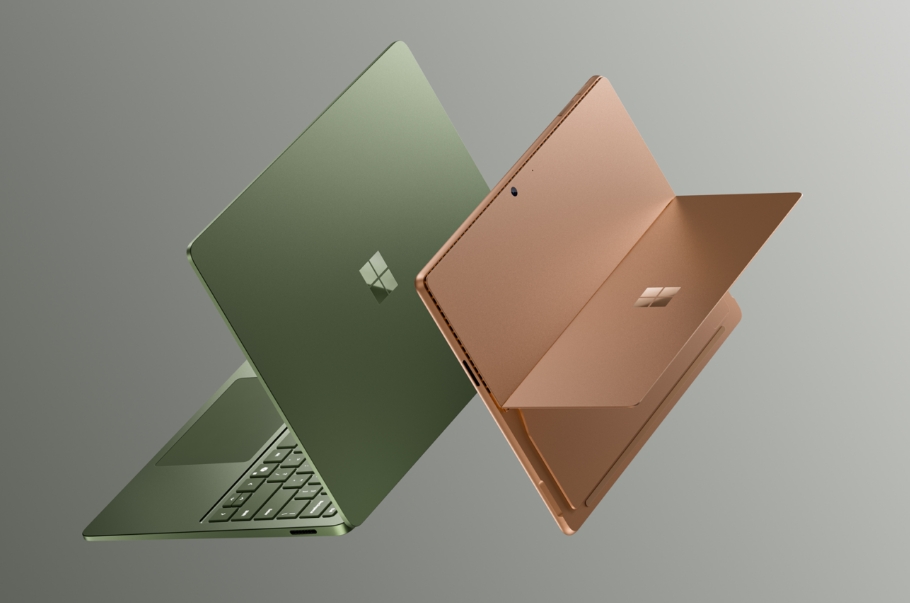
The next Surface Pro and Surface Laptop are here, and both are about to land on store shelves. Microsoft refreshed its two flagship Windows PCs this year with new silicon, longer battery life, and an optional OLED display on the Pro. The next Surface Pro 13-inch keeps the slate-with-keyboard formula. It pairs that formula with a Snapdragon X2 chip, an optional OLED display, and 15.5 hours of battery life. The next Surface Laptop grows up too: up to 20 hours of battery, a sharper 15-inch panel, a new haptic touchpad, and a fresh Jade color on the 13.8-inch model. Both ship June 16, 2026. Surface for Business availability begins July 14. This guide walks through what is actually new, who each machine fits, and where Surface lands against the broader Copilot+ PC market on Newegg.
Surface devices have always been a particular flavor of premium Windows hardware. Think clean industrial design, first-party Microsoft software polish, and price tags that compete with MacBooks. The 2026 refresh leans further into that positioning. It also broadens configuration options for the first time in years. Browse the Newegg Laptop Finder to compare these to other ultrabooks. Or jump straight into the 2-in-1 laptops category for Surface Pro alternatives.
What’s Actually New in the Next Surface Pro and Surface Laptop
The 2026 refresh covers more than two product families at once — that has not happened in a while. Alongside the headline Surface Pro and Surface Laptop refresh, Microsoft also announced a Surface Laptop Ultra aimed at developers and creative professionals, plus the Surface RTX Spark Dev Box, a new category purpose-built for AI developers who need sustained local compute. The flagship pair, though, is what most shoppers will weigh first.
Snapdragon X2 at the core
Both refreshed devices ship with new Snapdragon X2 processors. The Surface Pro delivers up to 53% faster graphics than the previous generation. The Surface Laptop delivers up to 58% more graphics. Intel Core Ultra Series 3 variants ship under the Surface for Business lineup. The consumer launch this June is Snapdragon-only.
Copilot+ NPUs
The Snapdragon X2 ships with on-device AI silicon. That silicon is what defines a Copilot+ PC. It unlocks features like Recall, on-device Cocreator, and Live Captions. Every configuration ships above the 40 TOPS threshold Microsoft set for the Copilot+ tier.
Display upgrades
The Surface Pro 13-inch picks up an optional OLED display. The upgrade adds deeper blacks, higher contrast, and better color accuracy. The Surface Laptop sticks with bright, color-accurate LCDs across both sizes. The 15-inch panel jumps from 201 PPI to 262 PPI — a substantial sharpness lift. The Pro also adds a 1440p Quad HD camera with an ultrawide field of view. The Laptop’s camera is ranked #1 in DXOMARK’s laptop camera ranking.
Battery you can plan a day around
Microsoft claims up to 15.5 hours on the Surface Pro 13-inch. The Surface Laptop 13.8-inch hits up to 20 hours. The 15-inch model claims up to 19 hours. These are local-video-playback figures. Mixed productive use lands lower, but the headroom is real if you travel often.
Haptic touch everywhere
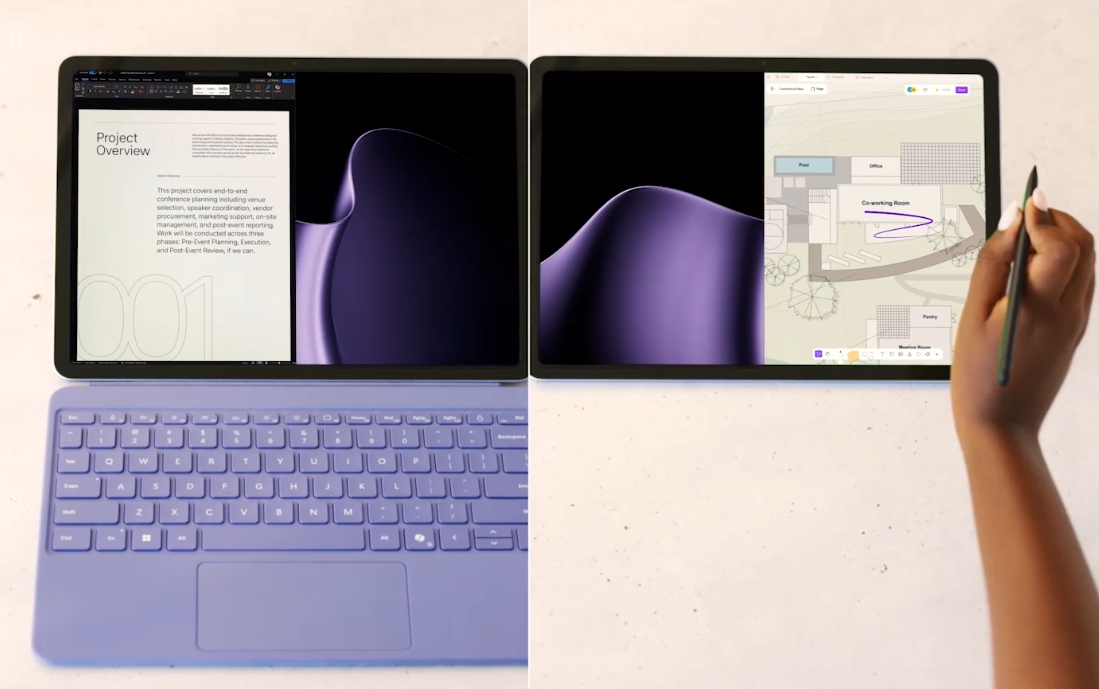
The Surface Laptop’s touchpad and the Surface Pro’s Slim Pen both deliver subtle haptic feedback. The feedback lands across Windows and the apps you use daily. Snap a window into place. Scrub through a video. Sketch in Affinity. Each action feels more certain.
Affinity ships preloaded
Surface Pro and Surface Laptop arrive with Affinity’s design, photo, and publishing tools pinned to the Start menu. (Business devices require installation.) That partnership saves real money for anyone who would have paid for Adobe alternatives.
Sustainability and repair
The new enclosures use 100% recycled aluminum. Every device is ENERGY STAR certified. Microsoft is shipping a Surface Repair Tool with guided workflows for battery, display, touchpad, and motherboard replacements.
Surface Pro 13-inch: A Real 2-in-1 Worth Considering
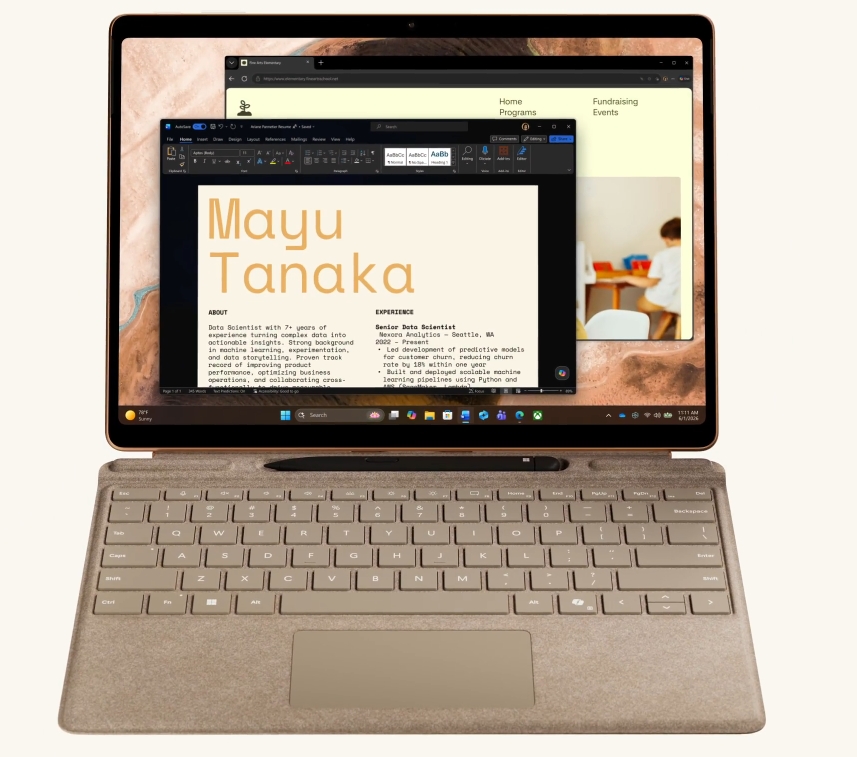
The headline product in the next Surface Pro and Surface Laptop launch is the new Surface Pro 13-inch. It starts at $1,499 and ships in three colors — Platinum, Black, and Dune. The Pro remains the closest thing in the Windows world to a true tablet that becomes a real laptop. The screen detaches cleanly. The Surface Pro Flex Keyboard (now also in Dune) is a separate purchase. It snaps on magnetically. The kickstand is sturdy.
What is new in 2026 is the silicon, the optional OLED display, and the camera. The Snapdragon X2 delivers up to 53% faster graphics than the previous generation. Real workloads — photo editing, vector design, light video work — stay smooth. The fans rarely spin up. The optional OLED panel is the bigger story for creatives. It adds deeper blacks, higher contrast, and color accuracy you can trust for finished work. The 1440p Quad HD camera with ultrawide field of view fixes the long-standing weak spot in Surface Pro video calls.
Battery life is the practical headline. Microsoft claims up to 15.5 hours on local video playback. For mixed productive use, plan for roughly 9 to 12 hours. Still enough for a full workday without the charger.
The most honest weakness of any Surface Pro remains the keyboard cover. It is a real keyboard. But it is not as comfortable for long writing sessions as a clamshell laptop. If you spend most of your day writing, evaluate the Surface Laptop first. If your day mixes drawing, note-taking, light writing, and watching, the Pro 13-inch is in a class of its own. Compare the broader 2-in-1 laptop selection on Newegg to see what other convertibles look like at this price.
Surface Laptop 13.8-inch and 15-inch: Microsoft’s Mature Clamshell
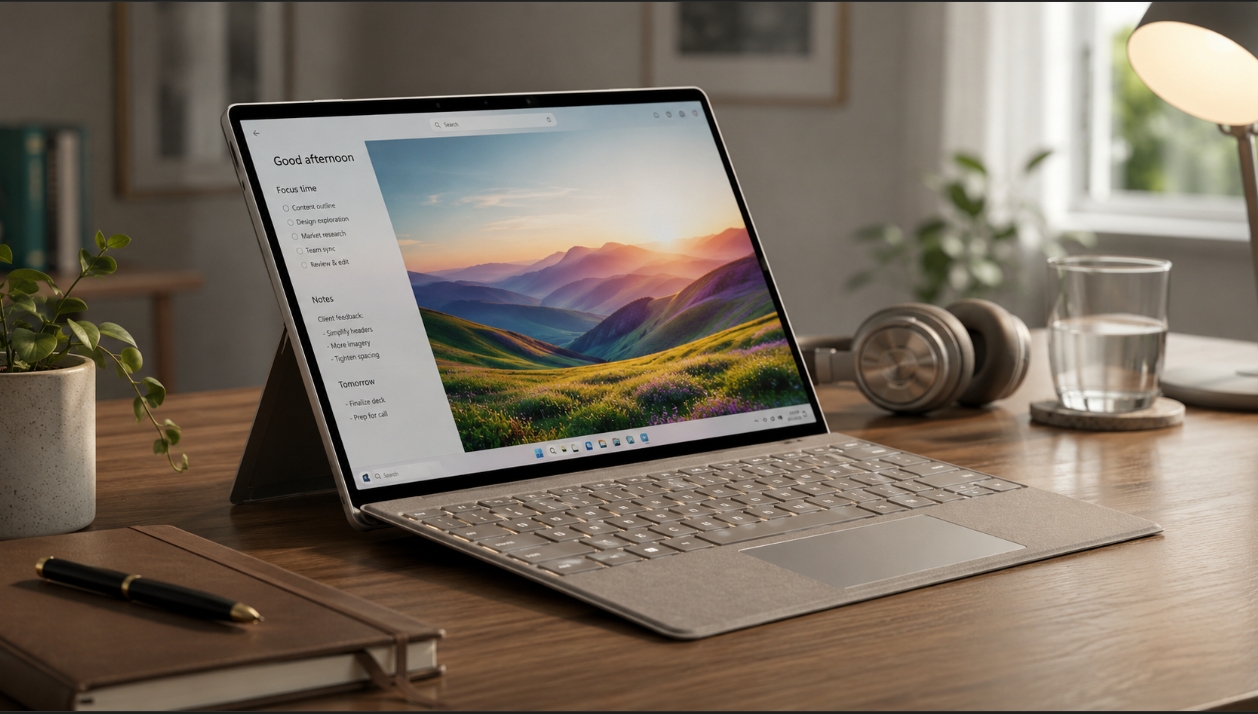
The Surface Laptop has always been Microsoft’s answer to the MacBook Air. The 2026 version is the strongest entry in years. The Snapdragon X2 launch focuses on two sizes — 13.8-inch and 15-inch. Both start at $1,599. The 13.8-inch comes in Platinum, Black, Dune, and a new Jade color. The 15-inch sticks with the first three. (A smaller 13-inch Surface Laptop with Intel Core Ultra Series 3 also exists for buyers who want a more compact and budget-friendly option.)
The battery story is the clearest upgrade. Microsoft claims up to 20 hours on the 13.8-inch. The 15-inch hits up to 19 hours. Real-world numbers land lower under mixed productive use. But the new generation gives most people a full workday and then some without touching the charger.
The displays are bright, color-accurate LCDs. (No OLED — that option is exclusive to the Surface Pro this year.) The big visual jump comes on the 15-inch panel, which sharpens from 201 PPI to 262 PPI. That sounds small on paper. In practice, text is noticeably crisper. Small UI elements look cleaner. The camera is the other quiet win, ranked #1 in DXOMARK’s laptop camera ranking at launch.
The new haptic touchpad is the same kind of solid-state pad MacBook owners already know. It does not physically click. Instead it simulates click feedback via haptic motors. After a week of use, most people prefer it. Wi-Fi 7 is standard. If you are buying for fleet use, check the business laptop lineup on Newegg alongside the Surface for Business catalog before you commit.
Snapdragon X2 vs. Intel Core Ultra Series 3: Which Should You Pick?
The biggest decision when shopping the next Surface Pro and Surface Laptop is the chip family. The 2026 consumer launch is Snapdragon-only. The Intel Core Ultra Series 3 (Panther Lake) variants live in the Surface for Business catalog. So unless you are buying through a corporate channel or specifically need x86 compatibility, Snapdragon X2 is what you will be getting.
Snapdragon X2 strengths:
- Battery life — 20 hours on the Surface Laptop 13.8-inch is the new benchmark
- Quiet under typical load — most workloads run with little or no fan noise
- Native Copilot+ AI features — Recall, on-device Cocreator, Live Captions
- Most consumer software runs native on Arm Windows in 2026 — Microsoft 365, Chrome and other modern browsers, Affinity, Adobe’s current Arm-native suite
Where Intel still matters:
- Niche enterprise tools, older creative plugins, certain audio production software, and most virtualization software still need x86
- PC games remain a soft spot on Windows on Arm — integrated graphics on Snapdragon are not built for AAA gaming
For most general consumers, the Snapdragon launch is the right choice in 2026. Compatibility issues have shrunk dramatically over the past two generations. For specialists who still need x86, the Intel-based Surface for Business configurations or third-party Intel laptops remain the safer option. If gaming is a priority, you are better served by a dedicated gaming laptop — browse the gaming laptops on Newegg or the GeForce RTX 50 Series gaming laptops for hardware that handles modern AAA titles.
Who the Next Surface Pro Is For — and Who Should Skip It
Within the next Surface Pro and Surface Laptop lineup, the Pro fits a specific kind of user. If you draw, take handwritten notes, present standing up, or want a tablet for media consumption that can also write the report due Monday, this device is in a class of its own. The new haptic Slim Pen adds tactile feedback to inking, which makes a real difference for designers and note-takers. Students in design programs, field workers who annotate PDFs, sales professionals who present from a screen, and creative pros who sketch should all consider it seriously.
If your daily work is 80% typing in a chair at a desk, the Surface Pro is not the optimal tool. The Flex Keyboard is good but it is not a real laptop keyboard. A Surface Laptop will be more comfortable for that workload at a similar price. The Pro shines when you actually use the tablet mode for several hours a week.
The Pro also makes sense as a secondary device for many people. If you already have a desktop or a laptop and want a flexible “out of the office” companion, the Pro fills that role better than buying a second clamshell.
Who the Next Surface Laptop Is For — and Who Should Skip It
In the broader next Surface Pro and Surface Laptop picture, the Laptop is a generalist. It is the right pick for most knowledge workers, students, and creative pros who do not need a discrete GPU. The combination of long battery life, a real keyboard, a wide port selection, and the haptic touchpad makes it strong against both the MacBook Air and other premium Windows ultrabooks. The DXOMARK #1 camera ranking is a nice bonus for anyone living on video calls.
If you handle very large datasets, render video for hours, or run heavy machine-learning workloads locally, the consumer Surface Laptop is not the right fit. Consider the upcoming Surface Laptop Ultra (Microsoft’s most powerful Surface Laptop, aimed at developers and creative pros), a premium laptop with discrete graphics, or a desktop instead. The Surface line targets thin-and-light productivity, not heavy compute.
If you spend a lot of time in legacy Windows software that has not been ported to Arm, go with the Intel-based Surface for Business variant or a third-party Intel ultrabook. The performance difference between Snapdragon X2 and Intel Core Ultra Series 3 is small. The compatibility difference can still be substantial for specialty software.
Configuration and Buying Tips
A few practical recommendations for anyone shopping the next Surface Pro and Surface Laptop at Newegg or elsewhere.
Time your purchase to the launch promo. From June 16 through June 30, Microsoft is bundling a free Surface Pro 13-inch Keyboard with any Surface Pro 13-inch purchase and a free Surface Arc Mouse with any Surface Laptop 13.8-inch or 15-inch purchase. Microsoft Complete (the extended-warranty plan) is also 50% off during the same window, and trade-in plus-up offers can save up to $900 if you have an older device to send in.
Buy more RAM than you think you need. Copilot+ features and the on-device AI workflows on Windows are memory-hungry. 16GB is the floor. 32GB is the safer choice for a device you expect to keep four years. RAM is soldered on every Surface configuration, so get it right at purchase.
Skim the keyboard and pen bundles. The Surface Pro sells the slate and the Flex Keyboard separately. The launch promo above is the easiest way to get the keyboard at no extra cost. If you want the haptic Slim Pen, factor that in too.
Consider a fast external SSD. Even with Gen 4 internal storage, an external NVMe drive is useful for backups, large project files, and quickly moving work between devices. Modern SSDs are cheap enough that 1TB or 2TB makes sense for a Surface in 2026.
Don’t overlook accessories. A USB-C dock with Wi-Fi 7 support, a second monitor, and a decent pair of headphones for calls all multiply the value of any thin-and-light laptop. The Surface lineup uses standard USB-C and the Surface Connect port, so most aftermarket accessories work cleanly.
How the Next Surface Pro and Surface Laptop Compare to MacBook and Other Copilot+ PCs
After the 2026 refresh, the next Surface Pro and Surface Laptop comparison with rival ultrabooks shifts in interesting ways. The MacBook Air remains the obvious Apple competitor at the same price band as the Surface Laptop 8. The Air offers a more polished software environment if you live in the Apple ecosystem, longer guaranteed software support, and a quieter fanless design. The Surface Laptop 8 offers a touchscreen, more port variety, the OLED option, Windows software compatibility, and the choice between Snapdragon and Intel. For Apple-curious shoppers, Apple is the direct source, but compare against the broader Newegg All Laptops catalog before deciding either way.
Other Copilot+ PCs from Lenovo, Dell, HP, and Asus compete with the Surface Laptop 8 directly. Surface’s strength remains industrial design quality, first-party software polish, and resale value. Third-party Copilot+ PCs often offer better price-to-spec ratios. If raw value matters more than premium polish, browse the broader Copilot+ PC selection on Newegg. If you specifically want a clamshell with the broadest Windows compatibility, look at Windows laptops more generally.
Conclusion: A Strong Year for the Next Surface Pro and Surface Laptop
The next Surface Pro and Surface Laptop refresh is the most substantial Surface update in several years. The Pro 13-inch now offers an OLED display, a real Quad HD camera, and meaningful graphics gains. The Laptop 13.8-inch and 15-inch deliver up to 20 hours of battery life, a sharper 15-inch panel, and a DXOMARK-leading camera. Both ship June 16 starting at $1,499 (Pro) and $1,599 (Laptop), with a generous launch promotion through June 30.
If you are still deciding, the broader Laptop and Notebook catalog on Newegg lets you compare the next Surface Pro and Surface Laptop against every other premium ultrabook on the market today. The right purchase is usually the one that matches your actual workflow, not the one with the longest spec sheet.
Related Posts
- How Much Memory an AM5 Build Actually Needs in 2026
- CL36, CL30, CL28 or CL26? Picking a DDR5-6000 Latency Tier
- Best G.SKILL Trident Z5 NeoX RGB Kits with AMD EXPO ULL in 2026
- Best CPU Coolers in 2026
- Best AM5 Motherboards in 2026
The Next Surface Pro and Surface Laptop at Newegg
The next Surface Pro and Surface Laptop ship June 16 with Snapdragon X2. Specs, pricing, launch promo, and Newegg shopping picks in one 2026 buyer guide.