
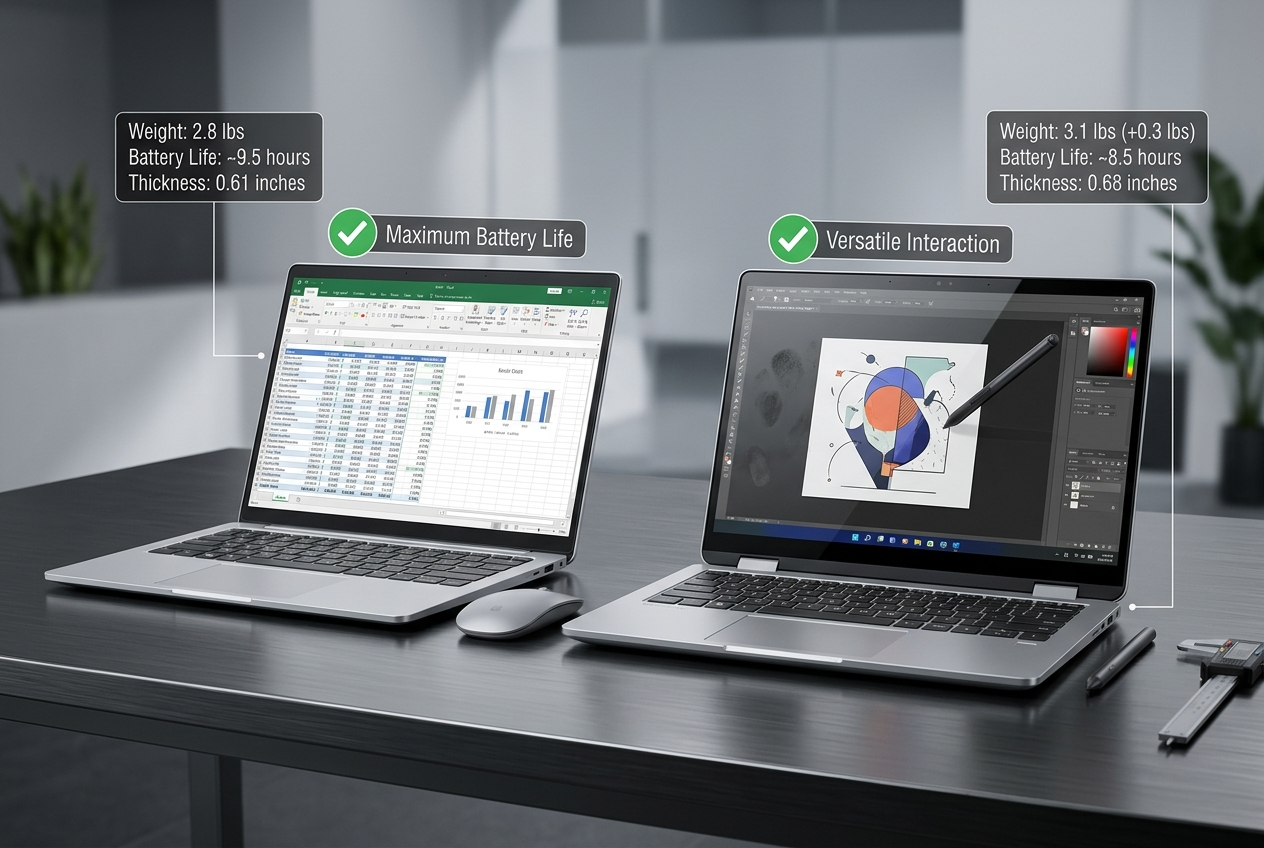
The laptop market in 2026 presents an increasingly sophisticated choice between touchscreen and traditional non-touch displays. With AI-powered computing becoming mainstream through innovations like Copilot+ PCs, understanding how touch functionality impacts your computing experience has never been more relevant. This comprehensive analysis explores the practical differences, advantages, and trade-offs to help you make an informed purchasing decision.
Understanding Touchscreen Technology in Modern Laptops
Touchscreen laptops integrate digitizer layers into their displays, allowing direct interaction with on-screen elements through touch, gestures, and often stylus input. In 2026, touchscreen technology has matured significantly, with most implementations offering precise multi-touch recognition, palm rejection, and seamless integration with operating systems.
The technology has evolved beyond simple touch recognition to include advanced features like pressure sensitivity, tilt detection for stylus input, and AI-powered gesture prediction that anticipates user intent. These capabilities transform touchscreens from novelty features into genuinely productive tools for specific use cases.
The Convertibility Factor: 2-in-1 Laptops
One of touchscreen laptops’ most compelling advantages lies in 2-in-1 convertible designs that transform between laptop and tablet modes. These versatile devices leverage touchscreens as their primary interface in tablet configuration, enabling use cases impossible with traditional clamshell laptops.
In 2026, 2-in-1 designs have become increasingly refined, with robust hinges, intelligent mode detection, and automatic interface optimization based on configuration. For users requiring maximum versatility, these convertible designs represent touchscreens’ killer application.
Performance and Battery Life Considerations
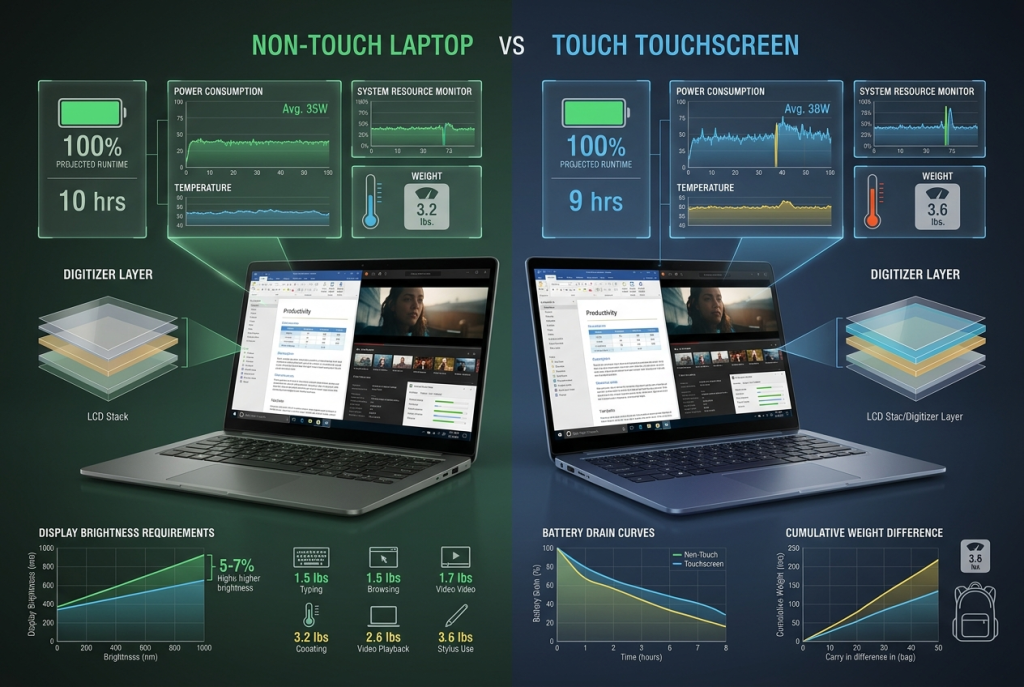
The inclusion of touchscreen digitizers impacts system performance and battery life in measurable ways. The additional display layers reduce light transmission slightly, requiring marginally higher brightness levels to achieve equivalent perceived screen clarity. This increased brightness demand translates to modest battery life reductions, typically 5-10% compared to equivalent non-touch configurations.
However, 2026’s efficiency improvements have narrowed this gap considerably. Modern touchscreen implementations use power-efficient digitizer controllers that enter ultra-low-power states when not actively touched, minimizing battery impact during normal laptop usage.
Performance-wise, touchscreen functionality requires minimal processing resources. Even budget processors handle touch input processing without noticeable performance degradation, making touch capability independent from overall system performance considerations.

Weight and Thickness Trade-offs
Touchscreen laptops typically weigh 0.2-0.4 pounds more than equivalent non-touch models due to the additional digitizer layer and often-stronger glass required for durability. For ultraportable 13-inch laptops, this weight increase represents a more significant percentage impact than for larger 15-17 inch models.
Thickness increases are similarly modest, typically 1-2mm, but can affect the ultra-slim aesthetic some users prioritize. When exploring options through the Laptop Finder, pay attention to weight specifications if portability is paramount.
Display Quality and Durability
Touchscreen laptops traditionally used glossy display coatings to maximize touch sensitivity, creating problematic reflections in bright environments. However, 2026’s anti-reflective coating technologies have largely solved this issue, with many premium touchscreen laptops offering excellent outdoor visibility.
The robust glass required for touchscreen durability often makes these displays more resistant to damage from pressure and impacts compared to non-touch displays. This improved durability can offset the higher initial investment for users whose laptops endure frequent transport or demanding environments.
Use Case Analysis: When Touch Makes Sense
Several specific use cases strongly favor touchscreen laptops, transforming touch from nice-to-have to genuinely valuable functionality.
Creative and Design Work
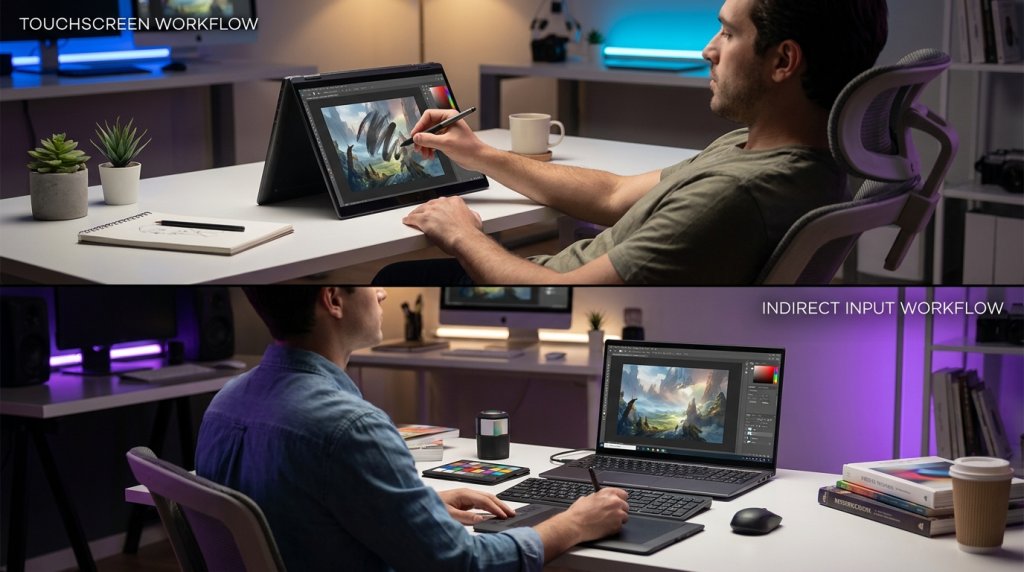
Digital artists, designers, and photo editors benefit enormously from touchscreen capability, particularly when paired with pressure-sensitive stylus input. Direct manipulation of design elements, intuitive gesture-based navigation, and natural drawing workflows make touchscreens nearly essential for creative professionals.
Premium laptops with upgrade options often include high-quality touchscreens with excellent color accuracy and stylus support, ideal for creative workflows.
Educational Environments
Students and educators increasingly rely on touchscreen laptops for note-taking, annotation, and interactive learning. The ability to mark up PDFs, sketch diagrams during lectures, and navigate touch-optimized educational software creates more engaging learning experiences.
Presentation and Collaboration
Professionals who frequently present to groups or collaborate in meetings benefit from touchscreen capability. Quickly annotating presentations, highlighting discussion points, and navigating content without returning to keyboard and trackpad creates more fluid collaborative experiences.
Casual and Entertainment Usage
For users who primarily consume content—browsing, streaming video, reading—touchscreens offer intuitive navigation that feels natural and immediate. Scrolling through social media, zooming images, and navigating streaming interfaces often feels more responsive through touch than trackpad input.
When Non-Touch Laptops Excel
Despite touchscreens’ advantages, traditional non-touch laptops remain optimal for many users and use cases.
Maximum Performance Per Dollar
For performance-focused users, particularly gamers, budget allocated to touchscreen functionality could instead upgrade processor, graphics, RAM, or storage capacity. Gaming laptops typically forego touchscreens to maximize gaming performance within given budgets.
High-end Intel gaming laptops and AMD gaming configurations prioritize display refresh rates and response times over touch capability, as these characteristics matter more for gaming.
Minimal Battery Compromise
Users requiring maximum battery life for extended work sessions away from outlets benefit from non-touch configurations. The 5-10% battery life advantage, while modest, can mean the difference between completing a work session and needing to locate power.
Professional Productivity Focus
Many business laptop users who primarily work with keyboard-intensive applications like spreadsheets, code editors, and data analysis tools derive minimal benefit from touch functionality. For these traditional productivity workflows, non-touch displays offer no disadvantage while providing the benefits of lighter weight and longer battery life.
Touchscreen vs Non-Touch Comparison Matrix
| Factor | Touchscreen Laptops | Non-Touch Laptops |
|---|---|---|
| Versatility | High (especially 2-in-1) | Standard laptop only |
| Weight | +0.2-0.4 lbs heavier | Lighter |
| Battery Life | 5-10% reduction | Baseline/optimal |
| Display Coating | Traditionally glossy (improving) | Matte or glossy options |
| Creative Work | Excellent with stylus | Limited to trackpad/mouse |
| Gaming Performance | Standard | Standard |
| Typical Cost | Higher for equivalent specs | Lower for equivalent specs |
| Durability | More robust glass | Standard display |
| Portability | Slightly reduced | Maximum |
The AI Computing Revolution
2026’s emergence of AI-powered computing has interesting implications for touchscreen versus non-touch decisions. Copilot+ PCs integrate AI assistants that respond to voice, keyboard, and increasingly, gestural input through touchscreens.
The combination of AI assistance with natural touch interfaces creates surprisingly powerful workflows. Circling items for AI analysis, sketching rough interface mockups for AI to refine, and gesture-based AI command shortcuts all benefit from touchscreen capability.
However, AI voice commands and keyboard-based AI interactions work equally well on non-touch systems, preventing touch from becoming essential even in AI-enhanced computing environments.
Gaming Considerations
While gaming laptops traditionally eschew touchscreens, 2026 has seen increased availability of touch-enabled gaming configurations. However, gaming rarely benefits from touch input, as precision gaming relies on keyboard and mouse or controller input.
The latest NVIDIA GeForce RTX 50 Series laptops showcase this reality—touch capability appears primarily in hybrid devices designed for both gaming and creative work rather than pure gaming machines.
For gaming-focused users, investing touchscreen budget instead into better GPU, higher refresh rate displays, or increased SSD storage delivers better gaming experience returns.
Maintenance and Longevity
Touchscreen displays require more frequent cleaning due to fingerprints and smudges. The constant touching creates visible marks that necessitate regular cleaning for optimal appearance. Non-touch displays avoid this maintenance burden, though they still accumulate dust and require occasional cleaning.
Long-term durability of touchscreen digitizers has improved dramatically, with modern implementations rarely failing during typical laptop lifespans. The robust glass used in touchscreens often outlasts non-touch displays when subjected to pressure or impacts.
Making Your Decision in 2026
The choice between touchscreen and non-touch laptops ultimately depends on your primary use cases and priorities.
Choose touchscreen laptops when:
- You need 2-in-1 convertibility for tablet mode usage
- Creative work with stylus input is important
- Note-taking and annotation are frequent activities
- You prefer intuitive touch navigation for content consumption
- Presentations and collaborative work are common
- The versatility justifies modest weight and battery trade-offs
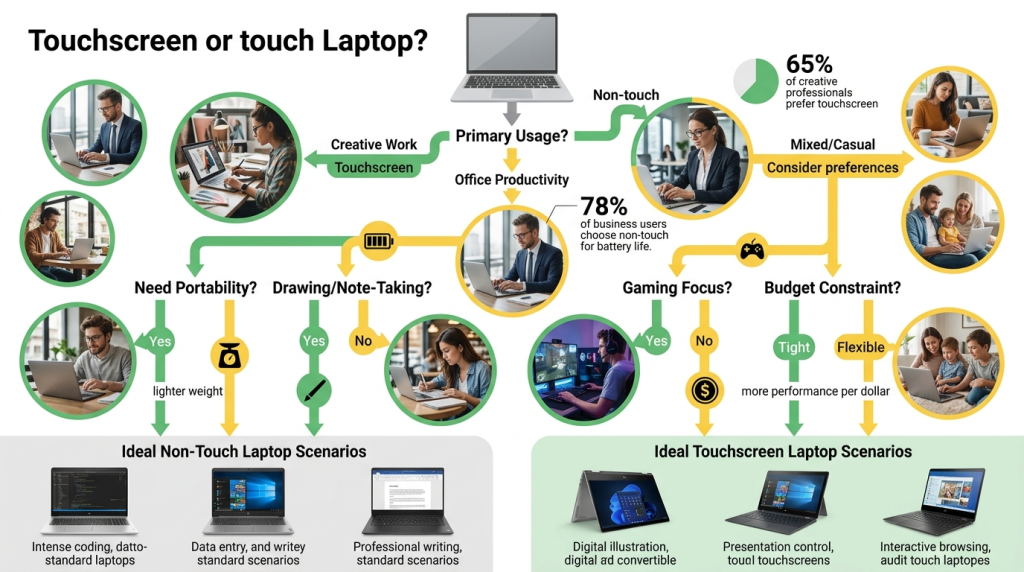
Choose non-touch laptops when:
- Maximum battery life is critical
- Gaming performance is your priority
- You primarily use keyboard-intensive productivity applications
- Minimum weight is essential for portability
- You want to allocate budget to performance components instead
- You work in traditional office productivity environments
For most users in 2026, touchscreens have evolved from gimmicks to genuinely useful features that enhance specific workflows. However, they remain optional rather than essential, with traditional non-touch laptops continuing to excel for focused productivity and performance-oriented use cases.
When exploring Windows OS laptops, consider your actual usage patterns honestly. If you frequently find yourself wanting to touch your display to navigate, annotate, or interact, touchscreen capability will prove valuable. If you rarely consider touching your screen, the non-touch option likely better serves your needs while offering modest advantages in weight, battery life, and value.
Related Posts
- Best Laptops for Back to School 2026: Picks for Every Budget
- Travel-Ready Computing: Best Laptops for Constant Travelers in 2026
- Right-Sizing Your Laptop: How Your Home Space Influences the Perfect Computing Choice in 2026
- Intel vs AMD: The 2026 Laptop Processor Showdown
- Choosing Your Operating System: Windows vs macOS vs ChromeOS in 2026