
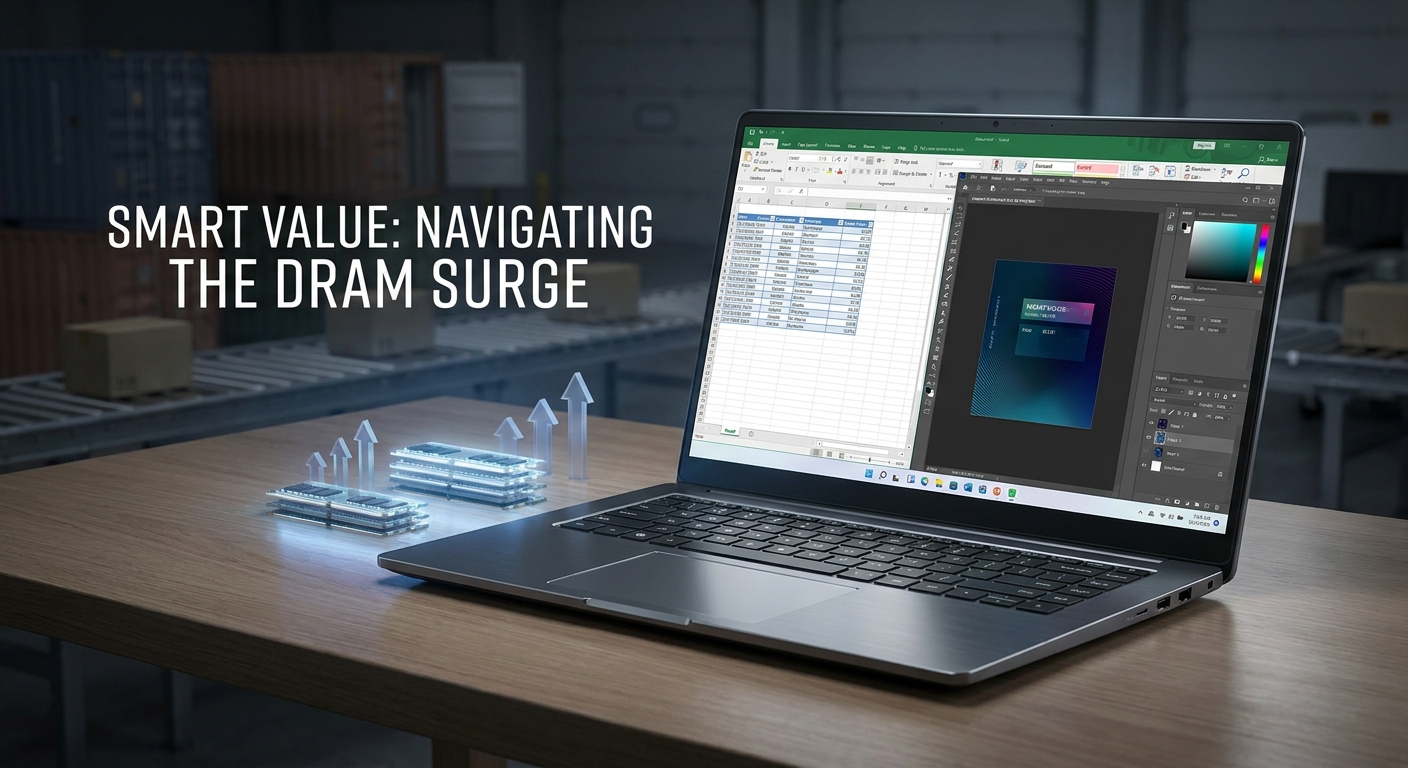
When memory prices climb, laptop shopping gets a lot more interesting. What used to be a simple question of ‘How cheap can I go?’ suddenly becomes ‘How much RAM can I get before the price jumps again?’ That is why 32GB and 48GB budget laptops are turning into some of the best-value picks for 2026.
For shoppers in the $500 class, that matters. A laptop with more memory can feel dramatically more usable over time, especially if you keep a lot of tabs open or rely on your machine for work, school, or everyday multitasking. Acer’s Aspire Go 15 lineup fits this moment well, pairing mainstream pricing with unusually large memory options, 15.6-inch FHD IPS displays, Wi-Fi 6, and a modern port mix. If you want more laptop for your money, this is exactly the kind of spec sheet worth a closer look.
Key Questions
Is this really a RAM crisis, or just another upgrade cycle?
It is a mix of both, but the bottom line is simple: DRAM prices can move quickly, and that usually shows up in the laptop market before long. When memory gets more expensive, buyers feel it most on systems that ship with small configurations and limited upgrade paths. That is why prebuilt 32GB and 48GB laptops are getting more attention right now.
Instead of buying a lower-memory model and planning to upgrade later, shoppers can lock in a larger configuration at checkout. That can be a smarter play when memory modules are expensive or when the laptop design makes upgrades inconvenient. In this Acer Aspire Go 15 lineup, the memory decision is already handled with 32GB or 48GB DDR4 3200 memory, two memory slots, and a 512GB PCIe SSD.
Why does 32GB matter so much on a budget laptop?
Because 32GB gives a budget laptop the breathing room many buyers actually need. It helps keep the system responsive with lots of browser tabs, office apps, video calls, streaming, and light creative work all running at once. If you routinely push a laptop beyond the basics, that extra headroom can make the machine feel much smoother day to day.
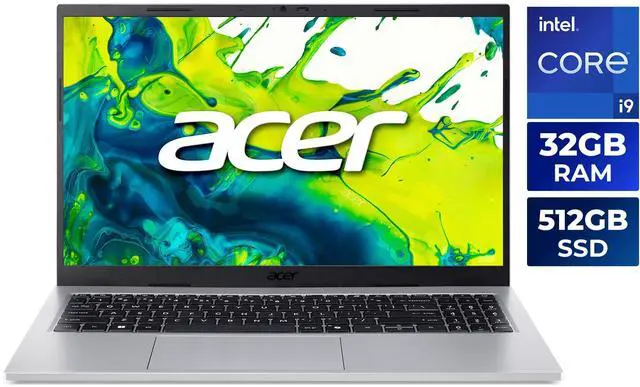
That is especially true on systems with integrated graphics, since the GPU shares system memory. On the Acer Aspire Go 15 with Intel Core i9-13900H, the 32GB configuration combines that memory with a 14-core Raptor Lake processor, a 24MB L3 cache, and Intel Iris Xe Graphics. For a mainstream 15.6-inch consumer notebook, that is a pretty serious spec combination.
Is 48GB overkill for everyday use?
For casual browsing and streaming, yes, it is more than most people need. But for power users, 48GB can make a lot of sense. It is the kind of configuration that works well for heavy multitasking, large browser sessions, local development tools, virtual machines, or media projects that stay open for long stretches.
Just as importantly, it can help you keep the laptop useful for longer. The 48GB Aspire Go 15 still stays in budget-laptop territory with a 512GB PCIe SSD, Windows 11 Home, Wi-Fi 6, Bluetooth 5.3, two USB-A ports, two USB-C ports, and HDMI 2.1. You get the memory cushion without jumping to a premium-class system.
What should shoppers compare besides RAM?
RAM is important, but it should not be the only thing you look at. CPU class, storage type, display quality, port selection, weight, and battery life all affect how good a laptop feels in real use. A large-memory laptop can still disappoint if the screen is mediocre or the connectivity is too limited.
That is where the Aspire Go 15 family stands out. The big-memory angle comes with a 15.6-inch FHD IPS display, a Precision Touchpad, an FHD webcam, and a practical port layout. It also helps to compare the platform choices: the AMD Ryzen 7 5825U model brings an 8-core processor, integrated Radeon Graphics, a 512GB PCIe Gen4 SSD, Ethernet, and a backlit keyboard, while the Intel Core i9-13900H model pushes harder on CPU performance.
Product Spotlight
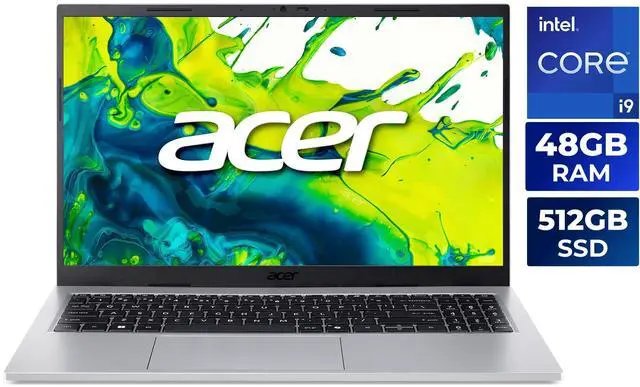
The standout option here is the Acer Aspire Go 15 with Intel Core i9-13900H and 48GB memory. It pairs a 14-core Intel Raptor Lake processor with 48GB DDR4 3200 memory and a 512GB PCIe SSD. The display is a 15.6-inch FHD IPS non-touch panel with a 1920 x 1080 resolution, and the system includes Intel Iris Xe Graphics, Wi-Fi 6, Bluetooth 5.3, two USB 3.2 Gen 1 Type-A ports, two USB 3.2 Gen 2 Type-C ports, and HDMI 2.1.
What makes it appealing is how much capacity it delivers without turning into a bulky machine. It is listed at 3.37 pounds, measures 14.08 x 9.23 x 0.48 to 0.7 inches, and advertises up to 6.5 hours of battery life. So even though it is loaded with memory, it still looks and feels like a normal everyday laptop.
The 32GB Intel version is also easy to recommend. It keeps the same Core i9-13900H processor and 15.6-inch FHD IPS chassis, but with less memory. For many buyers, that is the better balance. You still get the big-memory advantage without spending extra on more RAM than you may realistically need.
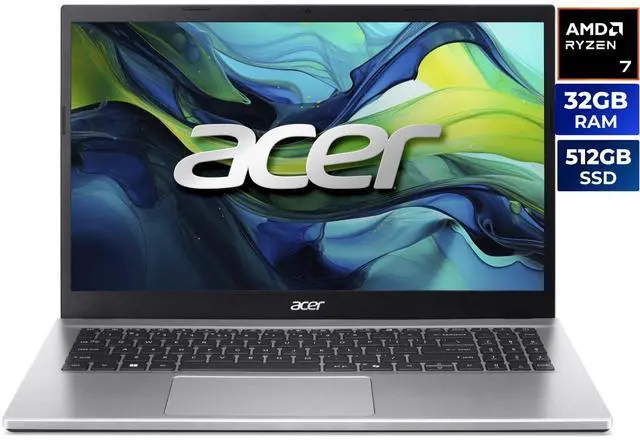
The AMD Ryzen 7 5825U models are the more practical value picks. They use an 8-core Ryzen 7 5000 Series processor, AMD Radeon Graphics, a 512GB PCIe Gen4 SSD, Wi-Fi 6, Bluetooth 5.1, Ethernet, and a backlit keyboard. The 32GB version is already a strong buy, while the 48GB version is the most future-focused option in the group for buyers who want maximum memory headroom.
Comparison
Here is the quick take: the Intel Core i9-13900H models are the stronger choice if you care most about CPU performance, while the Ryzen 7 5825U models lean harder into practicality, wired connectivity, and efficiency. If your day includes lots of browser tabs, office apps, communication tools, and some heavier tasks here and there, any of these four can work well. The real question is whether you want the fastest-feeling processor or the more balanced feature set.
Best-fit comparison:
- Intel Core i9-13900H, 32GB – Best value if you want the fastest-feeling CPU in this group without paying for 48GB.
- Intel Core i9-13900H, 48GB – Best for power users who want maximum memory headroom and a stronger long-term buffer.
- Ryzen 7 5825U, 32GB – Best balanced budget buy with Ethernet, backlit keyboard, and a more efficiency-focused processor.
- Ryzen 7 5825U, 48GB – Best for heavy multitaskers who prioritize RAM first and everything else second.
There are also some clear differences in connectivity. The AMD models include one USB-C port with DisplayPort, charging, and power delivery up to 65W, plus three USB-A ports and RJ-45 Ethernet. The Intel models use two USB-A ports and two USB-C ports, but do not include built-in Ethernet. All four keep the same 15.6-inch FHD IPS display class, 1920 x 1080 resolution, and integrated graphics approach.
If your work setup is mostly desk-based, the AMD version may be the more versatile pick. If you want the strongest CPU spec in a consumer 15.6-inch laptop, the Intel Core i9-13900H models are the more attention-grabbing option. Either way, the strategy is the same: get the memory now before pricing makes the decision tougher later.
Recommendations
Buy the 32GB Intel model if: you want the best mix of CPU power and price discipline. It is the easiest pick for shoppers who want a large-memory laptop without paying for RAM they probably will not use.
Buy the 48GB Intel model if: you keep heavy multitasking habits, use virtual machines, or want the largest memory cushion in this lineup. It is the most direct answer to rising RAM prices because it helps you avoid an early upgrade or replacement.
Buy the 32GB AMD model if: you want a straightforward all-purpose laptop with Ethernet, a backlit keyboard, and a 512GB PCIe Gen4 SSD. It is the practical choice for home, school, and everyday use.
Buy the 48GB AMD model if: you want the strongest long-term value play in the group. This is the configuration that most clearly turns volatile DRAM pricing into an advantage for the buyer.
If you want to compare the live product options directly, start with this Acer Aspire Go 15 Intel Core i9-13900H 32GB model, the 48GB Intel version, the Ryzen 7 5825U 32GB model, and the Ryzen 7 5825U 48GB model.
The main takeaway is easy to understand: when memory pricing starts moving around, a budget laptop with 32GB or 48GB RAM stops looking like a luxury and starts looking like a smart hedge. For 2026 buyers, that makes these Acer Aspire Go 15 configurations especially worth considering.
Frequently Asked Questions
Is 32GB RAM enough for a budget laptop?
For most buyers, yes. 32GB is more than enough for multitasking, office work, video calls, dozens of browser tabs, and light creative tasks. It also gives you more breathing room than the typical 8GB or 16GB budget laptop, so the system should feel comfortable for longer.
Who should choose 48GB RAM instead?
48GB makes the most sense for power users who regularly keep heavy workloads open. If you use virtual machines, large spreadsheets, development tools, or long-running browser sessions, the extra memory can make the laptop feel smoother and more future-proof.
What matters most besides RAM when comparing these laptops?
Processor, display quality, storage, ports, battery life, and upgradeability all matter a lot. A large-memory laptop can still feel disappointing if the screen is poor or if it lacks the connections you need for work or school.
Is the Acer Aspire Go 15 a good value for the money?
It can be a very strong value if you want a big memory configuration without moving into a premium price tier. The Intel versions prioritize CPU performance, while the AMD versions focus more on practicality, wired connectivity, and everyday usability.
Will a higher-RAM budget laptop last longer?
Usually, yes, because more RAM can delay the point where the machine starts feeling cramped. That does not replace good build quality or warranty coverage, but it can help keep a laptop useful for a longer period.
Read More
- Acer Aspire Go 15 review: Office notebook with long runtimes for 429 euros — Independent testing of the Aspire Go 15’s battery life, thermals, and everyday performance.
- Acer Aspire Go 15 (2025) review: An upgraded yet underwhelming budget laptop — A mainstream hands-on review that helps place the Aspire Go 15 in the current budget-laptop market.
- Aspire Go AMD – AG15-42P-R6GZ Tech Specs | Acer United States — Official Acer product specs for an Aspire Go 15 AMD configuration.
- Laptops | Acer Store – US — Acer’s official store collection page for current Aspire Go 15 listings.
- Intel Core i9-13900H Processor – Benchmarks and Specs — Useful background on the processor used in the Intel Aspire Go 15 models.
Related Posts
- 1440p OLED or 4K IPS: The Monitor Question I Keep Getting
- Best Graphics Cards for 1080p Gaming in 2026
- Best Power Supplies in 2026
- Best Gaming Laptops in 2026
- How Much Memory an AM5 Build Actually Needs in 2026
Frequently Asked Questions
Answers to common questions about big-memory budget laptops.