here!
here!
I’m your shopping assistant for PC builds, upgrades, and everything tech.
Got questions? Ask away!
Start a conversation
here!
I’m your shopping assistant for PC builds, upgrades, and everything tech.
Got questions? Ask away!
Start a conversation Top Rated


Make informed decisions with expert advice. Learn More




Any questions? Ask CelesteSM will help you find out quickly.
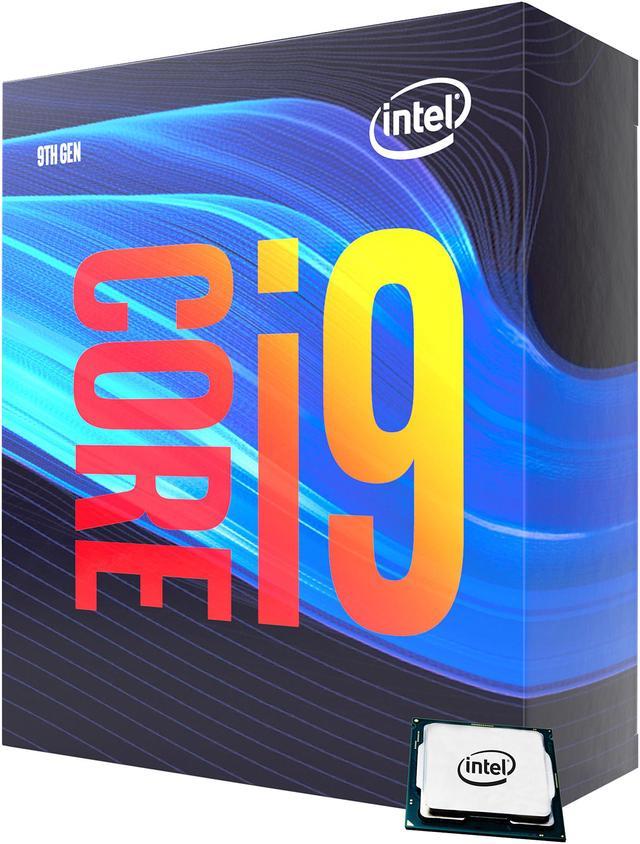
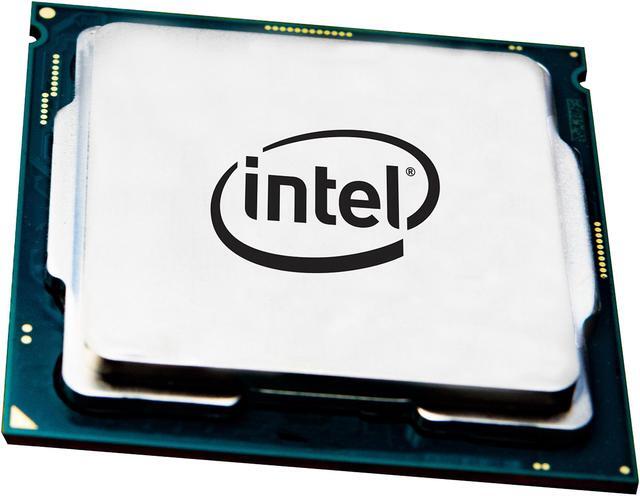
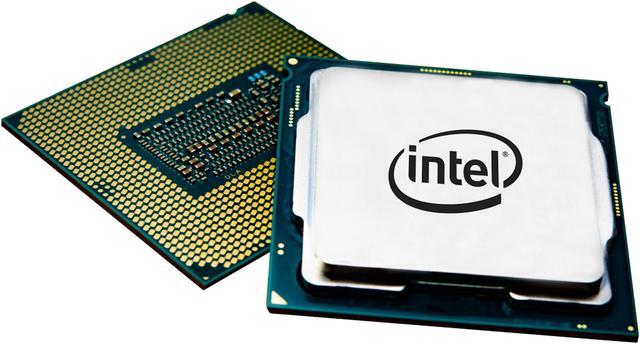
The Intel Core i9-9900 is a desktop processor with 8 cores, 16 threads, a 3.1 GHz base frequency, and up to 5.0 GHz Turbo speed. It is suitable for enthusiast gaming, content creation, multitasking, and productivity systems using an Intel 300 Series LGA 1151 motherboard.
| Attribute | Value |
|---|---|
| Best For | Desktop PCs using an Intel 300 Series motherboard, with 8-core processing, integrated graphics, DDR4 memory support, and compatibility with Windows 11 |
| Cores And Threads | 8 cores and 16 threads with Hyper-Threading support for multitasking and threaded desktop workloads |
| Clock Speeds | 3.1 GHz base operating frequency with a maximum turbo frequency of 5.0 GHz |
| Cache And TDP | 16MB L3 cache and a 65W thermal design power |
| Socket And Platform | Coffee Lake desktop processor for the LGA 1151 socket on Intel 300 Series motherboards, built on a 14nm process with 64-bit instruction support |
| Memory And Expansion | Supports DDR4-2666 memory across two channels and provides PCI Express 3.0 connectivity with up to 16 lanes |
| Integrated Graphics | Intel UHD Graphics 630 with a 350 MHz base frequency and up to 1.2 GHz dynamic frequency |
| Processor Features | Supports virtualization technology and includes Intel heatsink and fan cooling |
| Model Identifiers | Intel Core i9 9th Gen Core i9-9900 Coffee Lake desktop processor, model BX80684I99900 |
Q: Is the Core i9-9900 better than the Core i7-9700 for gaming and streaming?
A: Choose the Core i9-9900 when you plan to stream, record gameplay, edit video, or run several applications at once. Both processors have 8 cores, but the i9-9900 has 16 threads compared with 8 on the i7-9700, which improves performance in heavily threaded workloads. For gaming alone, the i7-9700 can provide similar results when paired with the same graphics card, making it the simpler choice when its lower price is the priority.
Q: Should I buy the Core i9-9900 or the unlocked Core i9-9900K?
A: Choose the Core i9-9900 for a 300-series motherboard, lower rated power consumption, and a locked configuration that does not require overclocking. Choose the Core i9-9900K if you have a suitable Z-series motherboard, stronger cooling, and want manual overclocking or higher sustained clock speeds. Both models have 8 cores, 16 threads, 16MB of cache, and a listed maximum turbo frequency of 5.0 GHz, so the 9900K is mainly an upgrade for tuning flexibility rather than core or thread count.
Q: Is the Core i9-9900 a worthwhile upgrade from the Core i7-8700?
A: The Core i9-9900 is the stronger upgrade for multi-threaded work because it adds two cores, four threads, 4MB of cache, and a higher maximum turbo frequency. Benchmark comparisons commonly show a larger advantage in multi-threaded performance than in single-threaded performance. It is a practical upgrade when you already have a compatible Intel 300-series system and want more capacity for rendering, streaming, compiling, or multitasking without changing the platform.
Q: Should I choose the Core i9-9900 or the newer Core i9-10900?
A: Choose the Core i9-10900 for a new system when you need more multi-threaded capacity: it has 10 cores, 20 threads, and 20MB of cache compared with the i9-9900's 8 cores, 16 threads, and 16MB. Choose the i9-9900 when upgrading an existing 300-series LGA 1151 system, because the i9-10900 uses the different LGA 1200 platform and requires a compatible motherboard. The i9-9900 is therefore the more direct drop-in upgrade, while the i9-10900 is the higher-capacity choice for a platform change.
Q: Is the Core i9-9900 better than the Ryzen 7 3700X for a general-purpose desktop?
A: Choose the Core i9-9900 when you already own a compatible Intel 300-series motherboard, want Intel integrated graphics and Quick Sync support, or prioritize lightly threaded performance. Choose the Ryzen 7 3700X when your workload is primarily multi-threaded and you are building around the AMD AM4 platform. Both processors have 8 cores and 16 threads, and benchmark results show a close overall comparison with the lead varying by workload, software, and system configuration.
Q: Will this processor work with any LGA 1151 motherboard?
A: No. The Core i9-9900 requires an Intel 300 Series motherboard with an LGA 1151 socket. Some boards may also require a BIOS update, so confirm compatibility with the motherboard manufacturer before installation.
Q: Does the Intel Core i9-9900 include a CPU cooler?
A: Yes. The listed BX80684I99900 package includes a heatsink and fan rated for the processor's 65W thermal design power. Verify the package contents if purchasing an open-box, tray, or used unit.
Q: Can this processor run without a dedicated graphics card?
A: Yes. Its Intel UHD Graphics 630 can provide display output for office work, web browsing, media playback, and basic desktop use without a separate graphics card. A dedicated GPU is recommended for modern 3D gaming, demanding creative applications, or GPU-accelerated workloads.
Q: Who is the Core i9-9900 best suited for?
A: It is best suited for upgrading an existing compatible desktop that uses an Intel 300 Series motherboard and DDR4 memory. Its 8 cores, 16 threads, and 5.0 GHz maximum turbo frequency support multitasking, office productivity, software development, streaming, and moderate content creation. It is less suitable for new builds that require a current platform or for users seeking CPU overclocking, because this model is locked and uses the older LGA 1151 platform.
Q: Is the Intel Core i9-9900 worth buying today?
A: It is mainly worth considering as a low-cost, drop-in upgrade for an existing Intel 300 Series system. It is less attractive for a new build because Reddit and YouTube discussions commonly compare its aging platform and pricing with newer CPU-and-motherboard combinations.
Q: Is the i9-9900 good for gaming with a modern graphics card?
A: The i9-9900 can still handle modern gaming, particularly when the graphics card is the main performance limit at 1440p or higher. However, it may limit very high frame rates or high-end GPUs in CPU-bound games, and newer processors offer better performance and efficiency.
Q: Which motherboards are compatible with the Intel Core i9-9900?
A: It requires an Intel 300 Series motherboard with an LGA 1151 socket, such as compatible B360, B365, H370, Z370, or Z390 models. The exact motherboard model and BIOS version should be checked before purchase; older 100- and 200-series LGA 1151 boards are not the same platform.
Q: Who is the Intel Core i9-9900 best suited for?
A: It is best suited to someone who already owns a compatible 300 Series motherboard and needs eight cores and sixteen threads for gaming, multitasking, streaming, or general productivity. It is a weaker choice for a new gaming system where a newer platform can provide higher per-core performance.
Q: Does the i9-9900 need better cooling than the included cooler?
A: The product includes a heatsink and fan, but Reddit users report that the non-K i9-9900 can run noticeably warm under sustained workloads. Adequate case airflow is important, and a stronger aftermarket cooler may be preferable for long rendering, streaming, or other continuous high-load use.