




 here!
here!
I’m your shopping assistant for PC builds, upgrades, and everything tech.
Got questions? Ask away!
Start a conversation
here!
I’m your shopping assistant for PC builds, upgrades, and everything tech.
Got questions? Ask away!
Start a conversation




Any questions? Ask CelesteSM will help you find out quickly.
iVANKY FusionDock Pro 2 20-in-1 DisplayLink Docking Station Triple 4K@60Hz, 100W Laptop Charging, 2.5GbE
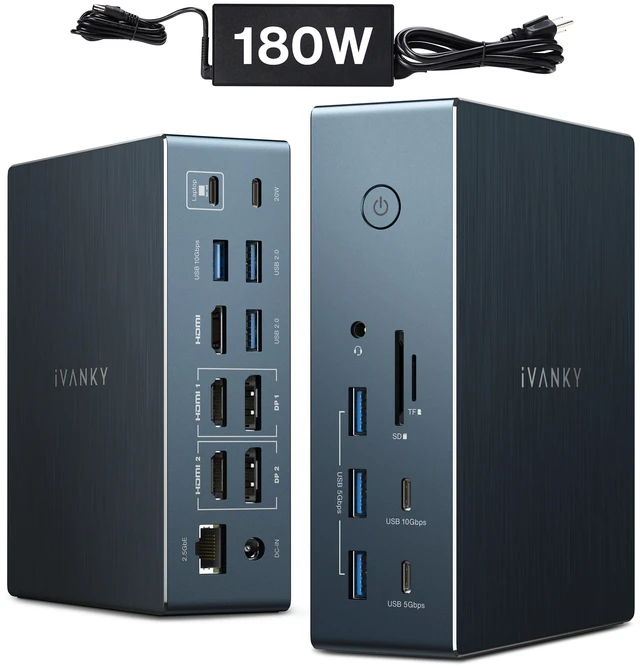
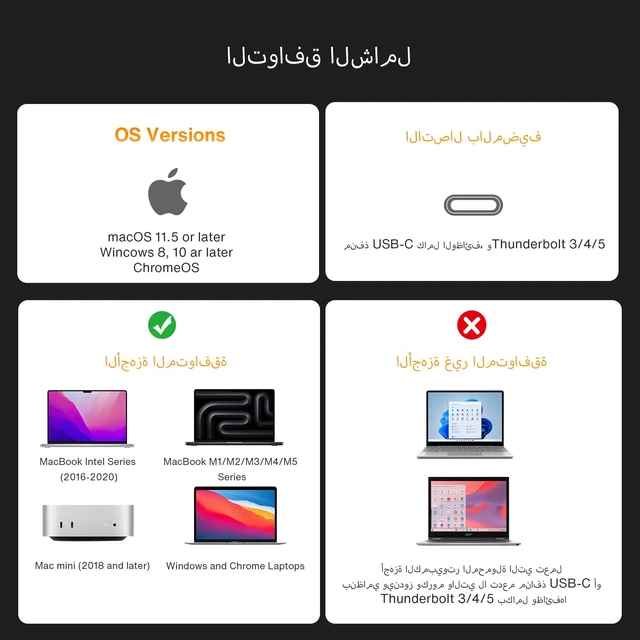
Extend your MacBook or Windows laptop with one dock: three 4K@60Hz displays, a full suite of USB ports, SD/TF card slots, and 2.5GbE networking powered by an included 180W adapter that charges your laptop while it drives your displays.
DisplayLink Driver Required
This is a DisplayLink docking station. Please install the corresponding DisplayLink driver before use the HDMI and DP 1/2 ports only output video when the proper driver is installed for your connected device. The driver runs only for display functionality and does not collect personal data.
Triple 4K@60Hz Displays
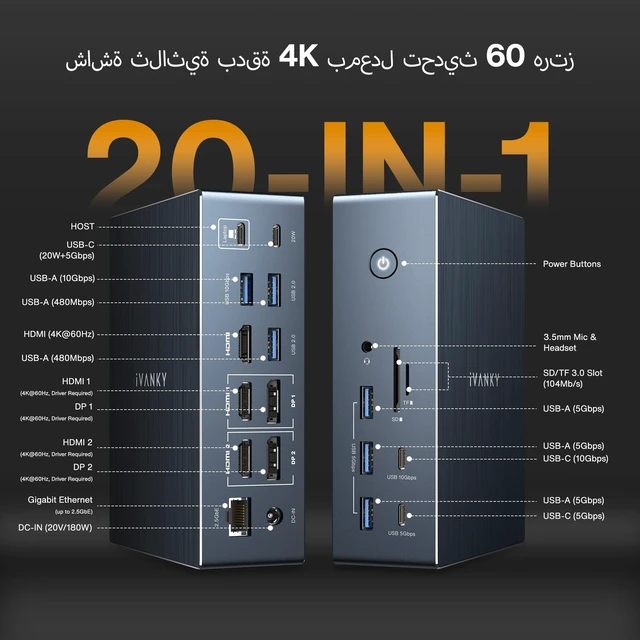
With the driver installed, connect up to three monitors at 4K@60Hz through the dock's three HDMI ports. The outputs can also be converted to VGA or DVI using an appropriate adapter or cable, fitting older office and classroom displays.
Full Data Port Selection
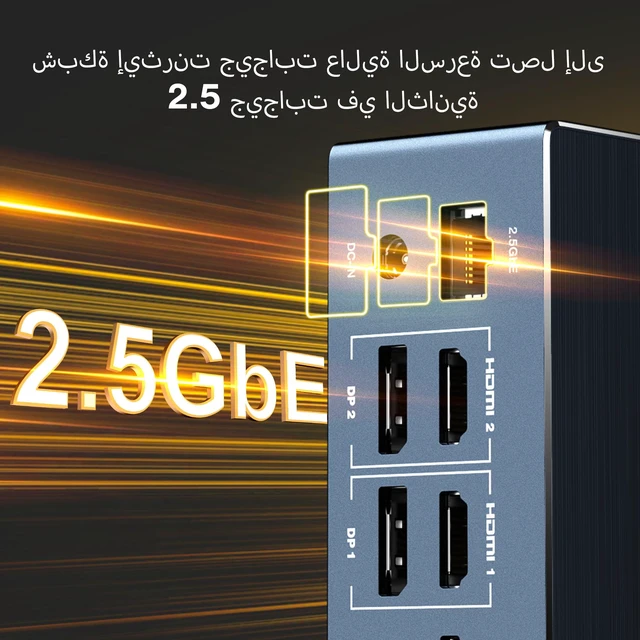
One 10Gbps USB-C and one 10Gbps USB-A port handle high-speed drives, alongside two 5Gbps USB-C, three 5Gbps USB-A, and two USB-A 2.0 ports for keyboards, mice, and printers. The SD/TF 3.0 card slot supports transfers up to 104MB/s, and the RJ45 2.5GbE Ethernet port maintains a stable wired connection.
Charging for Laptop and Devices
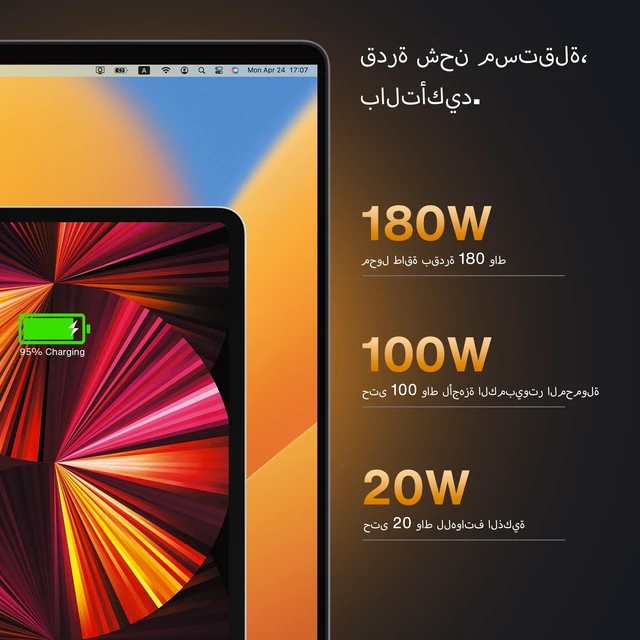
The included 180W power adapter charges laptops up to 100W through the upstream USB-C port, while a dedicated PD port charges USB-C devices such as phones up to 20W all from one dock on your desk.
Please Note
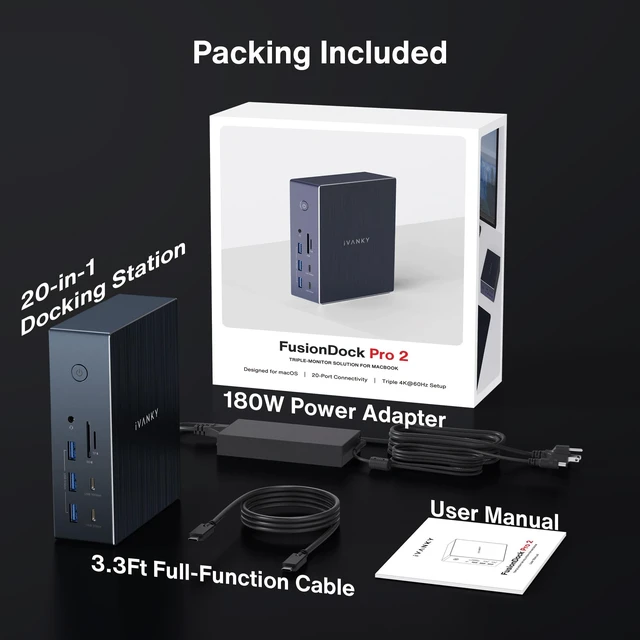
What's in the Box:


