here!
I’m your shopping assistant for PC builds, upgrades, and everything tech.
Got questions? Ask away!
Start a conversation
here!
I’m your shopping assistant for PC builds, upgrades, and everything tech.
Got questions? Ask away!
Start a conversation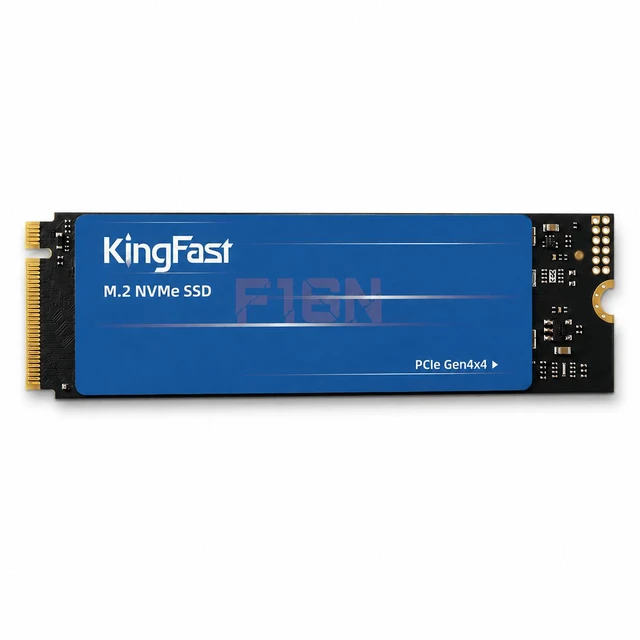




Any questions? Ask CelesteSM will help you find out quickly.


Overview
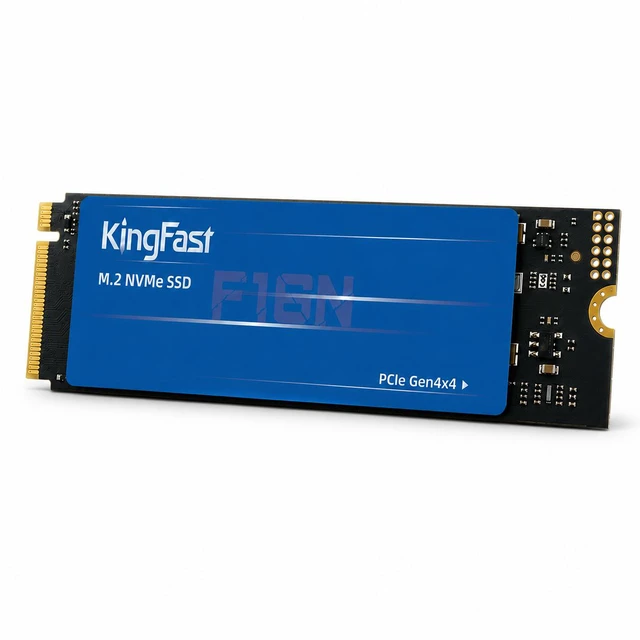
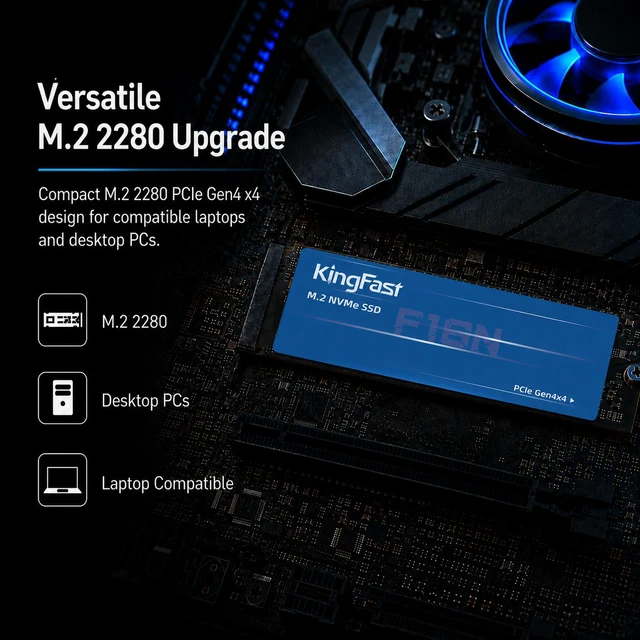
The KingFast F16N 1TB is an internal M.2 2280 NVMe SSD for compatible laptops and desktop PCs. With PCIe 4.0 x4, NVMe 1.4, and 3D NAND, it provides fast and responsive storage for gaming, work, and everyday computing.
Key Features
Performance
The SSD delivers maximum sequential read speeds of up to 4,000 MB/s and maximum sequential write speeds of up to 3,750 MB/s for boot-ups, game loading, and file transfers.
Design
The internal SSD uses an M.2 2280 form factor and measures 80mm in height, 22mm in width, and 1.9mm in depth. It weighs 10g.
Connectivity & Compatibility
The PCI-Express 4.0 x4 interface and NVMe 1.4 protocol are designed for compatible laptops and desktop PCs.
Specifications
We want to ensure your holiday shopping this year is hassle-free. That’s why we’re automatically extending our return policies on almost every product! For purchases placed between November 1st, 2026 and December 31, 2026 you will have until January 31, 2027 to return your product.
The KingFast F16N is a 1TB M.2 2280 PCIe 4.0 NVMe SSD with sequential speeds up to 4,000 MB/s read and 3,700 MB/s write, suited to users upgrading a compatible laptop or desktop for gaming, work, and everyday computing.
| Attribute | Value |
|---|---|
| Best For | Consumer storage upgrades in compatible M.2 2280 laptop and desktop systems |
| Capacity | 1TB |
| Interface And Form Factor | M.2 2280 drive using PCI-Express 4.0 x4 |
| Protocol And Memory | NVMe 1.4 with 3D NAND |
| Read Write Performance | Sequential read speeds up to 4,000 MB/s and write speeds up to 3,750 MB/s |
| Physical Specifications | 80 × 22 × 1.9 mm; weighs 10 g |
| Model Identifiers | KingFast F16N 1TB |
Q: KingFast F16N 1TB or F8N 1TB—which should I choose?
A: Choose the F16N 1TB if you want the higher listed sequential speeds: up to 4,000/3,750 MB/s read/write, compared with the F8N 1TB’s listed 2,100/1,616 MB/s. Both are 1TB KingFast M.2 2280 NVMe options; check your device’s supported interface when selecting a drive.
Q: Should I get the KingFast F16N 1TB or 2TB?
A: Choose the F16N 1TB for a 1TB storage upgrade; choose the F16N 2TB when you want twice the stated capacity for games, projects, and files. KingFast lists both capacities in the F16N series, with the same M.2 2280 PCIe 4.0 x4 NVMe interface.
Q: KingFast F16N or F6M M.2—which is faster?
A: The F16N 1TB is the performance-oriented choice by listed sequential speed: up to 4,000/3,750 MB/s read/write versus up to 550/450 MB/s for the F6M M.2. Choose the F16N when your system supports its PCIe 4.0 x4 NVMe interface; the F6M is a separate M.2 option with its own interface specifications, so confirm device compatibility.
Q: Is the KingFast F16N 1TB worth choosing over the 512GB version?
A: Choose the F16N 1TB when you want twice the stated capacity of the 512GB version for applications, games, and files. Both are offered in the F16N series with an M.2 2280 PCIe 4.0 x4 NVMe interface.
Q: Will this SSD work in my laptop or desktop?
A: It can work in a laptop or desktop with an available M.2 2280 slot that supports PCIe NVMe. Check your device’s specifications for slot type, drive length, capacity support, and physical clearance before buying; an M.2 slot that supports SATA only is not sufficient.
Q: Will it reach its advertised speed in my computer?
A: The drive is rated for sequential reads up to 4,000 MB/s. That is a maximum specification, not a guaranteed speed: actual performance depends on the computer’s M.2 slot, PCIe support, workload, and system configuration.
Q: Is it suitable for gaming and everyday computing?
A: Yes, if your computer supports an M.2 2280 PCIe NVMe SSD. Its 1TB capacity and rated sequential speeds up to 4,000 MB/s read and 3,700 MB/s write suit game storage, everyday applications, and file transfers. Actual performance varies by system and workload.
Q: Can I use it as my computer’s boot drive?
A: It may be used as a boot drive if your computer supports booting from an M.2 PCIe NVMe SSD. You will need to install or clone an operating system onto it; check your computer’s manual for boot support and setup instructions.
Q: Is the KingFast F16N worth buying over a better-known SSD?
A: The provided specs list PCIe 4.0 x4, 1TB capacity, and sequential speeds up to 4,000MB/s read and 3,750MB/s write. Reddit discussions raise reliability concerns about other KingFast drives and recommend considering better-known brands. Those reports do not establish the F16N’s reliability, so compare price, warranty, and independent testing before choosing it.
Q: Would the KingFast F16N be a sensible main drive for a PC?
A: It is a compatible option only if the computer supports an M.2 2280 PCIe NVMe drive. Reddit reports describe failures in other KingFast models, but they do not verify the F16N’s performance or reliability. The supplied product information does not include endurance or warranty details, so check those before relying on it as a primary drive.
Q: Should I store important files on the KingFast F16N?
A: The available product details do not establish the F16N’s long-term reliability, and Reddit discussions report concerns about other KingFast drives. For important files, keep a separate backup regardless of which SSD you use; consider a drive with clearer model-specific reliability and warranty information if data loss would be costly.