

Your Browsing History

Best Sellers
 Hot Seller
- $420.76



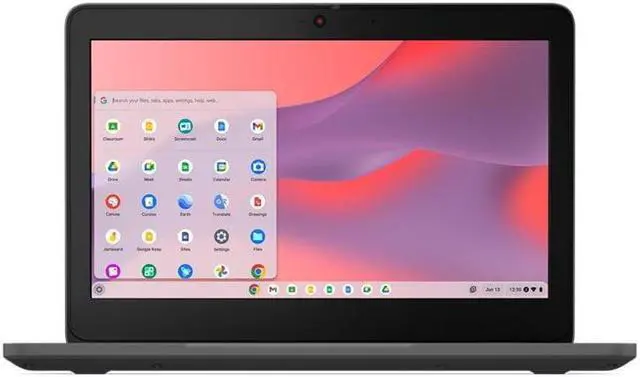
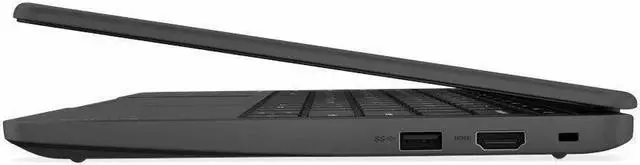
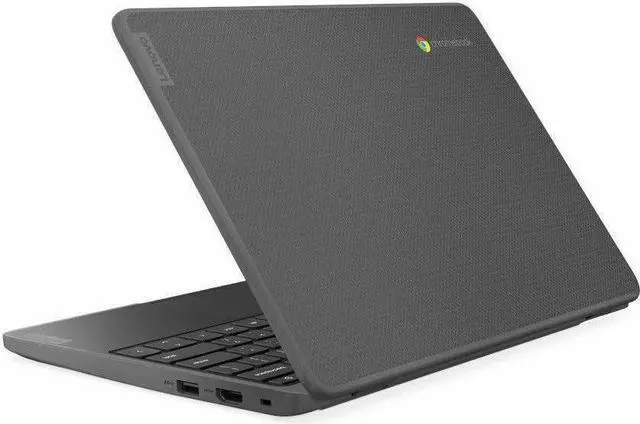
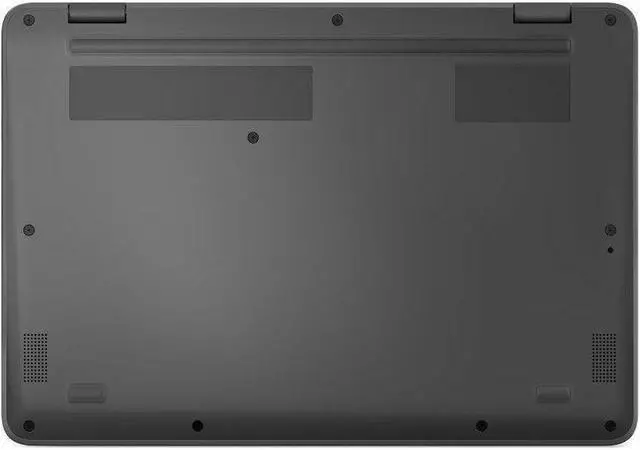
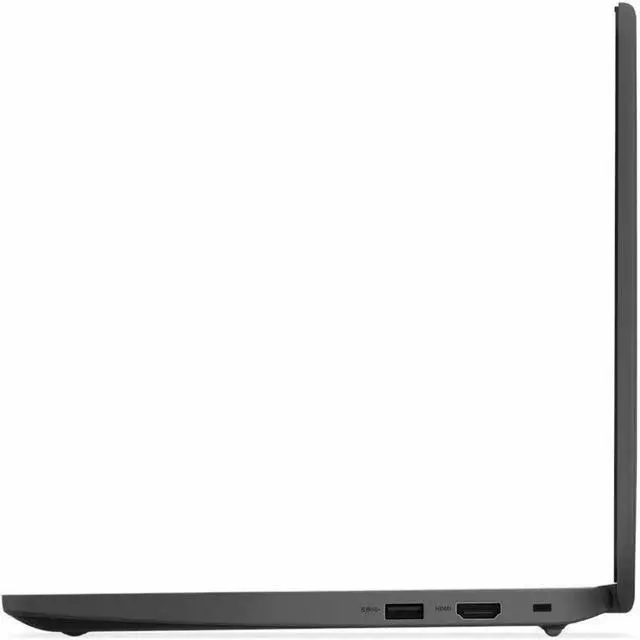
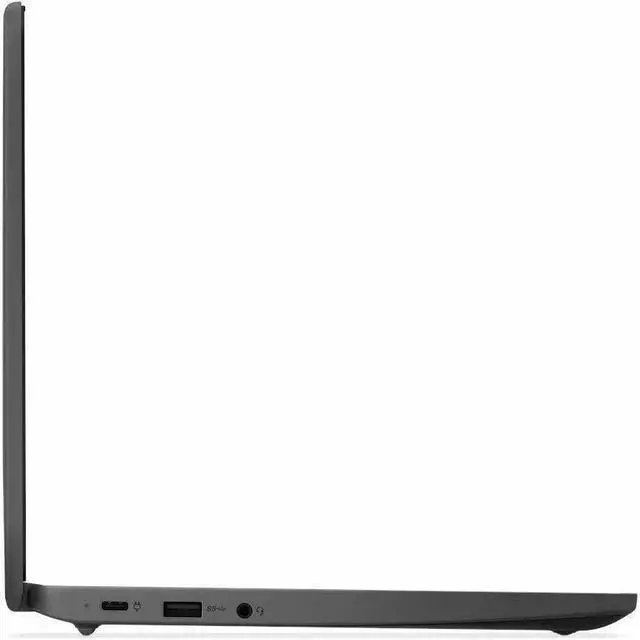
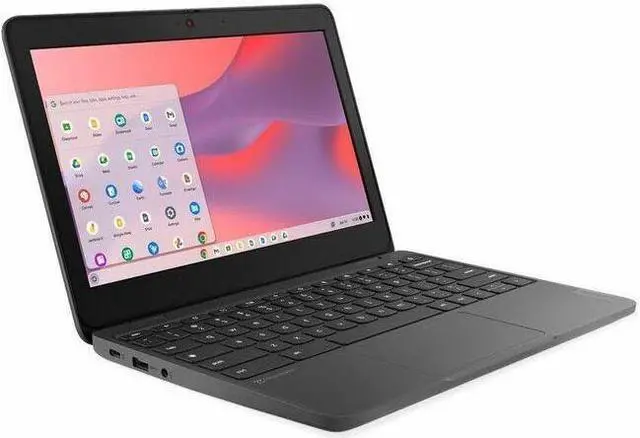

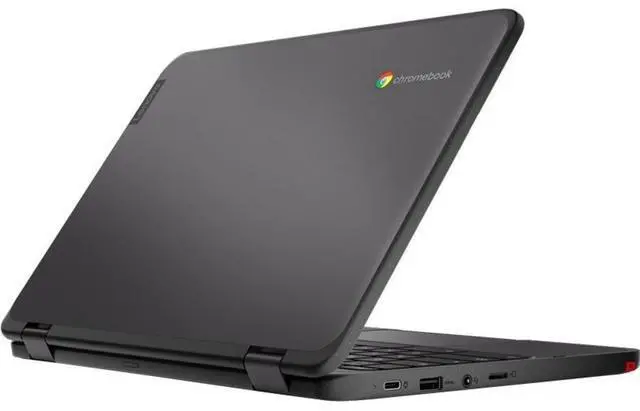
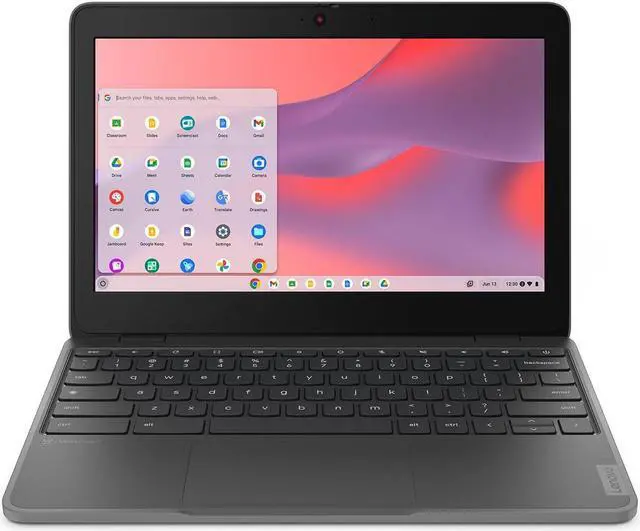
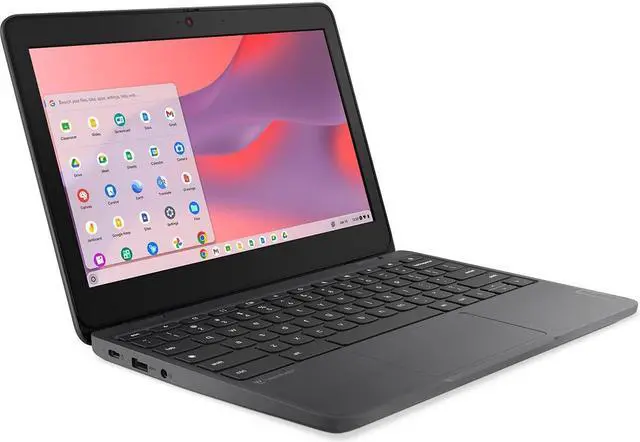
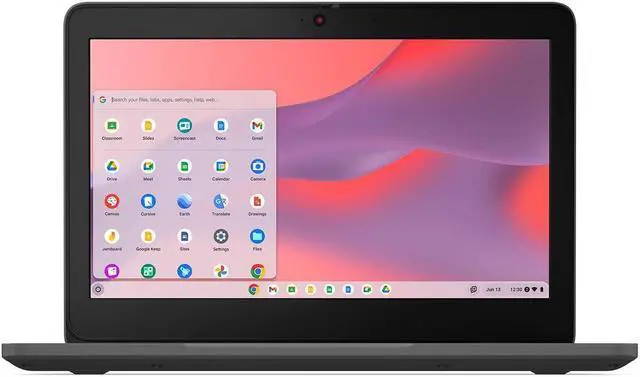
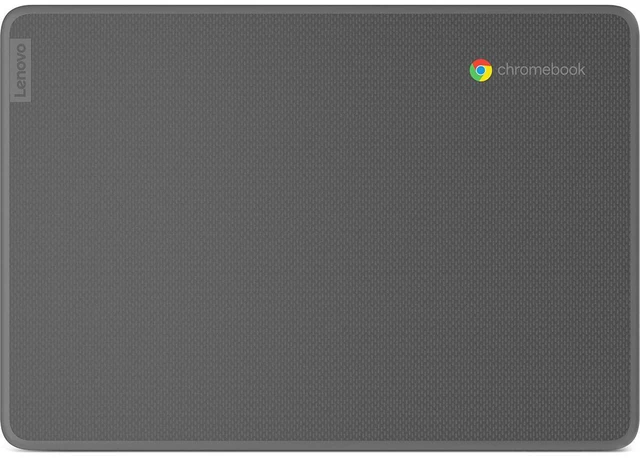


Lenovo 100e Chromebook Gen 4 11.6" Touch Screen Intel Processor N100 Intel UHD Graphics 8GB Memory 64GB Storage Chrome OS 83G80001US
- Intel Processor N100
- 8GB Memory / 64 GB eMMC 5.1 SSD
- Intel UHD Graphics
- Touch Screen
- 1366 x 768
- Chrome OS
+
+
Overview
Specs
Reviews
See all Q & A 
Any questions? Our AI mode will help you find out quickly.
Try me now
Lenovo 100e Chromebook Gen 4 - 11.6" - Intel N-series - N100 - 8 GB RAM - 64 GB eMMC - English
Warranty & Returns
Warranty, Returns, And Additional Information
Warranty
- Limited Warranty period (parts): 1 year
- Limited Warranty period (labor): 1 year
- Read full details
Return Policies
- Return for refund within: 15 days
- Return for replacement within: 15 days
- This item is covered by Newegg.com's 15-Day Return Policy.
- Read full return policy for details.
Manufacturer Contact Info
LOADING...
LOADING...
Learn about this product
The Lenovo 100e Chromebook Gen 4 is an 11.6-inch touch Chromebook with an Intel N100 processor, 8GB memory, and 64GB eMMC storage, making it a practical fit for students, families, and everyday users who need a compact laptop for web browsing, schoolwork, streaming, and cloud-based apps.
Recommended For
- Students or families who need a small, easy-to-carry Chromebook mainly for Google Classroom, Docs, web research, PDFs, and video lessons. Lenovo positions the 100e line for education, and community feedback around 8GB Chromebooks consistently points to smooth everyday browser-based schoolwork.
- K-12 school programs, homeschool setups, or shared household devices where durability matters more than premium design. Official Lenovo materials repeatedly emphasize rugged classroom use, spill resistance, reinforced ports, and drop protection.
- Users who want a simple secondary laptop for couch browsing, email, streaming, and light admin tasks, especially if they prefer Chrome OS over Windows maintenance. The Intel N100/8GB combo is widely seen as adequate for light multitasking and many browser tabs.
- Mobile users who work in short sessions and value a compact 11.6-inch form factor for carrying between rooms, classes, or appointments. Lenovo’s education materials highlight low weight, long battery focus, and learning on the go.
Real-World Use Scenarios
- Students can use it for Google Classroom, Docs, web research, and PDFs throughout the school day, with the expected experience being smooth for basic schoolwork and note-taking rather than heavy multitasking.
- It fits well as a low-cost home device for browsing, email, web apps, and casual document editing, where users should expect quick startup and simple everyday use but limited headroom for many tabs or demanding apps.
- For YouTube, Netflix, and other streaming use, it is suited to personal video watching and kids' entertainment, with a typical experience that is fine for casual playback but less ideal if screen quality is a top priority.
- It can handle Zoom or Google Meet for classes, tutoring, and basic remote check-ins, with the likely outcome being workable video calls for one main task at a time rather than a lot of simultaneous apps in the background.
- Schools, families with younger kids, or users who carry a laptop daily can use it as a throw-in-the-bag device, with the main benefit being durability and spill resistance for everyday bumps rather than premium fit, finish, or display quality.
Spec Summary
| Attribute | Value |
|---|---|
| Best For | Everyday Chrome OS tasks and touch-first classroom or home use — compact 11.6" touchscreen Chromebook configured for web browsing, Google Workspace and basic productivity with an Intel N100 CPU, 8GB RAM and 64GB eMMC storage |
| Processor And Core Count | Intel N100 quad-core processor — 800 MHz listed base with up to 3.4 GHz maximum reported |
| GPU And VRAM | Integrated Intel UHD Graphics using shared system memory |
| Display Spec | 11.6" IPS touch display, native 1366 x 768 at 60 Hz, anti-glare coating and up to 250 nits brightness |
| Memory Configuration | 8 GB LPDDR5 (4800) installed |
| Storage And Expansion | 64 GB eMMC 5.1 internal flash storage (installed) |
| High Speed I O | 1 x USB 3.2 Gen 2 Type-C and 2 x USB 3.2 Gen 1 Type-A (total 3 USB ports), 1 x HDMI, and 1 x 3.5mm headphone/microphone combo jack; no Thunderbolt ports reported |
| Battery And Power | Includes 65W USB-C AC adapter; built-in lithium polymer battery (listed 3000 mAh, one cell) installed and included |
| Wired And Wireless Networking | Wi‑Fi 6 (802.11ax) wireless LAN and Bluetooth 5.1 |
| Webcam And Privacy | Front HD 720p webcam with privacy shutter and integrated microphone |
| Keyboard And Control | English non-backlit Chiclet keyboard (QWERTY) with buttonless Mylar multi-touch touchpad and touchscreen input |
| Audio Setup | Stereo 2 x 2W speakers tuned with Waves MaxxAudio and a single 3.5mm headphone/microphone combo jack |
| Portability | Compact 11.3 x 8.1 x 0.73 inches footprint and 2.71 lb weight for easy transport |
| External Display And Docking Fit | Includes HDMI output and a USB-C port for connecting peripherals; supports one external monitor |
| Model Identifiers | Lenovo 100e Chromebook Gen 4 (Model/Part 83G80001US), manufactured by Lenovo Group Limited, 2024 edition, Chrome OS |
Reference Q&A
Q: Should I choose the Lenovo 100e Chromebook Gen 4 Intel model or a cheaper 4GB MediaTek Chromebook for school and everyday browsing?
A: Choose the Lenovo 100e Chromebook Gen 4 Intel model when you want more headroom for heavier tab use, Android apps, and longer-term everyday use. The Intel N100 version paired with 8GB RAM is positioned above entry 4GB Kompanio 520 systems for multitasking, while lower-cost MediaTek models are usually the better fit when the priority is basic web work and battery-focused light use.
Q: Is the Lenovo 100e Chromebook Gen 4 with 8GB RAM worth choosing over a 4GB version?
A: Yes, the 8GB version is the better choice if you expect to keep many tabs open, run Android apps, or use Linux apps occasionally. A 4GB Chromebook can still handle classroom work, Docs, streaming, and light browsing, but 8GB gives more margin for smoother multitasking and longer useful life.
Q: Is the Lenovo 100e Chromebook Gen 4 a better buy than the previous 100e Chromebook Gen 3?
A: The Gen 4 Intel model is the better choice when you want a more current platform, stronger baseline multitasking, Wi‑Fi 6, LPDDR5 memory, and newer connectivity. An older 100e Gen 3 still fits very basic school tasks, but the newer Gen 4 configuration is the safer pick for buyers who want better responsiveness and a more modern spec set.
Q: Should I buy the Lenovo 100e Chromebook Gen 4 or move up to a Chromebook Plus model?
A: Choose the Lenovo 100e Chromebook Gen 4 if you want a compact 11.6-inch Chromebook mainly for web apps, schoolwork, and light portable use. Move up to a Chromebook Plus model if you want a larger higher-resolution display, faster performance, and more comfort for heavier multitasking, longer writing sessions, and broader app use.
Q: Is the Lenovo 100e Chromebook Gen 4 better for portability than a larger performance-first Chromebook?
A: Yes. The Lenovo 100e Chromebook Gen 4 makes more sense when low weight, small size, and simple classroom or travel use matter more than screen size and peak performance. A larger performance-first Chromebook is the better fit for users who spend more time in split-screen work, prefer a roomier keyboard and display, or want more processing headroom.
Q: Is this a good Chromebook for note-taking, meetings, and everyday office work?
A: Yes, if your work is mostly browser-based. The Lenovo 100e Chromebook Gen 4 is well suited for Google Docs, email, web research, video meetings, and light Microsoft 365 use in the browser. Its Intel N100 processor and 8GB RAM are a good fit for basic multitasking, but Chrome OS is not the right choice if you need full Windows-only desktop software, heavy creative apps, or specialized enterprise programs.
Q: Is it worth buying as a travel or grab-and-go work device?
A: Yes for light travel use. At 2.71 lb with an 11.6-inch touchscreen, this model is easy to carry for email, documents, web apps, and meetings on the go. The trade-off is workspace comfort: the HD 1366x768 screen is functional but not roomy, so it is less ideal for long desk sessions, large spreadsheets, or side-by-side multitasking compared with a 14-inch or Full HD Chromebook.
Q: Who is this Chromebook best for?
A: It is best for students, families, and budget buyers who want a simple Chromebook for web use. The combination of Intel N100, 8GB RAM, 64GB eMMC, Wi‑Fi 6, a touchscreen, and an HDMI port makes it practical for schoolwork, streaming, browser-based productivity, and basic home use. It is a weaker fit for buyers who need premium display quality, large local storage, a backlit keyboard, or advanced app compatibility.
Q: What are the main trade-offs versus similar 11.6-inch N100 Chromebooks from Acer or HP?
A: The Lenovo 100e Gen 4 is competitive on core specs, but its trade-offs are mostly display and premium features. Compared with similar Acer and HP 11.6-inch N100 models, it gives you the same class of processor, 8GB RAM, and 64GB storage, but some alternatives offer a higher-resolution Full HD panel or other refinements. The Lenovo's advantage is straightforward practicality: compact size, touchscreen, HDMI, and Chrome OS simplicity. Buyers choosing between them should compare screen resolution, keyboard features, and price first.
Q: Does this model have any limitations buyers commonly ask about, like a backlit keyboard or lots of offline storage?
A: Yes. This model does not have a backlit keyboard, and its 64GB eMMC storage is enough for Chrome OS, documents, and light local files, but not ideal for users who keep large media libraries or install many offline apps. It is best treated as a cloud-first device with basic local storage, not as a storage-heavy laptop.
Q: Is the Lenovo 100e Chromebook Gen 4 a good buy for basic schoolwork and everyday web use?
A: Yes, if your needs are light and Chrome OS fits your workflow. The N100 processor, 8GB RAM, and 64GB storage are a practical baseline for browsing, Google Docs, email, streaming, and web-based school platforms. It makes the most sense for students, casual home use, and buyers who want a small, low-cost Chromebook rather than a full Windows laptop.
Q: Who is the Lenovo 100e Chromebook Gen 4 best suited for?
A: It is best suited for students, shared family use, travel, and buyers who mainly live in the browser. Its 11.6-inch size, 2.71 lb weight, touch display, and Chrome OS are better for portability and simple tasks than for heavy multitasking, professional creative work, or specialized desktop software.
Q: What are the main trade-offs of choosing the Lenovo 100e Chromebook Gen 4 over a larger or higher-end Chromebook?
A: The trade-offs are mainly screen size, resolution, and overall build tier. This model is portable and functional, but the 11.6-inch 1366x768 display is less comfortable for long work sessions than a larger Full HD panel, and the 100e line is generally positioned below more robust education models like Lenovo's 300e or 500e series. It is a value-first choice, not a premium one.
Q: Is 8GB RAM and 64GB storage enough on this Chromebook?
A: For most buyers, yes. Community discussion around the Gen 4 model repeatedly treats 8GB RAM and 64GB storage as the safer configuration for smoother everyday use and fewer storage limits over time. It is a better fit than 4GB or 32GB if you expect multiple tabs, Android apps, or longer ownership.
Q: Should I buy this if durability and repair costs are a top priority?
A: Only if low upfront cost matters more than minimizing repair risk. Discussion from school IT buyers shows the 100e line is often chosen because it is affordable, but it is also commonly compared with sturdier, higher-tier education models. The touchscreen adds convenience, but it can also raise replacement cost if the screen is damaged.