here!
I’m your shopping assistant for PC builds, upgrades, and everything tech.
Got questions? Ask away!
Start a conversation
here!
I’m your shopping assistant for PC builds, upgrades, and everything tech.
Got questions? Ask away!
Start a conversation Top Rated





Any questions? Ask CelesteSM will help you find out quickly.


Optimize business results with Windows 11 Pro PCs.
Make new Windows 11 PCs the cornerstone of your technology stack.
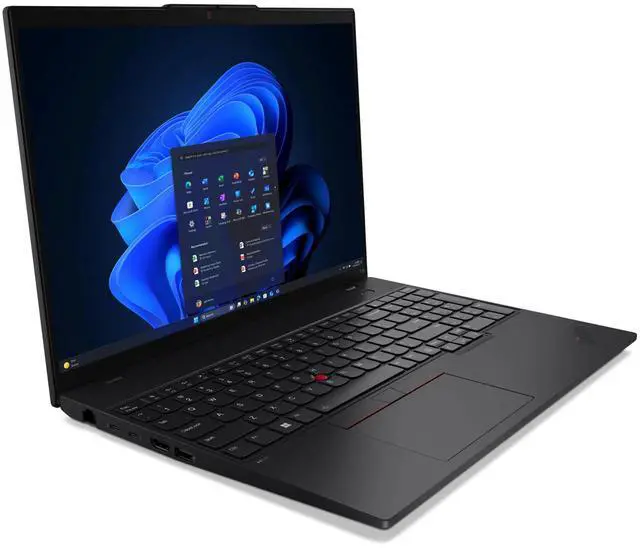
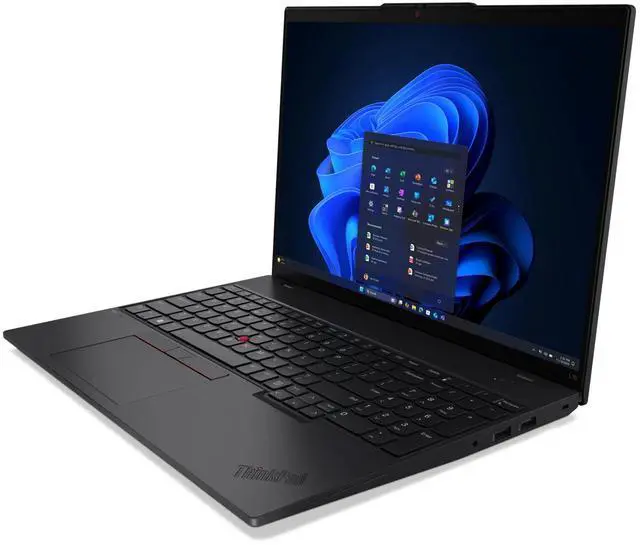
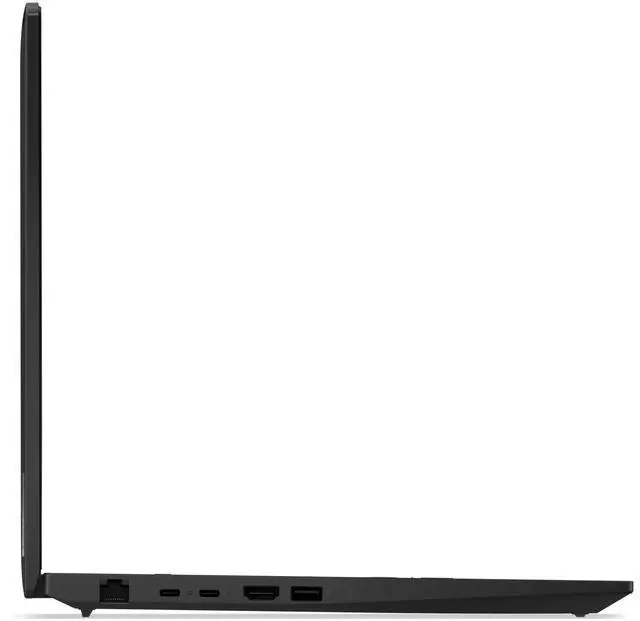
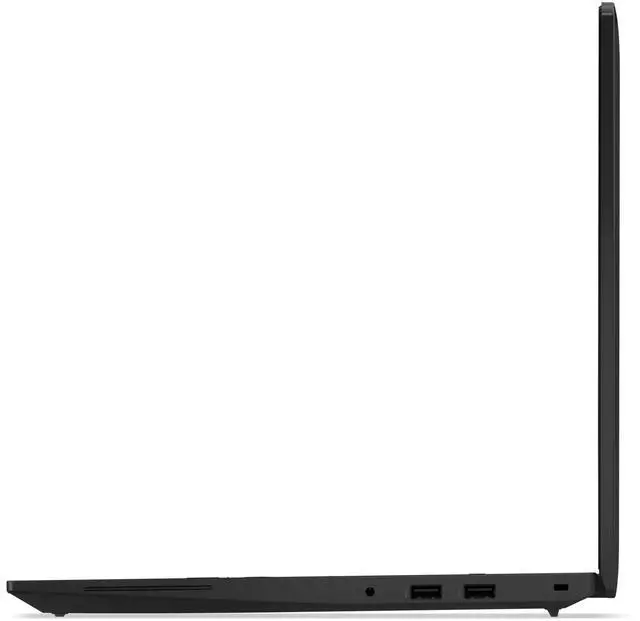
16 productivity laptop for business
.AI performance driven by Intel® Core Ultra with Intel vPro® option
.Enhanced keyboard accessibility, customer replaceable units
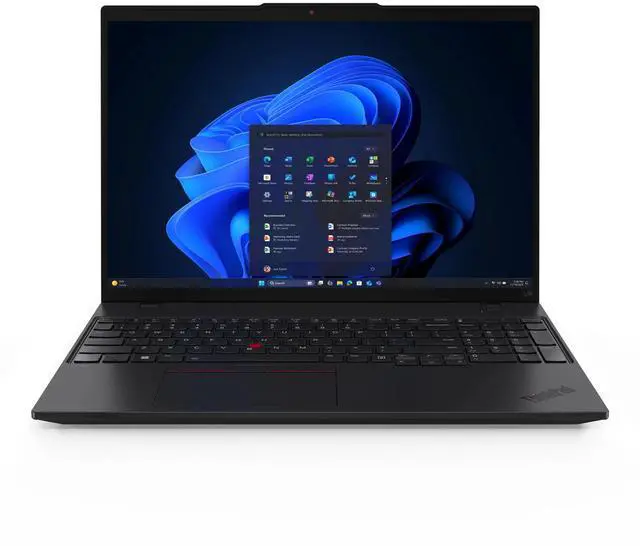
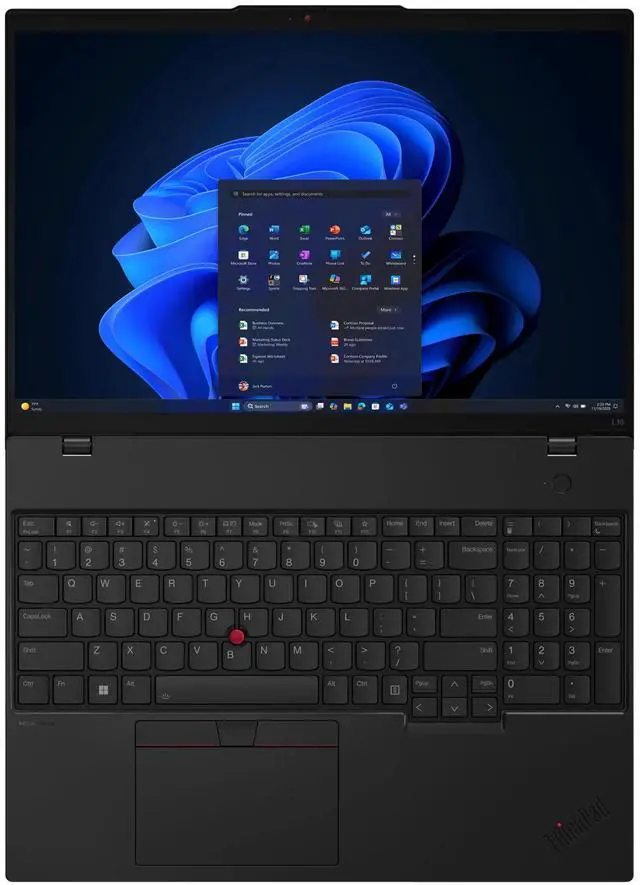
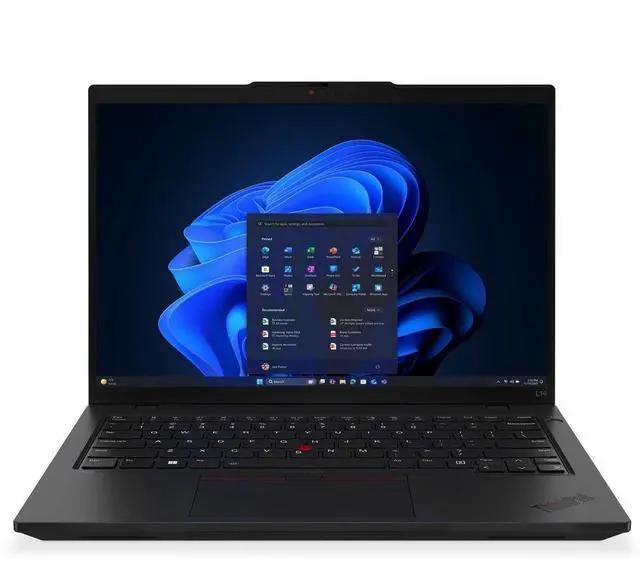
. |The ThinkPad L16 Gen 2 (16 Intel) laptop is an AI PC, enabling a range of productivity-rich tasks. Enjoy enhanced video conferencing and collaboration tools, robust security, document automation including scanning and summarizing, and email management and scheduling. Plus, with speedy response times, its ideal for multitasking.
| |Intel® Core Ultra processors help boost productivity and expedite multitasking. Enjoy great battery life and fast response times apps load quickly as the AI engines optimize the overall health and performance of your laptop.
||Further boost productivity with optional Intel vPro® technology, which delivers robust security, undeniable stability, and comprehensive IT management. Deploy, update, and maintain an entire fleet of PCs from one remote location.
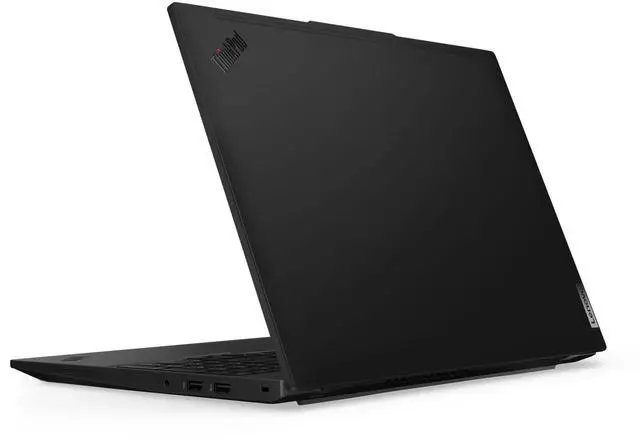
||Stay productive and let the L16 Gen 2 (16 Intel) laptop adapt to your work patterns by adjusting battery usage while rear airflow vents keep the system running cooler.
| |The ThinkPad L16 Gen 2 (16 Intel) laptop features multilevel protection with ThinkShield security solutions. A discrete Trusted Platform Module (dTPM) encrypts your critical data. Biometrics provide secure login with an optional fingerprint reader and facial recognition with the optional infrared camera, and more!
| |Use the ThinkPad L16 Gen 2 to work anywhere. You can even leave the charger behind, as this battery lasts throughout your day. And features like WiFi 6E, Bluetooth® 5.3, and optional WWAN availability mean you wont have to worry about connectivity.
||Enjoy easy repairs thanks to customer replaceable units (CRU) like the keyboard and battery. Its do-it-yourself capabilities ensure seamless upgrades and component replacements, contributing to an extended lifecycle.
||The ThinkPad keyboard includes tactile markings for easy key recognition and a large TrackPad for greater control. A double tap on the TrackPoint activates a Quick Menu for customizable settings. And it includes a numeric keypad for easy data entry.
||Call in for collaborative bliss with dual-mic, dual-speaker, Dolby Atmos®-tuned Elevoc Audio and up to a 5MP RGB+IR webcam also perfect for logging in via facial recognition. When youre done, just close the ThinkShutter cover for privacy.
| |We test ThinkPad laptops against MIL-STD-810H standards for a balance of reliability and durability. Meeting or exceeding ensures these devices run in extreme conditions, including harsh variables like Arctic wilderness, desert dust storms, extreme temps, pressure, vibration, and more.
| |Our goal is to provide smarter technology that builds a brighter, more sustainable future for our customers, communities, and the planet. That's why we pursue industry leading labels and certifications that demonstrate our commitment to sustainability in product design. Together, we can build a smarter future for all.
||| ||
Specifications may vary depending upon region / model.
The Lenovo ThinkPad L16 Gen 2 is a 16-inch business laptop with an Intel Core Ultra 7 255U processor, 16GB of memory, and a 512GB SSD, suited to professionals who want a large-screen computer for everyday work and multitasking.
| Attribute | Value |
|---|---|
| Best For | General productivity and everyday computing on a 16-inch laptop with integrated graphics |
| Processor And Core Count | Single-core processor |
| Display Spec | 16-inch display; non-touchscreen |
| GPU And VRAM | Integrated graphics |
| Storage And Expansion | 512 GB SSD; no HDD |
| Battery And Power | 3-cell lithium-ion battery |
| Keyboard And Control | Non-backlit keyboard |
| Portability | 1.00 lb |
| Model Identifiers | Lenovo model 21SA002TUS; part number 21SA002TUS; black |
Q: ThinkPad L16 Gen 2 with Core Ultra 7 255U or Core Ultra 5 225U—which should I choose?
A: Choose this L16 Gen 2 configuration if you want the Core Ultra 7 255U and its higher listed maximum turbo frequency of 5.2 GHz; the Core Ultra 5 225U is listed at up to 4.8 GHz. Both processors have 12 cores and 14 threads, so the Ultra 7 is the closer fit when you want more peak CPU frequency headroom in a similar core-count configuration. This model also includes 16GB of memory and a 512GB SSD.
Q: Should I get the L16 Gen 2 with Core Ultra 7 255U or the 255H?
A: Choose this 255U configuration for a 12-core, 14-thread processor and Intel integrated graphics in a business-focused 16-inch laptop. The L16 Gen 2 configuration with Core Ultra 7 255H has 16 cores and Intel Arc 140T graphics, making it the more suitable option when your work benefits from additional CPU cores and graphics capability.
Q: How does the ThinkPad L16 Gen 2 with Ultra 7 255U compare with the L16 Gen 1 with Ultra 7 155U?
A: Both processors are listed with 12 cores and 14 threads. Choose the L16 Gen 2 if you want the newer Core Ultra 7 255U, whose listed maximum turbo frequency is 5.2 GHz versus 4.8 GHz for the Gen 1 Core Ultra 7 155U. Lenovo also lists 12 TOPS for the 255U’s NPU and 11 TOPS for the 155U’s NPU.
Q: Is this laptop suitable for office work, school, and everyday multitasking?
A: Yes. Its Intel Core Ultra 7 255U processor, 16GB of memory, and 512GB SSD make it a reasonable fit for typical productivity, browsing, and study tasks. Check the requirements for any specialized or demanding software before buying.
Q: Is it good for gaming or demanding creative work?
A: It is better suited to everyday productivity than graphics-intensive tasks: it has integrated Intel graphics, not a dedicated graphics card. Basic games may be suitable, but performance in demanding games or graphics-heavy creative applications may be limited.
Q: Is this a good laptop to carry around for work?
A: It has a 16-inch display, which offers a roomy workspace but is larger than a compact laptop. The provided information does not establish a reliable weight or battery runtime, so verify both if frequent carrying or working away from an outlet is important.
Q: Can I use it for handwritten notes on the screen?
A: No. The supplied product specifications identify this configuration as non-touch, so it is not intended for handwriting or drawing directly on the display.
Q: Is the ThinkPad L16 Gen 2 suitable for studying and programming?
A: It fits typical coursework, coding, and everyday multitasking: this configuration has a Core Ultra 7 255U, 16GB of memory, and a 512GB SSD. If your study workload relies on many virtual machines or demanding machine-learning tasks, check whether 16GB is enough for your needs before buying.
Q: Is this a good choice if I need a touchscreen?
A: No. The supplied specifications list this configuration as non-touch, so choose a different model if touchscreen input is essential.
Q: Can the L16 Gen 2 handle light gaming for a student?
A: It has integrated Intel graphics, so it is a better fit for everyday work and lighter games than for graphics-intensive gaming. The supplied information does not establish performance for specific games.
Q: Is the L16 Gen 2 worth choosing over a higher-tier ThinkPad?
A: It depends on the price and the features you need. The supplied configuration offers a 16-inch display, Core Ultra 7 processor, 16GB of memory, and integrated graphics; compare the exact price and specifications of the alternative before deciding.