Andromeda Insights Advanced AMD Vector - RX 9070XT 16GB | Ryzen 5 9600X (5.4 GHz Turbo Boost) | 32GB DDR5 6000MHz | 1TB Gen4 SSD | 850W Gold PSU | ARGB Fans | Wi-Fi + BT | Win 11 Home
  •  
  • $2,399.99 –
  • $31.99
  • $35.99
  • Save: $4.00 (11%)
  • Free 30-day Returns
  • Sold by Direct from manufacturerLenovo
    Top Rated
    4.5 (1,125 seller ratings)

    Shipped by Direct from manufacturerLenovo

    Price alert
    Shop it at NeweggBusiness.

    Meet Your Seller

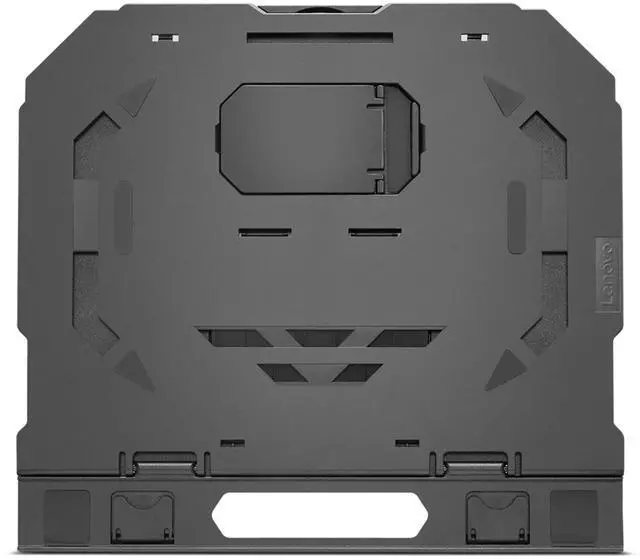
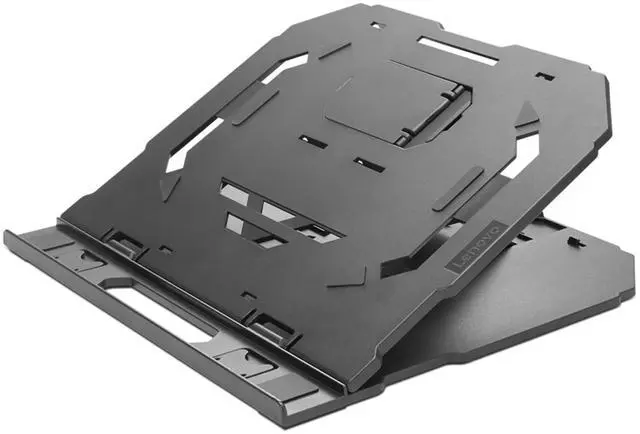
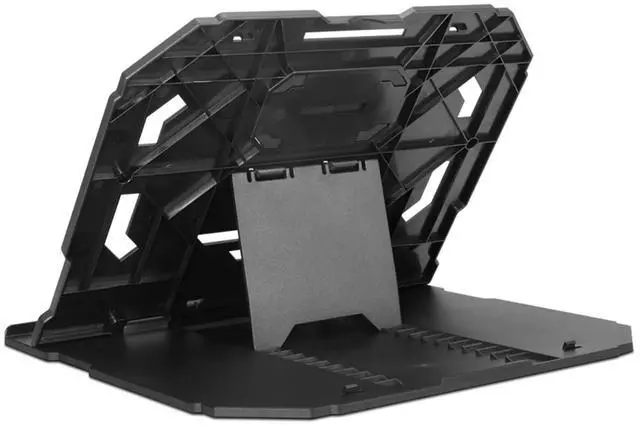
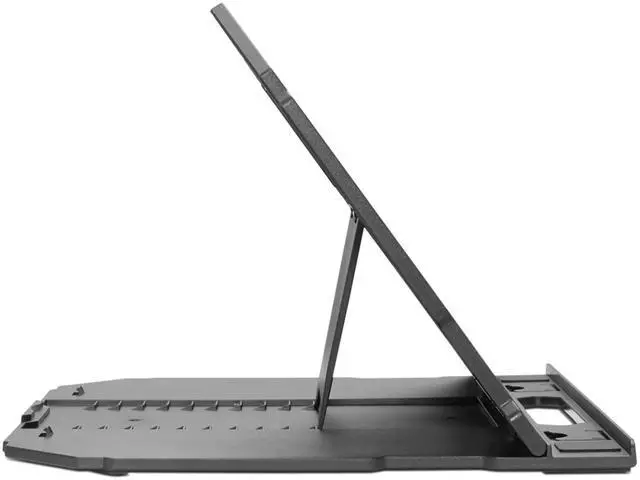
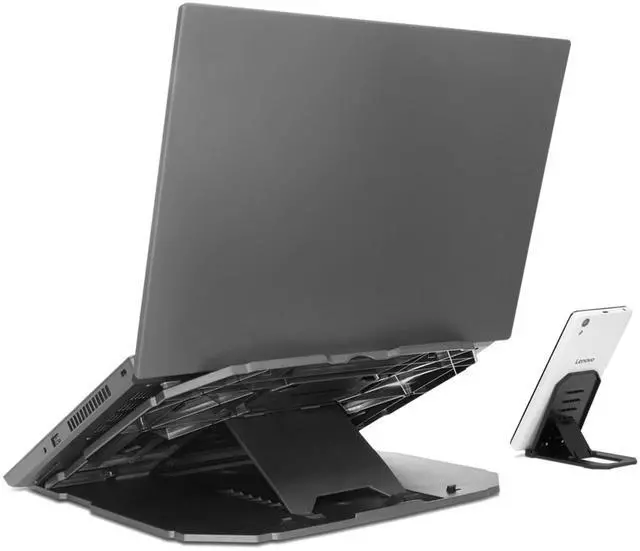
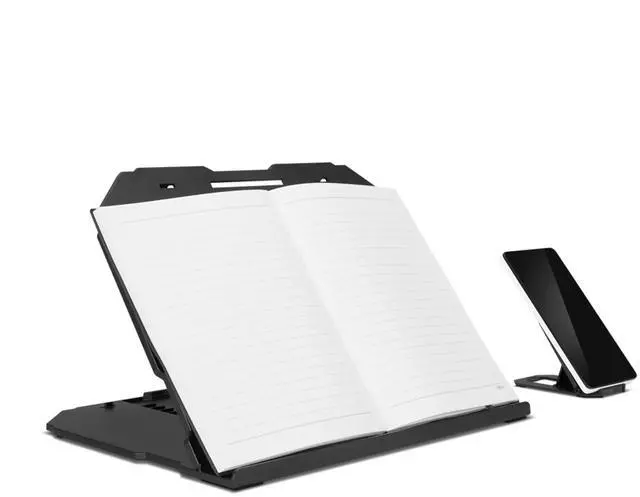
    Lenovo 2-in-1 Laptop Stand

    • Ergonomic design with 10 levels of adjustment from 0 to 54 degrees
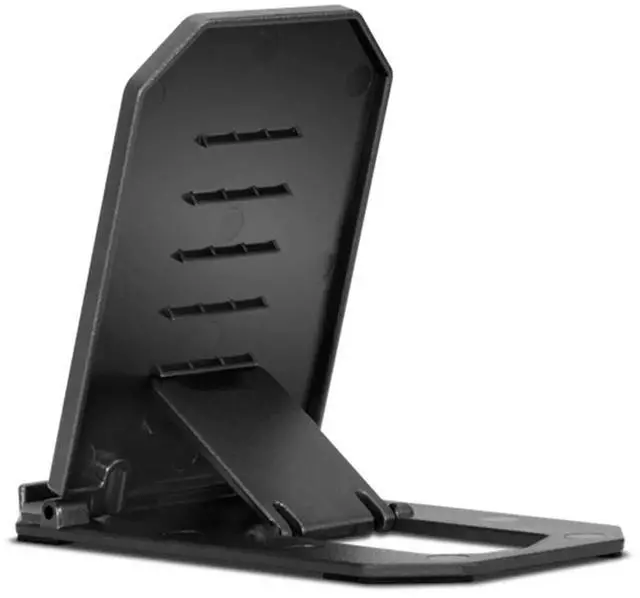
    • Additional cellphone stand for multitasking
    • Durable, lightweight construction with non-slip rubber surface pads for steady typing
    • Square and hollow-carved design for better airflow and performance
    • Foldable-to-flat stand to use wherever life takes you
    • Support for laptops up to 15 inches
    +
    +
    Overview
    Specs
    Reviews

    Any questions? Ask CelesteSM will help you find out quickly.

    The Lenovo 2-in-1 Laptop Stand was designed to solve two frustrating distractions in one: laptop overheating and painfully poor ergonomics. The sturdy, non-slip stand allows you to ergonomically angle your laptop and phone to prevent aches and tension, while ventilation holes improve your laptops cooling performance.

    Warranty & Returns

    Warranty, Returns, And Additional Information

    Warranty

    • Please contact the Seller directly for warranty information. Warranty information may also be found on the Manufacturer's website.
    • CONTACT

    Return Policies

    • Return for refund within: 30 days
    • Return for replacement within: 30 days
    • This item is covered by Lenovo Return Policy

    Manufacturer Contact Info

    LOADING...

    The Lenovo 2-in-1 Laptop Stand is an adjustable stand for laptops up to 15 inches, with 10 angle settings from 0 to 54 degrees and a separate cellphone stand. It suits people who want to position a laptop and phone together for work or multitasking.

    Recommended For

    • Desk-based laptop users who want to angle the screen and keyboard for a more comfortable working position, with multiple tilt settings to choose from.
    • Hybrid workers who move between workspaces and want a stand that folds flat and weighs about 1.15 lb for carrying between locations.
    • People who keep a phone nearby during laptop work and want a built-in phone stand for multitasking, such as checking messages or following a call.
    • Laptop users who prefer a passive, ventilated stand rather than a cooling pad with a powered fan.

    Real-World Use Scenarios

    • During desk work or video calls, raise and angle the laptop screen to make it easier to view without leaning as far forward; an external keyboard and mouse can make the setup more practical for extended typing.
    • When following a recipe, checking messages, or keeping a reference open, place a phone in the stand’s secondary holder so it stays visible beside the laptop.
    • At a shared desk or while working from home, adjust the laptop’s tilt to suit the task—such as viewing a presentation or typing—while the non-slip pads help keep the stand steady on the desk.
    • For a flexible work setup, fold the stand flat to carry it between home, the office, or a study space, then unfold it when you need to prop up a compatible laptop.
    • When a laptop’s underside vents need room, use the open-frame stand to leave space beneath the computer for airflow; the stand does not guarantee lower temperatures.