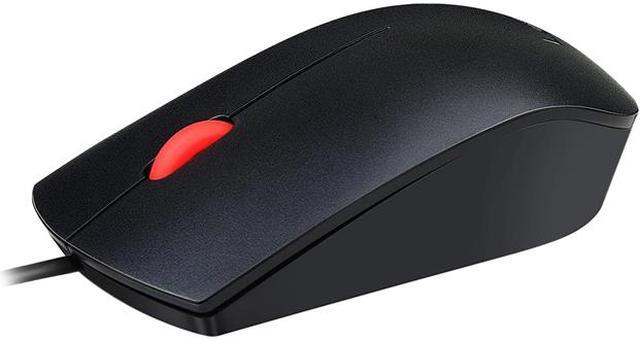
The Lenovo Essential USB Mouse is a full-size, wired optical mouse with 1600 DPI tracking and three buttons, suited to everyday desktop use by left- or right-handed users who prefer a simple USB connection.
Recommended For
- Desk-based office users handling spreadsheets, documents, and everyday computer tasks who want a straightforward, wired mouse; Lenovo positions it as a plug-and-play, full-size mouse, and a CDW customer review specifically describes it as suitable for typical office work.
- Shared workstations or left- and right-handed users who want one simple mouse that can be used from either side; Lenovo specifies an ambidextrous design.
- Users setting up a home or office computer who prefer a direct USB connection and plug-and-play operation over managing a wireless receiver or mouse batteries.
- People replacing a basic wired mouse or keeping a spare at a desk, where a cable is convenient and portability is not a priority; CDW customers describe it as a basic corded replacement and backup.
Real-World Use Scenarios
- For everyday office tasks such as editing documents, checking email, and switching between windows, connect the mouse to a USB-A port and use its scroll wheel and standard buttons for routine navigation.
- When a desktop or laptop needs a replacement mouse, plug it into a compatible USB-A port to get a wired pointing device without pairing or charging a battery.
- For spreadsheet and long-page browsing, use the scroll wheel to move through rows or pages while keeping the mouse connected by cable at the desk.
- At a shared workstation used by left- and right-handed people, the ambidextrous shape lets either user handle basic pointer movement and clicking without switching to a handed design.
- For extended desk sessions, the full-size body provides a conventional grip for routine computer work; comfort will still depend on the user’s hand and grip style.




 here!