




 here!
I’m your shopping assistant for PC builds, upgrades, and everything tech.
Got questions? Ask away!
Start a conversation
here!
I’m your shopping assistant for PC builds, upgrades, and everything tech.
Got questions? Ask away!
Start a conversation





Any questions? Ask CelesteSM will help you find out quickly.
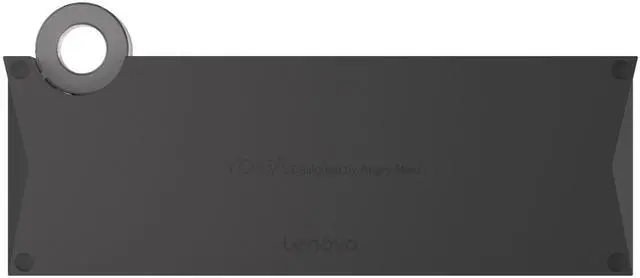
Lenovo Yoga Creative Keyboard AngryMiao Edition
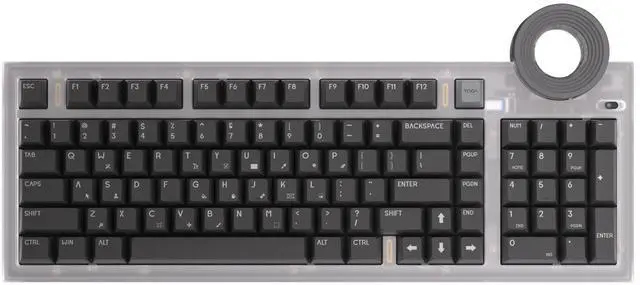
|Designed for young creatives, this keyboard combines a structured acoustic design with more flexible control. An 8-layer internal build shapes how each keystroke sounds and feels, while a dedicated dial with customizable behaviors adds a more direct way to interact.Together, these details create a setup that feels consistent, responsive, and easier to work with over time.
|Keyboard Structure & Hi-Fi Sound
|The Gasket Mount with a 8 layer dampening structure shapes every note of your typing sound. Each layer refines vibration and tone, letting you type lightly or press with purpose always delivering a clean, composed, and deeply satisfying feel.
|Switch structure
|Each switch is crafted with a multi-layer design that delivers crisp feedback and smooth rebound. The balanced structure ensures every keypress feels precise, stable, and consistently satisfying.
|Hot swappable design
|Easily customize your typing experience with hot-swappable sockets. Switches can be replaced without soldering, letting you fine-tune your setup in seconds for the perfect sound and feel.
|S-shaped stem
|Bsun Light Sakura switches balance quiet control with a crisp bottom out feel. The S shaped stem reduces friction for effortless movement and a tuned bottom-out. It brings a quieter, more refined keystroke with less wobble and a cleaner, softer sound profile.
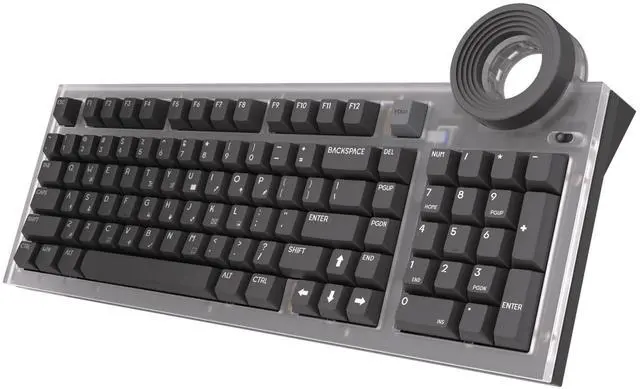
| |Designed for creative workflows, the dedicated control dial makes adjustments more intuitive. Each tactile step guides you frame by frame through video edits, delivering smooth, precise control that feels faster and more natural than traditional inputs, reducing friction and making every action feel fluid and deeply connected to your work.
| |The dial can be configured in three different ways, each designed for a specific type of interaction. A simple 3-position physical switch lets users switch between them instantly, so the control always matches the task, helping maintain flow without needing to stop and reconfigure.
| |Designed as part of the Yoga ecosystem, the keyboard shares a unified CMF language with Yoga Pro PCs and monitor. This creates a cohesive visual experience, while enabling smoother interaction across devices resulting in a setup that feels both connected and thoughtfully put together.
|Efficient Layout
|The compact 98-key layout keeps your most-used controls close. It strikes the perfect balance for power users, offering efficiency for content creation and daily workflows while remaining comfortable for long typing sessions.
|Comfortable Typing
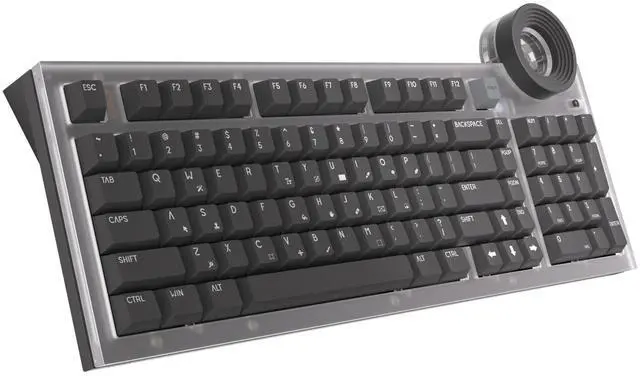
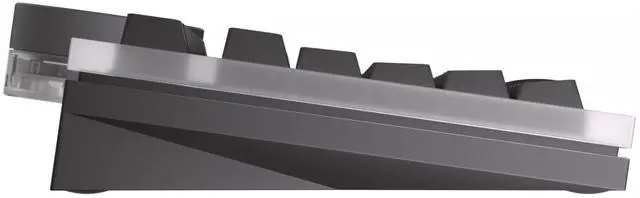
|The ergonomic 18.8 mm front height and 8° typing angle position your wrists naturally for hours of fatigue-free use. The subtle angle reduces strain during extended sessions, helping you stay focused with a posture that feels natural.
|Custom Lighting
|Per-key RGB lighting allows every keys glow to match your setup or mood. Beyond aesthetics, turning your keyboard into an intuitive and personalized command center.
|Solid Build
|CNC aluminum paired with an acrylic top creates a premium feel that is both solid and refined, perfectly blending into the Yoga Ecosystem.
| |With two additional USB-C ports, the keyboard supports stable, high-speed data transmission in close-proximity setups. It reduces the need for extra hubs or cables, helping keep the workspace clean and organized while enabling a smoother multi-device experience.
|The Lenovo Yoga Creative Keyboard AngryMiao Edition is a mechanical keyboard designed for creators who want hands-on control of editing and other creative workflows, with a configurable dial, hot-swappable switches, and two extra USB-C ports.


