eufy Security Floodlight Camera E340 Wired, 360° Pan and Tilt, 24/7 Recording, Dual-Band Wi-Fi, 2,000 Lumens, Motion-Activated, Dual Camera, HomeBase 3 Compatible, Local Storage, No Monthly Fee
  •  
  • $219.99 –
  • $127.26
  • Free 30-day Returns
  • Price alert
    Shop it at NeweggBusiness.

    Meet Your Seller

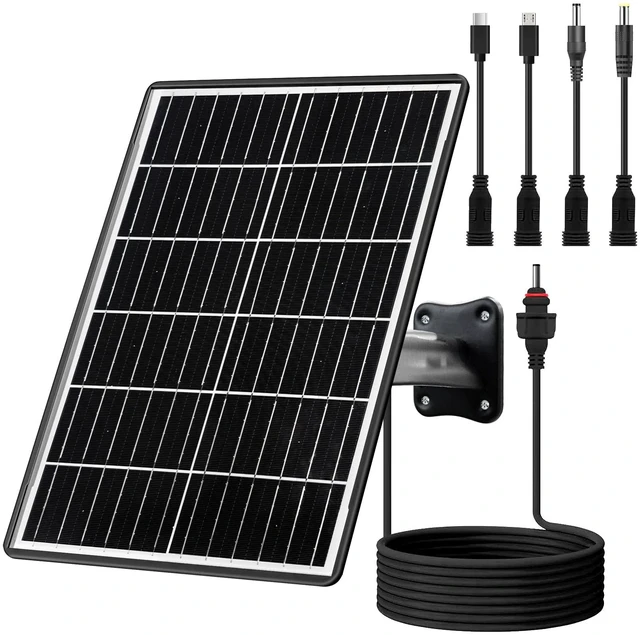
    15W Solar Panel Kit with Built-in 16000mAh Battery Voltage: 5V/6V/9V/12V Current: 1.5A Features USB-C, Micro-USB, and DC 2.1/1.7/1.35mm Ports Compatible with All 3G/4G Trail Cameras

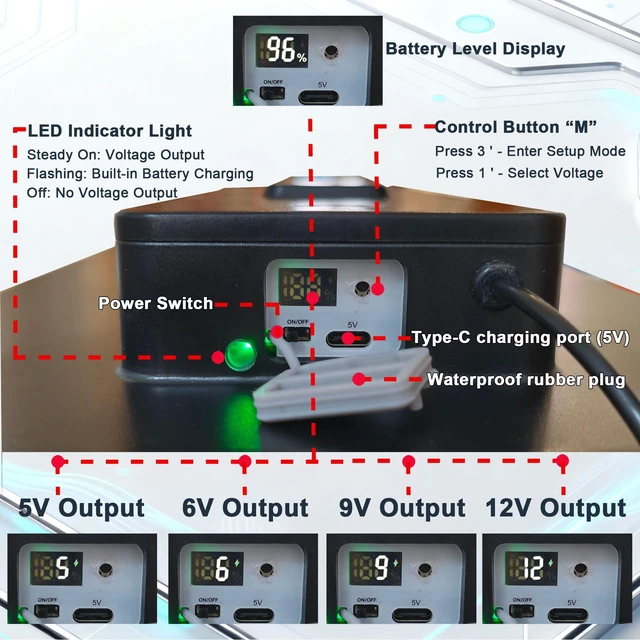
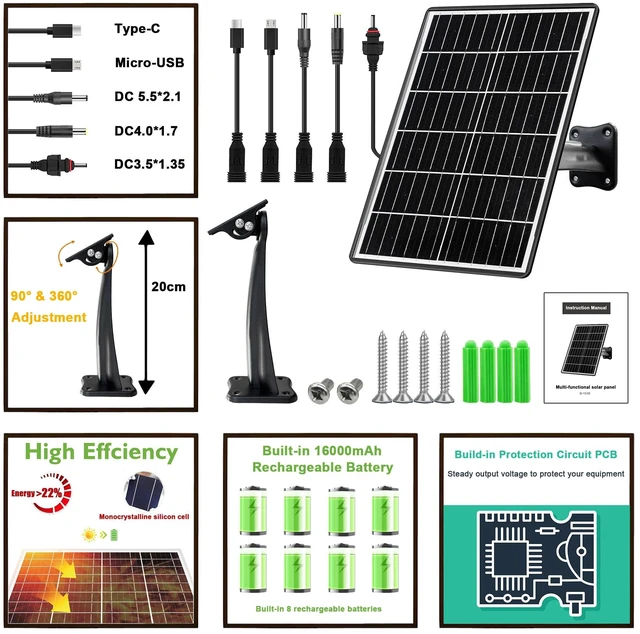
    • 1. 4 Voltage OptionsThis solar panel offers 4 voltage outputs: 5V, 6V, 9V, and 12V; each voltage provides 1.5A output current. It features 5 power interfaces: USB-C, Micro-USB, DC 5.5*2.1mm, DC 4.0*1.7mm, and DC 3.5*1.35mm. It offers powerful adaptability and portable connectivity, compatible with the vast majority of devices on the market.
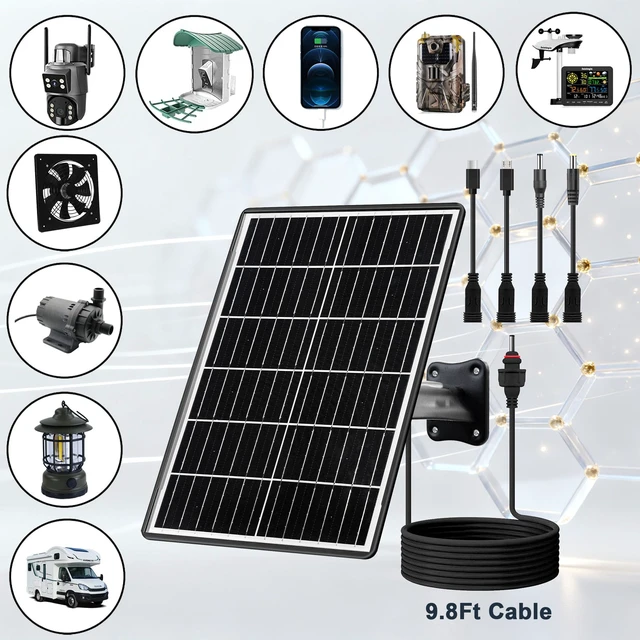
    • 2. Application ScenariosThis solar panel offers robust device compatibility, powering items such as your locator, camping light, tracker, vehicle terminal, field transmitter, field ecology recorder, security camera, hunting camera, deer feeder, fan, smartphone, and more. It can also be used for your RV, yacht, cabin, cottage, and other applications. It is also compatible with most major brands on the market, such as: WingHome, Vekeri, GardePro hunting cameras, and more.
    • 3. Basic SpecificationsThis 15W high-power monocrystalline silicon solar panel boasts 23% energy conversion efficiency. Dimensions: 32cm × 23cm × 4cm. Weight: 1190 grams. Features a built-in 16000mAh rechargeable battery with power indicator light, battery level display, and voltage display. Includes a 3-meter charging cable. Offers 4 voltage output options and 5 power supply interfaces. Surface constructed with high-transparency glass.
    +
    +
    Overview
    Specs
    Reviews

    Any questions? Ask CelesteSM will help you find out quickly.

    6. Important NotesAfter powering on, if no voltage is selected, the unit will default to outputting 5V after 10 seconds, with the voltage indicator light illuminating. To enter voltage selection mode after voltage output begins, power off and restart the device. After powering on, press and hold the button for 3 seconds to enter voltage selection mode. Press and hold for 1 second to select the desired voltage output. After selecting the voltage, release the button. Voltage output will commence after 5 seconds, with the voltage indicator light illuminating.

    Warranty & Returns

    Warranty, Returns, And Additional Information

    Warranty

    • Please contact the Seller directly for warranty information. Warranty information may also be found on the Manufacturer's website.
    • CONTACT

    Return Policies

    Manufacturer Contact Info

    LOADING...