




Kindle App Page Turner
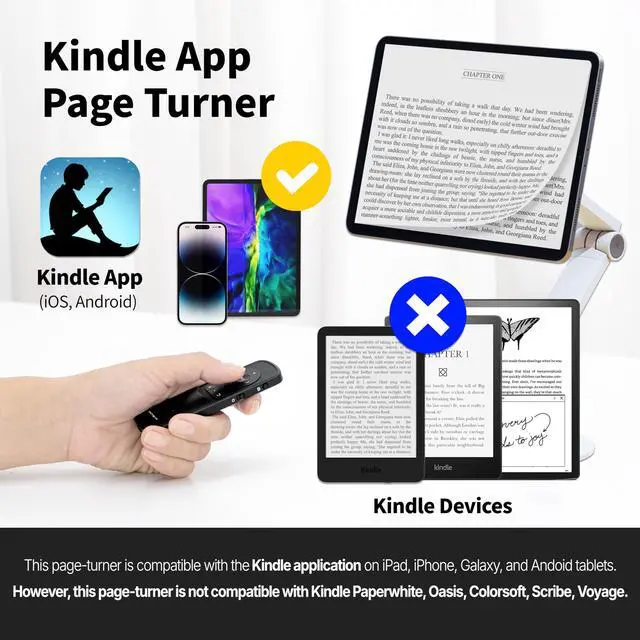
With the page turning remote control, no need to continuously touch the screen to turn pages.(Kindle App on iOS iPad iPhone & Android Tablet Phone)

Tiktok&Shorts&Reels
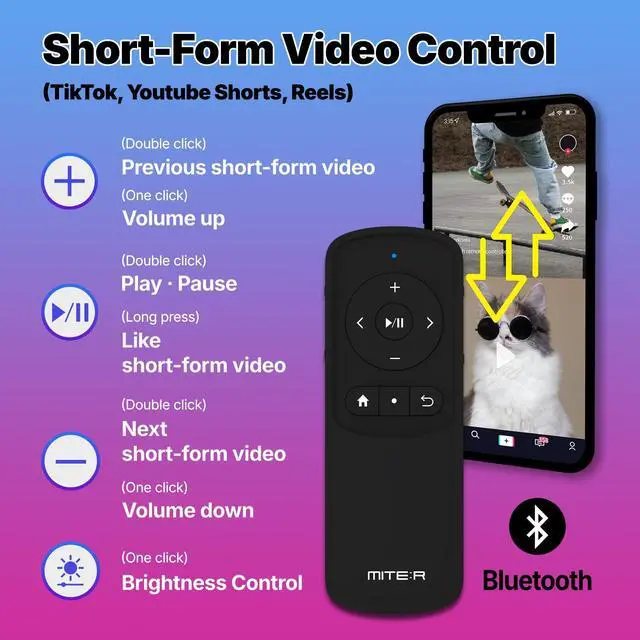
Remote Scrolling for short-form video. Send a like. Watch TikTok/Shorts/Reels videos comfortably while lying on the sofa.

Youtube Remote
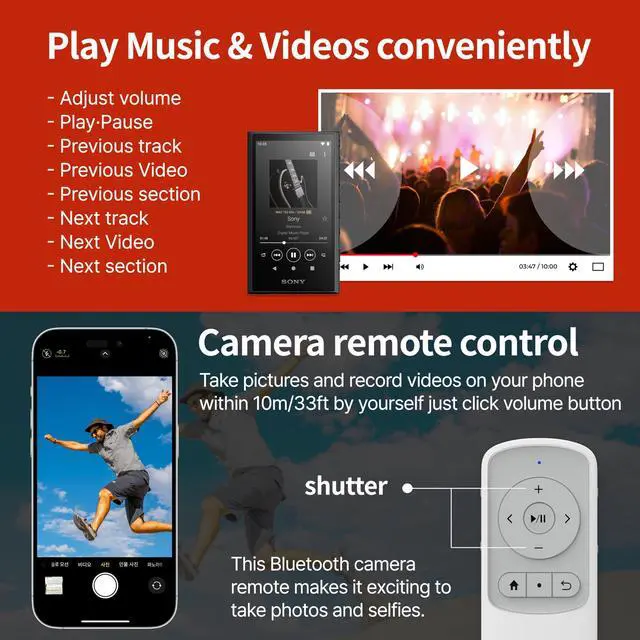
Remote control of YouTube. (adjust volume, go forward-backward, play pause, next, and previous content) Play Music & Video conveniently.

Camera&Video Shutter
Take a picture and record a video remotely on your phone. It works within 33ft by yourself. To take selfies, just click volume button on remote.

How to use Bluetooth Pairing, and How to connect to Multiple devices
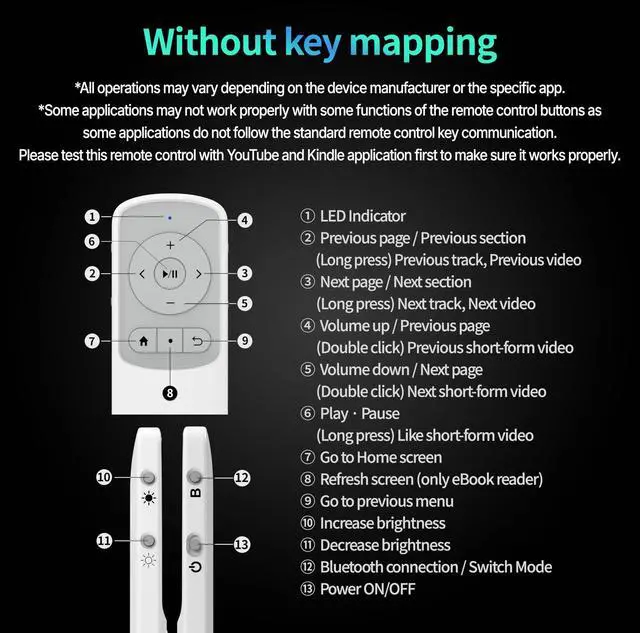
1. Slide the power button on the right side of the remote up to turn it on
2. Press the home button for 3 seconds to register 1st Bluetooth device
3. Press the B button for 3 seconds
4. The Blue LED light blinks repeatedly
5. On the device you want to connect, go to Settings, wireless settings, activate Bluetooth, and click [MITER_2nd] to complete the pairing
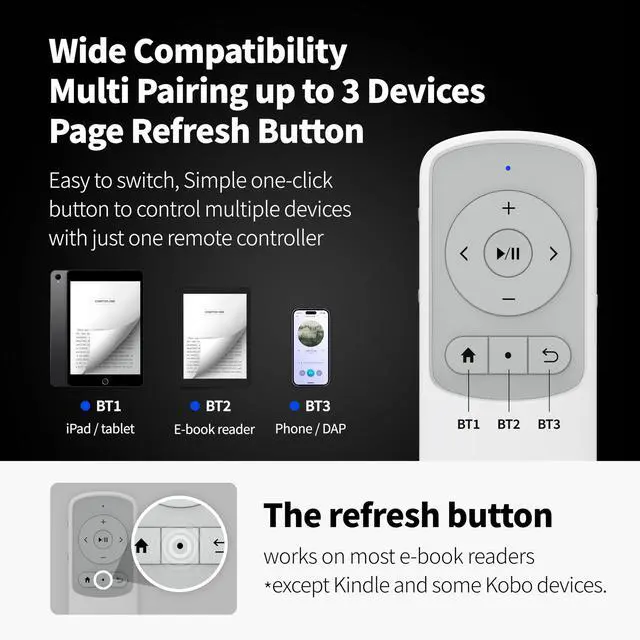
6. To register the 2nd device, Press the Circle Icon (Refresh screen) button for 3 seconds until the blue LED blinks twice, and
Press the B button for 3 seconds, Then on the 2nd device, click [MITER_2nd] to complete the pairing.
To register the 3rd device, Press the Previous Menu button for 3 seconds until the blue LED blinks Three times, and
Press the B button for 3 seconds, Then on the 3rd device, click [MITER_2nd] to complete the pairing.
7. Once 3 devices are registered, you can press and hold the Home/Refresh screen/Previous Menu button to connect and switch between each devices.
Kindle App Page Turner
With the page turning remote control, no need to continuously touch the screen to turn pages.(Kindle App on iOS iPad iPhone & Android Tablet Phone)
Tiktok&Shorts&Reels
Remote Scrolling for short-form video. Send a like. Watch TikTok/Shorts/Reels videos comfortably while lying on the sofa.
Youtube Remote
Remote control of YouTube. (adjust volume, go forward-backward, play pause, next, and previous content) Play Music & Video conveniently.
Camera&Video Shutter
Take a picture and record a video remotely on your phone. It works within 33ft by yourself. To take selfies, just click volume button on remote.
How to use Bluetooth Pairing, and How to connect to Multiple devices
1. Slide the power button on the right side of the remote up to turn it on
2. Press the home button for 3 seconds to register 1st Bluetooth device
3. Press the B button for 3 seconds
4. The Blue LED light blinks repeatedly
5. On the device you want to connect, go to Settings, wireless settings, activate Bluetooth, and click [MITER_2nd] to complete the pairing
6. To register the 2nd device, Press the Circle Icon (Refresh screen) button for 3 seconds until the blue LED blinks twice, and
Press the B button for 3 seconds, Then on the 2nd device, click [MITER_2nd] to complete the pairing.
To register the 3rd device, Press the Previous Menu button for 3 seconds until the blue LED blinks Three times, and
Press the B button for 3 seconds, Then on the 3rd device, click [MITER_2nd] to complete the pairing.
7. Once 3 devices are registered, you can press and hold the Home/Refresh screen/Previous Menu button to connect and switch between each devices.