here!
I’m your shopping assistant for PC builds, upgrades, and everything tech.
Got questions? Ask away!
Start a conversation
here!
I’m your shopping assistant for PC builds, upgrades, and everything tech.
Got questions? Ask away!
Start a conversation

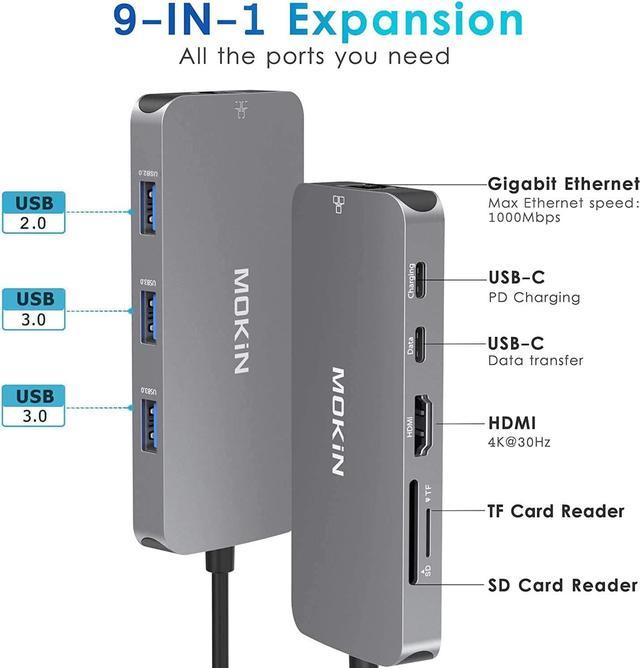



Any questions? Ask CelesteSM will help you find out quickly.


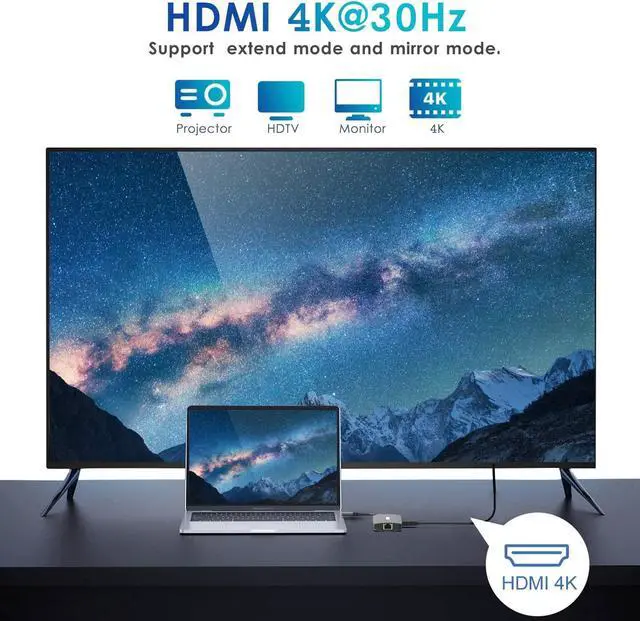
Mirror or extend your screen with this USB C hub HDMI port and directly stream 4K UHD @ 30Hz or Full HD 1080p video to HDTV, monitor or projector! Downward compatible with 1080P,1080I, 720P(Support HDMI * 2 + DP output at the same time).No driver Needed,Just plug and play!

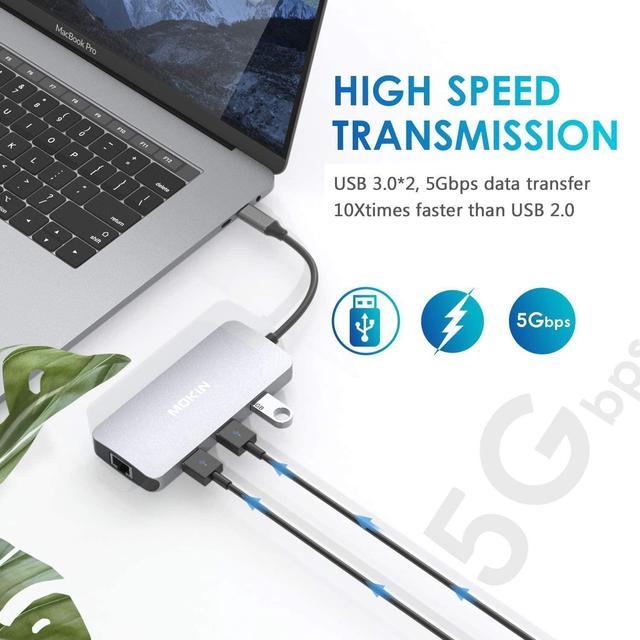
The hub with 2 ports Super Speed USB 3.0 support up to 5Gbps(480MB/s ) data transfer,1G file transfer is less than 2.9 seconds,downward compatible with USB2.0.You can easily connect your flash drive ,ssd,mouse,keyborad,etc.

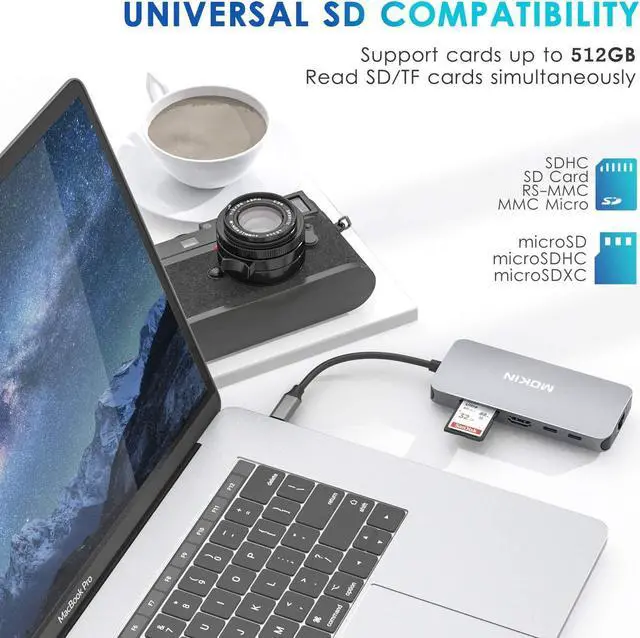
Super fast read(50-104MB/s) and write(30-80MB/s) speed,let you get access your files easily.SD&Micro SD card can work simultaneouly.Perfect companion for seamless access to photos and other media files.

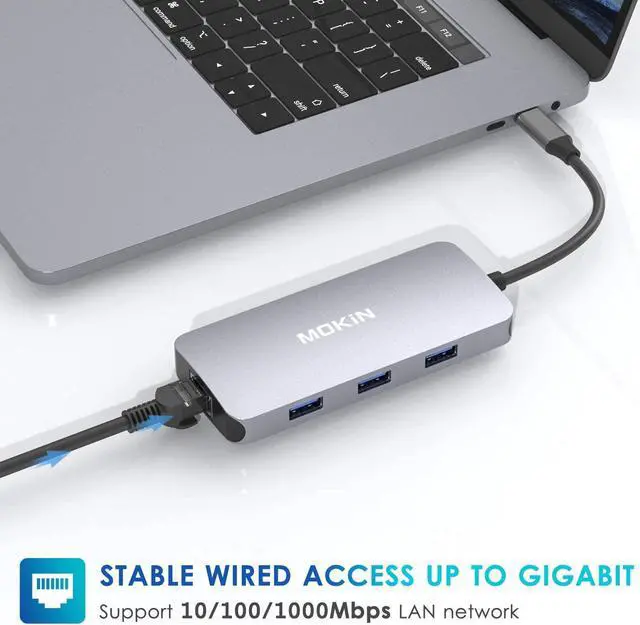
Stable Wired Access Up to Gigabit,Just plug in,enjoy your super fast and reliable wired ethernet!No spotty wireless signal any more!

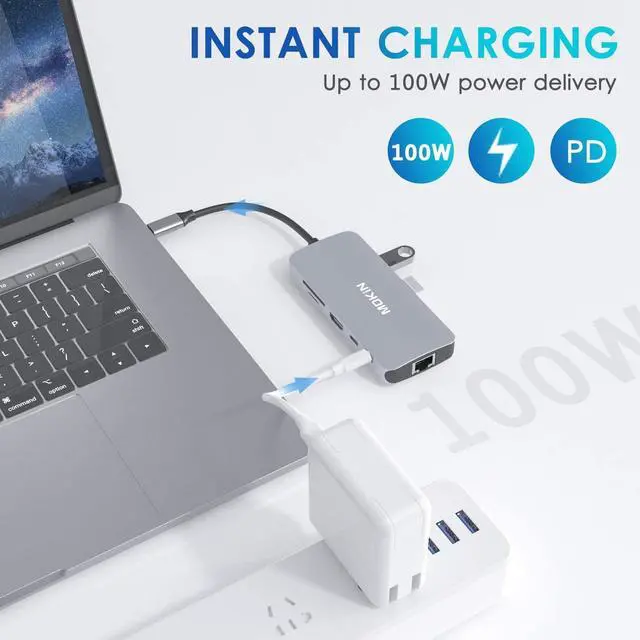
Connect a Power Delivery charger to the USB-C port to give your laptop a continuous charge up to 100W while transferring files or streaming media.Keep all your devices on power all the time.

9 powerful ports,level up your computer connectivities right away!Compact small size,very portable,just throw in your bag even without noticing its existence!

It is compatible with almost all USB C laptops,As following:
HDMI For Phone(with DP Alt Mode):
Important note: NOT Support MHL mode phone/tablet,such as LG Google Nexus 5X/6P,LG Stylist/LG G6/LG V30,ZTE/ZTE max pro Phone,Moto Z force,Dell Inspiron series tablet.
| Brand | MOKiN |
|---|---|
| Compatible Devices | Projectors, Monitors, Laptops, Card Readers |
| Color | Gray |
| Hardware Interface | MicroSD, Ethernet, HDMI, USB 3.0, USB 2.0 |
| Special Feature | Small,Mighty |
| Product Dimensions | 4.33 x 1.97 x 0.59 inches |
Customer Q&A:
Q:Can both usb c ports be used for data transfer? can i connect an external hard drive to both of these ports?
A:Yes, that's exactly the way I am set up and it works great.
Q:Wondering if this would be compatible with my iPad Pro 2nd Generation 12.9 inch?
A:This will not work with the 2nd gen iPad Pro. Only the third and forth gen that have the USB-C connector.
Q:Will this work on a 2018 12 inch macbook, not a pro, not air: just a macbook?
A:Please comfirm if your macbook has USB C port. If so, this adapter will work on your macbook.
Q:Will this work with Display Link software?
A:Not Support
Q:Will this work for macbook air version macos 10.12.6?
A:Yes, this adapter does work with my MacBook Air. There is no Apple lighting connection on the adapter.
Q:Macbook pro 2015. does this work for a macbook pro 2015? i am trying to connect it with a monitor? i dont know what ports i have.
A:Not support Macbook pro 2015
Q:will this work with dell xps 13?
A:Yes it should work as long as u have USB-C port, which I believe the Dell XPS 13 has.
Q:Why doesn't it detect my monitor that is plugged into the HDMI port on the mokin?
A:Make sure you monitor is looking at that HMI port for input and or try another cable. Mine worked great when wired to my big screen TV and projector.
The MOKiN 9-in-1 USB-C hub expands a compatible laptop, tablet, or phone with USB-A, USB-C PD charging, 4K HDMI, Gigabit Ethernet, and SD/TF card access, making it suitable for home offices, hybrid work, and users who need broad connectivity from one compact adapter.
| Attribute | Value |
|---|---|
| Best For | USB-C laptops and devices such as MacBook Pro/Air, Dell XPS, Lenovo, and HP systems that need expanded USB, display, Ethernet, card-reader, and 100W PD charging connectivity |
| Ports And Connectivity | 9-in-1 connectivity with three USB-A ports, two USB-C ports with 100W PD, HDMI, RJ45 Ethernet, and SD/TF card-reader slots; supports Thunderbolt 3 |
| Compatibility | Compatible with MacBook Pro/Air, Dell XPS, Lenovo, HP, and other supported devices |
| Physical Specifications | Gray enclosure measuring 5.63 x 3.5 x 0.79 inches and weighing 0.233 lb |
| Model Identifiers | MOKiN MOUC0501-US |
Q: Should I choose the MOKiN 9-in-1 hub or the UGREEN Revodok Pro 9-in-1?
A: Choose the MOKiN when you need three USB-A ports, two USB-C ports, Gigabit Ethernet, SD/TF card access, and 100W USB-C power pass-through in one adapter. Choose the UGREEN Revodok Pro when display quality and transfer speed matter more: it supports HDMI up to 4K at 60Hz, USB-C and USB-A data up to 10Gbps, and also includes Gigabit Ethernet, SD/TF readers, and 100W PD. The MOKiN is better suited to basic office peripherals and 4K-at-30Hz displays, while the UGREEN is the stronger fit for smoother 4K output and faster storage transfers. ([us.ugreen.com](https://us.ugreen.com/products/ugreen-revodok-pro-9-in-1-usb-c-hub?slpfid=1)
Q: Is the MOKiN 9-in-1 worth choosing over a smaller 7-in-1 USB-C hub?
A: Choose the MOKiN if you regularly connect several USB-A accessories, wired Ethernet, a monitor, and SD or TF cards at the same time. A typical 7-in-1 hub is more suitable when you mainly need HDMI, two USB-A ports, card readers, and laptop charging while keeping the adapter compact. In testing of a comparable UGREEN 7-in-1, the 5Gbps ports, 4K-at-30Hz HDMI, 100W PD, and dual card readers were sufficient for normal office work and media playback, but the 30Hz display limit remained. The MOKiN provides more USB-A expansion, while the 7-in-1 format favors simpler travel setups. ([pcmena.com](https://pcmena.com/post/ugreen-7-in-1-usb-c-hub-15214-review-performance-and-features-tested)
Q: Is the MOKiN 9-in-1 a better choice than the Anker 565 11-in-1?
A: Choose the MOKiN when you want three USB-A ports rated for up to 5Gbps, two USB-C ports, 100W PD input, and a straightforward single-HDMI setup. Choose the Anker 565 when you need more display flexibility or higher-speed data: it adds DisplayPort, supports HDMI and DisplayPort up to 4K at 60Hz, and includes 10Gbps USB-C and USB-A data ports. The trade-off is that two of its USB-A ports are USB 2.0, and its USB-C PD input is specified at up to 85W. ([service.anker.com](https://service.anker.com/product-description/a085g000004x2CTAAY/anker-565-usbc-hub-11in1)
Q: Should I buy the MOKiN 9-in-1 or a travel-focused hub such as the Satechi OntheGo 7-in-1?
A: Choose the MOKiN for desk use when you need three USB-A ports, two USB-C ports, Ethernet, HDMI, and SD/TF readers in one adapter. Choose the Satechi OntheGo 7-in-1 for portability: it has a smaller travel-oriented design, a built-in cable that wraps around the hub, magnetic attachment, 4K-at-60Hz HDMI, and up to 80W charging to the connected device. The MOKiN offers broader peripheral expansion, while the Satechi is easier to carry and better suited to phones, tablets, and lightweight laptop travel. ([androidcentral.com](https://www.androidcentral.com/accessories/satechi-onthego-7-in-1-usb-c-hub-ideal-travel-accessory)
Q: Will this USB-C hub work with my laptop and external monitor?
A: It is suitable for laptops with a USB-C port that supports DisplayPort video output. The hub can connect one HDMI display at up to 4K resolution at 30Hz, but HDMI output will not work if the host USB-C port supports charging or data only. USB-C Power Delivery support on the laptop is also required for pass-through charging. ([bestbuy.com](https://www.bestbuy.com/site/questions/anker-7-in-1-usb-type-c-hub-gray/6392611?utm_source=openai))
Q: Is this a good travel hub for remote work, meetings, and office use?
A: Yes, it is well suited to travel work because one compact 0.233-pound adapter combines HDMI, Gigabit Ethernet, three USB-A ports, two USB-C ports, SD/TF card readers, and up to 100W USB-C PD pass-through charging. It is useful for connecting a monitor, wired network, keyboard, mouse, storage, or presentation equipment without carrying several separate adapters. A compatible USB-C charger is required for laptop charging, and the hub does not replace a full desktop dock with multiple display outputs.
Q: Can I charge my laptop while using the hub's USB, HDMI, Ethernet, and card-reader ports?
A: Yes, the hub is designed for simultaneous use of its expansion ports and USB-C PD pass-through charging. The PD input supports up to 100W, although the laptop receives less than the input rating after power used by the hub and connected devices. The USB-C PD port is for charging and should not be assumed to provide USB-C video output or full-speed data transfer.
Q: Who should buy this USB-C hub, and what are its main limitations?
A: It is best for MacBook, Windows, Thunderbolt 3, and other USB-C devices that need one HDMI display, wired Gigabit Ethernet, USB-A accessories, USB-C peripherals, and SD or TF card access. It is less suitable for users who need two independent HDMI displays, 4K video at 60Hz, a built-in power supply, or high-speed USB transfers above 5Gbps. Device-specific USB-C video, charging, and operating-system support should be confirmed before purchase.
Q: Is the MOKiN 9-in-1 hub a practical replacement for several adapters?
A: Yes, if you need USB-A, HDMI, Ethernet, SD/TF card access, and USB-C power through one connection. It can simplify a laptop setup, but it does not replace a full desktop dock with multiple display outputs or advanced features.
Q: Is this hub suitable for work with an external monitor?
A: It is suitable for office work, presentations, and general extended-display use at up to 4K resolution and 30Hz. The 30Hz limit may feel less responsive for gaming, high-refresh monitors, or fast motion.
Q: Should buyers be concerned about heat or long-term reliability?
A: Some MOKiN hub users report normal warmth and reliable daily use, while others report excessive heat, display or sleep-related problems, or eventual failure. The hub is reasonable for ordinary use, but buyers who prioritize proven long-term reliability should consider a product with stronger model-specific support and testing.
Q: Who is the MOKiN 9-in-1 hub best suited for?
A: It is best suited for laptop users who need several everyday connections from one USB-C or Thunderbolt port, especially USB-A accessories, wired Ethernet, HDMI, memory cards, and pass-through charging. It is less suitable for users who need dual-monitor output, high-refresh video, or a permanently installed business-class dock.
Q: Is it a good choice for travel or a portable workstation?
A: It can work well for travel because one compact adapter provides common laptop connections, including display, Ethernet, USB peripherals, cards, and charging. Its trade-offs are the attached cable, possible warmth under load, and limited 4K refresh rate.