

Your Browsing History
- Free 30-day Returns
$73.98

Meet Your Seller

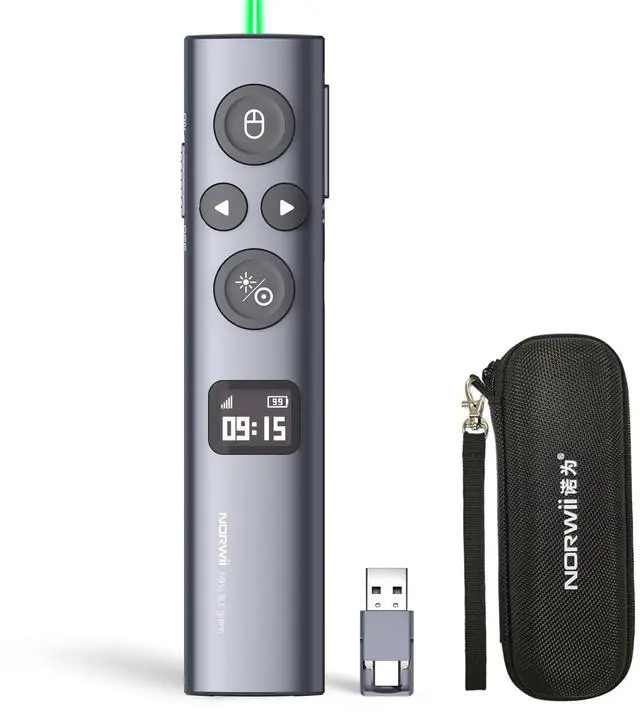


N95s BLE Presentation Clicker with Digital Pointer for PowerPoint Presentation on TV Screen and Projection Screen, Wireless Presenter Remote with Countdown Timer (Green Light-USB-AC)
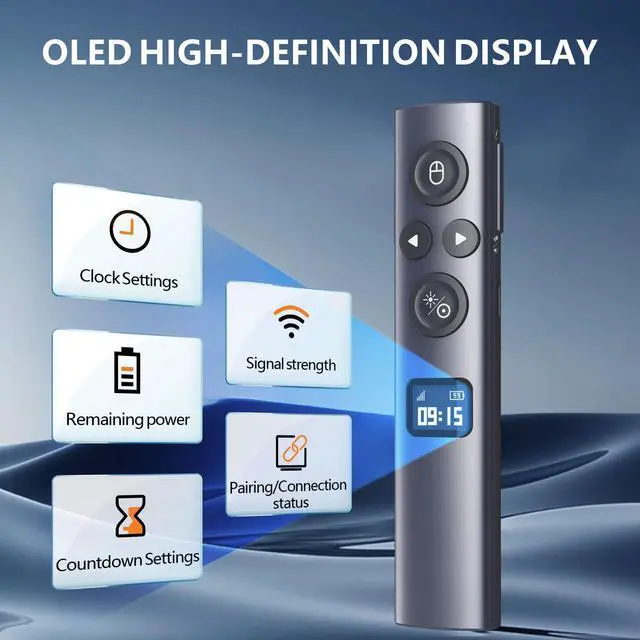
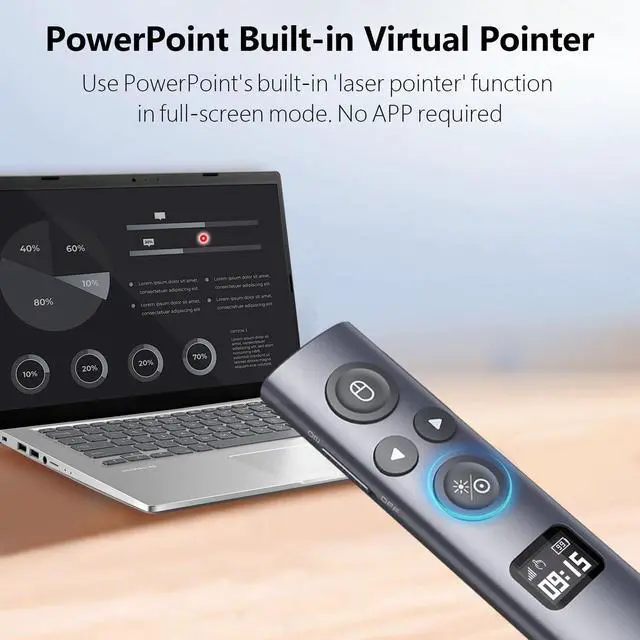
- OLED High-definition Display - Showing the signal strength, remaining power, Clock/Countdown Settings of vibration, Pairing/Connection status. Keep the presenter away from anxiey of power, lossing control of the pace of the presentation etc
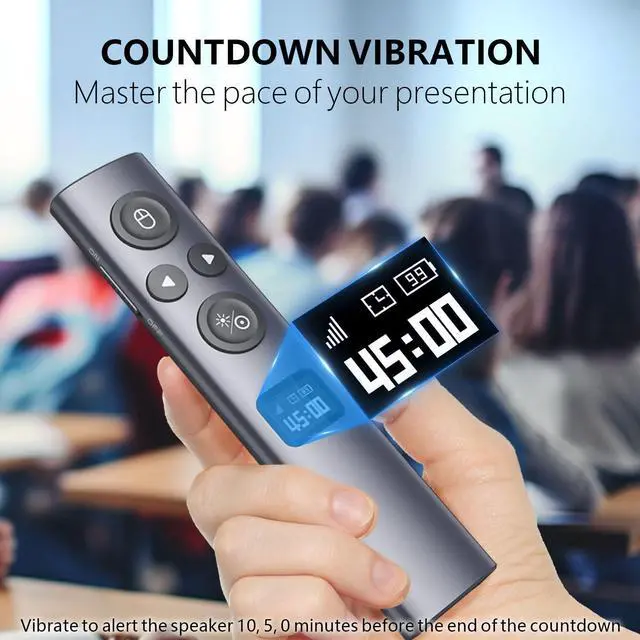
- Countdown Vibration Alert - Set on the Presentation clicker or on the software. After successfully setting, the Presenter will be alerted 10, 5, 0 minutes before the end of the countdown vibration, help you master the pace of your presentation
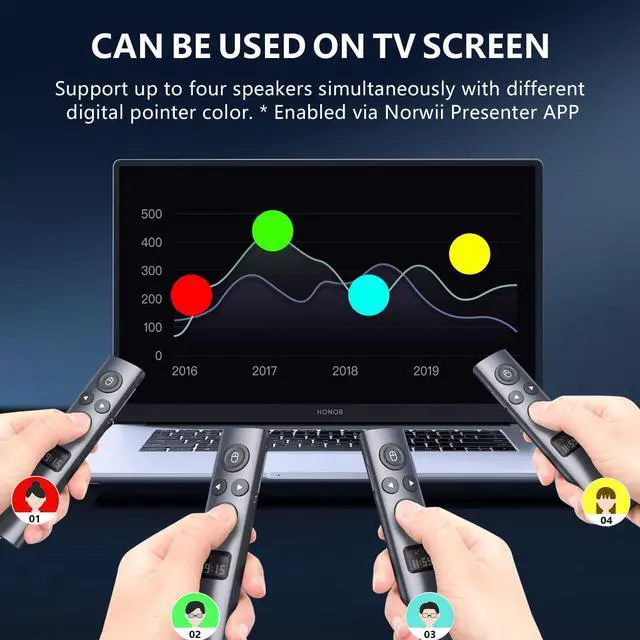
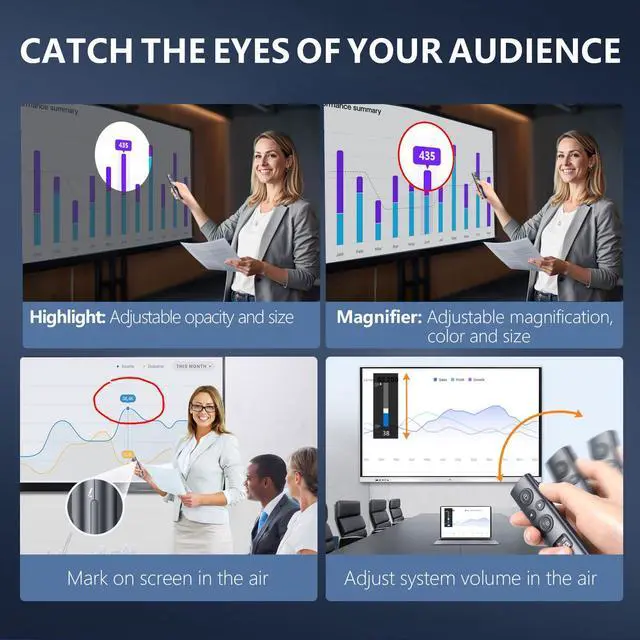
- Works on both TV screen and projection screen - The features of digital pointer, magnify, highlight and customized icon are clearly visible on TV screen. The physical light is used to point on projection screen. class II, output power<1mW
- Multi-connection to choose - We offer 3 types of USB receiver: USB-A, USB-C, USB-A&C for customer to choose. There is only one type of receiver in a package, not two or more at the same time. Which USB receiver is included depends on the choice you made when ordering
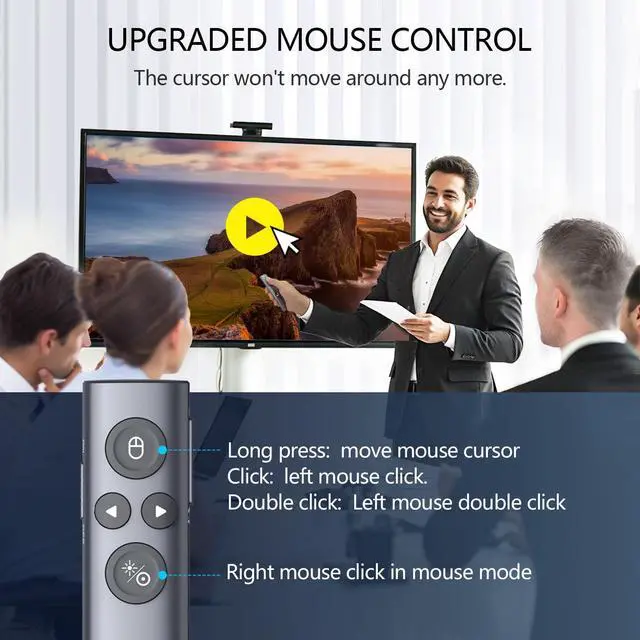
- Mouse Cursor Control -The presenter's mouse functions include mouse left click, double click and mouse right click. The housing material is ABS and PC mixture which is friendly for signal transmission. It's modern slim design, light weight and comfortable for all day use
- Instant Access to PowerPoint Built-in Virtual Pointer - No Installation Required (Only works in Full-Screen Mode)
- Compatibility - For details on feature compatibility, see the User Guide on the product details page
+
+
Overview
Specs
Reviews

Any questions? Our AI mode will help you find out quickly.
Try me now
Norwii N95s BLE is a presentation clicker with digital pointer and physical laser, designed for presentations on TV screens and projection screens. The OLED HD display provides connection status, signal strength, countdown timer, clock, and remaining battery power. With cool features like highlighting, magnification, digital pointer, and custom cursor/pointer, you can easily capture your audience's attention. About Norwii Official Companion Software Software Security & Safety: This software is 100% developed by Norwii's official team and contains no malicious code, viruses, or malware Digitally signed with verified certificates and tested by multiple mainstream antivirus vendors Some antivirus programs may display false-positive warnings because the software is a newly released versionthis is a normal security detection mechanism and does not indicate any actual threat You can safely add the software to your antivirus trusted list or whitelist without any concerns Safe Download & Installation Guide: 1. Download the software from Apple Store or from the Norwii official website 2. If your antivirus displays a security prompt, simply select "Allow" or "Add to Trusted List" 3. Follow the installation wizard to complete the setupthe entire process is secure and straightforward 4. If you have any questions or concerns, our customer support team is ready to assist you 24/7 Why You Can Trust Our Software: Digital signature verification ensures the software hasn't been tampered with Regular security audits and updates maintain the highest safety standards We are committed to protecting your data security and privacy Thousands of satisfied customers worldwide use our software daily without issues Unlock Advanced Features: With the companion software installed, you'll gain access to: Customizable button functions and shortcuts Advanced timer and countdown settings Digital pointer customization options Firmware updates for enhanced performance Detailed user manual and video tutorials We stand behind the safety and reliability of our software. Your trust and security are our top priorities.
Warranty & Returns
Warranty, Returns, And Additional Information
Warranty
- Please contact the Seller directly for warranty information. Warranty information may also be found on the Manufacturer's website.
- CONTACT
Return Policies
- Return for refund within: 30 days
- Return for replacement within: 30 days
- This item is covered by Firentioner Return Policy
Manufacturer Contact Info
- For a directory of all our manufacturers, please click below.
- Manufacturers Directory
LOADING...