Meet Your Seller
OWC 16GB (4x4GB) DDR2 800 PC2-6400 CL6 2Rx8 200-pin 1.8V Non-ECC SODIMM Memory RAM Module Upgrade Kit for Select Laptops or All-in-One Systems
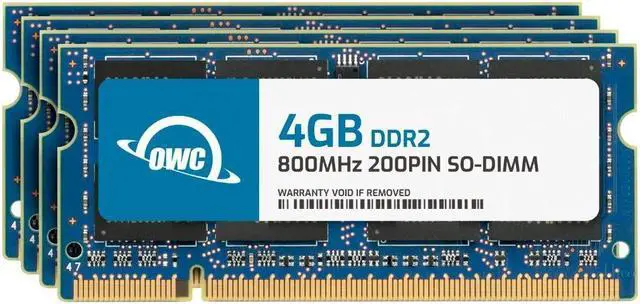
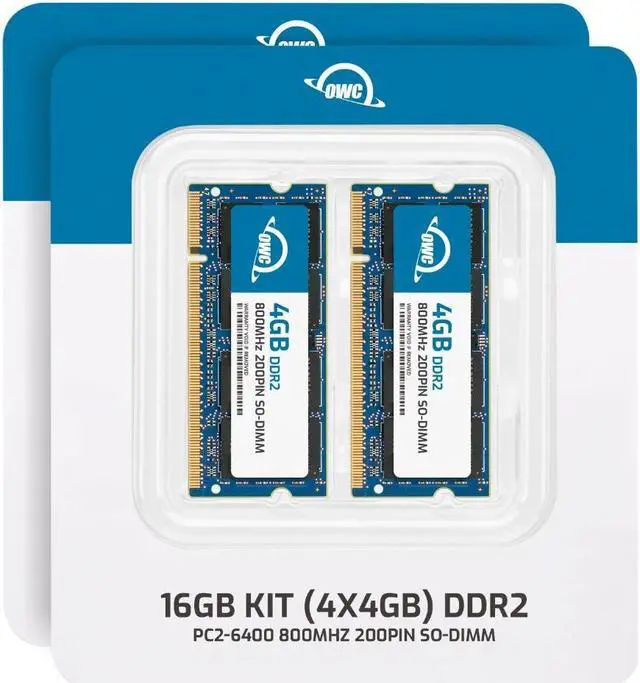
- OWC 16GB UPGRADE: Consists of 4pcs of 4GB DDR2 800 PC2-6400 CL6 2Rx8 200-pin 1.8V SODIMM Memory RAM Module Upgrade Kit for Select Laptops or All-in-One Systems.
- 100% COMPLIANT: JEDEC-Standard and ROHS Compliant. Warranty-Safe Upgrade. Designed and Tested to Meet or Exceed all Manufacturer OEM Specs.
- INCREASED PERFORMANCE: Memory Upgrades are the Most Effective and Easy Way to Boost your PC's Performance.
- INDUSTRY LEADING: Consumer-friendly Advanced Replacement Program and Limited Lifetime Warranty, which includes Free Tech Support by Other World Computing.
- EASY INSTALLATION: In Most Cases, Installing Memory is an Easy DIY project. Watch our OWC Basic Installation Video for Help.
Any questions? Ask CelesteSM will help you find out quickly.
We built your OWC Memory upgrade to meet or exceed the toughest industry specs to provide years of worry-free service. OWC recommends that all DIMMs be the same capacity, speed, and manufacturer to ensure optimal memory performance.
Warranty & Returns
Warranty, Returns, And Additional Information
Warranty
- Please contact the Seller directly for warranty information. Warranty information may also be found on the Manufacturer's website.
- Read full details
- CONTACT
Return Policies
- Return for refund within: 30 days
- Return for replacement within: 60 days
- This item is covered by OWC Return Policy
Manufacturer Contact Info
- For a directory of all our manufacturers, please click below.
- Manufacturers Directory
The OWC 16GB DDR2-800 memory kit includes four 4GB, 200-pin SO-DIMM modules for compatible laptops, all-in-one computers, or NAS systems that use 1.8V, non-ECC, unbuffered PC2-6400 memory.
Recommended For
- Owners of a legacy laptop, all-in-one, or NAS with four 200-pin DDR2 SO-DIMM slots and documented support for 16GB who need to replace the installed memory with a matched 4×4GB kit.
- People keeping a compatible older computer in service for light everyday tasks—such as document work, email, or basic file sharing—who are limited by low memory and want to reduce slowdowns caused by running out of RAM.
- Repairers or refurbishers restoring a specific older system that uses DDR2-800 SO-DIMMs and has been verified to accept 4GB modules, with all four slots available for a full-capacity replacement.
Real-World Use Scenarios
- When a compatible older laptop or all-in-one becomes sluggish with several browser tabs and office apps open, adding memory can give those programs more room to run and reduce slowdowns caused by memory pressure. It will not remove CPU or storage bottlenecks; confirm the system supports four 4GB modules and 16GB total before installing this kit.
- For someone repurposing a compatible older laptop for lightweight Linux, writing, reading, or music, more memory can make everyday multitasking less constrained than on a low-memory setup. Community reports show old DDR2 laptops being reused this way, but modern websites and applications may still be limited by the computer’s processor and software support.
- For a compatible legacy laptop kept for older diagnostic utilities or other specialized tools, added memory can help when several programs need to stay open at once. It is a maintenance upgrade for a specific older system, not a way to make unsupported software or modern workloads run well.
- In a compatible all-in-one used as a light home or office computer, extra memory can help keep several documents and applications open without having to close them as often. The benefit depends on the computer supporting the kit’s four modules and 16GB capacity.
Spec Summary
| Attribute | Value |
|---|---|
| Best For | Memory upgrades for compatible laptops, all-in-one systems, and NAS systems that use 200-pin DDR2 SO-DIMM memory |
| Capacity And Kit | 16GB kit comprising four 4GB modules |
| Memory Type And Speed | DDR2 SO-DIMM, DDR2 800 (PC2-6400) |
| Timings And Voltage | CL6 latency at 1.8V |
| Memory Configuration | Dual-channel kit; non-ECC and unbuffered |
| Module Design | Black chips; no heat spreader |
| Brand And Model Identifiers | OWC (Other World Computing); part number 6S4D22R8016S; model number OWC6S4D22R8016S-B962-SF |
Reference Q&A
Q: OWC 16GB DDR2-800 or OWC 8GB DDR2-800—which should I choose?
A: Choose the 16GB kit when the computer supports 4GB DDR2 SO-DIMMs and up to 16GB of memory; it provides twice the total capacity. Both kits use four 200-pin DDR2-800 modules, so confirm the computer’s maximum supported capacity before choosing.
Q: OWC 16GB DDR2-800 4x4GB or 16GB DDR2-800 8x2GB—which kit fits my system?
A: Both kits total 16GB and are rated DDR2-800. This 4x4GB kit uses four slots and 4GB modules; OWC’s 8x2GB kit uses eight slots and 2GB modules. Choose the configuration that matches your computer’s slot count and supported module capacity.
Q: Is the OWC 16GB DDR2-800 kit worth choosing over the OWC 4GB DDR2-800 kit?
A: Choose the 16GB kit if your computer supports its four 4GB modules and you want more total memory for running multiple applications or working with larger files. Choose the 4GB kit when that capacity matches your upgrade plan; both kits are 200-pin DDR2-800 SO-DIMMs.
Q: Will this 16GB kit work in my laptop?
A: Only if the laptop supports 200-pin DDR2-800 SO-DIMM memory, accepts 4GB modules, has four memory slots, and supports 16GB total. Check the laptop’s service manual or manufacturer specifications before buying; the memory type and capacity must both be supported.
Q: How many memory sticks are included?
A: The kit includes four 4GB DDR2-800 SO-DIMM modules, for 16GB total. Confirm that your system has enough compatible slots before ordering.
Q: Can I install this memory myself?
A: Often, yes: the product is intended as a DIY memory upgrade and includes OWC tech support. Follow your computer’s service instructions, and verify compatibility and slot access before installation.
Q: Can I use these modules in a desktop computer?
A: Only if the computer has slots specifically designed for 200-pin DDR2 SO-DIMM memory. Standard desktop memory slots use a different module form factor, so check the computer’s specifications before purchasing.