




 here!
I’m your shopping assistant for PC builds, upgrades, and everything tech.
Got questions? Ask away!
Start a conversation
here!
I’m your shopping assistant for PC builds, upgrades, and everything tech.
Got questions? Ask away!
Start a conversation








Any questions? Ask CelesteSM will help you find out quickly.
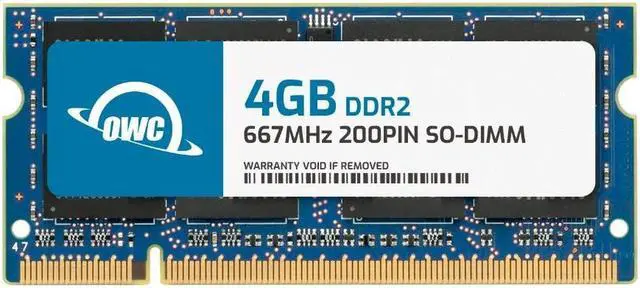
The OWC 4GB DDR2 667 PC2-5300 SODIMM is a single 200-pin, 1.8V non-ECC memory module for compatible laptops, all-in-one systems, and NAS devices that support this memory type and speed.
| Attribute | Value |
|---|---|
| Best For | Laptop, all-in-one, and NAS memory upgrades |
| Memory Capacity And Speed | 4GB DDR2-667 memory (PC2-5300) with CL5 latency |
| Memory Type And Form Factor | 200-pin DDR2 SO-DIMM |
| Electrical And Module Features | 1.8V, non-ECC, unbuffered, with no heat spreader |
| Model Identifiers | OWC, part number 5S3D22R804GB |
Q: Should I choose this OWC 4GB stick or an OWC 2GB DDR2-667 stick?
A: Choose this 4GB module when you want twice the memory capacity from one slot. Both are 200-pin DDR2-667 PC2-5300 SO-DIMMs; confirm that your system supports a 4GB module and the intended total memory.
Q: Is this single 4GB module or OWC’s 4GB (2 × 2GB) kit a better fit?
A: Both provide 4GB total at DDR2-667. Choose this single module when you want to use one slot for the upgrade; choose the 2 × 2GB kit when you want a two-module configuration. Check your system’s slot layout and memory requirements before choosing.
Q: Should I get this 4GB module or OWC’s 8GB DDR2-667 kit?
A: Choose this 4GB module for a 4GB upgrade using one SO-DIMM; choose OWC’s 8GB kit when you want more total memory and your system supports the kit’s capacity and four-module configuration. Verify your device’s maximum memory and number of slots.
Q: How can I tell if this RAM will work with my laptop?
A: Check the laptop’s specifications or service manual for support for a 4GB, 200-pin DDR2-667 (PC2-5300) SO-DIMM and confirm its maximum memory capacity. This module is for compatible systems; matching the connector alone does not guarantee compatibility.
Q: Is this one 4GB stick or a 2×2GB kit?
A: It is one 4GB DDR2-667 SO-DIMM module, not a kit of two 2GB modules. Check how many memory slots your system has and whether it needs a particular module arrangement.
Q: Can I install this in a DDR3 or DDR4 laptop?
A: No. This is DDR2 memory in a 200-pin SO-DIMM format. Buy it only for a system that specifically supports this DDR2 module type; the product data does not list DDR3 or DDR4 compatibility.
Q: Will adding this RAM make an older laptop faster?
A: It may help if limited memory is slowing the system, but a RAM upgrade does not increase processor speed or guarantee a noticeable improvement. The benefit depends on the laptop’s current memory, workload, and support for this 4GB module.
Q: Will this 4GB module work in any laptop that uses DDR2?
A: No. The laptop must support 200-pin DDR2-667 PC2-5300 SO-DIMM memory, 1.8V, and a 4GB module in that slot. Check the exact laptop model’s supported memory before buying; DDR2 laptops can require different speeds or capacities.
Q: Is upgrading an older laptop to 4GB of DDR2 RAM worth it?
A: It depends on the laptop’s memory limit, intended use, and the module’s price. A Reddit discussion about an early-2008 MacBook considered a 4GB upgrade and an OWC 6GB kit, while noting that DDR2 modules could be costly. Compare the upgrade cost with the value of keeping the laptop, and check whether more memory addresses your specific slowdown.
Q: Should I add this 4GB stick to my laptop’s existing memory?
A: Only if the laptop supports the added capacity and the existing module can be used alongside it. The Reddit discussion about an early-2008 MacBook raised concern about compatibility when mixing a 4GB stick with a 2GB stick. Check the laptop’s supported configuration and existing RAM before choosing a single module.


