




 here!
I’m your shopping assistant for PC builds, upgrades, and everything tech.
Got questions? Ask away!
Start a conversation
here!
I’m your shopping assistant for PC builds, upgrades, and everything tech.
Got questions? Ask away!
Start a conversation








Any questions? Ask CelesteSM will help you find out quickly.
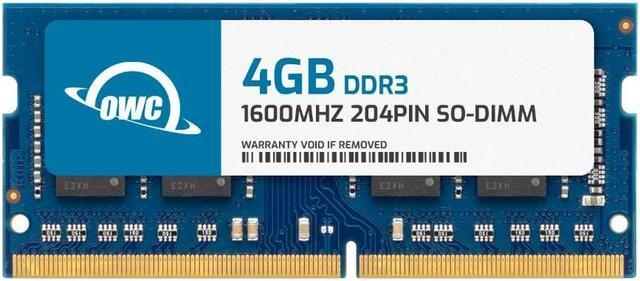
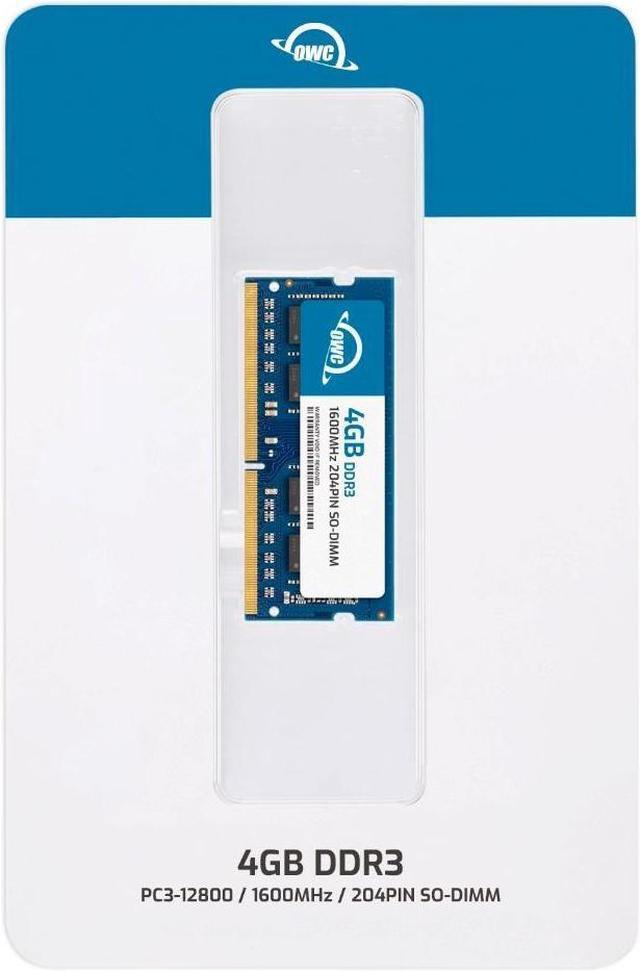
The OWC 1S6D31R804GB is a single 4GB DDR3-1600 laptop memory module for laptops, all-in-one systems, and NAS devices that support 204-pin, 1.5V, non-ECC unbuffered SO-DIMM memory.
| Attribute | Value |
|---|---|
| Best For | Adding 4GB of DDR3 SO-DIMM memory to compatible laptops, All-in-One systems, or NAS systems |
| Capacity | 4GB |
| Memory Type And Form Factor | DDR3 SO-DIMM, 204-pin |
| Speed And Latency | 1600 MHz (PC3-12800), CL11 |
| Voltage And Configuration | 1.5V, non-ECC, unbuffered, without a heat spreader |
| Compatibility | Listed for HP, iMac, MacBook Pro, Mac Mini, and Synology devices |
| Model Identifiers | OWC; part number 1S6D31R804GB; model number OWC1S6D31R804GB-B230-SF |
Q: OWC 4GB DDR3-1600 vs OWC 8GB DDR3-1600: which should I choose?
A: Choose the OWC 4GB module for a 4GB-per-module upgrade; choose an OWC 8GB module when you want twice the capacity from one module. Both OWC options use 204-pin DDR3-1600 PC3-12800 SO-DIMM memory, but confirm the computer supports the selected module capacity.
Q: OWC 4GB single module vs OWC 8GB (2 x 4GB) kit: which is better for an upgrade?
A: Choose the 4GB single module when you want one 4GB stick. Choose the OWC 8GB kit when you want two matching 4GB sticks for 8GB total. Both options are DDR3-1600, CL11, 204-pin SO-DIMMs; check the computer’s supported capacity and available memory slots before choosing.
Q: OWC 4GB DDR3-1600 vs OWC 16GB DDR3-1600: which is right for my laptop?
A: Choose the 4GB module for a 4GB-per-stick upgrade. Choose the OWC 16GB module when you need more capacity from one stick and the computer supports a 16GB DDR3 SO-DIMM. Both are 204-pin, 1.5V, CL11 DDR3-1600 modules.
Q: OWC 2GB vs 4GB DDR3-1600 SO-DIMM: which capacity should I get?
A: Choose the OWC 4GB module when you want twice the capacity on one stick. Choose the 2GB option for a smaller-capacity memory configuration. Both are OWC DDR3-1600 SO-DIMM options; confirm the computer’s memory requirements and supported capacity before selecting.
Q: How do I know if this RAM is compatible with my laptop?
A: Check the laptop’s manual or manufacturer specifications for support for 204-pin DDR3 SO-DIMM memory at 1600 MHz (PC3-12800), 1.5V, and a 4GB module. Also confirm the laptop has an upgradeable memory slot and supports the resulting total capacity; the module’s specifications alone cannot confirm compatibility with a specific laptop model.
Q: Can I add this 4GB module to the RAM already in my laptop?
A: Possibly, if the laptop has an open memory slot and supports adding a 4GB 1.5V DDR3-1600 module. Check the system’s maximum memory capacity and existing memory configuration first. This product is one 4GB module, not a multi-module kit.
Q: Will installing this RAM make my laptop faster?
A: It may improve responsiveness if the laptop is running short on memory and supports this module. It adds 4GB of RAM; it does not increase the processor’s speed, and performance gains are not guaranteed if memory is not the bottleneck.
Q: Can I use this in a laptop that requires DDR3L memory?
A: Confirm the laptop supports standard 1.5V DDR3 memory before buying. This module is specified as 1.5V DDR3, not 1.35V DDR3L, so do not assume it will work in a system that requires DDR3L.
Q: How can I tell whether this RAM will work in my laptop?
A: Check the laptop’s supported memory type, 204-pin SO-DIMM form factor, maximum capacity, and voltage before buying. This module is DDR3-1600 at 1.5V; matching the DDR3 label alone does not guarantee compatibility.
Q: Can I use this 1600MHz module in a laptop that supports 1333MHz RAM?
A: It may work at the laptop’s supported speed rather than 1600MHz, but compatibility depends on the laptop. Confirm the manufacturer’s memory specifications before purchasing.
Q: Should I add this 4GB module or replace my existing RAM?
A: This is one 4GB module, so it can add capacity only if the computer has an available slot and supports the resulting total. Check the system’s maximum capacity and existing memory specifications; community discussions note that mixing modules can work, but compatibility varies by system.
Q: Is this 1.5V module suitable for a laptop that uses DDR3L memory?
A: Do not assume it is compatible. This OWC module is specified as 1.5V, while some laptops require 1.35V DDR3L memory. Check the laptop’s requirements before buying.


















