




 here!
here!
I’m your shopping assistant for PC builds, upgrades, and everything tech.
Got questions? Ask away!
Start a conversation
here!
I’m your shopping assistant for PC builds, upgrades, and everything tech.
Got questions? Ask away!
Start a conversation Top Rated Top Rated




Any questions? Ask CelesteSM will help you find out quickly.
We want to ensure your holiday shopping this year is hassle-free. That’s why we’re automatically extending our return policies on almost every product! For purchases placed between November 1st, 2025 and December 31, 2025 you will have until January 31, 2026 to return your product.
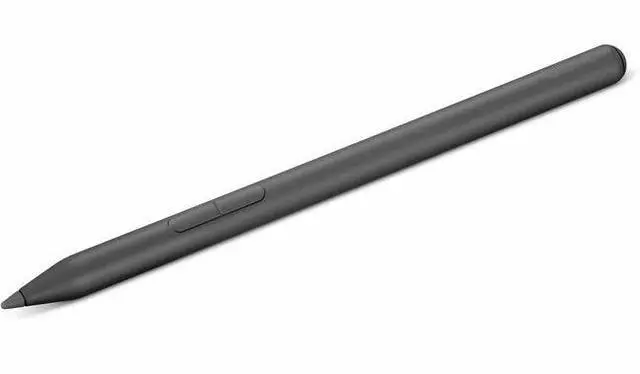
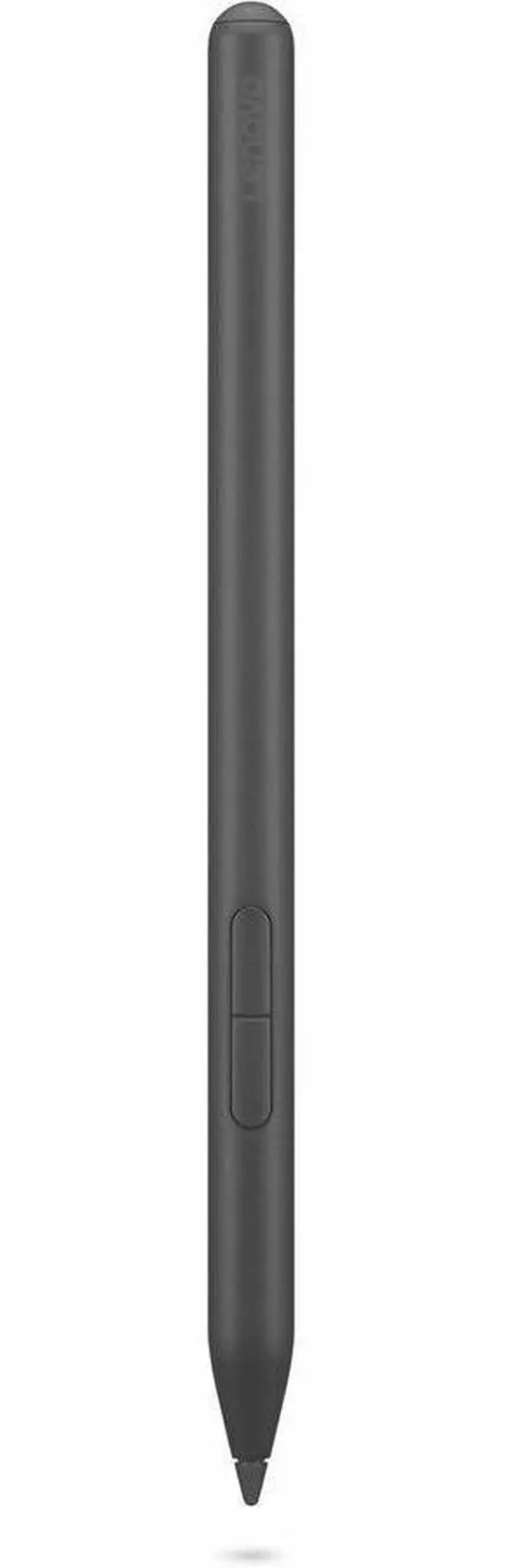
The Lenovo Yoga Pen in gray is a stylus accessory for Lenovo-compatible devices, suited for users who want a simple input tool for note-taking, tapping, and basic pen interaction in a compact setup.
| Attribute | Value |
|---|---|
| Best For | Pen-style active stylus intended for Lenovo Yoga devices and for use with tablets and laptops |
| Compatibility & System Requirements | Compatible with tablets and laptops; minimum required OS listed as Windows 11 |
| Pressure Sensitivity & Input | 4096 levels of pressure sensitivity |
| Power And Battery | Contains one lithium-ion battery (1 cell); number of batteries 1; battery type fields list 'aaaa' and 'nonstandard_battery'; batteries included and required; standby life 5520 hours; energy 2 Wh; battery weight 2 g; packaging: batteries contained in equipment; Has Multiple Battery Powered Components false; Battery installation device type listed as Installed in Vehicle |
| Physical Dimensions & Weight | Item dimensions 9.8 L x 4 W x 1.5 H inches; alternate size listed 0.4 in x 0 in x 6 in with diameter 0.4 in; item weight 0.2 lb; package dimensions 3.8 L x 10.1 W x 24.6 H cm; package weight 0.09 kg |
| Materials & Color | Metal enclosure; color Gray |
| Model Identifiers | Manufacturer Lenovo; model number 4X81Q95846; model name 4X81Q95846 27949696; edition Yoga |
| Package & Count | Single-unit package — package quantity 1; unit count 1; number of items 1; number of packs 1 |
| Shipping & Safety | Ships globally listed as false; safety attestation listed as false |
Q: Should I buy the Lenovo Yoga Pen or the Lenovo Precision Pen 2 for a compatible Yoga or ThinkBook?
A: Choose the Lenovo Yoga Pen if you want the more device-matched option for newer compatible Lenovo 2-in-1 systems, especially when magnetic attachment to the PC matters. Lenovo positions the Yoga Pen as a pen for selected Yoga, ThinkPad, and ThinkBook models, with USB-C charging and magnetic attachment to the computer. Choose the Precision Pen 2 if your priority is broad cross-device compatibility across Lenovo pen protocols and you want the safer pick when you may reuse the pen on other supported devices. Community discussions consistently treat Precision Pen 2 as the broad-compatibility alternative, while newer discussions suggest the Yoga Pen is the more natural fit for newer Yoga laptops.
Q: Is the Lenovo Yoga Pen a better choice than Lenovo Digital Pen 2 for note-taking?
A: For most buyers choosing between these two Lenovo options, the Yoga Pen is the stronger fit when the laptop officially supports it. The Yoga Pen is rechargeable over USB-C and designed to magnetically attach to compatible systems, which is more convenient for everyday note-taking and travel. Community feedback also tends to place newer Yoga Pen and Precision Pen models above older Digital Pen 2 style options for writing feel and build. The Digital Pen 2 can still make sense if it is the officially listed compatible pen for a specific system, but the main decision point should be compatibility first and convenience second.
Q: Should I upgrade from the original Lenovo Yoga Pen to Yoga Pen 2?
A: Upgrade to Yoga Pen 2 mainly if you prefer buying the current-generation Yoga-branded accessory or want the bundled case option. Based on currently available signals, Yoga Pen 2 appears to be an iterative update rather than a major feature jump, and community discussion has described the two pens as very similar in shape and feel. If you already have the original Yoga Pen and it works well with your device, there is limited evidence of a major everyday writing advantage from switching.
Q: Is the Lenovo Yoga Pen better for portability than a larger universal stylus?
A: Yes, if your device supports it and your priority is carrying one pen with the laptop. Official Lenovo documentation emphasizes magnetic attachment to the computer, which makes the Yoga Pen easier to keep with a compatible 2-in-1 than many general-purpose active styluses. A larger universal stylus can still be the better choice if you value multi-device flexibility more than attachment and storage convenience.
Q: Will this Lenovo Yoga Pen work with any Lenovo Yoga device?
A: No. Lenovo pen compatibility is model-specific, not universal across all Yoga devices. Comparable retail Q&A repeatedly shows that Lenovo uses different pen protocols across product lines, so buyers should confirm exact pen support for their specific Yoga model before purchasing. This matters most if the device is a Windows Yoga 2-in-1 versus a Chromebook or Android tablet, because those often use different pen standards.
Q: Is it a good choice for note-taking in meetings or class?
A: It can be a good note-taking accessory if your Lenovo device supports this exact pen standard. Retail Q&A around comparable Lenovo pens shows that buyers care most about palm rejection, writing comfort, and basic responsiveness for handwritten notes. If compatibility is confirmed, a Yoga-branded pen is generally more suitable for note-taking and office annotation than for advanced art use, where pressure and tilt support become more important decision factors.
Q: Is this better for handwriting and office work than for drawing?
A: Usually yes. For a pen sold as a Lenovo Yoga accessory, the safer buying assumption is that it is aimed first at handwriting, document markup, and general productivity. Comparable retail questions often focus on palm rejection and compatibility, while drawing-focused buyers ask about pressure sensitivity, tilt, and latency. If those art-specific features are not clearly listed, this product is better treated as a note-taking and navigation tool than a creative stylus.
Q: Who is this pen most suitable for?
A: It is most suitable for Lenovo Yoga owners who want a compact input tool for handwriting, annotations, light sketching, and touch-free navigation on a supported device. It is less suitable for buyers who need universal cross-device compatibility or who want a stylus primarily for professional illustration. The main purchase decision is not color or branding, but whether the pen matches the exact Lenovo device and use case.
Q: What is the main trade-off versus buying a more fully specified stylus?
A: The main trade-off is certainty versus capability. A simple Lenovo-branded pen can be a practical choice if you only need note-taking and basic pen input on one supported device. A more fully specified stylus is easier to compare because buyers can evaluate pressure levels, tilt support, recharge method, and latency up front. If those details are missing, this product is harder to recommend for users who want advanced drawing features or who are comparing multiple Lenovo pen types.
Q: Is the Lenovo Yoga Pen a good buy for basic note-taking and everyday stylus use?
A: Yes, if you want a rechargeable Lenovo-branded pen for general writing, tapping, and casual note-taking on compatible Yoga and related devices. Reddit discussion repeatedly points to practical strengths like magnetic attachment, USB-C charging, and support across multiple Lenovo device types. The main trade-off is that community discussion is less positive for demanding drawing use than for everyday note-taking.
Q: Is the Lenovo Yoga Pen good for drawing or more for note-taking?
A: It appears better suited to note-taking and general pen input than serious art use. Reddit users discussing this pen mention smooth feel and comfortable design, but also report skipping issues and a worse experience for art in at least one direct comparison. If your main use is sketching or precise illustration, this pen looks like a more cautious buy than it is for handwriting.
Q: What are the main trade-offs versus the Lenovo Precision Pen 2?
A: The Yoga Pen seems to appeal more if you value magnetic attachment and a softer, more comfortable pen feel. Community comparisons suggest some users prefer its shape and screen feel, while others still view the Precision Pen 2 as the more premium alternative or switch to it after issues. In practical terms, the Yoga Pen looks more convenient for carry and casual use, while the Precision Pen 2 may be the safer choice if you are prioritizing pen performance consistency.
Q: Should I buy the Lenovo Yoga Pen if replacement nib availability matters to me?
A: Only if you are comfortable with some uncertainty around replacement tips. Reddit discussion shows repeated questions about finding compatible replacement nibs, which suggests tip availability is a real ownership consideration. If easy access to spare nibs is important for your workflow, that is a meaningful downside to weigh before buying.
Q: Who is the Lenovo Yoga Pen most suitable for?
A: It is most suitable for buyers who specifically want a Lenovo-compatible, rechargeable stylus with magnetic attachment for a Yoga or similar supported Lenovo device. It is a better fit for everyday handwriting and navigation than for buyers who need the lowest-risk option for advanced creative work or who want a pen with fewer compatibility questions.


 Lenovo