




 here!
I’m your shopping assistant for PC builds, upgrades, and everything tech.
Got questions? Ask away!
Start a conversation
here!
I’m your shopping assistant for PC builds, upgrades, and everything tech.
Got questions? Ask away!
Start a conversation




Any questions? Ask CelesteSM will help you find out quickly.
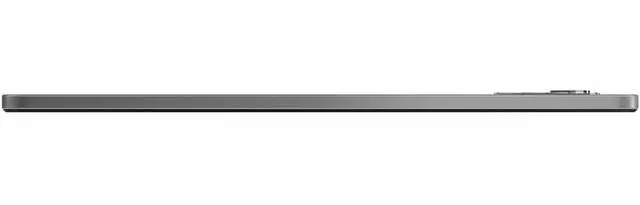
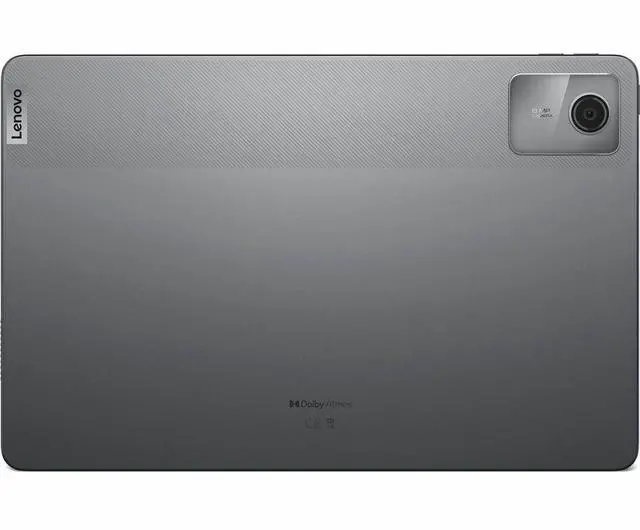
The Lenovo Tab M11 TB330FU is an 11-inch Android tablet with a 1920 x 1200 WUXGA display, Helio G88 processor, 4GB RAM, and 128GB storage, making it a practical fit for students, casual streamers, and everyday home users who want a large screen for reading, video, and web use.
| Attribute | Value |
|---|---|
| Best For | Everyday multimedia, web browsing and video calls on an 11-inch Android tablet with mid-range RAM and internal storage |
| Display | 11-inch IPS display with 1920 x 1200 native resolution (16:10 aspect), up to 400 nit peak brightness |
| Processor And Performance | ARM-based processor described as Cortex A75 running at 2 GHz |
| Memory Configuration | 4 GB RAM installed |
| Storage And Expansion | 128 GB internal storage |
| Connectivity | Wi‑Fi and Bluetooth 5.1 wireless; USB Type‑C for wired connections |
| Cameras | 8 MP front camera and 8 MP rear camera; video capture listed at 8 MP |
| Graphics And Video | ARM-based video/graphics processor |
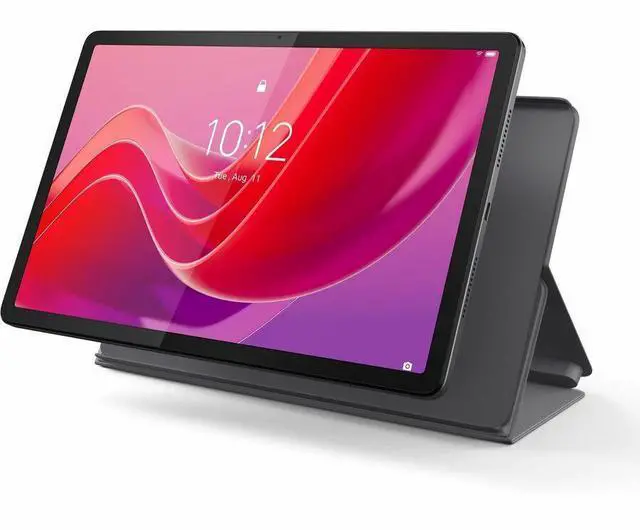
| Design And Dimensions | Gray color, 10.6 x 7.1 x 1.7 inches, 1.1 pounds |
| Operating System | Android 13 |
| Batteries | No batteries required or included |
| Model Identifiers | Lenovo Tab M11 (model ZADA0054US), manufacturer Lenovo |
| Packaging | Sold as a single unit; package dimensions 10.6 L x 7.1 W x 1.7 H inches and package weight 1.1 pounds |
Q: Should I buy the Lenovo Tab M11 or the Samsung Galaxy Tab A9+?
A: Choose the Lenovo Tab M11 if you want a budget 11-inch tablet mainly for reading, streaming, note-taking, and light school use, especially if stylus support matters. Choose the Samsung Galaxy Tab A9+ if smoother navigation and stronger everyday performance matter more, because Samsung positions the A9+ with a 90Hz display and reviewers and community comparisons commonly place it ahead for responsiveness and gaming-oriented use. The Lenovo Tab M11 makes more sense when value, pen-focused use, and basic media tasks are the priority.
Q: Is the Lenovo Tab M11 a better buy than the Redmi Pad SE?
A: The Lenovo Tab M11 is the better fit if you want a tablet for handwriting, schoolwork, and more accessory-friendly use. The Redmi Pad SE is the better fit if you care more about a 90Hz screen and a larger battery for casual entertainment. Across official specs and buyer discussions, these two are usually treated as close alternatives for basic Android tablet use, with Lenovo leaning toward note-taking and Redmi leaning toward media value.
Q: Is 4GB RAM enough on the Lenovo Tab M11, or should I look for an 8GB version?
A: The 4GB version is enough for web browsing, video streaming, reading, classroom apps, and light multitasking. If you expect to keep many apps open, switch between tasks often, or want a tablet that feels less constrained over time, an 8GB configuration is the safer choice. For this product line, the decision is less about storage and more about how much multitasking headroom you want.
Q: Is the Lenovo Tab M11 a meaningful upgrade over older entry-level Lenovo tablets like the Tab M10 series?
A: Yes, the Tab M11 is the better choice if you want a more current 11-inch format, newer software baseline, and a device that is easier to recommend for modern school and media use. Older Tab M10 models can still make sense at a much lower price, but the Tab M11 is the more practical pick if you want longer relevance, better app compatibility expectations, and official pen-oriented positioning.
Q: Is the Lenovo Tab M11 better for portability or should I choose a performance-first tablet instead?
A: Choose the Lenovo Tab M11 if you want a thin, easy-to-carry 11-inch tablet for classes, travel, reading, and streaming. Choose a performance-first alternative such as the Galaxy Tab A9+ or a step-up tablet if gaming, heavier multitasking, or faster app launches are more important. The Tab M11 is positioned more as a practical everyday tablet than as a speed-focused one.
Q: Is the Lenovo Tab M11 a good fit for note-taking, classes, and casual office work?
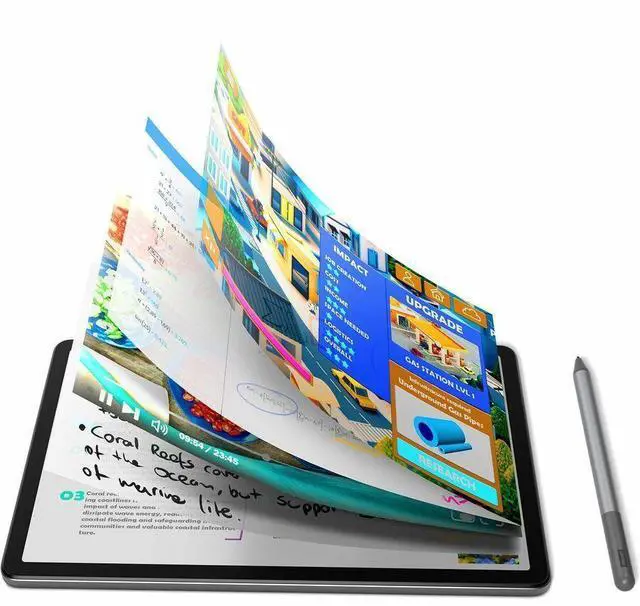
A: Yes for light productivity. The Tab M11 supports active pen input with handwriting-to-text features, palm rejection, tilt support, and optional physical keyboard use. Its 11-inch 1920x1200 display is large enough for notes, document review, and meetings. The main limit is memory: this 4GB version is better for one or two work apps at a time than for heavy multitasking.
Q: Can the Lenovo Tab M11 replace a small travel work device?
A: Partly, but not fully. It works well for email, web browsing, video calls, reading files, and light document edits, especially with a Bluetooth keyboard. It is not a true laptop replacement because Lenovo does not offer a pogo-pin keyboard for this model, and the 4GB RAM configuration is modest for sustained multitasking or desktop-style workflows.
Q: Who is the Lenovo Tab M11 best suited for?
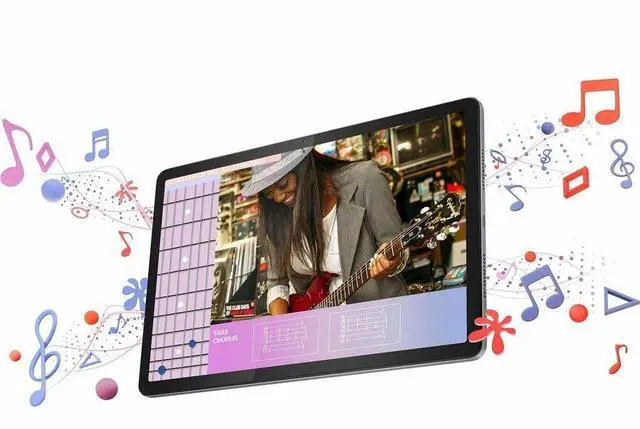
A: It is best suited for students, families, and budget buyers who want a larger Android tablet for streaming, reading, note-taking, web use, and basic apps. It is less suitable for buyers who need strong gaming performance, heavy multitasking, or laptop-class productivity. The 11-inch 90Hz display, quad speakers, and microSD expansion make it more appealing for media and everyday use than for demanding work.
Q: What are the main trade-offs versus a step-up tablet like Lenovo's Tab P11 class?
A: The Tab M11 is the better value choice if your priorities are price, note-taking, reading, and media. A step-up model such as the Tab P11 class typically offers a sharper display, faster processor, and better headroom for multitasking or more demanding apps. The trade-off is that the M11 keeps the essentials, but its Helio G88 chip, 4GB RAM, and eMMC storage place it clearly in the entry-level to lower-midrange tier.
Q: Is 128GB storage enough, and can you expand it later?
A: For most buyers, yes. 128GB is enough for everyday apps, offline videos, school files, and general use, and the tablet supports microSD expansion up to 1TB. The more important long-term limit is not storage but RAM, since this version has 4GB and that affects how many apps stay responsive in memory at once.
Q: Is the Lenovo Tab M11 worth buying for studying, reading, and basic note-taking?
A: Yes, if your main use is reading, handwritten notes, PDF study materials, video streaming, and light multitasking. Community discussion repeatedly describes the Tab M11 as usable for schoolwork and everyday media, but not especially fast. The main trade-off is performance headroom: it suits basic student use better than demanding apps or heavy multitasking.
Q: Is the Lenovo Tab M11 good for handwritten notes with a stylus?
A: It is good enough for basic note-taking, but it is not a top-tier pen tablet. Reddit discussions repeatedly mention that note-taking works, yet some users notice pen lag or app-dependent delay. For casual class notes and annotation, it can be sufficient; for users who care a lot about pen precision and responsiveness, it is a compromise choice.
Q: Is 4GB RAM enough on the Lenovo Tab M11, or should you look for a higher-memory version?
A: For light use, 4GB can be enough, but it is the limiting factor on this configuration. Repeated community discussion around the M11 focuses on better usability from higher-RAM versions, especially for note-taking alongside multiple apps, browsing, or light work. If you want longer-term flexibility, 4GB is the trade-off to watch most closely on this model.
Q: Can the Lenovo Tab M11 replace a laptop for work or productivity?
A: Only for light productivity. The M11 can handle document editing, web use, notes, and simple keyboard-and-mouse tasks, but its Helio G88 chip and 4GB RAM make it a poor fit for heavier multitasking, demanding browser workflows, or creative work. It works better as a budget secondary device than as a full laptop replacement.
Q: Who is the Lenovo Tab M11 best suited for, and who should skip it?
A: It is best suited to budget-conscious users who want an 11-inch Android tablet for media, reading, school notes, and basic everyday tasks. It is less suitable for buyers expecting fast performance, strong gaming, or premium pen input. In short, it fits casual use and study better than advanced productivity or performance-heavy use.


