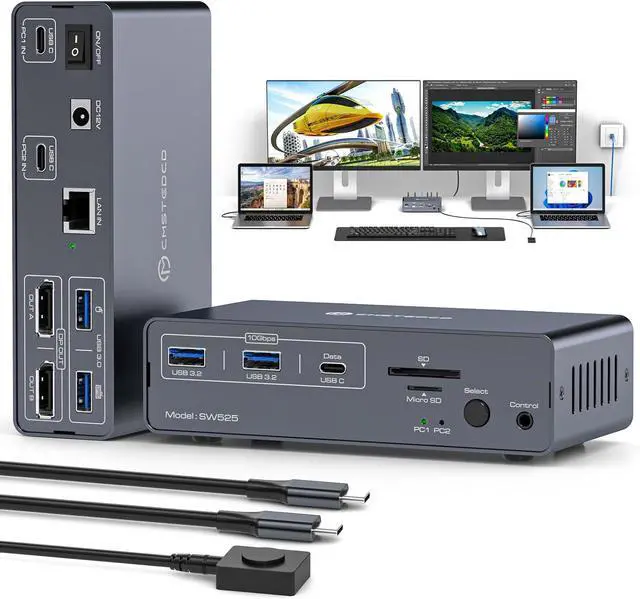
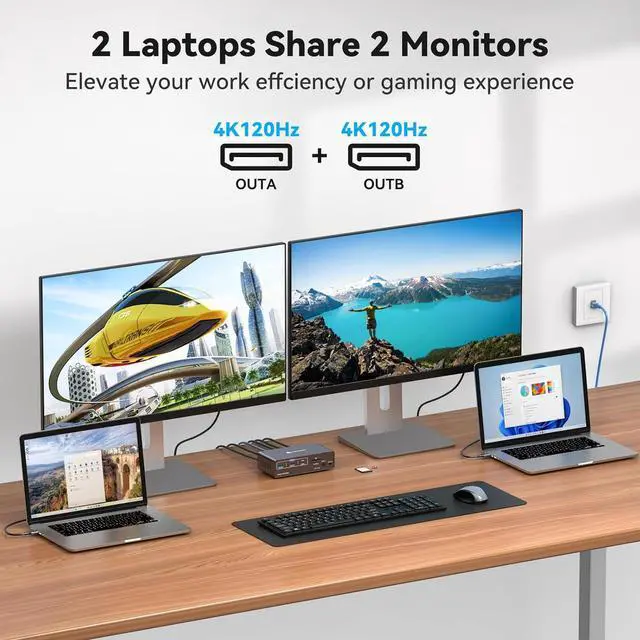
Plug and Play: Designed to match the dual DP output, this docking station simplifies setup by connecting directly to your desktop's ports. No more fiddling with adapters-just plug in and enjoy a clean, efficient workspace.
In addition to dual monitors, your two laptops can share various peripherals. Easily create a robust home workstation.
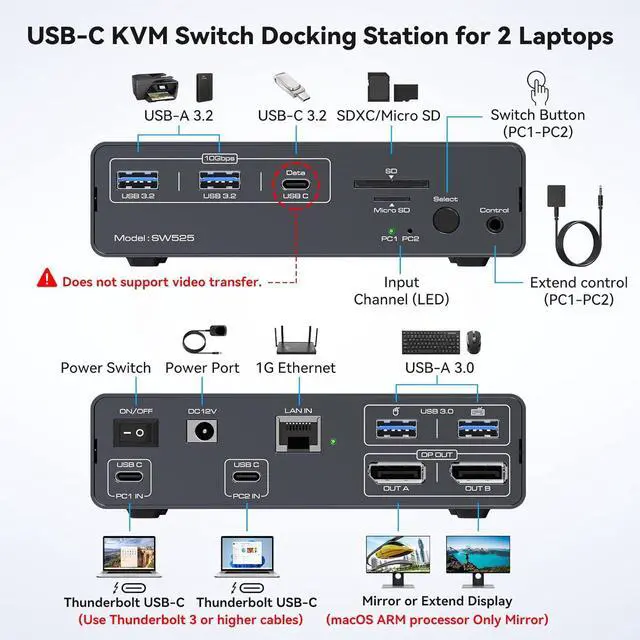
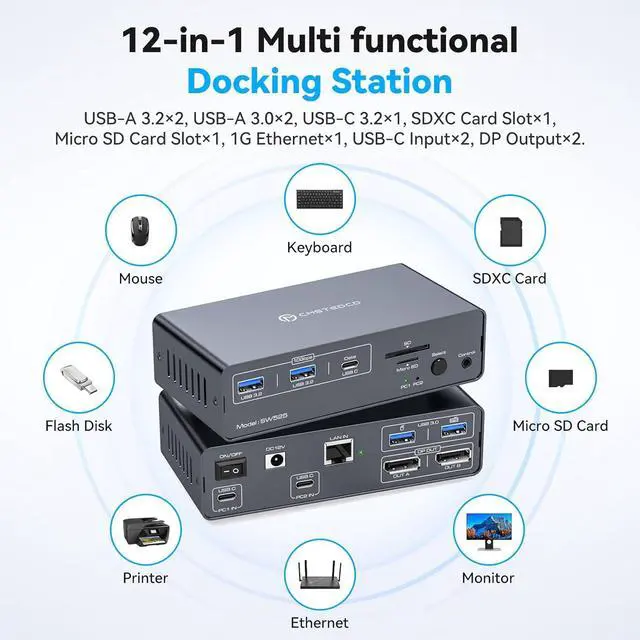
Includes 2x USB 3.0 for keyboard and mouse
2x 10 Gbps USB 3.2 and USB-C port, Connects more USB devices
1x 1G Ethernet
1x SD/microSD for DV camcorders, easier transmission
2x 4K@120Hz DP 1.4 outputs
Allowing you to condense peripherals all down to one cable for each item, bringing more convenience to your data transmission.
Notes:
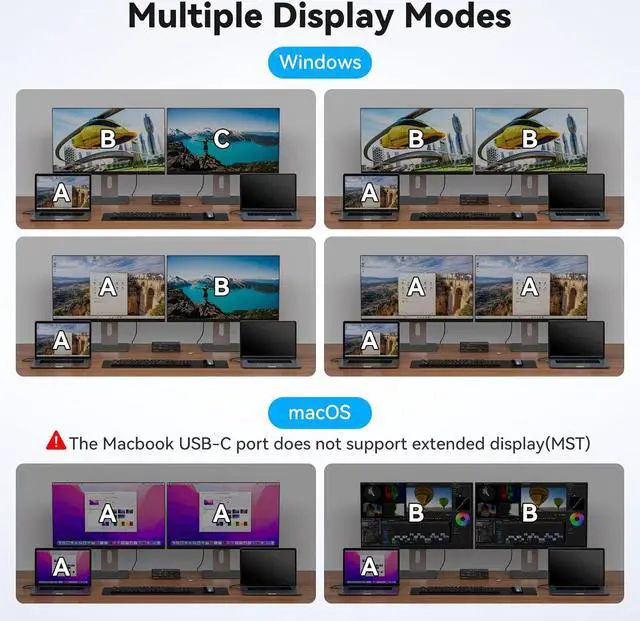
In Windows system, docking station supports MST and SST modes. If you are using macOS on your computer only display two identical images(SST).
MST is not supported on Macs with Windows installed.
For stable screen mirroring, the 10Gbps USB-C port only transfers data and does not support PD charging or video transfer.
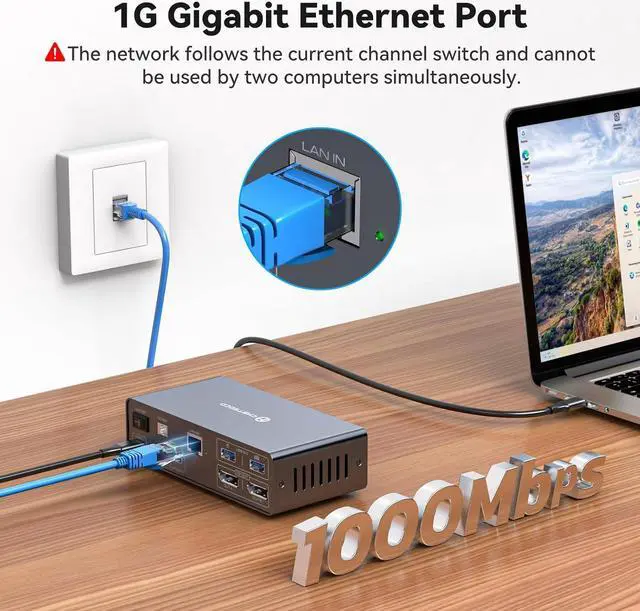
Easily connect your laptop and desktop to the Internet with our Docking Station KVM switch's built-in 1000Mbps network switch. A single network cable is all you need for an organized and connected workstation, perfect for seamless file sharing and collaboration.
Note: The network follows the current channel switch and cannot be used by two computers at the same time.
1. Desktop extension button lets you hide the extension under your desk or out of your workspace, saving space and keeping your desktop tidy.
2. Simply press the button on the front of the docking station to switch.
LED indicators show laptop "activity", making it super easy to dock both, using far fewer cables and providing better hub support.
USB 3.2 ports up to 10Gb/s. Supports connection of barcode scanners, USB storage or other high-speed USB devices via two USB 3.2 Gen2 ports and one USB-C port.
JCYMELE Dock Station supports USB 3.0 SD card and Micro SD card, Micro SD cards are flush with the hub, so you can leave one inside as portable storage, and will not break easily.
Has rubber feet on the bottom of JCYMELE Dock Station Switch to help from moving around on the desk. Thoughtful design brings more convenience to your life and work.
4.7 out of 5 starsJCYMELE USB C Docking Station Displayport KVM Switch 2 Monitors 2 Computers Display Port 4K@120Hz KVM Switches Dual Monitor Extended Display for 2 Laptops Share 12 in 1 Dock Station
Share:
Found a lower price? Let us know. Although we can't match every price reported, we'll use your feedback to ensure that our prices remain competitive.
Fields with an asterisk * are required
**