Login to Make an Offer
Sold by Newegg

Shipped by Newegg

Price alert

Best Sellers

Top Rated
4 (1,162 total ratings)
  • $101.73
  • + FREE SHIPPING
Top Rated
4.5 (17,994 total ratings)
  • $116.28
  • + FREE SHIPPING
Top Rated
4 (3,724 total ratings)
  • $117.56
  • + FREE SHIPPING
Shop it at NeweggBusiness.

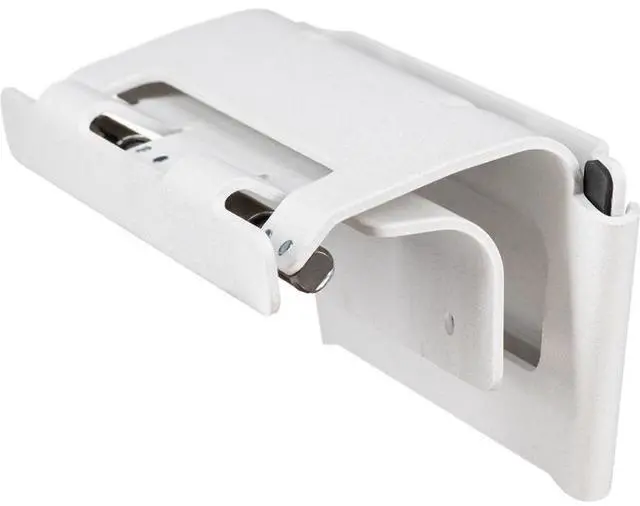
Poly Wall Mounting Kit for Poly Studio X52 (875L8AA)

  • Mounting Kit for Studio X52
+
+
Overview
Specs
Reviews
See all Q & A

Any questions? Ask CelesteSM will help you find out quickly.

Poly Studio X52 Wall Mount

Warranty & Returns

Warranty, Returns, And Additional Information

Return Policies

    We want to ensure your holiday shopping this year is hassle-free. That’s why we’re automatically extending our return policies on almost every product! For purchases placed between November 1st, 2026 and December 31, 2026 you will have until January 31, 2027 to return your product.

  • Return for refund until: January 31, 2027
  • Return for replacement until: January 31, 2027
  • This item is covered by Newegg.com's Extended Holiday Return Policy.
  • Read full return policy for details.
LOADING...
LOADING...

The Poly Wall Mounting Kit (875L8AA) is a wall-mount accessory for the Poly Studio X52, suited to offices and meeting rooms that use this video-conferencing system and want a wall-mounted setup.

Recommended For

  • IT and AV teams installing a Poly Studio X52 or V52 video bar directly on a meeting-room wall rather than on a table stand or display-mounted VESA bracket.
  • Businesses setting up a fixed conference-room installation where the X52 or V52 needs its own wall mount instead of being attached to the display.
  • Facilities teams replacing or relocating a compatible X52 or V52 wall-mounted video bar and needing the model-specific wall-mount kit.

Real-World Use Scenarios

  • In a dedicated meeting room, mount the Poly Studio X52 on the wall near the display so the video bar stays in a fixed position between calls instead of taking up space on a table or credenza.
  • When arranging a display wall, place the X52 above or below the screen with the wall mount; this gives the room installer options to fit the bar to the screen layout.
  • For a permanent conference-room installation, use the included mounting template and hardware to position and secure the bracket, then attach the X52; the result is a fixed video-bar setup rather than a temporary tabletop placement.
  • When a room’s table or credenza is already crowded with laptops and meeting accessories, wall-mounting the X52 moves the video bar off that surface and leaves more room for participants’ work materials.
  • During room planning, check the display-to-wall clearances and choose the X52’s mounting height before drilling; this helps avoid a last-minute change to the planned display-wall layout.

Spec Summary

AttributeValue
Best ForWall mounting a Poly Studio X52 camera system
Compatibility And MountingWall-mounting bracket for the Poly Studio X52; compatible with cameras
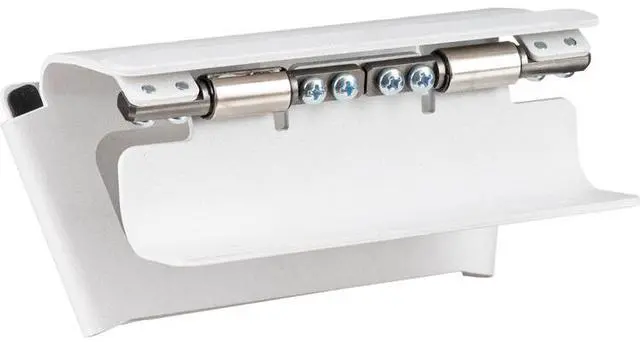
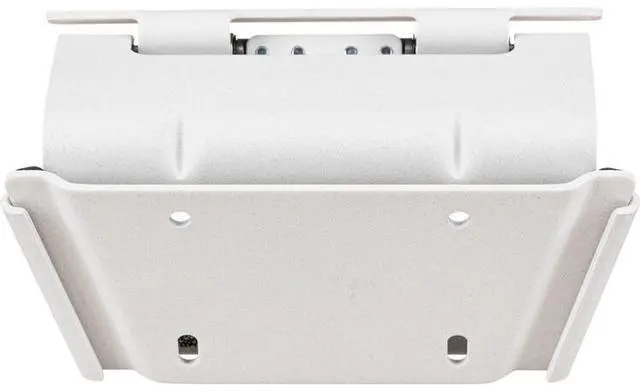
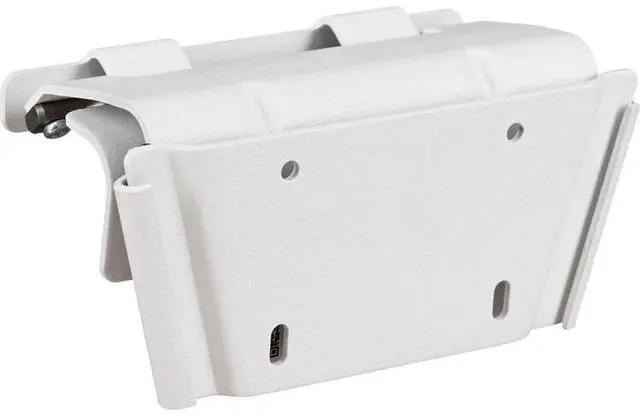
Included ComponentsWall mounting bracket, hinge plate, and screws
Construction And FinishBlack rectangular mount made of plastic
Weight And CapacityMount weighs 900 g and supports up to 901 g
Package Contents1 item
Model IdentifiersModel number 2215-87792-001; model name “Wand Halterung für Studio X52”
Package Dimensions And WeightPackage measures 10.2 × 17.5 × 24.6 cm and weighs 0.93 kg
Additional SpecificationsNot water resistant; batteries are not required or included