Meet Your Seller
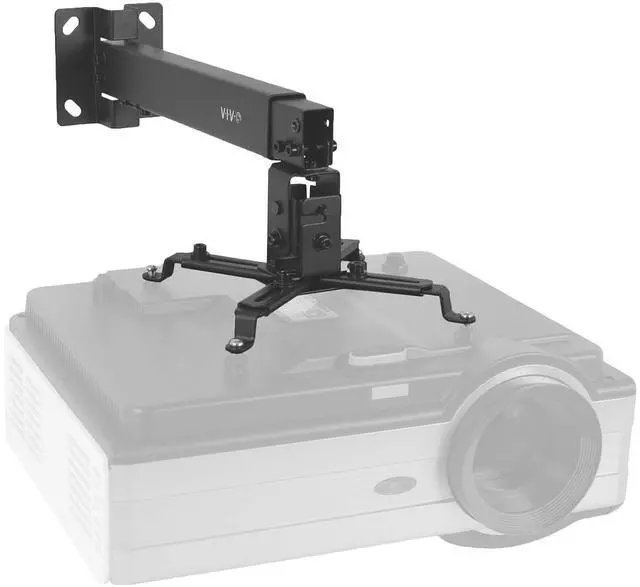
VIVO Universal Adjustable Wall Ceiling Projector Mount Extend Length Projection
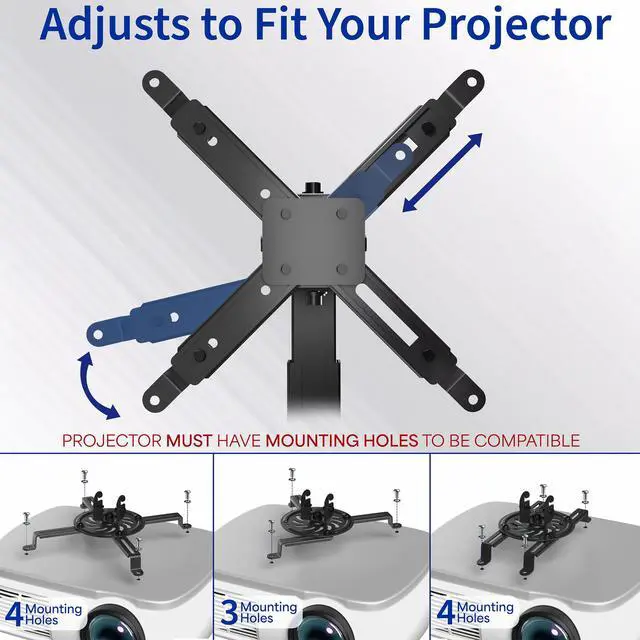
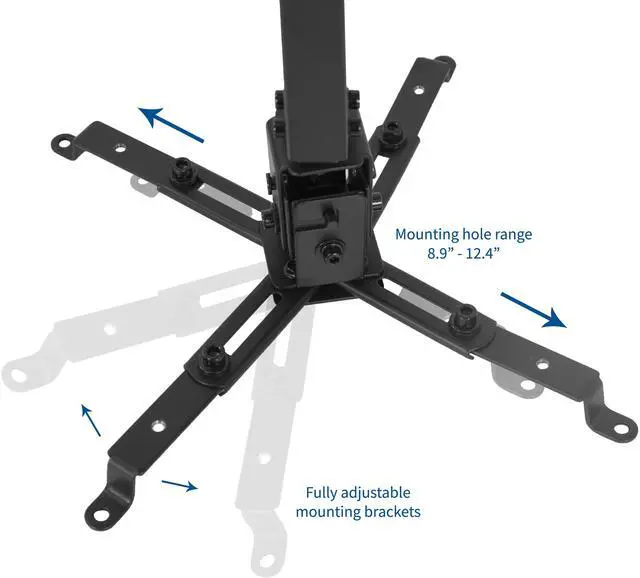
- VIVO Universal Projector Mount: Our universal mounting design enables this bracket to fit the majority of projector brands on the market with mounting hole distance ranging from 8.9 to 12.4
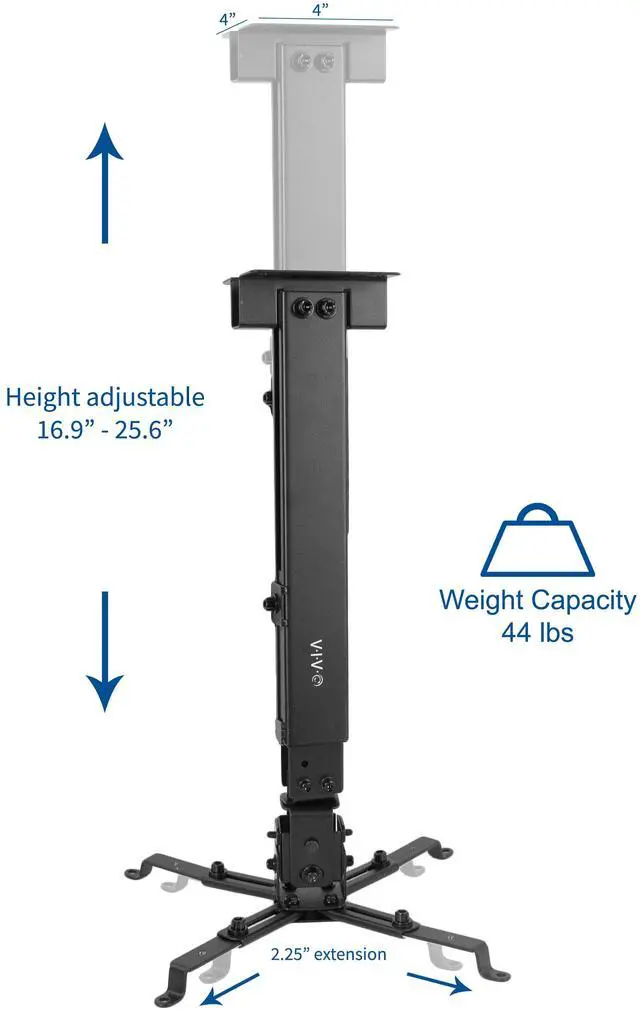
- Strong Support: Solid steel construction makes this universal ceiling and wall projector mount able to support up to 44 lbs. Enjoy optimal viewing angles with peace of mind, knowing that your expensive equipment is safe and secure
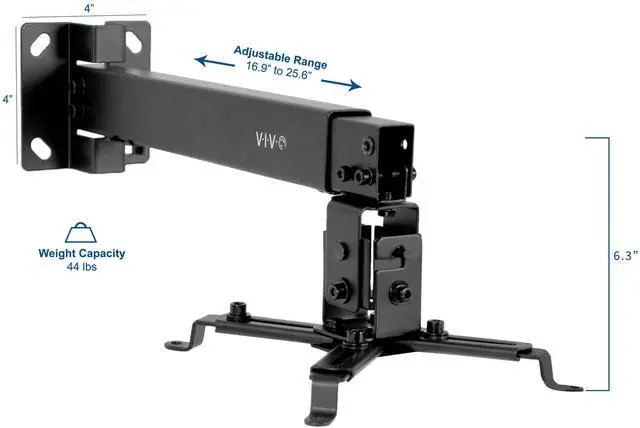
- Adjustability: Features include -15° to +15° tilt and 16° swivel offering multiple viewing angles that the whole group can enjoy, as well as height adjustment from 16.9 to 25.6 to create a variety of mounting options for flat ceilings and wall surfaces
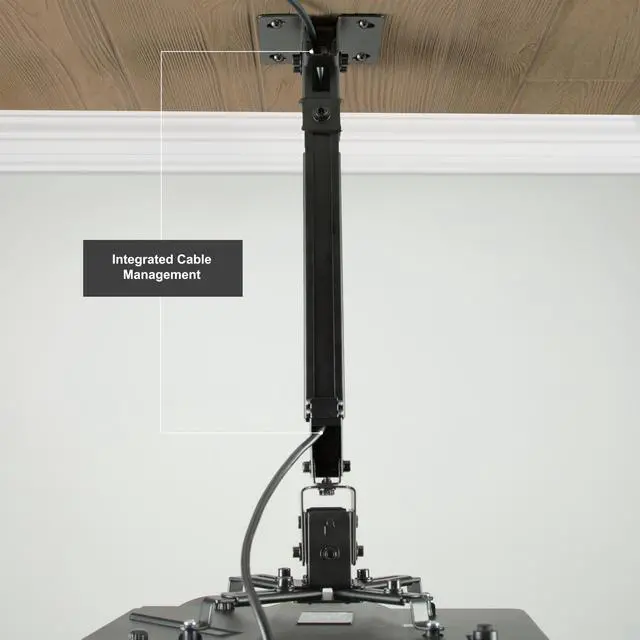
- Integrated Cable System: Cable management keeps everything clean and organized, which aids in smooth adjustment by keeping power cords and cables safely contained
- Easy Assembly: All hardware and instructions are provided so that you can get your new projector mount installed in no time
Any questions? Ask CelesteSM will help you find out quickly.
Enjoy a variety of crisp viewing angles with universal ceiling and wall projector mount (MOUNT-VP06B) from VIVO! Weight tested at 44 pounds, this fully adjustable mount is perfect for home theaters, classrooms, conference rooms, waiting rooms, fitness centers, and more! Featuring solid steel construction for ultimate strength and durability, a sleek black design complementing nearly any environment, easy height adjustment/extension for a customized setup, and integrated cable management to keep everything organized, this mount will get the job done! A simple tightening of the joints makes everything as fluid or stationary as desired, and all hardware and instructions are provided for easy assembly.
Compatibility
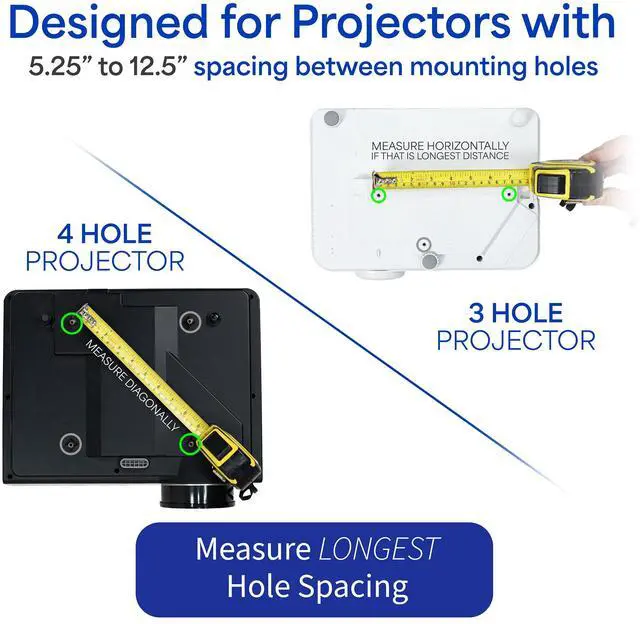
Designed to fit the majority of projector brands on the market with mounting holes ranging from 8.9" to 12.4" apart. Before purchasing, be sure to measure the distance between your projectors mounting holes (especially the diagonals). If all diagonals measure 12.4" or less, this mount will fit your projector.
Features
- Mounting Hole Range: 8.9" to 12.4"
- Height Adjustable / Extension Range: 16.9" to 25.6"
- Tilt: -15° to +15°
- Swivel: 16°
- Weight Capacity: 44 lbs
Warranty & Returns
Warranty, Returns, And Additional Information
Warranty
- Please contact the Seller directly for warranty information. Warranty information may also be found on the Manufacturer's website.
- CONTACT
Return Policies
- Return for refund within: 30 days
- Return for replacement within: 30 days
- This item is covered by VIVO Return Policy
Manufacturer Contact Info
- For a directory of all our manufacturers, please click below.
- Manufacturers Directory
The VIVO MOUNT-VP06B is an adjustable steel projector mount for ceiling or wall installation, suited to home theaters, classrooms, and meeting rooms that need flexible positioning and support for projectors up to 44 lb. It fits mounting-hole distances of 8.9–12.4 inches and adjusts from 16.9–25.6 inches in height.
Recommended For
- Home-theater owners setting up a fixed ceiling- or wall-mounted projector who need a 16.9–25.6-inch drop and built-in cable routing.
- Classroom and conference-room installers who want to place a projector above the viewing area and make modest tilt and swivel adjustments for presentations.
- Users choosing between wall and ceiling placement who have a compatible projector and a suitable stud, concrete, or brick mounting surface.
- Owners of heavier projectors whose mounting-hole layout fits the bracket and who want a mount rated for projectors up to 44 pounds.
Real-World Use Scenarios
- In a dedicated home theater, mount the projector overhead instead of leaving it on a shelf or table; the fixed position keeps the room’s surfaces clear and the projector in place between movie nights.
- In a classroom or conference room, install the projector above the audience or meeting table so it can display presentations without taking up workspace; tilt and swivel adjustments help aim it toward the screen.
- When a ceiling position does not work for the room layout, use the wall-mount option to place the projector out from the wall and aim it toward the screen, rather than placing it on furniture.
- In a room where the screen and mounting point are not at the same height or angle, adjust the mount’s extension, tilt, and swivel to make modest aiming corrections before relying on projector image correction.
- For a semi-permanent installation, route projector cables through the mount’s integrated cable system to keep the connection run more organized around the projector.