

Your Browsing History
- Free 30-day Returns
$9.99



Meet Your Seller

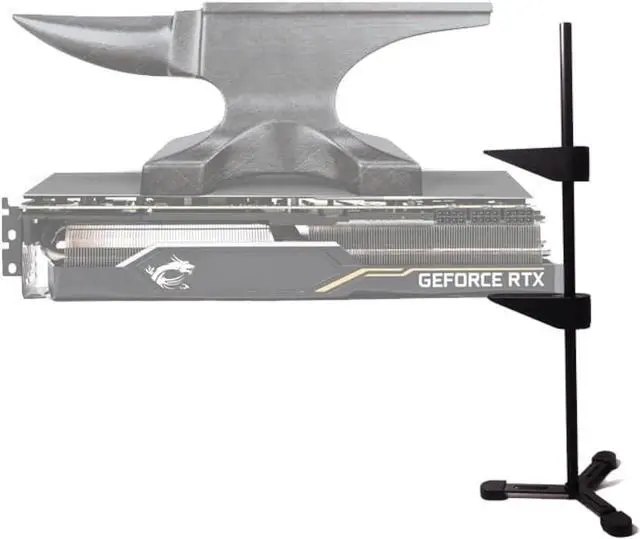
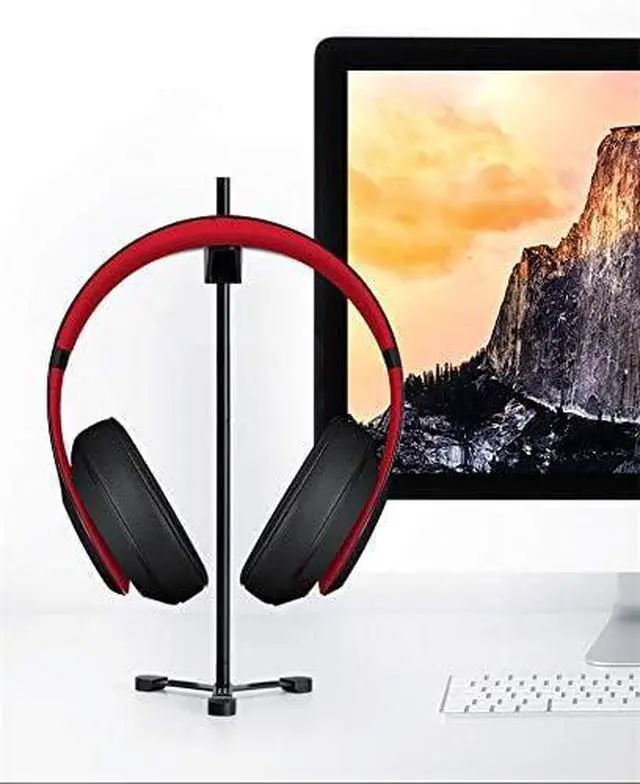
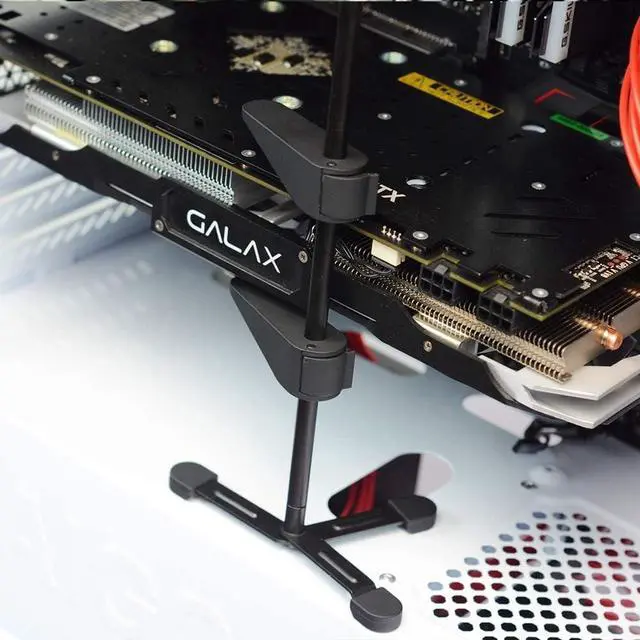
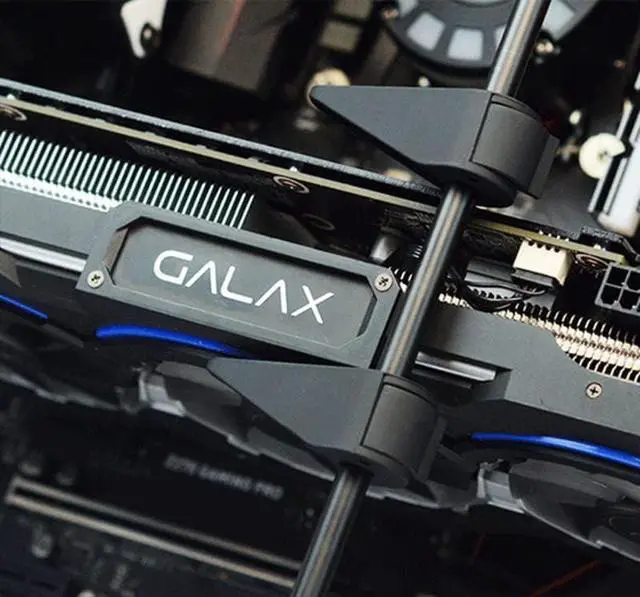
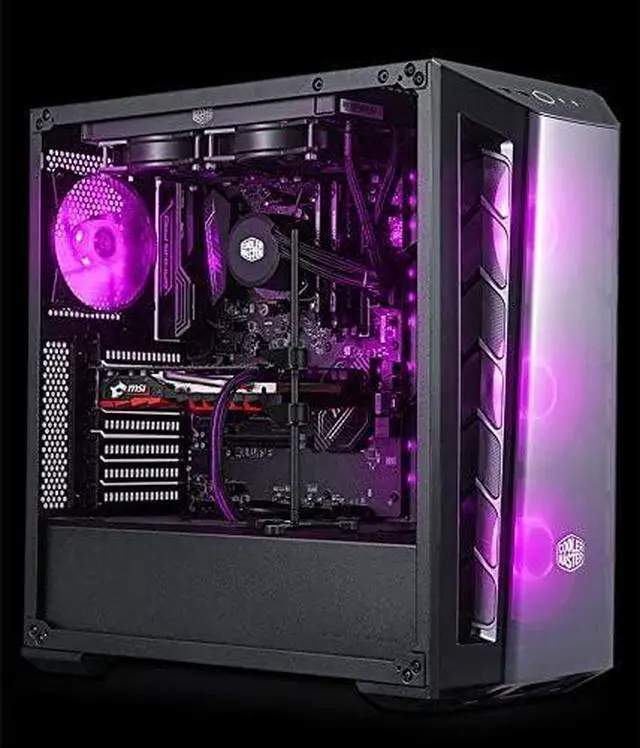


GPU Graphics Card Support Bracket GPU Graphic Holder Brace Vertical Holster for PC Gaming GPU Brackets Braces Support Video Card for 1080ti gt 1030 2070 gt 1030 etc Graphics Cards
- All-aluminum metal material - Provides strong and long-lasting support; This is made of all-aluminum metal instead of plastic, can avoid the aging of plastic materials, and can be used as a long-term replacement
- Screw adjustment design - The graphics card bracket design can be compatible with various chassis configurations of traditional and long power supply bays to meet various user hosts
- Also, it does not interfere with your adjacent brackets and PCIe slots, and you can use other PCIe expansion cards on your motherboard without any issues; Graphics Card Holder Specifications GPU
- Overall, a high-quality graphics card holder that works great and is very easy to install and use; These support arms hold the graphics cards pretty well and eliminate the graphics card sag completely; The stand should be placed on the flat surface that is magnetic; You can place it on the bottom of the case and also on the PSU shroud if you have a full-length shroud
+
+
Overview
Specs
Reviews

Any questions? Our AI mode will help you find out quickly.
Try me now
Product description
Graphics card sagging can lead to serious consequences in the long run if it is not dealt with in time. This problem generally occurs in longer mid to high-end graphics cards that have a bulky and heavy heatsink. In GPU sagging, the graphics card at one side bends down or hangs due to its weight, due to lack of support. The sagging of the GPU can put stress on your motherboard and may cause some damage to it in the long run, if the sagging persists. Some high-end motherboards do come with metal reinforced PCI-E x16 slots, but not everybody buys the top model or top-end motherboard, and in these motherboards too, you can notice some amount of graphics card sag because of the weight. Also, high-end graphics cards with metal backplate do encounter sag because of their weight and length. So, in these cases, the best way to prevent graphics card sagging is to use a GPU Support Bracket, Graphics Card Holder, or Graphics Card Sag Holder.
Horizontal Graphics Card Holder or GPU Support Bracket is mostly an L shaped metal piece that attaches to the side of the case bracket, along with the graphics card using screws. It consists of adjustable rubber mounts or pads on the arm that makes contact with the bottom end or graphics card shroud to give the card proper support and prevents it from sagging. For the horizontal graphics card support bracket to work, the graphics card width should be slightly greater than the computer case bracket. This means that it cannot work with graphics cards having a width equal to or less than the bracket, and also with low profile graphics cards. Horizontal graphics card sag holder is also called GPU Support Bracket, GPU Support Brace, GPU Brace Support Bracket, or Horizontal GPU Sag Holster.
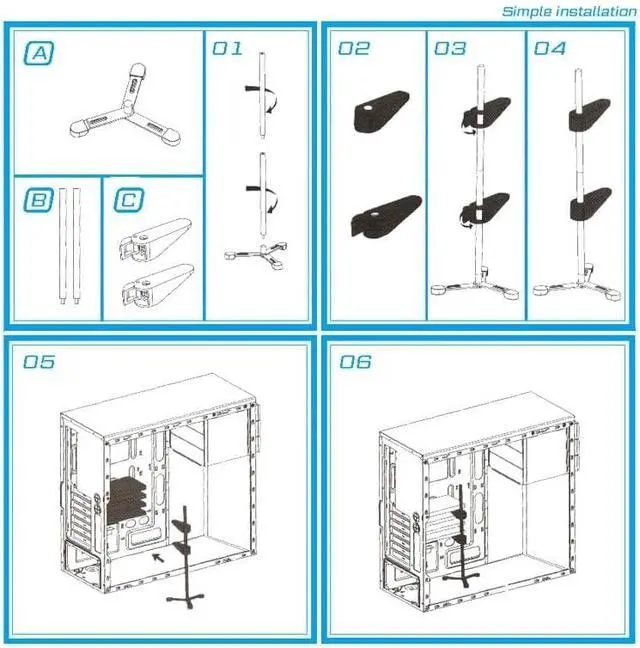
For our Vertical Graphics Card Holder has a stand with a shaft, on which two adjustable sliders are present, which can be locked at the desired position to provide support to the graphics card and prevents it from sagging. Vertical GPU holder can support multiple graphics cards without any issues, whereas a horizontal one can support only one graphics card at a time and can cause an issue with the adjacent graphics card below it if you are using more than one graphics card in SLI or CrossFire setup. However, it cannot be used with computer cases that do not have spare space for it to stand on. So, if you have a smaller PC case with hard drive cages very close to the motherboard, then you will have a hard time fitting it to give your graphics card support. In general, a vertical graphics card sag holder provides better and stable support to the graphics card and is more flexible compared to the horizontal one.
Vertical GPU support brace can be used with all types of graphics cards, including the passive graphics cards with huge heatsinks, but the horizontal one does have some limitations regarding the height of the graphics card. This is basically a graphics card support stand with a solid metal bar with two support arms that slide up and down and can be adjusted to the desired height by tightening the tool-less screws on them. On their upper surface, they have rubber pads that prevent scratches on the graphics card and they also provide better grip. The whole graphics cardholder is made of aluminum and the construction quality is very good. The stand is a tripod one and has strong magnets located on each of the legs. The magnet is pretty strong but not strong enough to damage your hard drives (HDDs) if they are in close vicinity of the stand.
This vertical graphics cardholder can support two graphics cards in a multi-GPU setup (SLI or CrossFire)- Full aluminum material, with strong supporting power, firm, and durable.
- Equipped with scratch-resistant pads, protecting your card from damage.
- The invisible magnetic design of the bottom, stable without shaking.
- Sliding adjustment design, you can adjust the height that you need.
- Compatible with traditional ATX/MATX/ITX and other PC case structures. Suitable for all kinds of graphics card on the market.
You can place the graphics card holder on the bottom of the case and also on the PSU shroud if you have a full-length shroud. The holder does not consume much space and it neither restricts the airflow in your case. The height of the stand is 10.6 inches and the diameter of the stand is 4cm only.
Also, it does not interfere with your adjacent brackets and PCIe slots, and you can use other PCIe expansion cards on your motherboard without any issues.
Warranty & Returns
Warranty, Returns, And Additional Information
Warranty
- Please contact the Seller directly for warranty information. Warranty information may also be found on the Manufacturer's website.
- CONTACT
Return Policies
- Return for refund within: 30 days
- Return for replacement within: 30 days
- This item is covered by lilila-reeUS Return Policy
Manufacturer Contact Info
- For a directory of all our manufacturers, please click below.
- Manufacturers Directory
LOADING...