




 here!
I’m your shopping assistant for PC builds, upgrades, and everything tech.
Got questions? Ask away!
Start a conversation
here!
I’m your shopping assistant for PC builds, upgrades, and everything tech.
Got questions? Ask away!
Start a conversation Hot Seller
 Top Rated






Any questions? Ask CelesteSM will help you find out quickly.
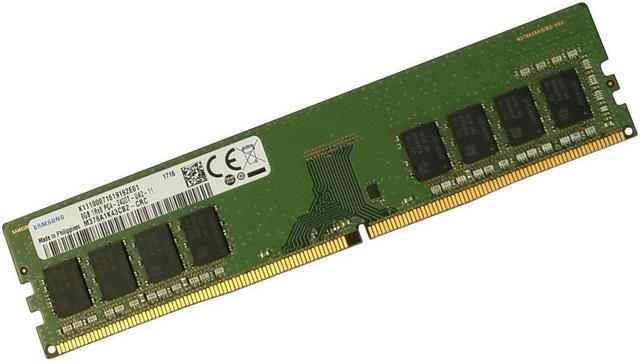
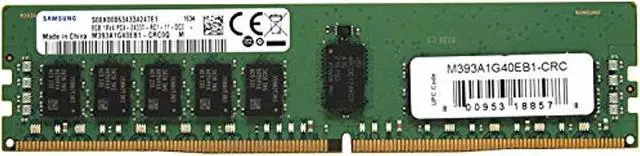
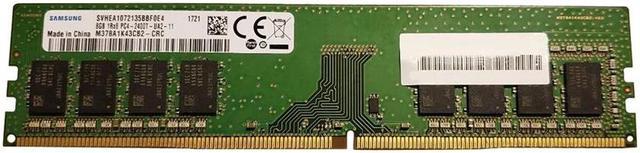
The Samsung M378A1K43CB2-CRC is an 8GB DDR4-2400 desktop memory module with a 288-pin DIMM form factor, suited to upgrading or replacing RAM in compatible desktop PCs that use unbuffered, non-ECC DDR4 memory.
| Attribute | Value |
|---|---|
| Best For | Memory upgrades for desktop computers |
Q: Should I get this Samsung 8GB DDR4-2400 stick or a Samsung 16GB DDR4 DIMM?
A: Choose this 8GB module when you want an 8GB increment or are matching an existing 8GB module. Choose Samsung’s 16GB M378A2K43CB1 when you want twice the capacity on one DIMM. Check your motherboard’s supported memory configuration before choosing.
Q: For 16GB total, should I use this Samsung 8GB DIMM with another 8GB stick or get one 16GB DIMM?
A: Two 8GB DIMMs provide 16GB total across two modules; one 16GB Samsung DIMM provides the same total capacity on a single module. Choose this 8GB stick if you are adding to an existing compatible 8GB module, or the 16GB DIMM if you prefer to reach 16GB with one module installed.
Q: Should I choose this Samsung 8GB DDR4-2400 module or Samsung 8GB DDR4-2666?
A: Both are 8GB DDR4 desktop DIMMs; the 2666 model has a higher rated data rate. Choose this DDR4-2400 module when you want to match a system or existing memory configured for DDR4-2400. Confirm the memory speed supported by your system before selecting either model.
Q: Will this RAM work in my desktop?
A: It may, if the desktop motherboard supports DDR4 288-pin DIMMs, an 8GB unbuffered non-ECC module, and 2400 MT/s memory. Check the motherboard and processor specifications before buying; the listed specifications alone cannot confirm compatibility with a specific computer.
Q: Can I add this to the RAM already in my PC?
A: Possibly, if the existing memory and the motherboard support a compatible DDR4 configuration. Mixing modules can affect stability or operating speed, so check the motherboard’s supported configurations and specifications for the installed RAM. This module is rated at 2400 MT/s.
Q: Is this one 8GB stick or a two-stick kit?
A: The provided product information describes one 8GB DIMM module, not a two-stick kit. Confirm the seller’s package contents before ordering if the listing has changed.
Q: Can I use this RAM in a laptop?
A: No. This is a 288-pin desktop DIMM; laptops generally require a smaller SO-DIMM module. Check your computer’s manual or specifications for the required memory form factor.
Q: If I add this 2400 MT/s module to faster 2666 MT/s RAM, will the memory run slower?
A: It may. A Reddit user adding this exact model alongside 2666 MT/s memory reported the system running at 2400 MT/s afterward. Check your motherboard and CPU specifications; mixed modules can affect the speed the system uses.
Q: Will this RAM fit my computer?
A: It is a 288-pin DDR4 desktop DIMM, not laptop SODIMM memory. Before buying, confirm that your motherboard supports desktop DDR4 UDIMMs, 8GB modules, and 2400 MT/s memory; the Reddit discussion also highlights that matching the memory type and system support matters.
Q: Is this a good choice if I want to overclock my RAM?
A: This module is specified for DDR4-2400 operation; the product information does not promise an overclocking profile or higher speed. A Reddit discussion of this exact model focuses on tuning and stability testing, so results may depend on the system and require testing. Choose it for its rated speed, not a guaranteed overclock.


