

Your Browsing History

- Free 30-day Returns
$34.65
Ships from China.
Most customers receive within 10-17 days.

Meet Your Seller

Get Educated
Make informed decisions with expert advice. Learn More
Sponsored Products


Visit Hetai Store
FOLLOW
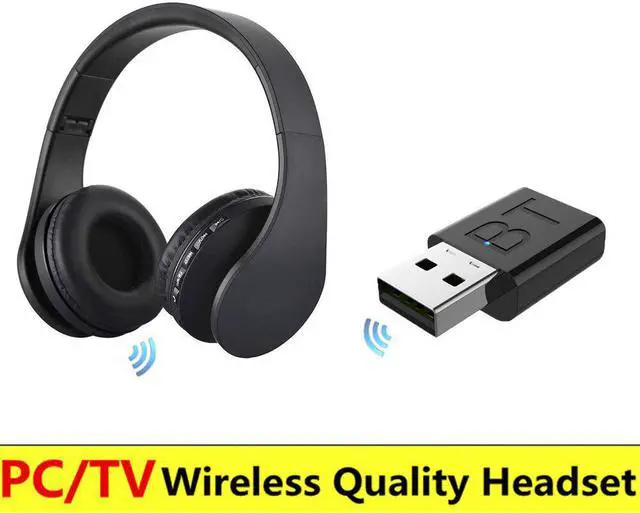
Wireless Headset Rechargeable Multifunction Bluetooth Headphones Ecouteur with radio fm transmitter for PC Pad Phones MP3
- Good Quality
+
+
Overview
Specs
Reviews

Any questions? Our AI beta will help you find out quickly.
Try me now
Wireless Bluetooth HeadphonesBring Bluetooth headset to tch , return a quiet and comfortable environment for family
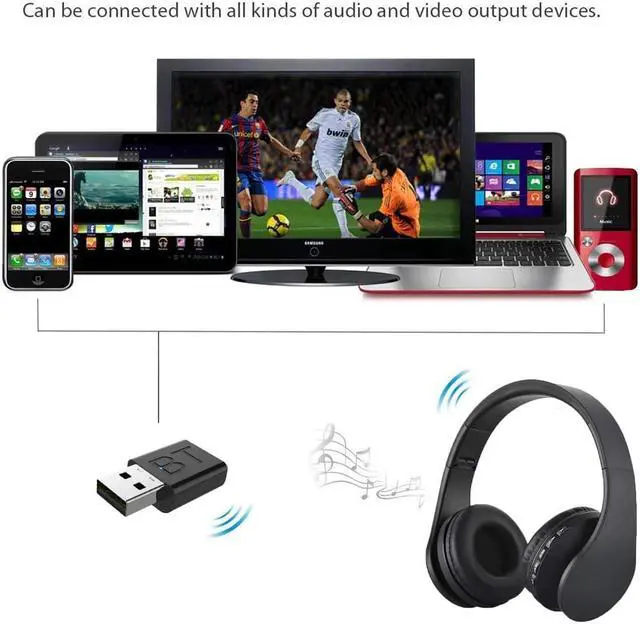
Breakthrough Is NowStrong compatibility, easy to use, plug and play, universal audio equipment
Bluetooth 5.0, Hi-Fi sound, Exemption from charging, Plug and play
Drive free installation, Signal stabilization, Comprehensive compatibility, Red/Blue indicator
Computer connected Bluetooth speakerwith bluetooth adapter, you can use bluetooth speaker to connect you computer, Wireless listening is more free
Desktop Connect by BluetoothLet go of wired headphones for desktop computers, and enjoy music and games wirelessly
Enjoy the Music WirelesslyEquipped with the new version of Bluetooth, more powerful, more stable sound quality
Drive Free Fast PairingPlug and play Bluetooth quick match connection is more convenient to use
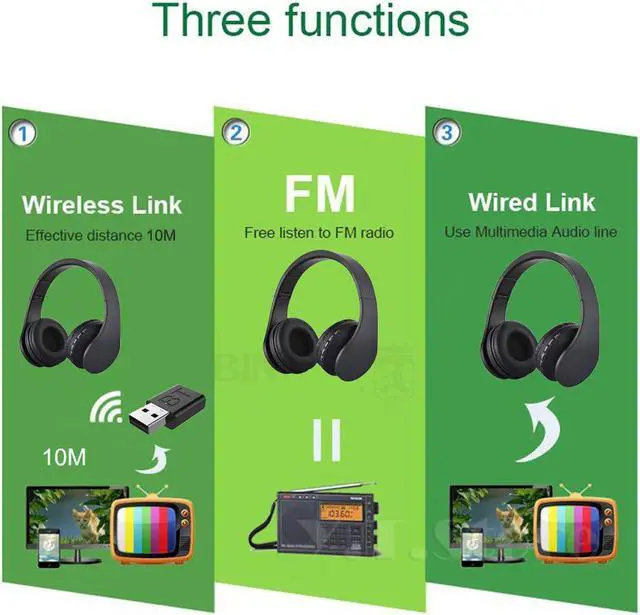
10M Barrier Free TransmissionThere is no obstacle or dead angle in 10 meter propagation, and you can't miss every graceful note
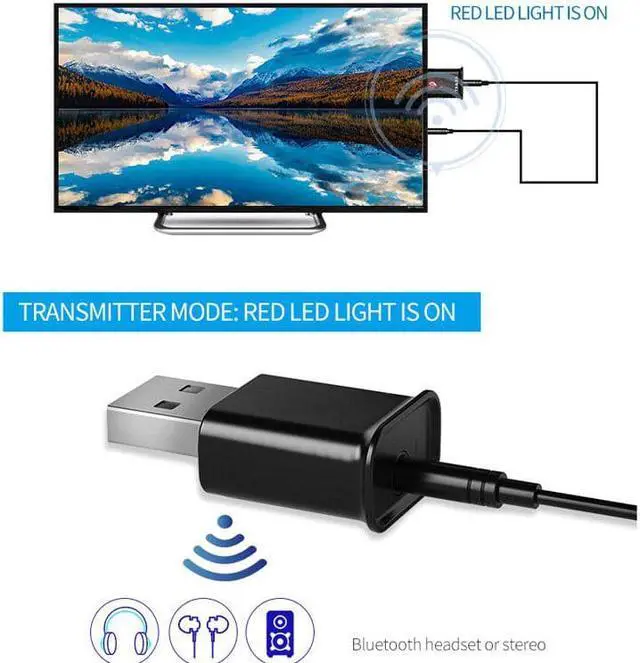
Transmitter Mode(Red LED Bright)Connecting a Bluetooth to wirelessly transfer audio home stereo or CD player to a Bluetooth headset or speaker
Receiver Mode(Blue LED Bright)Wireless audio transfer via Bluetooth mobile phone tablet or laptop connected to wired speakers or headphones
How to connect?1. first turn on the bluetooth headphones
2. use the 3.5mm audio cable connect the to bluetooth adapter.
3. put the bluetooth adapter to the USB plug and the Red LED flashing(if the adapter Blue LED flashing, unplug the adapter and plug it in again).
4. it 10-20 second, the bluetooth headphones will auto connect the adapter, then you can use it.
Compatible with both and android
Warranty & Returns
Warranty, Returns, And Additional Information
Warranty
- Please contact the Seller directly for warranty information. Warranty information may also be found on the Manufacturer's website.
- CONTACT
Return Policies
- Return for refund within: 30 days
- Return for replacement within: 30 days
- This item is covered by Hetai Return Policy
Manufacturer Contact Info
- For a directory of all our manufacturers, please click below.
- Manufacturers Directory
LOADING...