

Your Browsing History

- Free 30-day Returns
$39.99
Ships from China.

Meet Your Seller


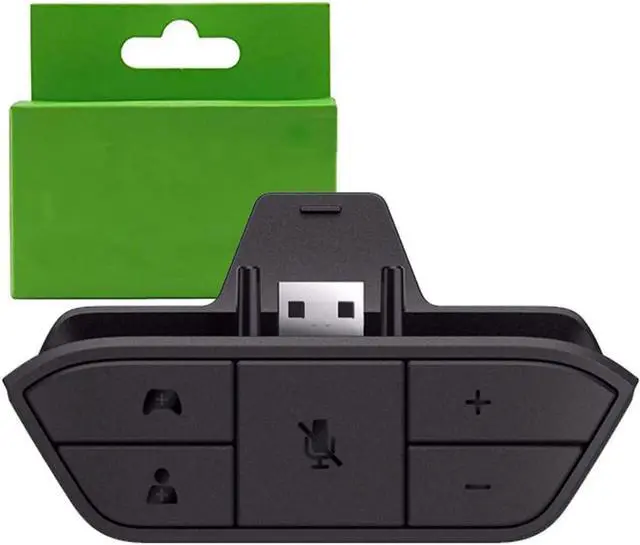





Ssgamer Stereo Headset Adapter for Xbox One & Xbox Series X|S Controller - Headphone Adapter Adjust Volume, Mic,Audio Balance (Voice Chat & Game Sound) Directly
Limited time offer, ends 08/31 By Nexus3C
- NOTE:The stereo headset audio is not made by microsoft and it's a third party manufactured product.But it is as easy to use as the original.
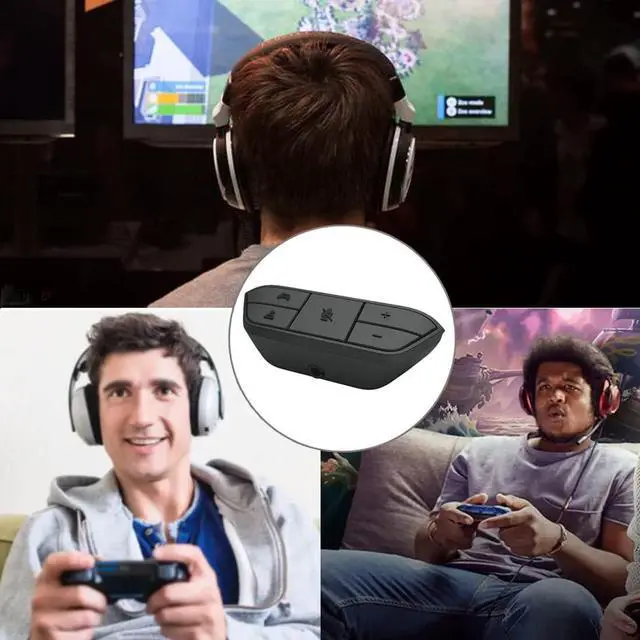
- 100% BRAND NEW and HIGH QUALITY: Specially designed for Xbox One controller , to connect your headset with a 3.5mm audio jack. Most stereo gaming headsets with a 3.5mm audio jack (that use the CTIA plug standard) can get chat and stereo game audio directly through the Xbox One.
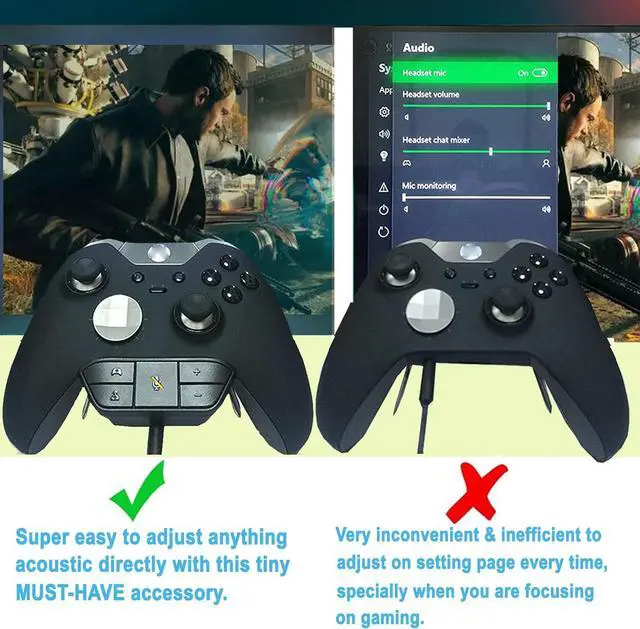
- EASY TO USE:Not required to connect anything to the console and receiver, plug and play, just plug the Stereo Headset Adapter that came with your headset into the controller and connect the headset. Easily adjust chat audio without taking your hands off the controller.(microphone is required for chat).
- GAME BALANCE BUTTON:Press to emphasize game audio. Chat Balance Button: Press to emphasize chatting audio. Volume Up: Press to increase overall game and chat volume. Volume Down: Press to lower overall game and chat volume. 12 PIN Interface: Plug into
+
+
Overview
Specs
Reviews

Any questions? Our AI mode will help you find out quickly.
Try me now
NOTE: The stereo headset audio is not made by microsoft and it' s a third party manufactured product. But it is as easy to use as the original.
100% BRAND NEW and HIGH QUALITY: Specially designed for Xbox One controller, to connect your headset with a 3.5 mm audio jack. Most stereo gaming headsets with a 3.5 mm audio jack (that use the CTIA plug standard) can get chat and stereo game audio directly through the Xbox One.
EASY TO USE: Not required to connect anything to the console and receiver, plug and play, just plug the Stereo Headset Adapter that came with your headset into the controller and connect the headset. Easily adjust chat audio without taking your hands off the controller. (microphone is required for chat).
GAME BALANCE BUTTON: Press to emphasize game audio.
Chat Balance Button: Press to emphasize chatting audio.
Volume Up: Press to increase overall game and chat volume.
Volume Down: Press to lower overall game and chat volume. 12
PIN Interface: Plug into your Xbox One controller. 3.5 mm
Audio Jack: To connect any 3.5 mm headset.
LIFETIME WARRANTY: Please feel free to contact us at the first time. We will ALWAYS replace a faulty product or refund your purchase within 45 days.
100% BRAND NEW and HIGH QUALITY: Specially designed for Xbox One controller, to connect your headset with a 3.5 mm audio jack. Most stereo gaming headsets with a 3.5 mm audio jack (that use the CTIA plug standard) can get chat and stereo game audio directly through the Xbox One.
EASY TO USE: Not required to connect anything to the console and receiver, plug and play, just plug the Stereo Headset Adapter that came with your headset into the controller and connect the headset. Easily adjust chat audio without taking your hands off the controller. (microphone is required for chat).
GAME BALANCE BUTTON: Press to emphasize game audio.
Chat Balance Button: Press to emphasize chatting audio.
Volume Up: Press to increase overall game and chat volume.
Volume Down: Press to lower overall game and chat volume. 12
PIN Interface: Plug into your Xbox One controller. 3.5 mm
Audio Jack: To connect any 3.5 mm headset.
LIFETIME WARRANTY: Please feel free to contact us at the first time. We will ALWAYS replace a faulty product or refund your purchase within 45 days.
Warranty & Returns
Warranty, Returns, And Additional Information
Warranty
- Please contact the Seller directly for warranty information. Warranty information may also be found on the Manufacturer's website.
- CONTACT
Return Policies
- Return for refund within: 30 days
- Return for replacement within: non-replaceable
- This item is covered by Nexus3C Return Policy
Manufacturer Contact Info
- For a directory of all our manufacturers, please click below.
- Manufacturers Directory
LOADING...