

Your Browsing History

Meet Your Seller

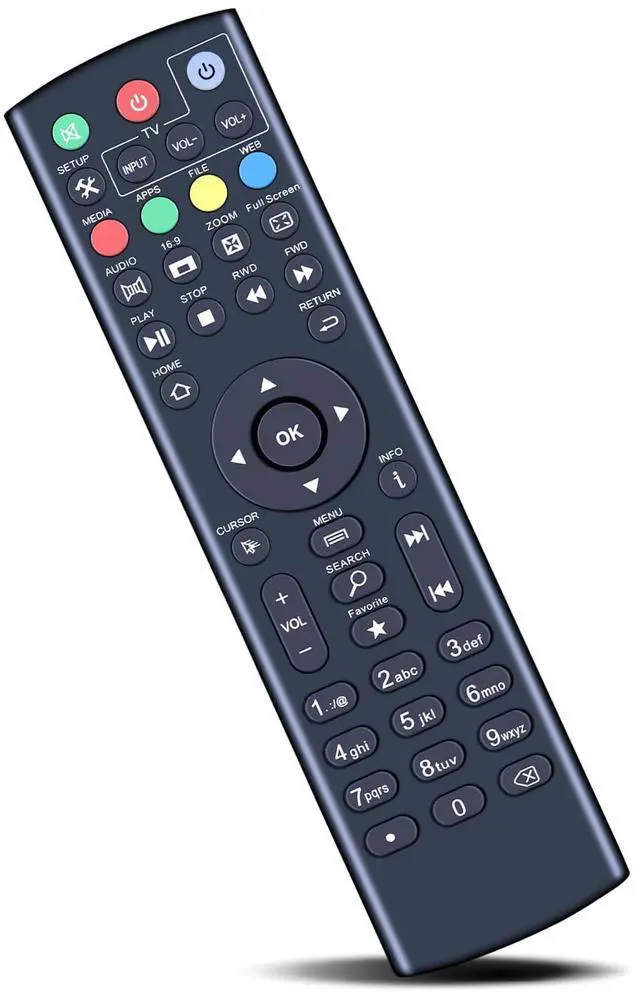
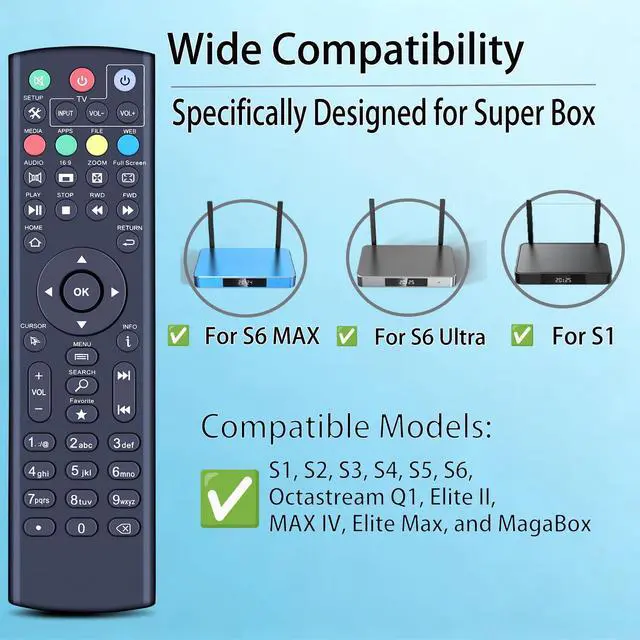


Replacement Remote Control for Super Box S1, S2, S3, S4, S5, S6, S5 Pro | also for Octastream Q1, Elite II, MAX IV, Elite Max, and MagaBox (Without Voice)
Limited time offer, ends 09/29 By Muxiju Store
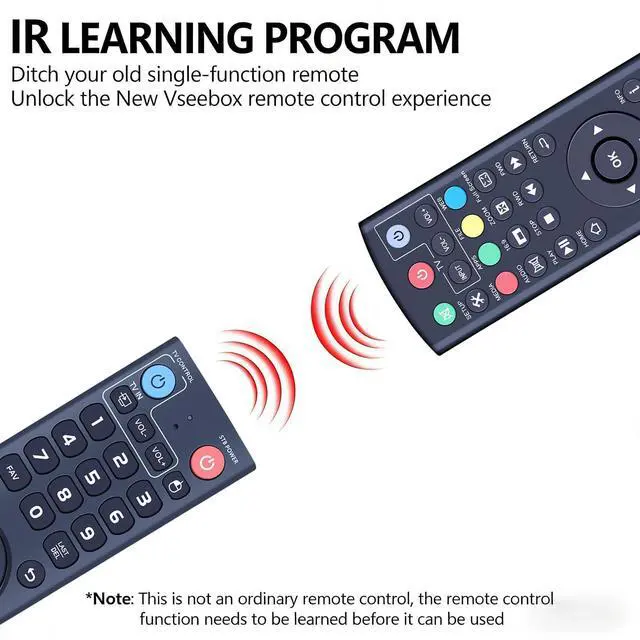
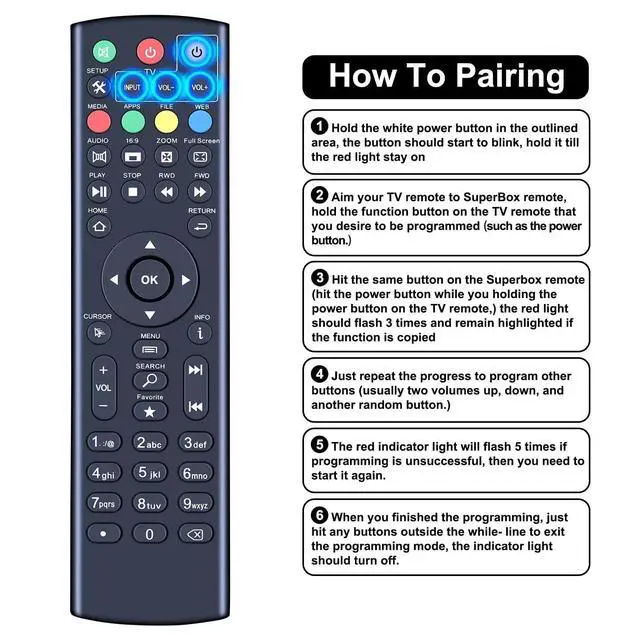
- Compatible With Super Box S1, S2, S3, S4, S5 Pro, S5, S6 Max, S6 Ultra, Compatible With Octastream Q1, Elite II, Max IV, Elite Max, Compatible With Mars box remote. You can use the SuperBox remote to manage your TV, so you don't need two remotes while watching. At the top of your remote, you will notice 4 buttons outlined in white, allowing you to control your TV with these 4 buttons. 1. Press and hold the white power button in the outlined area; the buttons should begin to blink, keep holding until the red light stays on. 2. Point your TV remote at the SuperBox remote, then press and hold the function button on the TV remote that you to program (such as the power button). 3. Press the same button on the SuperBox remote (press the power button while holding the power button on the TV remote); the red light should blink 3 times and stay lit if the function is successfully copied. 4. Simply repeat the process to program other buttons (typically two volume controlsup and downand another random button). 5. The red indicator light will blink 5 times if programming fails, then you will need to start over. 6. Once programming is complete, press any button outside the white outline to exit programming mode, and the indicator light should turn off. High Quality: Constructed from premium ABS material, which is drop-resistant and odorless, designed for extended durability. Easy to use: Simple to pair or set up. After inserting the battery (not included), just follow the pairing step
+
+
Overview
Specs
Reviews

Any questions? Our AI mode will help you find out quickly.
Try me now
Compatible With Super Box S1, S2, S3, S4, S5 Pro, S5, S6 Max, S6 Ultra, Compatible With Octastream Q1, Elite II, Max IV, Elite Max, Compatible With Mars box remote. You can use the SuperBox remote to manage your TV, so you don't need two remotes while watching. At the top of your remote, you will notice 4 buttons outlined in white, allowing you to control your TV with these 4 buttons. 1. Press and hold the white power button in the outlined area; the buttons should begin to blink, keep holding until the red light stays on.
2. Point your TV remote at the SuperBox remote, then press and hold the function button on the TV remote that you to program (such as the power button). 3. Press the same button on the SuperBox remote (press the power button while holding the power button on the TV remote); the red light should blink 3 times and stay lit if the function is successfully copied. 4. Simply repeat the process to program other buttons (typically two volume controlsup and downand another random button). 5. The red indicator light will blink 5 times if programming fails, then you will need to start over.
6. Once programming is complete, press any button outside the white outline to exit programming mode, and the indicator light should turn off.
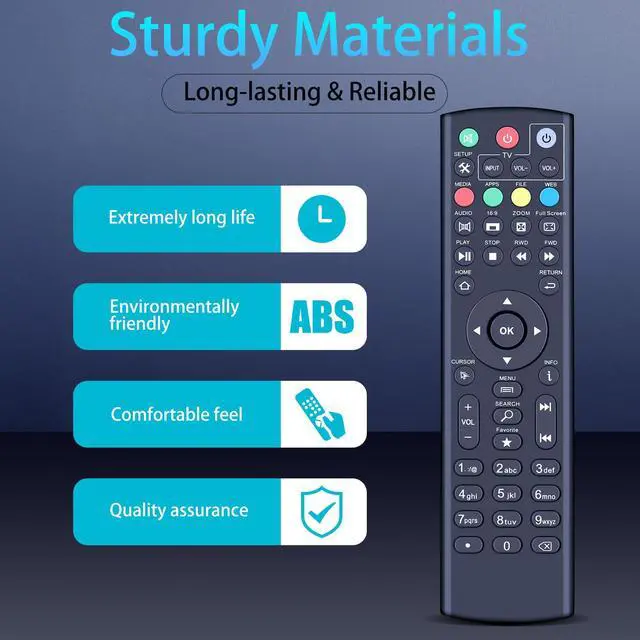
High Quality: Constructed from premium ABS material, which is drop-resistant and odorless, designed for extended durability.
Easy to use: Simple to pair or set up. After inserting the battery (not included), just follow the pairing steps until successful, and it will seamlessly replace your original remote
2. Point your TV remote at the SuperBox remote, then press and hold the function button on the TV remote that you to program (such as the power button). 3. Press the same button on the SuperBox remote (press the power button while holding the power button on the TV remote); the red light should blink 3 times and stay lit if the function is successfully copied. 4. Simply repeat the process to program other buttons (typically two volume controlsup and downand another random button). 5. The red indicator light will blink 5 times if programming fails, then you will need to start over.
6. Once programming is complete, press any button outside the white outline to exit programming mode, and the indicator light should turn off.
High Quality: Constructed from premium ABS material, which is drop-resistant and odorless, designed for extended durability.
Easy to use: Simple to pair or set up. After inserting the battery (not included), just follow the pairing steps until successful, and it will seamlessly replace your original remote
Warranty & Returns
Warranty, Returns, And Additional Information
Warranty
- Please contact the Seller directly for warranty information. Warranty information may also be found on the Manufacturer's website.
- CONTACT
Return Policies
- Return for refund within: 30 days
- Return for replacement within: 30 days
- This item is covered by Muxiju Store Return Policy
Manufacturer Contact Info
- For a directory of all our manufacturers, please click below.
- Manufacturers Directory
LOADING...