Your Browsing History
Meet Your Seller
New Backlight V5 Pro Voice Remote, Compatible with vSeeBox V1/ V2/ V3/ V5 Pro/ V3 Plus/ V1 Max/Elite/Max Series
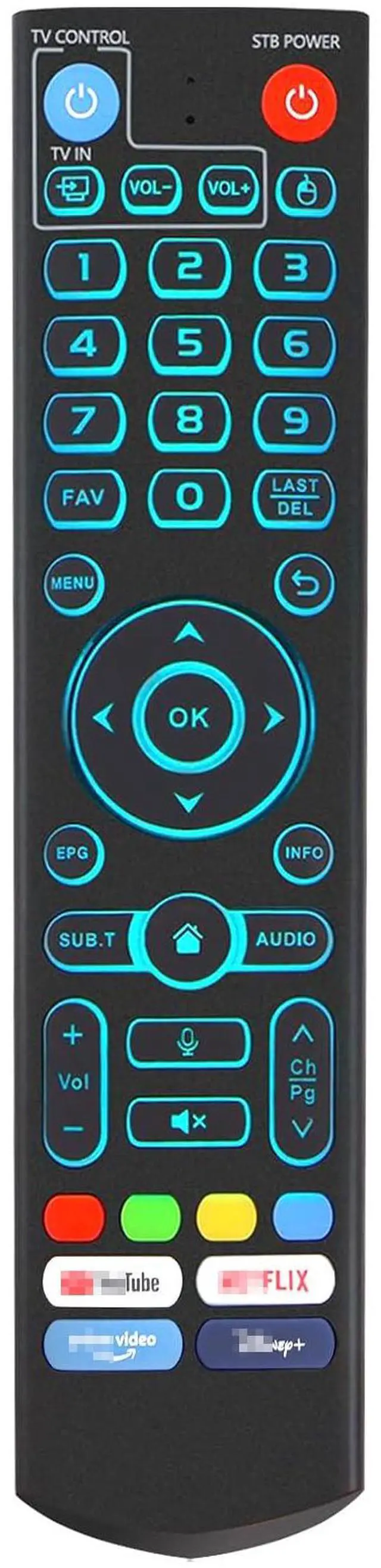
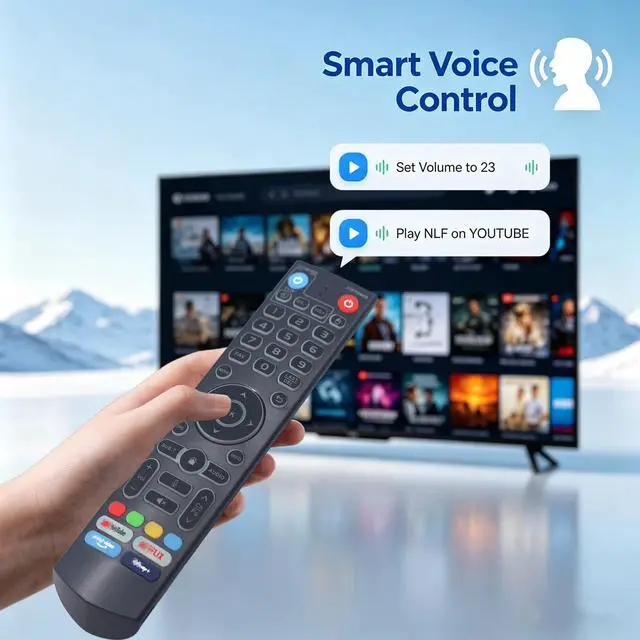
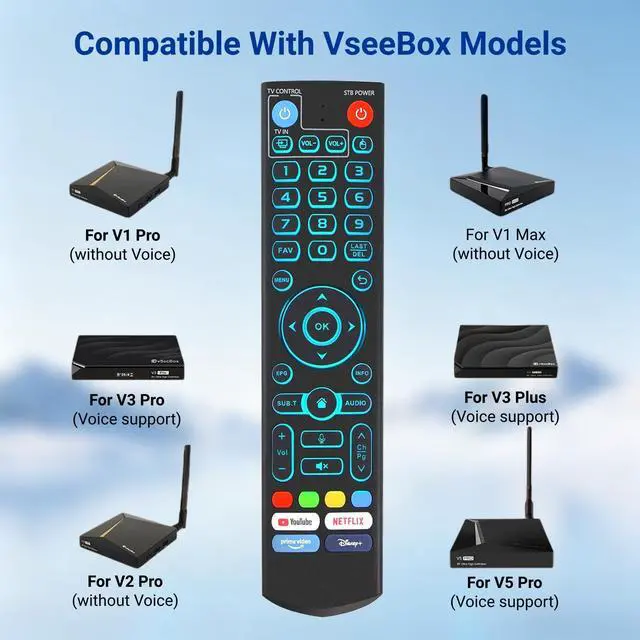
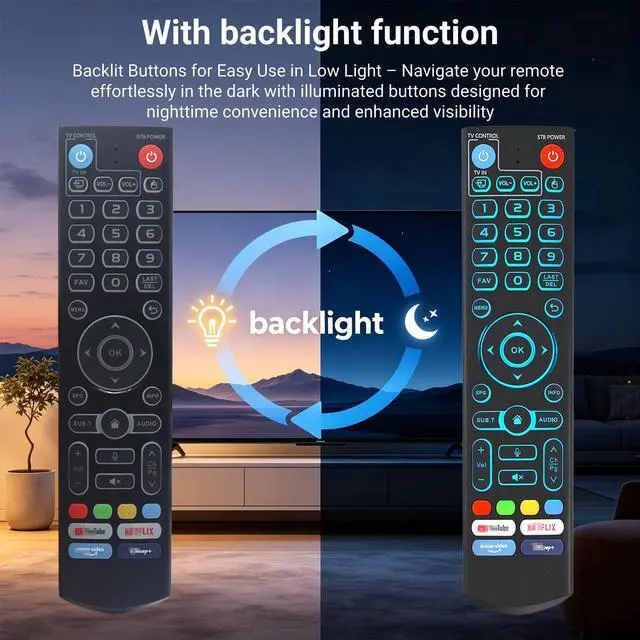
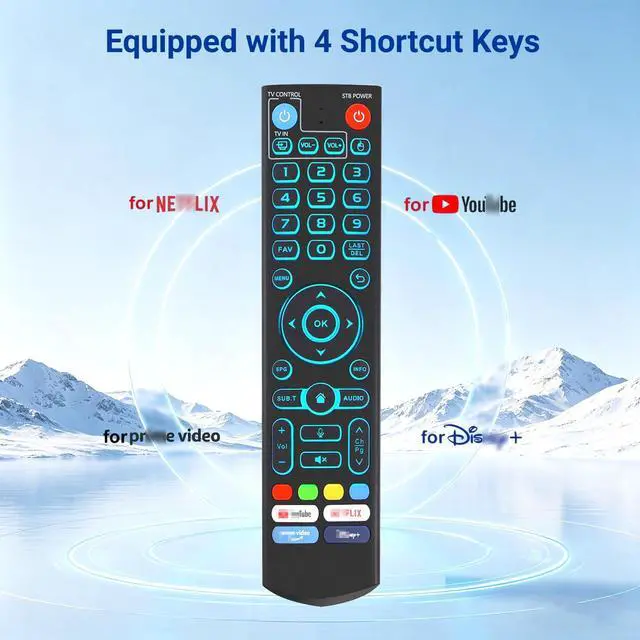
- V5 Pro Backlit Voice Remote Compatible Models Works seamlessly with vSeeBox models, including V5 Pro, V3 Pro, V3 Plus, V1, V1 Pro, V2, V2 Pro, V1 Max, Elite, and Max With backlight Never struggle to find the right key in the dark again. The subtle backlight ensures clear visibility, so you can adjust volume or change channels effortlesslyeven with the lights completely off Easy Voice Control One button gives you complete voice control over your entertainment. Press the mic key on your V5 Pro remote and command your TV to search content, change volume, toggle inputs, or play music all handsfree. Your favorite entertainment, just a word away. Please note: Voice function is not compatible with V1 Max, V1 Pro, or V2 Pro One-Press Streaming Access Dedicated one-touch buttons for YouTube, Netflix, Prime Video, and Disney+ take you directly to your favorite contentno menu scrolling required. Just press and play for effortless entertainment access Effortless Pairing Hold [OK] + [Vol-] for 5 seconds until the LED flashes continuouslythis means Bluetooth is enabled. Then go to System Settings > Bluetooth > Pair New Device, select the remote, and connect. The V5 Pro remote comes with two modes: V3 (default) and V2. To change modes, press and hold the number 5 button for 10+ seconds Programming Instructions To program your V5 remote, press and hold the Power button for 5 seconds until the LED stays lit. Then press the button you to program on the V5 remote, point it
+
+
Overview
Specs
Reviews
Any questions? Our AI mode will help you find out quickly.
Try me now
V5 Pro Backlit Voice Remote Compatible Models Works seamlessly with vSeeBox models, including V5 Pro, V3 Pro, V3 Plus, V1, V1 Pro, V2, V2 Pro, V1 Max, Elite, and Max With backlight Never struggle to find the right key in the dark again. The subtle backlight ensures clear visibility, so you can adjust volume or change channels effortlesslyeven with the lights completely off Easy Voice Control One button gives you complete voice control over your entertainment. Press the mic key on your V5 Pro remote and command your TV to search content, change volume, toggle inputs, or play music all handsfree.
Your favorite entertainment, just a word away.
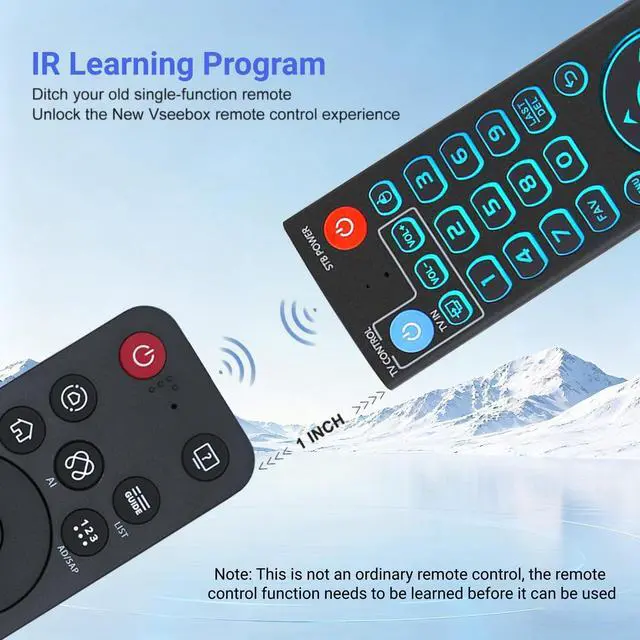
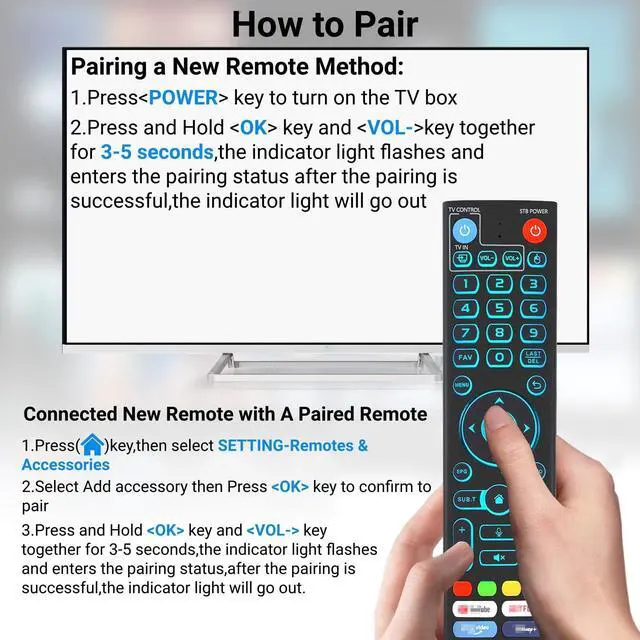
Please note: Voice function is not compatible with V1 Max, V1 Pro, or V2 Pro One-Press Streaming Access Dedicated one-touch buttons for YouTube, Netflix, Prime Video, and Disney+ take you directly to your favorite contentno menu scrolling required. Just press and play for effortless entertainment access Effortless Pairing Hold [OK] + [Vol-] for 5 seconds until the LED flashes continuouslythis means Bluetooth is enabled. Then go to System Settings > Bluetooth > Pair New Device, select the remote, and connect. The V5 Pro remote comes with two modes: V3 (default) and V2. To change modes, press and hold the number 5 button for 10+ seconds Programming Instructions To program your V5 remote, press and hold the Power button for 5 seconds until the LED stays lit. Then press the button you to program on the V5 remote, point it directly at your original remote, and press the corresponding button. A successful program will trigger 3 LED flashes. Repeat this process for any additional buttons, then press any other button to exit learning modethe LED will turn off to confirm

Your favorite entertainment, just a word away.
Please note: Voice function is not compatible with V1 Max, V1 Pro, or V2 Pro One-Press Streaming Access Dedicated one-touch buttons for YouTube, Netflix, Prime Video, and Disney+ take you directly to your favorite contentno menu scrolling required. Just press and play for effortless entertainment access Effortless Pairing Hold [OK] + [Vol-] for 5 seconds until the LED flashes continuouslythis means Bluetooth is enabled. Then go to System Settings > Bluetooth > Pair New Device, select the remote, and connect. The V5 Pro remote comes with two modes: V3 (default) and V2. To change modes, press and hold the number 5 button for 10+ seconds Programming Instructions To program your V5 remote, press and hold the Power button for 5 seconds until the LED stays lit. Then press the button you to program on the V5 remote, point it directly at your original remote, and press the corresponding button. A successful program will trigger 3 LED flashes. Repeat this process for any additional buttons, then press any other button to exit learning modethe LED will turn off to confirm
Warranty & Returns
Warranty, Returns, And Additional Information
Warranty
- Please contact the Seller directly for warranty information. Warranty information may also be found on the Manufacturer's website.
- CONTACT
Return Policies
- Return for refund within: 30 days
- Return for replacement within: 30 days
- This item is covered by Yihe Global Store Return Policy
Manufacturer Contact Info
- For a directory of all our manufacturers, please click below.
- Manufacturers Directory
LOADING...