Out of stock
  • $39.99
  • Free 30-day Returns
Price alert
Shop it at NeweggBusiness.

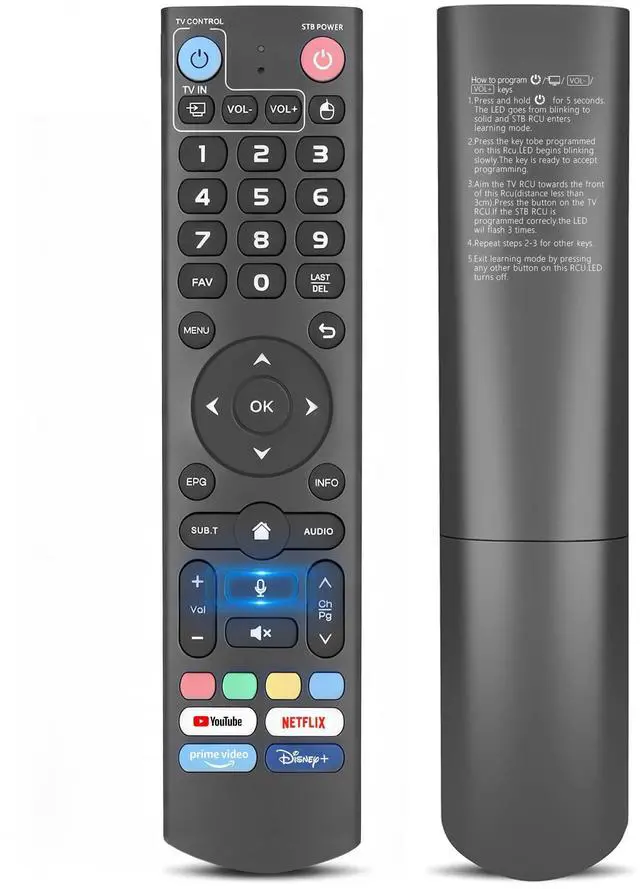
V3 Voice Remote Control for vSeeBox, Replacement for V5 Pro/V3 Plus & Max/Elite/V2 Pro/V1 Series, Universal TV Control and Setup

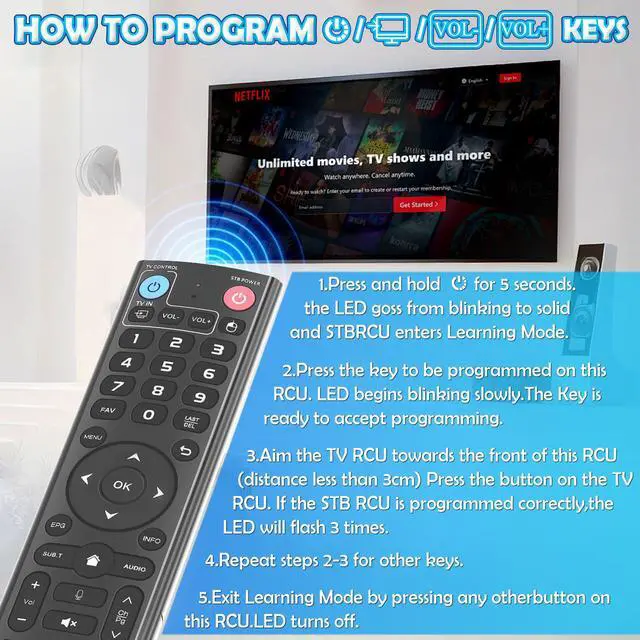
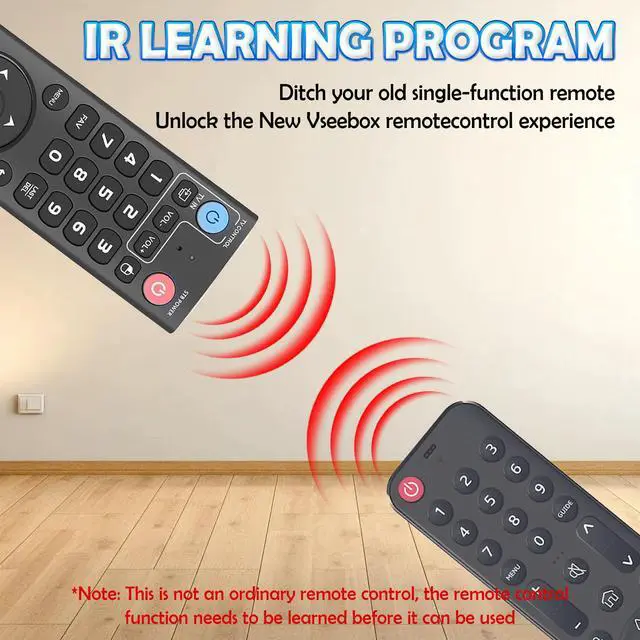
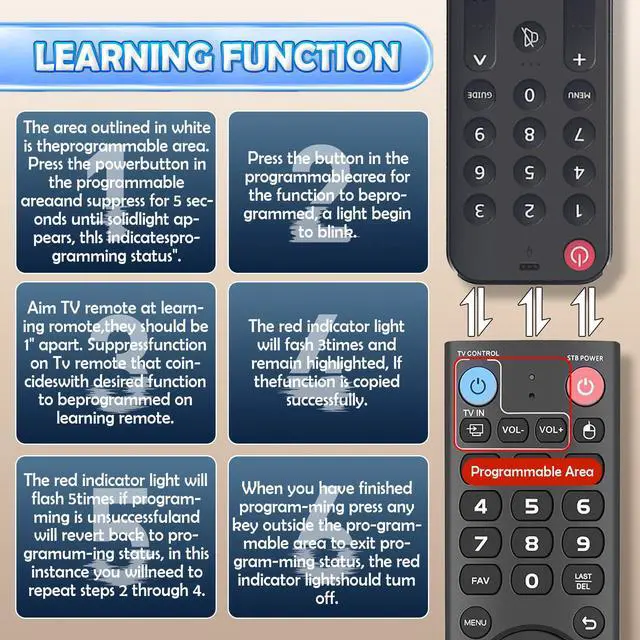
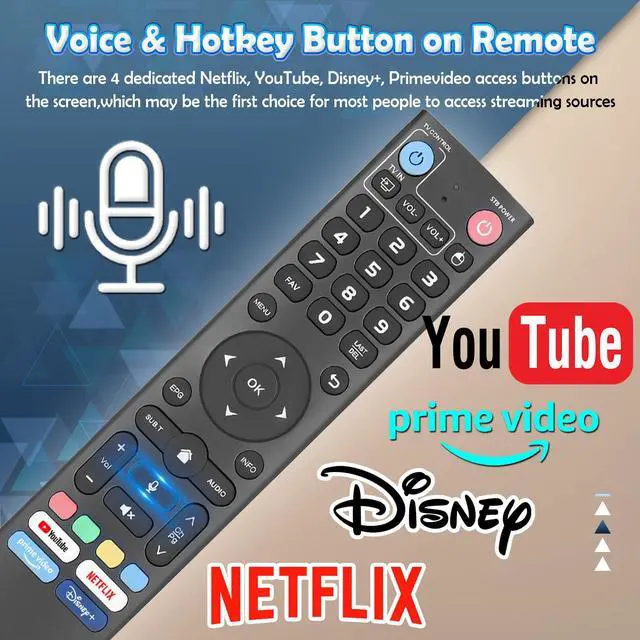
  • REPLACEMENT REMOTE & COMPATIBILITY - This is a replacement voice remote control specifically designed for vSeeBox. It works with vSeeBox V5 Pro, V3 Plus, V3 Pro, V2 Pro, V1 Pro, V1 Max, Elite, and Max models. Please verify your device model prior to purchase. VOICE COMMAND & DUAL OPERATING MODES - Offers advanced voice command functionality for compatible models (V3 Pro, V3 Plus, V5 Pro). It smartly operates in two modes (V3 Mode for V3/V5 series; V2 Mode for V1/V2/Max/Elite). Easily switch by pressing and holding the '5' key for 10 seconds. SIMPLE BLUETOOTH PAIRING PROCESS - For V1 Pro, V2 Pro, Max, and Elite models, a quick Bluetooth pairing is needed. Simply hold 'OK' and 'Vol-' for 5 seconds, then choose "vseebox remote" in your device's Bluetooth settings to connect securely. LEARN IR CODES & CONTROL YOUR TV - The built-in learning function lets you set the Power and Volume buttons to operate your TV. Follow the straightforward learning steps to merge two remotes into one for a streamlined home entertainment experience. ERGONOMIC DESIGN & EASY SETUP - Crafted for comfort and user convenience. Operates on 2 AAA batteries (not included). The battery cover has a user-friendly design for simple installation. Consult the included guide for opening instructions

+
+
Overview
Specs
Reviews
avatar

Any questions? Our AI mode will help you find out quickly.

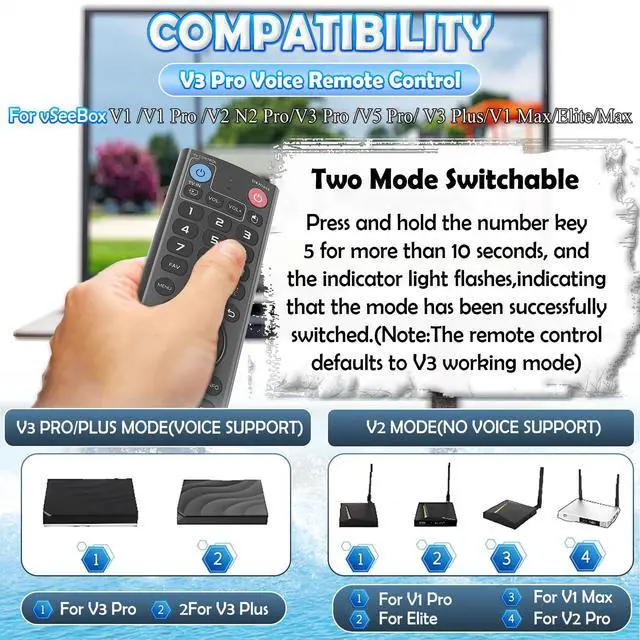
REPLACEMENT REMOTE & COMPATIBILITY - This is a replacement voice remote control specifically designed for vSeeBox. It works with vSeeBox V5 Pro, V3 Plus, V3 Pro, V2 Pro, V1 Pro, V1 Max, Elite, and Max models. Please verify your device model prior to purchase. VOICE COMMAND & DUAL OPERATING MODES - Offers advanced voice command functionality for compatible models (V3 Pro, V3 Plus, V5 Pro). It smartly operates in two modes (V3 Mode for V3/V5 series; V2 Mode for V1/V2/Max/Elite). Easily switch by pressing and holding the '5' key for 10 seconds.

SIMPLE BLUETOOTH PAIRING PROCESS - For V1 Pro, V2 Pro, Max, and Elite models, a quick Bluetooth pairing is needed. Simply hold 'OK' and 'Vol-' for 5 seconds, then choose "vseebox remote" in your device's Bluetooth settings to connect securely. LEARN IR CODES & CONTROL YOUR TV - The built-in learning function lets you set the Power and Volume buttons to operate your TV. Follow the straightforward learning steps to merge two remotes into one for a streamlined home entertainment experience. ERGONOMIC DESIGN & EASY SETUP - Crafted for comfort and user convenience.

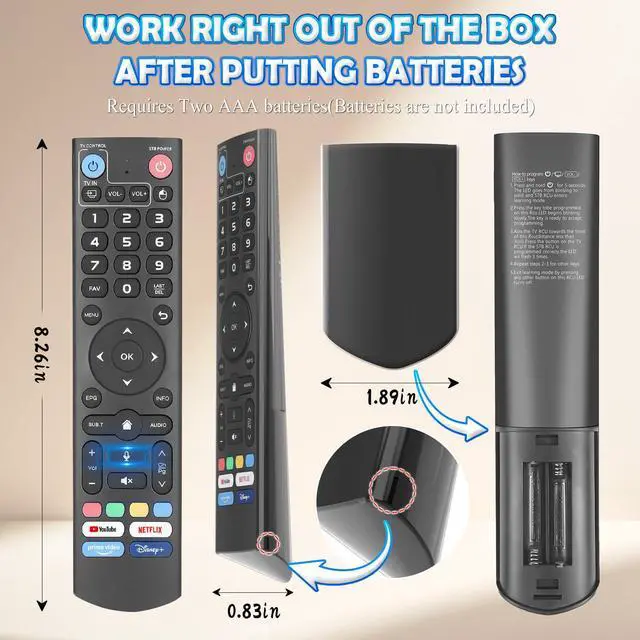
Operates on 2 AAA batteries (not included). The battery cover has a user-friendly design for simple installation. Consult the included guide for opening instructions

Warranty & Returns

Warranty, Returns, And Additional Information

Warranty

  • Please contact the Seller directly for warranty information. Warranty information may also be found on the Manufacturer's website.
  • CONTACT

Return Policies

Manufacturer Contact Info

LOADING...