

Your Browsing History
- Free 30-day Returns
$149.24

Meet Your Seller

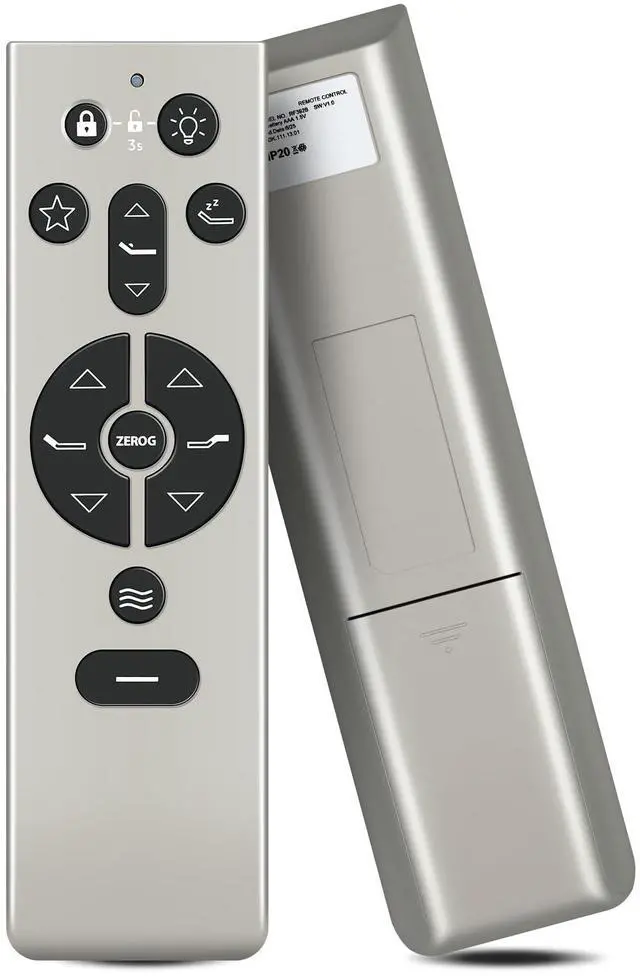
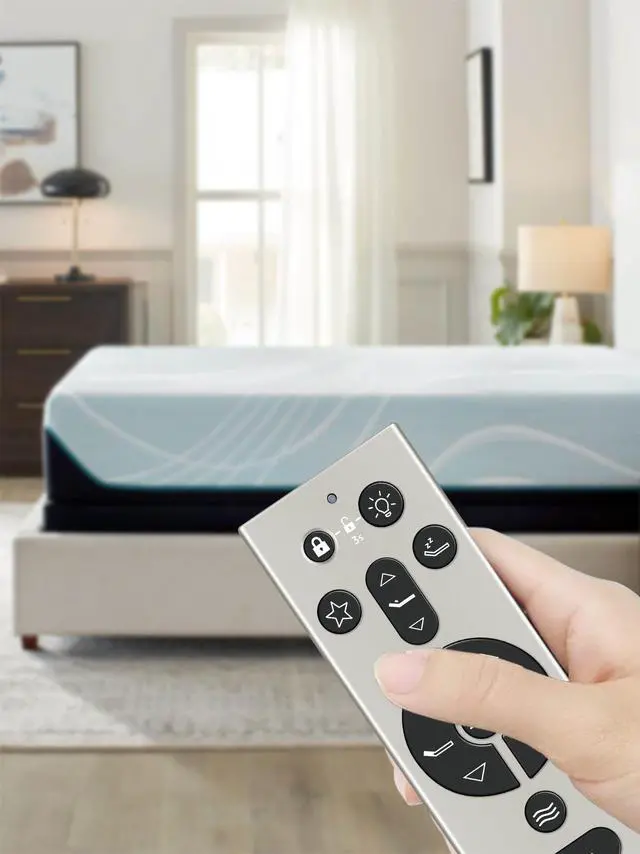
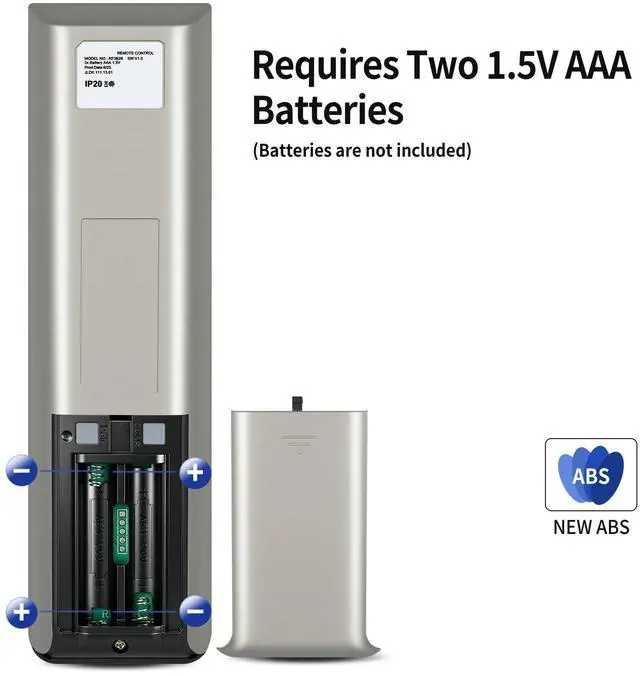
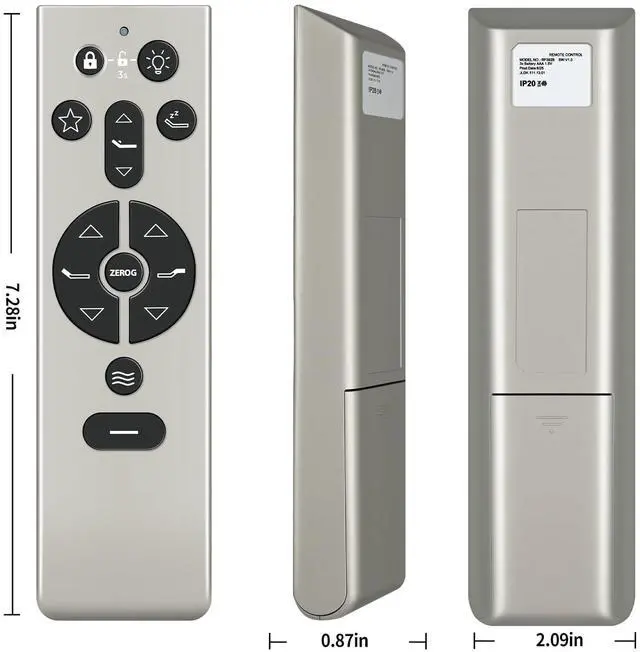


Replacement Remote Control for TEMPUR Ergo, Tempur-Pedic, KEESON Adjustable Bed, RF396B JLDK.111.13.01
Limited time offer, ends 10/01 By Yihe Global Store
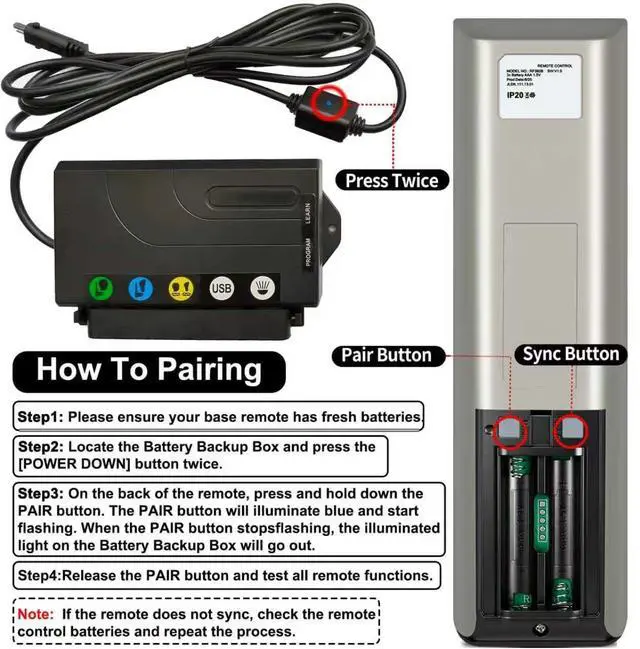
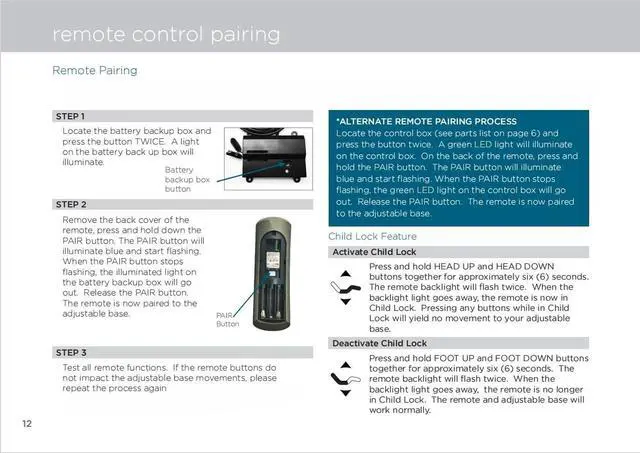
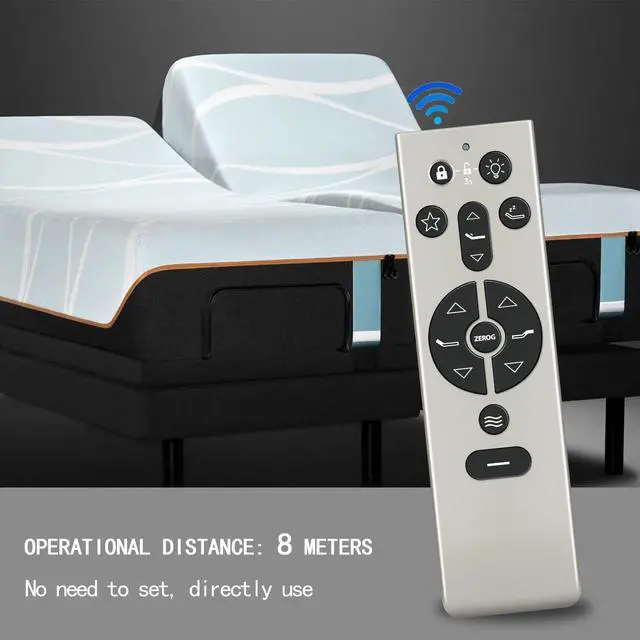
- **Perfect Compatibility & Replacement** This replacement remote control is designed for TEMPUR Ergo, Tempur-Pedic, KEESON Adjustable Bed, RF396B JLDK.111.13.01. **Easy to Pair** 1. Ensure your base remote has fresh batteries. Locate the Battery Backup Box and press the [POWER DOWN] button twice. A light on the Battery Backup Box will illuminate. 2. On the back of the remote, press and hold down the PAIR button. The PAIR button will illuminate blue and start flashing. When the PAIR button stops flashing, the illuminated light on the Battery Backup Box will go out. 3. Release the PAIR button and test all remote functions. **Superior Performance & Wide Coverage** Featuring infrared 3.0 technology and a newly upgraded chip, this remote offers rapid response (0.2 seconds) and steady signal transmission. With an 8m/26ft control distance and 120°+ control angle, it covers your viewing area with ease. Tested to support over 150,000 clicks, it ensures dependable performance over extended use. **Premium Durability & Comfortable Grip** Made from high-grade ABS material, it provides excellent impact resistance and robustnessbuilt to withstand daily wear and tear without breaking easily. The glazed smooth surface offers a comfortable grip, while soft silicone buttons deliver a responsive touch, stain resistance, and improved durability for prolonged use
+
+
Overview
Specs
Reviews

Any questions? Our AI mode will help you find out quickly.
Try me now
**Perfect Compatibility & Replacement** This replacement remote control is designed for TEMPUR Ergo, Tempur-Pedic, KEESON Adjustable Bed, RF396B JLDK. 111.13. 01. **Easy to Pair** 1. Ensure your base remote has fresh batteries. Locate the Battery Backup Box and press the [POWER DOWN] button twice. A light on the Battery Backup Box will illuminate. 2. On the back of the remote, press and hold down the PAIR button. The PAIR button will illuminate blue and start flashing. When the PAIR button stops flashing, the illuminated light on the Battery Backup Box will go out.
3. Release the PAIR button and test all remote functions. **Superior Performance & Wide Coverage** Featuring infrared 3.0 technology and a newly upgraded chip, this remote offers rapid response ( 0.2 seconds) and steady signal transmission. With an 8m/26ft control distance and 120°+ control angle, it covers your viewing area with ease. Tested to support over 150, 000 clicks, it ensures dependable performance over extended use. **Premium Durability & Comfortable Grip** Made from high-grade ABS material, it provides excellent impact resistance and robustnessbuilt to withstand daily wear and tear without breaking easily.
The glazed smooth surface offers a comfortable grip, while soft silicone buttons deliver a responsive touch, stain resistance, and improved durability for prolonged use
3. Release the PAIR button and test all remote functions. **Superior Performance & Wide Coverage** Featuring infrared 3.0 technology and a newly upgraded chip, this remote offers rapid response ( 0.2 seconds) and steady signal transmission. With an 8m/26ft control distance and 120°+ control angle, it covers your viewing area with ease. Tested to support over 150, 000 clicks, it ensures dependable performance over extended use. **Premium Durability & Comfortable Grip** Made from high-grade ABS material, it provides excellent impact resistance and robustnessbuilt to withstand daily wear and tear without breaking easily.
The glazed smooth surface offers a comfortable grip, while soft silicone buttons deliver a responsive touch, stain resistance, and improved durability for prolonged use
Warranty & Returns
Warranty, Returns, And Additional Information
Warranty
- Please contact the Seller directly for warranty information. Warranty information may also be found on the Manufacturer's website.
- CONTACT
Return Policies
- Return for refund within: 30 days
- Return for replacement within: 30 days
- This item is covered by Yihe Global Store Return Policy
Manufacturer Contact Info
- For a directory of all our manufacturers, please click below.
- Manufacturers Directory
LOADING...