Your Browsing History
Meet Your Seller
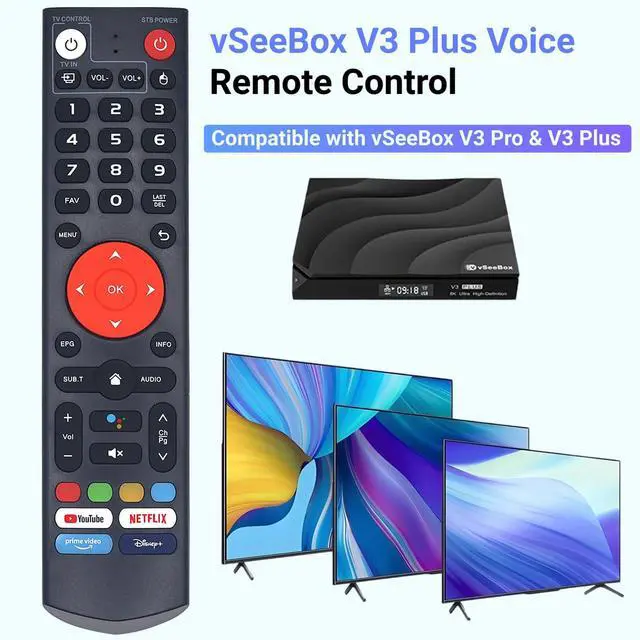
New V3 Plus Voice Remote Control, Compatible with vSeeBox V3 Plus/Pro Models
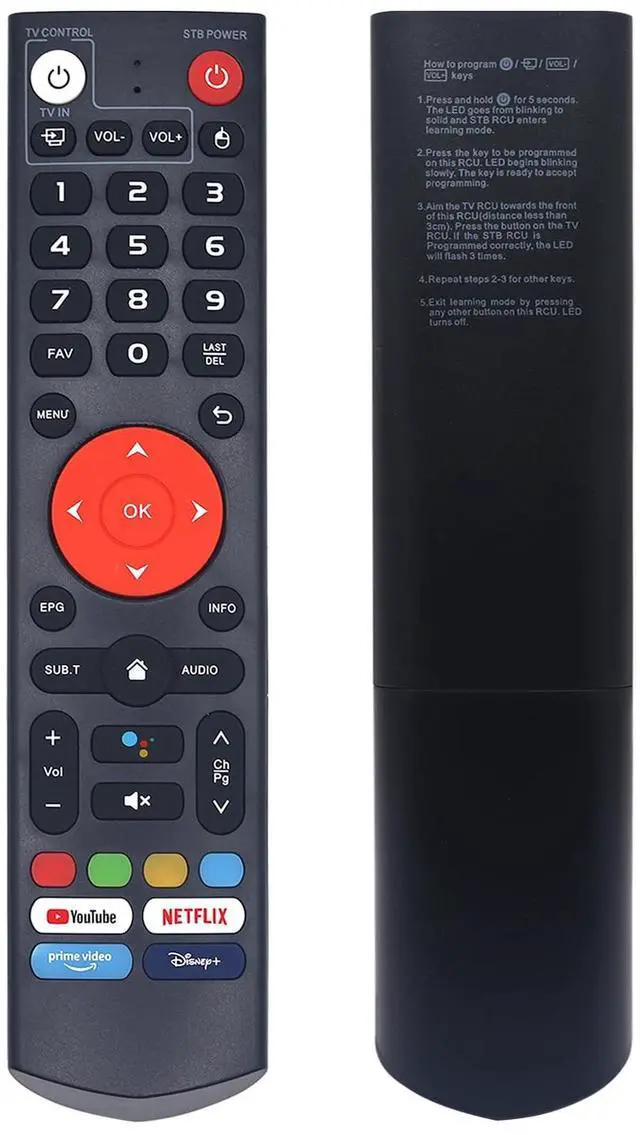
- V3 Plus Voice Remote for Model Numbers: Compatible with vSeeBox V3 Plus/Pro Models. Superior Quality: Elevate your control experience with the V3 Plus Voice Remote. Enhanced internal components deliver an impressive 39-foot wireless range, rapid 0.3-second response speed, and dependable durability rated for over 150,000 clicks. Smart Voice Search: The V3 Plus voice remote includes a microphone button, allowing voice search for content, volume adjustment/input source switching, and music playback. Just speak your commands to easily manage your TV, adjust the volume, or play your preferred music. Quick Programming: 1. Press and hold the "Power" button on the V3 Plus voice remote for 5 seconds until the LED stays lit. 2. Press the button you to programthe LED will start flashing. 3. Aim your TV remote at the front of this remote and press the corresponding button. Three LED flashes confirm success. Repeat steps 23 for any extra buttons. Press any other button to leave learning mode. Pairing Instructions: To pair your V3 Plus voice remote, press and hold the "OK" and "Vol-" buttons together for at least five seconds. The LED will flash rapidlyindicating Bluetooth is ready. Next, go to your device's System Settings, select Bluetooth, then choose "Pair New Device." Locate the remote on the list and tap to connect. The LED will switch off once pairing is finished. If the connection fails, the LED will switch off after 30 seconds, and the remote will automatically exit pairing m
+
+
Overview
Specs
Reviews
Any questions? Our AI mode will help you find out quickly.
Try me now
V3 Plus Voice Remote for
Model Numbers: Compatible with vSeeBox V3 Plus/Pro Models.
Superior Quality: Elevate your control experience with the V3 Plus Voice Remote. Enhanced internal components deliver an impressive 39-foot wireless range, rapid 0.3 -second response speed, and dependable durability rated for over 150, 000 clicks.
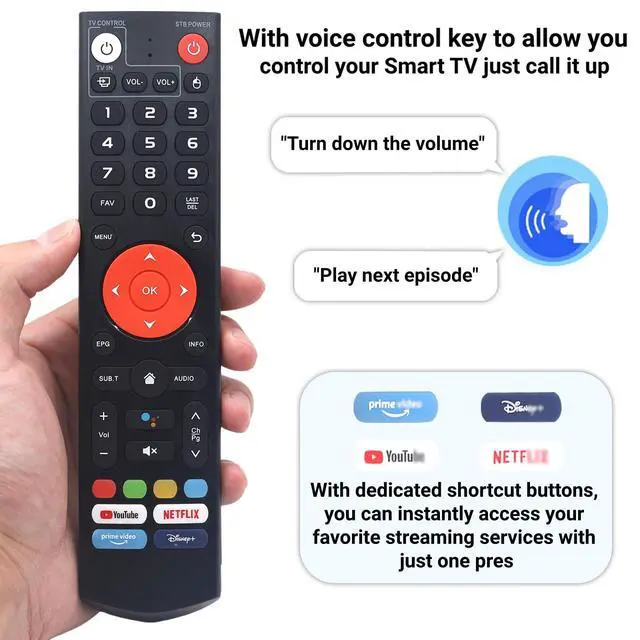
Smart Voice Search: The V3 Plus voice remote includes a microphone button, allowing voice search for content, volume adjustment/input source switching, and music playback. Just speak your commands to easily manage your TV, adjust the volume, or play your preferred music.
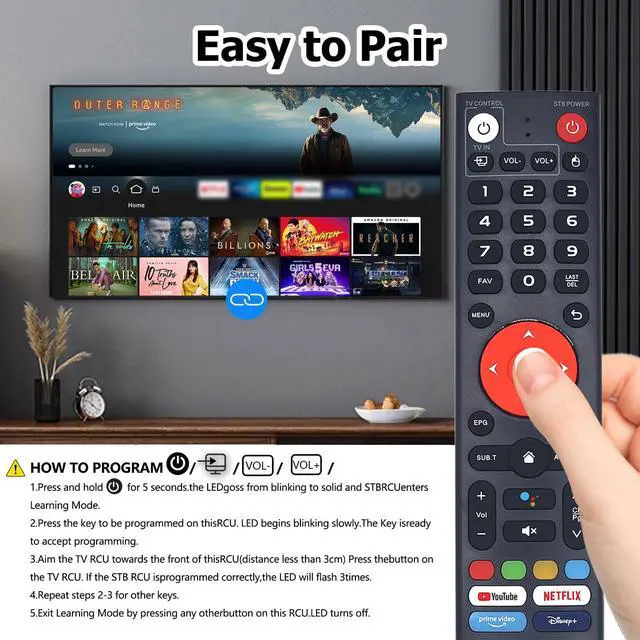
Quick Programming:
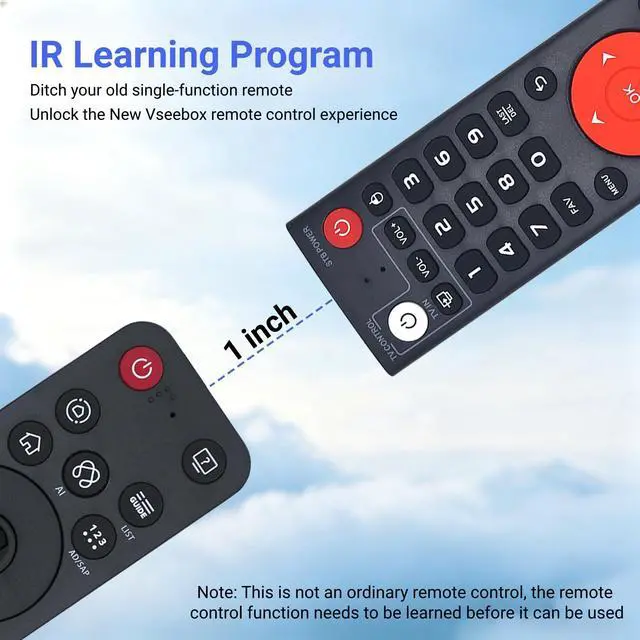
1. Press and hold the "Power" button on the V3 Plus voice remote for 5 seconds until the LED stays lit.
2. Press the button you to programthe LED will start flashing.
3. Aim your TV remote at the front of this remote and press the corresponding button. Three LED flashes confirm success. Repeat steps 23 for any extra buttons. Press any other button to leave learning mode.
Pairing Instructions: To pair your V3 Plus voice remote, press and hold the "OK" and "Vol-" buttons together for at least five seconds. The LED will flash rapidlyindicating Bluetooth is ready. Next, go to your device's System Settings, select Bluetooth, then choose "Pair New Device. " Locate the remote on the list and tap to connect. The LED will switch off once pairing is finished. If the connection fails, the LED will switch off after 30 seconds, and the remote will automatically exit pairing mode. In that case, first delete any existing remote entry from your Bluetooth settings, then attempt the pairing process once more.
One-Touch Streaming Access: With dedicated shortcut buttons for YouTube, Netflix, Prime Video, and Disney+, you can quickly reach your favorite streaming services with a single press. No need to browse through menusenjoy smooth entertainment right at your fingertips

Model Numbers: Compatible with vSeeBox V3 Plus/Pro Models.
Superior Quality: Elevate your control experience with the V3 Plus Voice Remote. Enhanced internal components deliver an impressive 39-foot wireless range, rapid 0.3 -second response speed, and dependable durability rated for over 150, 000 clicks.
Smart Voice Search: The V3 Plus voice remote includes a microphone button, allowing voice search for content, volume adjustment/input source switching, and music playback. Just speak your commands to easily manage your TV, adjust the volume, or play your preferred music.
Quick Programming:
1. Press and hold the "Power" button on the V3 Plus voice remote for 5 seconds until the LED stays lit.
2. Press the button you to programthe LED will start flashing.
3. Aim your TV remote at the front of this remote and press the corresponding button. Three LED flashes confirm success. Repeat steps 23 for any extra buttons. Press any other button to leave learning mode.
Pairing Instructions: To pair your V3 Plus voice remote, press and hold the "OK" and "Vol-" buttons together for at least five seconds. The LED will flash rapidlyindicating Bluetooth is ready. Next, go to your device's System Settings, select Bluetooth, then choose "Pair New Device. " Locate the remote on the list and tap to connect. The LED will switch off once pairing is finished. If the connection fails, the LED will switch off after 30 seconds, and the remote will automatically exit pairing mode. In that case, first delete any existing remote entry from your Bluetooth settings, then attempt the pairing process once more.
One-Touch Streaming Access: With dedicated shortcut buttons for YouTube, Netflix, Prime Video, and Disney+, you can quickly reach your favorite streaming services with a single press. No need to browse through menusenjoy smooth entertainment right at your fingertips
Warranty & Returns
Warranty, Returns, And Additional Information
Warranty
- Please contact the Seller directly for warranty information. Warranty information may also be found on the Manufacturer's website.
- CONTACT
Return Policies
- Return for refund within: 30 days
- Return for replacement within: 30 days
- This item is covered by Yihe Global Store Return Policy
Manufacturer Contact Info
- For a directory of all our manufacturers, please click below.
- Manufacturers Directory
LOADING...