Out of stock
  • $35.99
  • Free 30-day Returns
Price alert
Shop it at NeweggBusiness.

Meet Your Seller

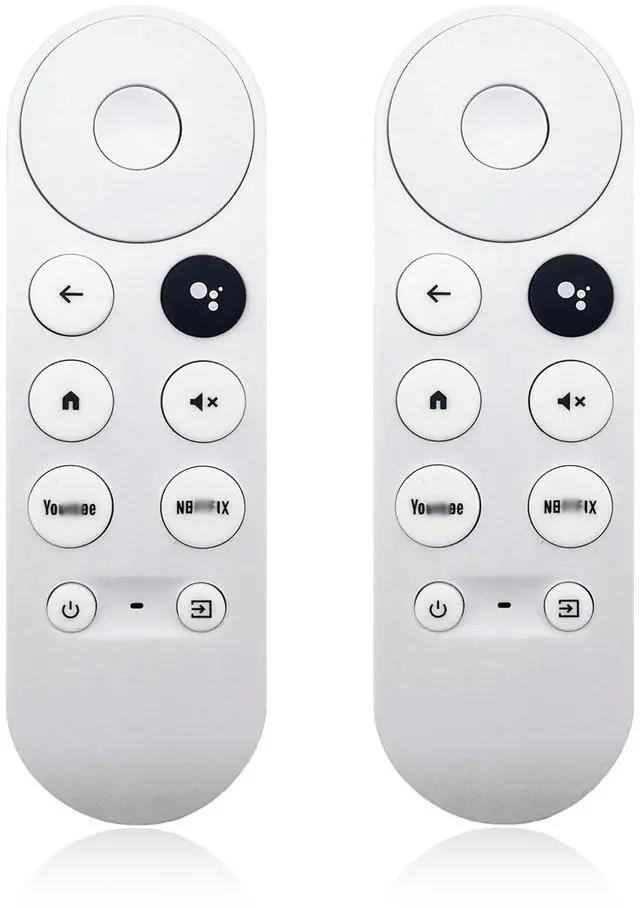
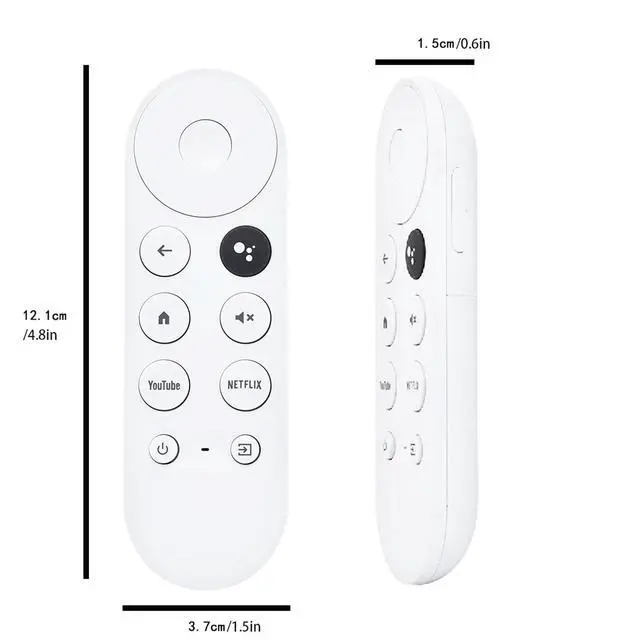
2 Pack G9N9N New Replacement Remote Control Compatible with Google Chromecast Voice Smart TV 4k, (Only Compatible with Snow Chromecast Google) GA01409-US, GA01919-US, GA01920-US, GA01923-US

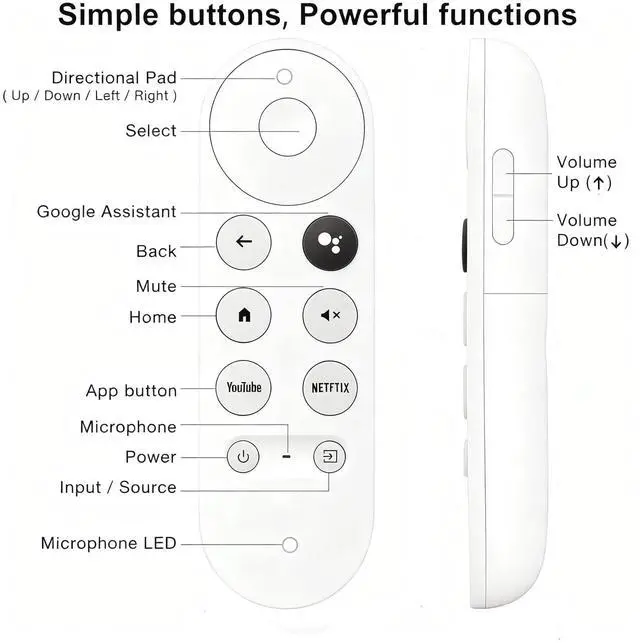
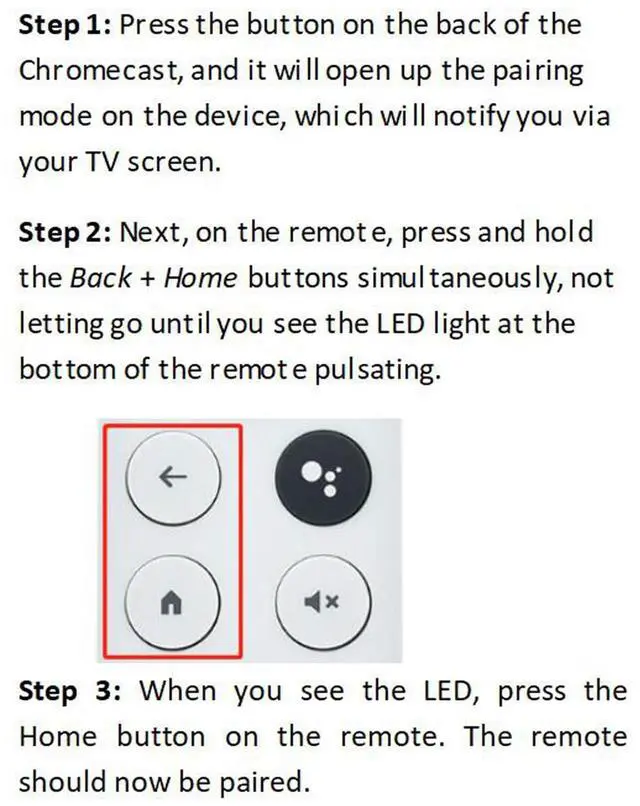
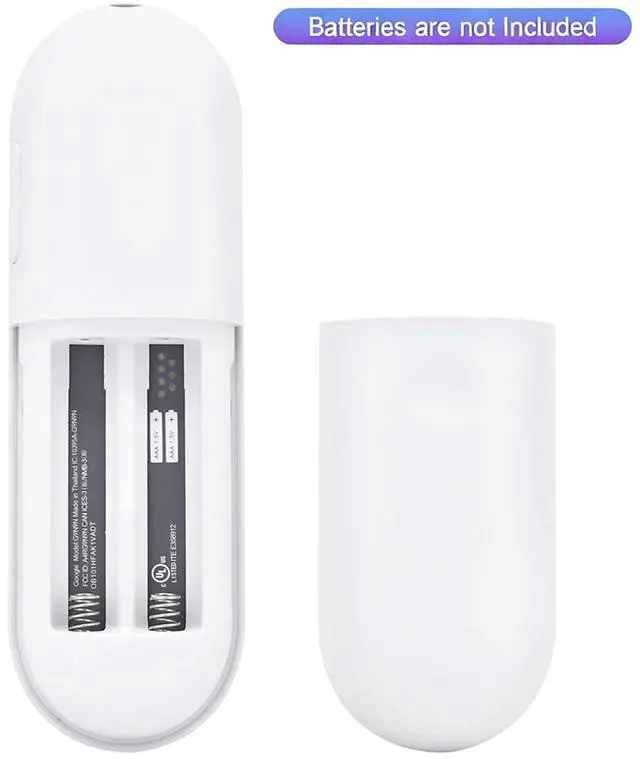
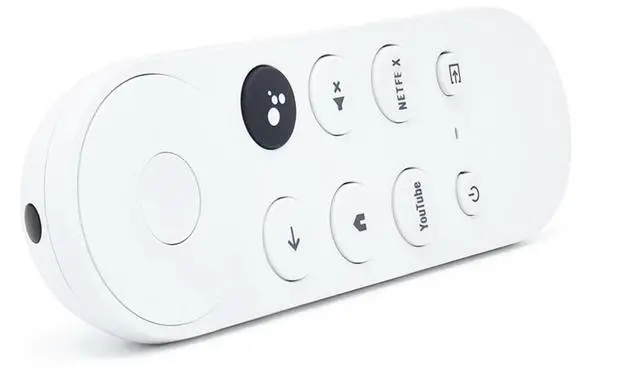
  • Compatible Models Compatible with Snow Chromecast with Google TV HD/4K, including Google Streamer 4K, G9N9N, GA01920-US, GA01409-US, GA01919-US, GA01923-US, GA02463-US, GA02464-US, and others, ensuring smooth integration with your current streaming setup. Smart Voice Search The voice remote control compatible with Google Chromecast TV includes a microphone button, allowing voice search for content, volume adjustment/input source switching, and music playback. Just speak your commands to easily manage your TV, adjust the volume, or play your preferred music. One-Touch Streaming Access With dedicated shortcut buttons, you can quickly reach your favorite streaming services with a single press. No need to browse through menusenjoy effortless entertainment at your fingertips. Easy Pairing Set up your remote in two steps: Press the pairing button on your device. When "Start Pairing" appears on screen, press and hold the Back and Home buttons until the remote's LED flashes, then releaseyour remote is ready for use. If pairing fails, repeat the steps or add it via the TV's "Remote & Accessories" > "Add a new remote." Batteries Insert 2 * AAA batteries. (Batteries not included.)
+
+
Overview
Specs
Reviews
avatar

Any questions? Our AI mode will help you find out quickly.

Compatible Models Compatible with Snow Chromecast with Google TV HD/4K, including Google Streamer 4K, G9N9N, GA01920-US, GA01409-US, GA01919-US, GA01923-US, GA02463-US, GA02464-US, and others, ensuring smooth integration with your current streaming setup. Smart Voice Search The voice remote control compatible with Google Chromecast TV includes a microphone button, allowing voice search for content, volume adjustment/input source switching, and music playback. Just speak your commands to easily manage your TV, adjust the volume, or play your preferred music. One-Touch Streaming Access With dedicated shortcut buttons, you can quickly reach your favorite streaming services with a single press.

No need to browse through menusenjoy effortless entertainment at your fingertips. Easy Pairing Set up your remote in two steps: Press the pairing button on your device. When "Start Pairing" appears on screen, press and hold the Back and Home buttons until the remote's LED flashes, then releaseyour remote is ready for use. If pairing fails, repeat the steps or add it via the TV's "Remote & Accessories" > "Add a new remote. " Batteries Insert 2 * AAA batteries. (Batteries not included. )

Warranty & Returns

Warranty, Returns, And Additional Information

Warranty

  • Please contact the Seller directly for warranty information. Warranty information may also be found on the Manufacturer's website.
  • CONTACT

Return Policies

Manufacturer Contact Info

LOADING...