Your Browsing History
Meet Your Seller
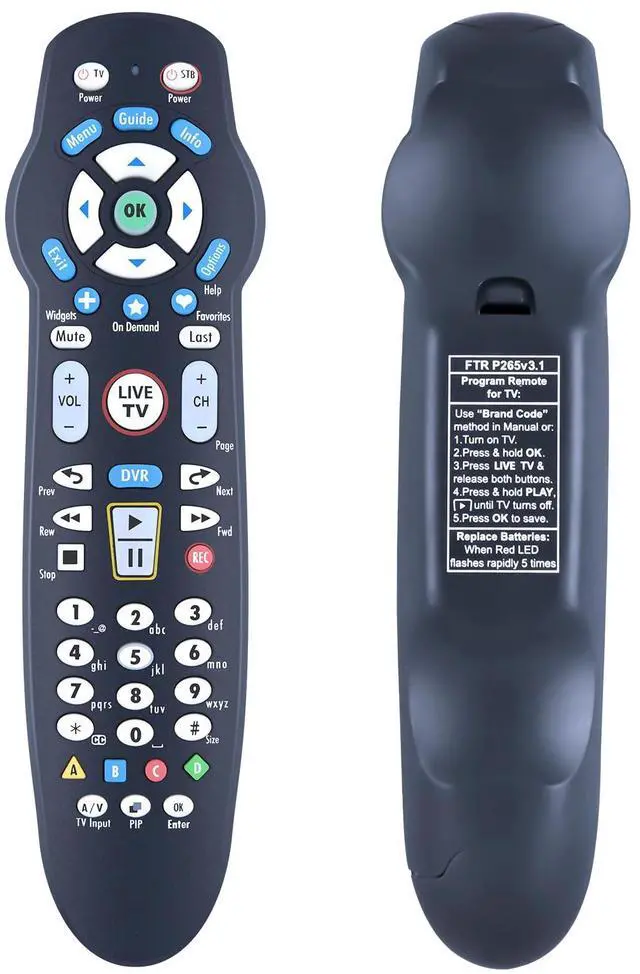
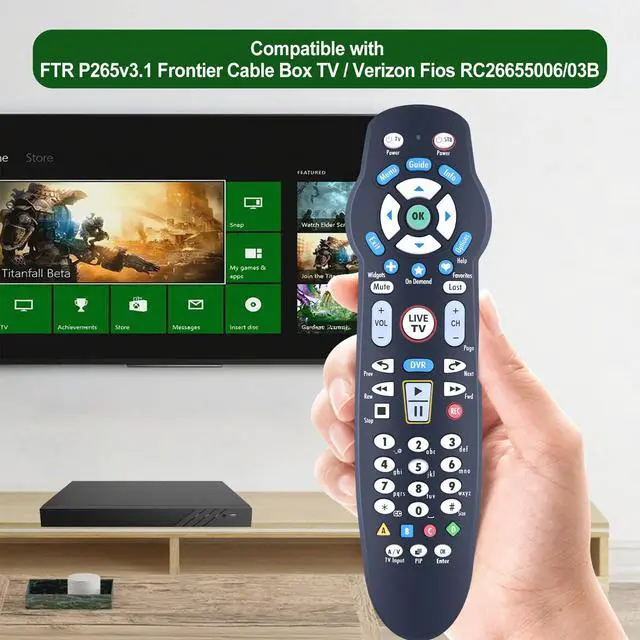
Replacement Remote Control for Frontier Cable Box TV FTR P265v3.1, for Verizon FIOS RC26655006/03B
Limited time offer, ends 09/07 By Yihe Global Store
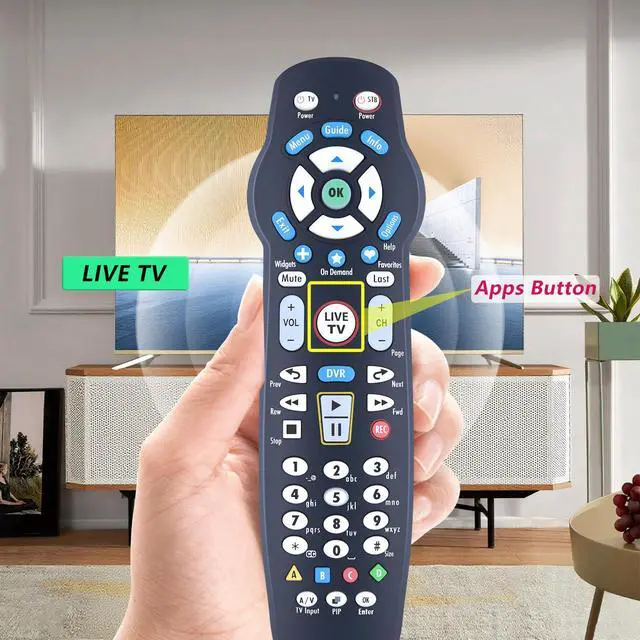
- New replacement remote control compatible with Frontier Cable Box TV FTR P265v3.1, and for Verizon FIOS RC26655006/03B. (Please verify that your original remote button layout matches ours before ordering.) Pairing is required before use. Programming Method: 1) Turn on the TV and the Frontier STB. Ensure you can see live TV. 2) Locate the 3-digit code for your TV brand in the list to the right and note the correct code. 3) Press and hold the "OK" and "0" keys together. The RED LED on the remote will blink twice and then remain on. 4) Enter the 3-digit TV code for your TV brand using the number pad. The RED LED will blink twice and stay on. 5) Press and release the "CH+" repeatedly until the TV turns off. You can also "back up" by pressing the "CH-". 6) Test that the remote is programmed. If all keys work, press "OK" to save. The RED LED will blink 3 times and then turn off. Code Search Method to Program the Remote: 1. Turn on the TV and the Frontier STB. Make sure you can see live television. 2. Press and hold the "OK" and "Live TV" together, then release both. The RED LED will blink twice and then stay on. 3. Press and hold down the "PLAY/PAUSE". 4. The remote will try a new TV code every second, and the RED LED will blink each time a new code is sent. 5. When the TV turns off, stop pressing the "PLAY/PAUSE" right away. 6. You can press the "CH+" or "CH-" to go forward or back one TV code at a time. 7. Test that the remote is programmed. If all keys work, press "OK" to save
+
+
Overview
Specs
Reviews
Any questions? Our AI mode will help you find out quickly.
Try me now
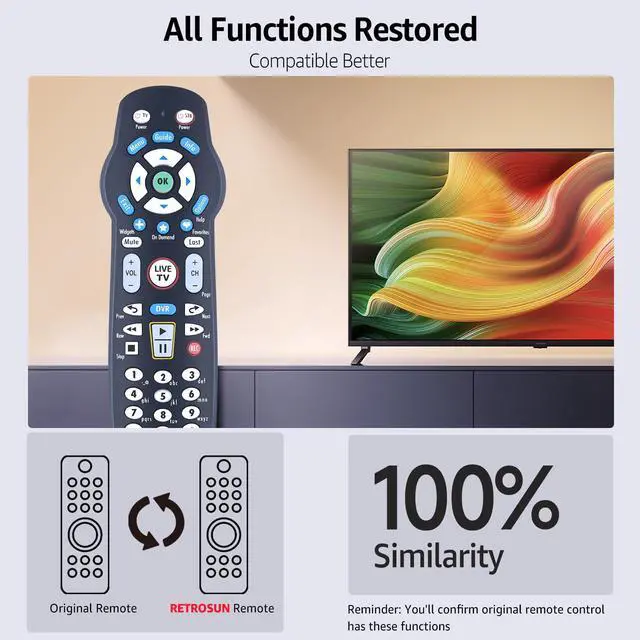
New replacement remote control compatible with Frontier Cable Box TV FTR P265v 3.1, and for Verizon FIOS RC26655006/03B. (Please verify that your original remote button layout matches ours before ordering. ) Pairing is required before use.
Programming Method: 1) Turn on the TV and the Frontier STB. Ensure you can see live TV. 2) Locate the 3-digit code for your TV brand in the list to the right and note the correct code. 3) Press and hold the "OK" and "0" keys together. The RED LED on the remote will blink twice and then remain on. 4) Enter the 3-digit TV code for your TV brand using the number pad. The RED LED will blink twice and stay on. 5) Press and release the "CH+" repeatedly until the TV turns off. You can also "back up" by pressing the "CH-". 6) Test that the remote is programmed. If all keys work, press "OK" to save. The RED LED will blink 3 times and then turn off. Code Search Method to Program the
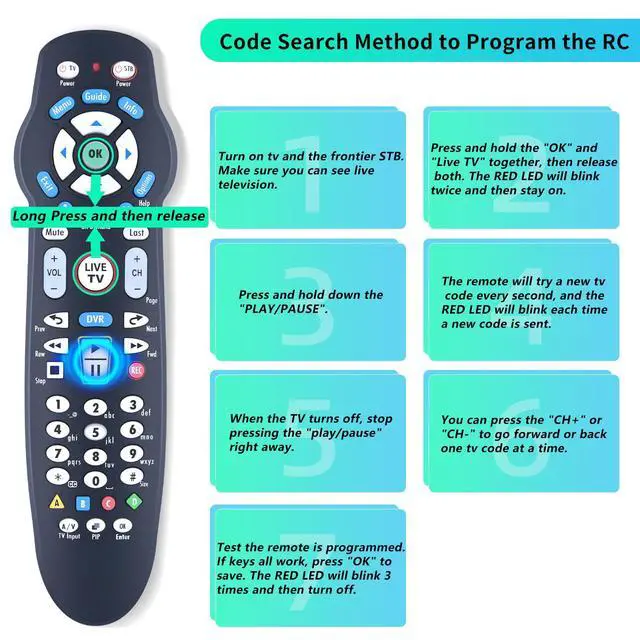
Remote: 1. Turn on the TV and the Frontier STB. Make sure you can see live television. 2. Press and hold the "OK" and "Live TV" together, then release both. The RED LED will blink twice and then stay on. 3. Press and hold down the "PLAY/PAUSE". 4. The remote will try a new TV code every second, and the RED LED will blink each time a new code is sent. 5. When the TV turns off, stop pressing the "PLAY/PAUSE" right away. 6. You can press the "CH+" or "CH-" to go forward or back one TV code at a time. 7. Test that the remote is programmed. If all keys work, press "OK" to save. The RED LED will blink 3 times and then turn off.
Note: If you need to replace the battery, please wait until the red LED flashes 5 times quickly before replacing it.
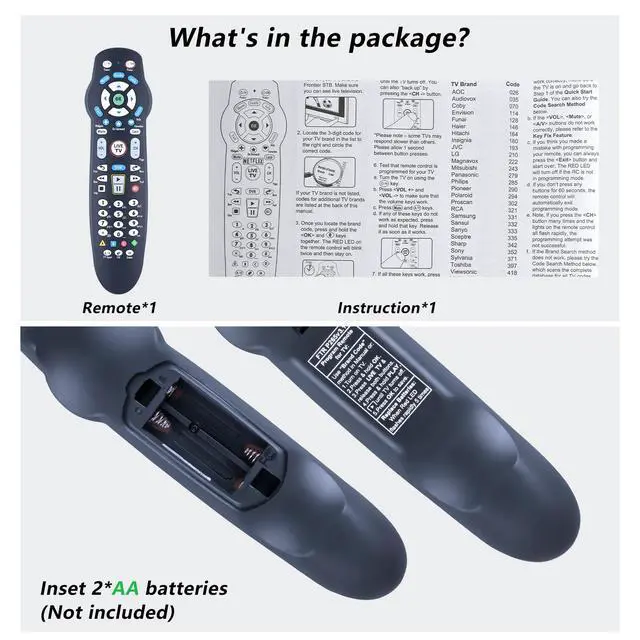
Package Content: 1 * Remote Control (2pcs AA & Use Manual Not Included)

Programming Method: 1) Turn on the TV and the Frontier STB. Ensure you can see live TV. 2) Locate the 3-digit code for your TV brand in the list to the right and note the correct code. 3) Press and hold the "OK" and "0" keys together. The RED LED on the remote will blink twice and then remain on. 4) Enter the 3-digit TV code for your TV brand using the number pad. The RED LED will blink twice and stay on. 5) Press and release the "CH+" repeatedly until the TV turns off. You can also "back up" by pressing the "CH-". 6) Test that the remote is programmed. If all keys work, press "OK" to save. The RED LED will blink 3 times and then turn off. Code Search Method to Program the
Remote: 1. Turn on the TV and the Frontier STB. Make sure you can see live television. 2. Press and hold the "OK" and "Live TV" together, then release both. The RED LED will blink twice and then stay on. 3. Press and hold down the "PLAY/PAUSE". 4. The remote will try a new TV code every second, and the RED LED will blink each time a new code is sent. 5. When the TV turns off, stop pressing the "PLAY/PAUSE" right away. 6. You can press the "CH+" or "CH-" to go forward or back one TV code at a time. 7. Test that the remote is programmed. If all keys work, press "OK" to save. The RED LED will blink 3 times and then turn off.
Note: If you need to replace the battery, please wait until the red LED flashes 5 times quickly before replacing it.
Package Content: 1 * Remote Control (2pcs AA & Use Manual Not Included)
Warranty & Returns
Warranty, Returns, And Additional Information
Warranty
- Please contact the Seller directly for warranty information. Warranty information may also be found on the Manufacturer's website.
- CONTACT
Return Policies
- Return for refund within: 30 days
- Return for replacement within: 30 days
- This item is covered by Yihe Global Store Return Policy
Manufacturer Contact Info
- For a directory of all our manufacturers, please click below.
- Manufacturers Directory
LOADING...