Your Browsing History
Meet Your Seller
Replacement Remote Control for vSeebox V2 Pro with Voice Command, for vSeeBox Elite, V1 Pro, V1 Max
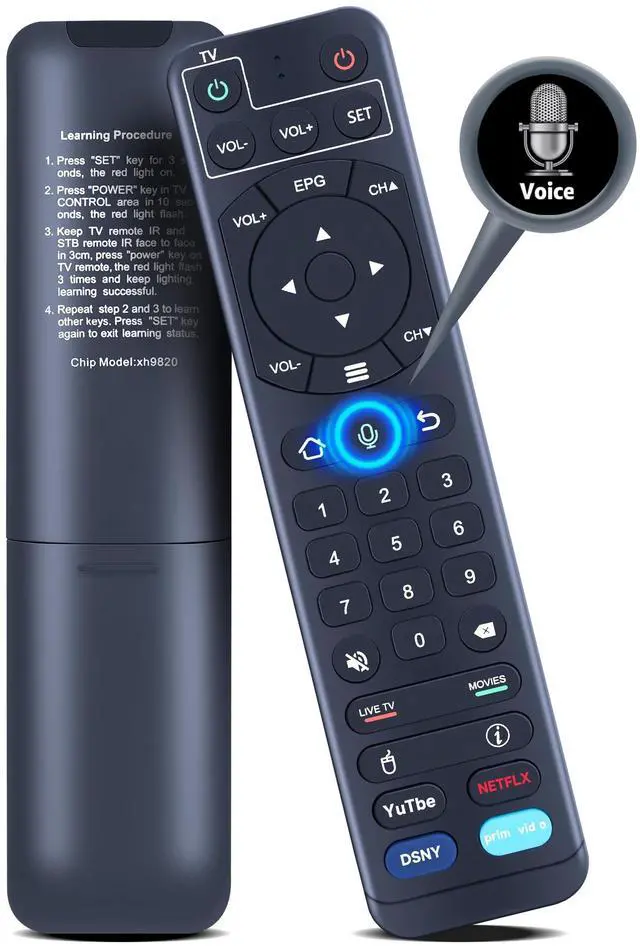
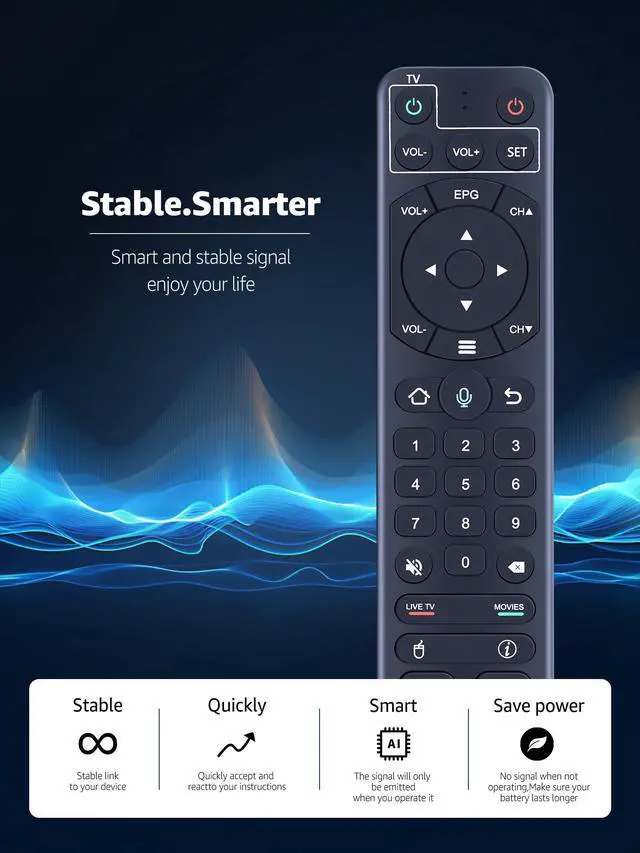
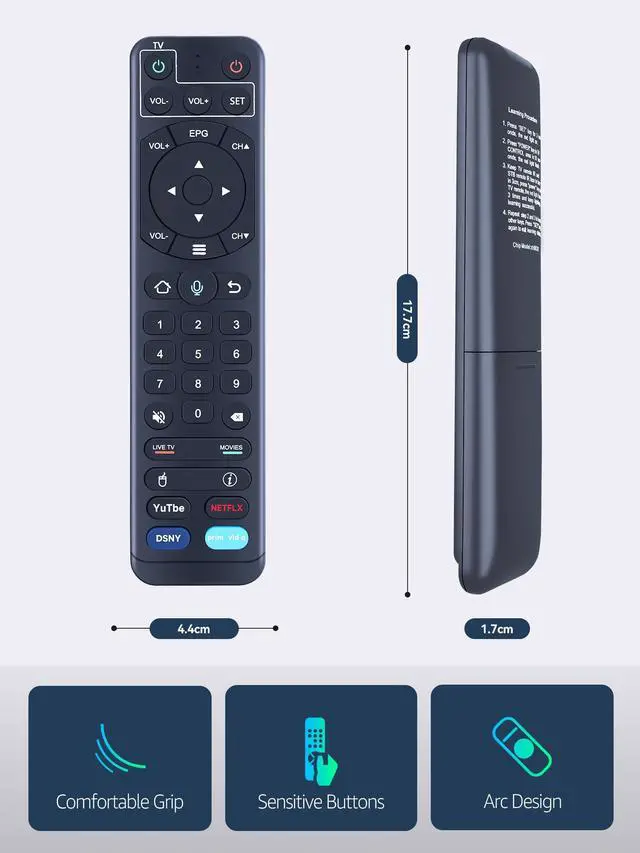
- This is not an original or universal remote control; please verify that your model matches before placing an order. Compatibility: - Works with V1 Pro, V1 Max (voice control not supported) - Replacement voice remote control works with vSee box V2 Pro, Elite - Works with vSeeBox Elite, V1 Pro, V1 Max Voice Control: Improve your multimedia experience by smoothly navigating and searching for content using voice commands. To use voice control, finish the pairing process first. Pairing Instructions: 1. Press and hold both [OK] and [VOL-] buttons until the red light flashes on the remote indicator. 2. The display will show "Remote control connected successfully" when pairing is done. Note: If the remote does not respond to any command and shows "No recognition result matched", disconnect and re-pair the remote. If the remote is connected, it will show "vSeBox Remoter" in the paired devices section. Select "Paired device management" and unpair the "vSeBox Remoter" first, then pair again. Learning Function: 1. Press and hold the [SET] key for 3 seconds until the red light turns on. 2. Press the [Power] key in the TV CONTROL area within 10 seconds; the red light will flash. 3. Keep the TV remote IR and STB remote IR facing each other within 3 cm, then press the [Power] key on the TV remote. The red light will flash 3 times and stay lit, indicating successful learning. 4. Repeat steps 2 and 3 to learn other keys. 5. Press the [SET] key again to exit learning mode

+
+
Overview
Specs
Reviews
Any questions? Our AI mode will help you find out quickly.
Try me now
This is not an original or universal remote control; please verify that your model matches before placing an order.
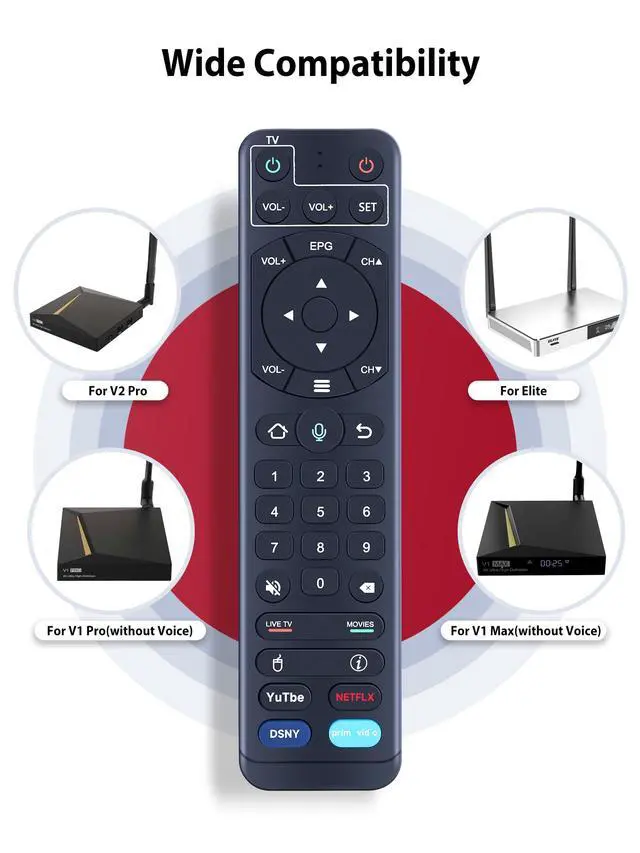
Compatibility: - Works with V1 Pro, V1 Max (voice control not supported) - Replacement voice remote control works with vSee box V2 Pro, Elite - Works with vSeeBox Elite, V1 Pro, V1
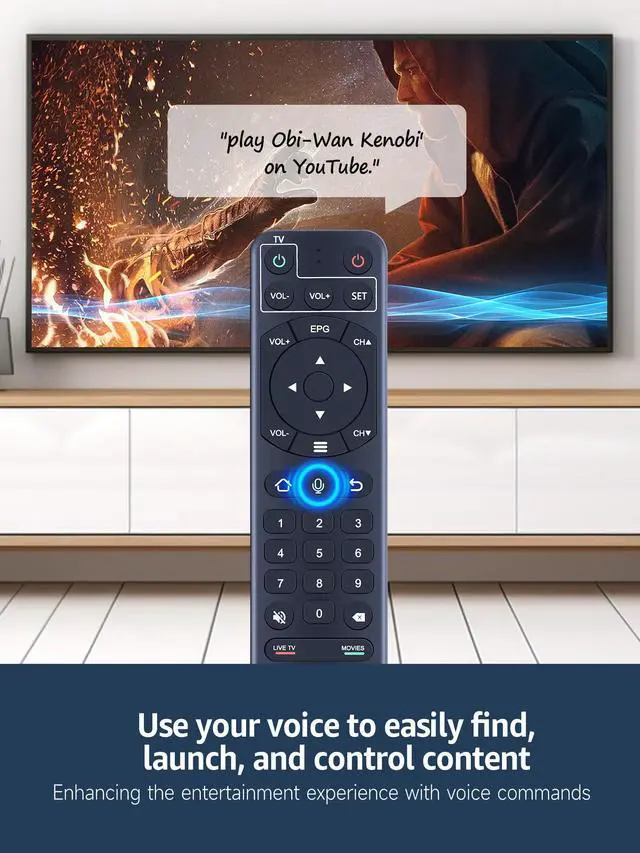
Max Voice Control: Improve your multimedia experience by smoothly navigating and searching for content using voice commands. To use voice control, finish the pairing process first.
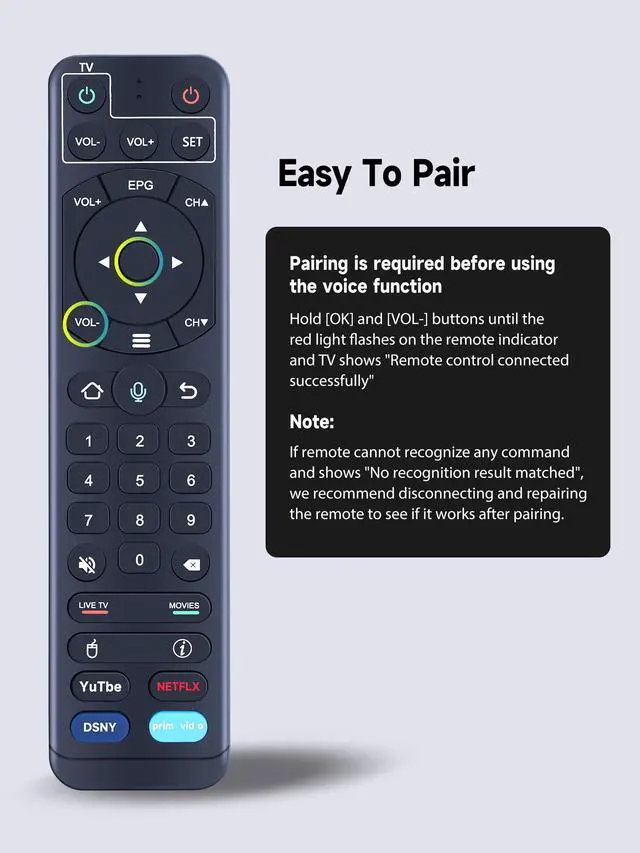
Pairing Instructions: 1. Press and hold both [OK] and [VOL-] buttons until the red light flashes on the remote indicator. 2. The display will show "Remote control connected successfully" when pairing is done.
Note: If the remote does not respond to any command and shows "No recognition result matched", disconnect and re-pair the remote. If the remote is connected, it will show "vSeBox Remoter" in the paired devices section. Select "Paired device management" and unpair the "vSeBox Remoter" first, then pair again.
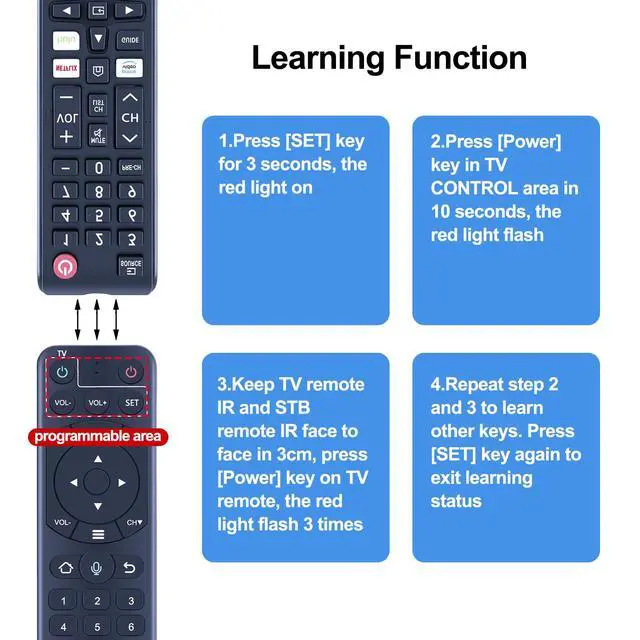
Learning Function: 1. Press and hold the [SET] key for 3 seconds until the red light turns on. 2. Press the [Power] key in the TV CONTROL area within 10 seconds; the red light will flash. 3. Keep the TV remote IR and STB remote IR facing each other within 3 cm, then press the [Power] key on the TV remote. The red light will flash 3 times and stay lit, indicating successful learning. 4. Repeat steps 2 and 3 to learn other keys. 5. Press the [SET] key again to exit learning mode
Compatibility: - Works with V1 Pro, V1 Max (voice control not supported) - Replacement voice remote control works with vSee box V2 Pro, Elite - Works with vSeeBox Elite, V1 Pro, V1
Max Voice Control: Improve your multimedia experience by smoothly navigating and searching for content using voice commands. To use voice control, finish the pairing process first.
Pairing Instructions: 1. Press and hold both [OK] and [VOL-] buttons until the red light flashes on the remote indicator. 2. The display will show "Remote control connected successfully" when pairing is done.
Note: If the remote does not respond to any command and shows "No recognition result matched", disconnect and re-pair the remote. If the remote is connected, it will show "vSeBox Remoter" in the paired devices section. Select "Paired device management" and unpair the "vSeBox Remoter" first, then pair again.
Learning Function: 1. Press and hold the [SET] key for 3 seconds until the red light turns on. 2. Press the [Power] key in the TV CONTROL area within 10 seconds; the red light will flash. 3. Keep the TV remote IR and STB remote IR facing each other within 3 cm, then press the [Power] key on the TV remote. The red light will flash 3 times and stay lit, indicating successful learning. 4. Repeat steps 2 and 3 to learn other keys. 5. Press the [SET] key again to exit learning mode
Warranty & Returns
Warranty, Returns, And Additional Information
Warranty
- Please contact the Seller directly for warranty information. Warranty information may also be found on the Manufacturer's website.
- CONTACT
Return Policies
- Return for refund within: 30 days
- Return for replacement within: 30 days
- This item is covered by Yihe Global Store Return Policy
Manufacturer Contact Info
- For a directory of all our manufacturers, please click below.
- Manufacturers Directory
LOADING...