Your Browsing History
Meet Your Seller
Voice Remote for Sony-TV-Remote, Replacement for All Sony Remote Control for Bravia Smart TV with Voice Function, for Bravia 4K 8K UHD LCD HD LED OLED Series TVs with 6 Shortcut Buttons
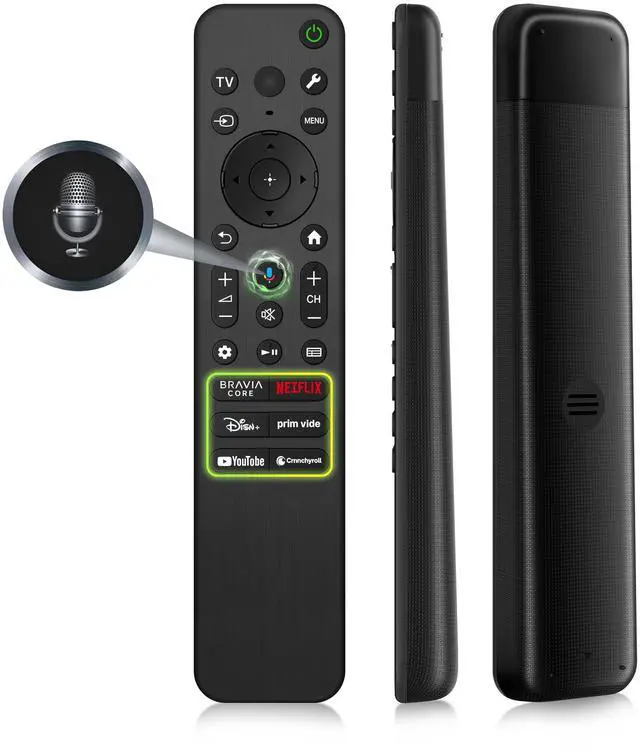
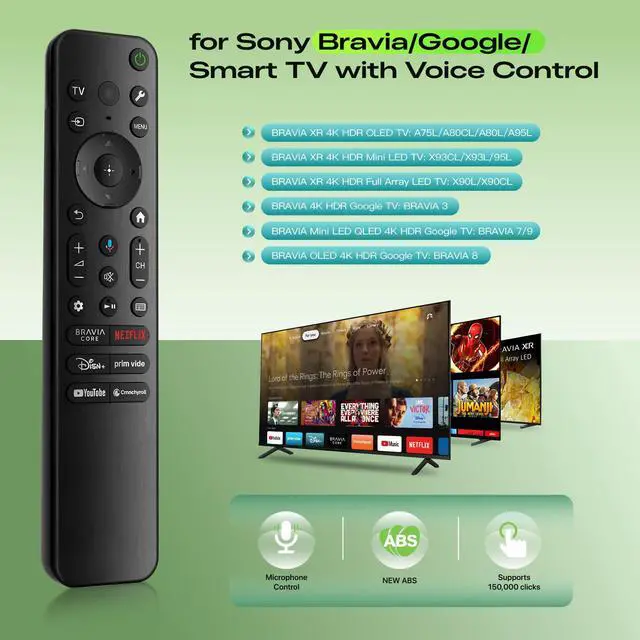
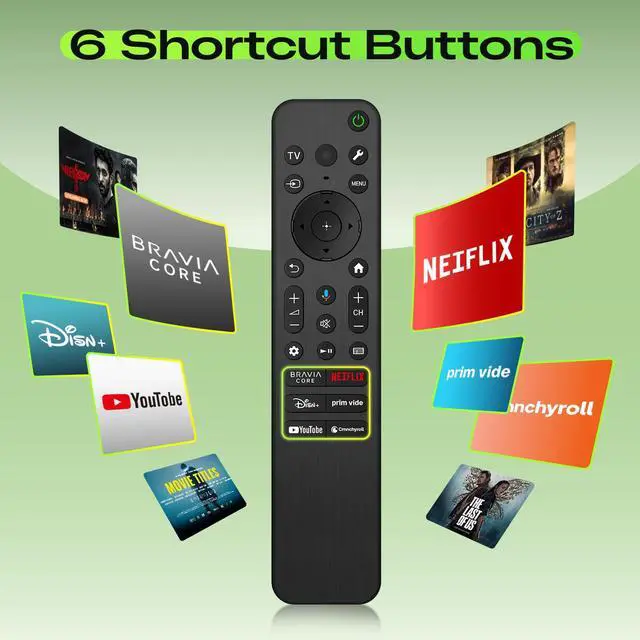
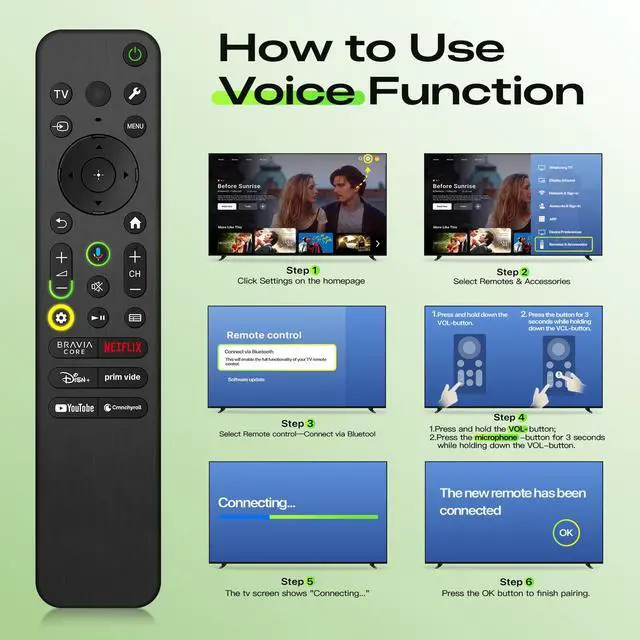
- Perfect for Sony TV Remote Control Replacement: Our remote control is ideal for Sony Bravia Google Smart TVs, including BRAVIA 3, BRAVIA 7, BRAVIA 8, BRAVIA 9, X90L, X90CL, X93L, X93CL, X95L, A75L, A80L, A80CL, A95L, and more. Works for Sony Bravia Remote Replacement: It can also serve as a replacement for these Sony Bravia TV remote controls: RMF-TX500U, RMF-TX520U, RMF-TX800U/810U/820U, RMF-TX900U/910U, RMF-TX300U, RMF-TX310U, RMF-TX600U/700U, and others. Voice Command and Streaming HotKeys: Featuring six quick-access hotkeys for Netflix, Prime Video, Disney+, YouTube, Bravia Core, and Crunchyroll, plus voice control for hands-free search, app launching, music, weather updates, and moreour remote makes your Sony Smart TV experience faster, easier, and smarter. How to Use Voice Function: Insert 2 x AAA batteries in your new remote and turn on your TV. Press [Settings] [Remotes & Accessories] [Remote control] [Connect Via Bluetooth]. Press and Hold [Vol-] + [Google Assistant] button for 3-5 seconds until you see the message "Pairing Complete" on your TV screen. (Note: batteries are not included.)
+
+
Overview
Specs
Reviews
Any questions? Our AI mode will help you find out quickly.
Try me now
Perfect for Sony TV
Remote Control Replacement: Our remote control is ideal for Sony Bravia Google Smart TVs, including BRAVIA 3, BRAVIA 7, BRAVIA 8, BRAVIA 9, X90L, X90CL, X93L, X93CL, X95L, A75L, A80L, A80CL, A95L, and more. Works for Sony Bravia
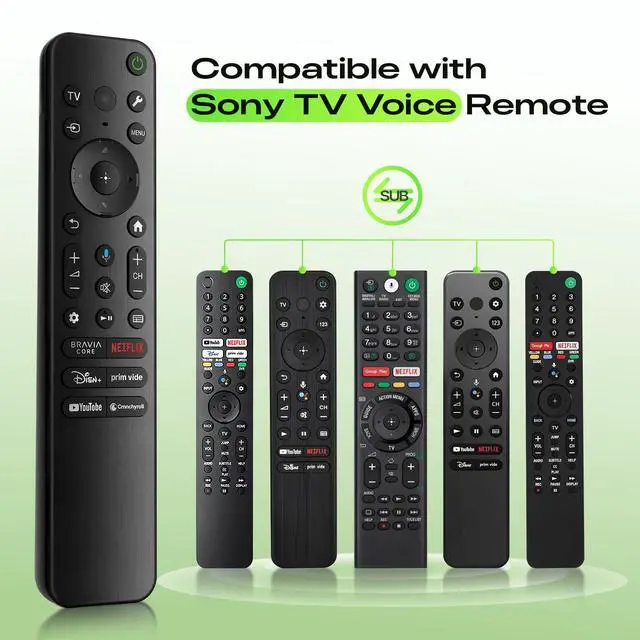
Remote Replacement: It can also serve as a replacement for these
Sony Bravia TV remote controls: RMF-TX500U, RMF-TX520U, RMF-TX800U/810U/820U, RMF-TX900U/910U, RMF-TX300U, RMF-TX310U, RMF-TX600U/700U, and others. Voice Command and
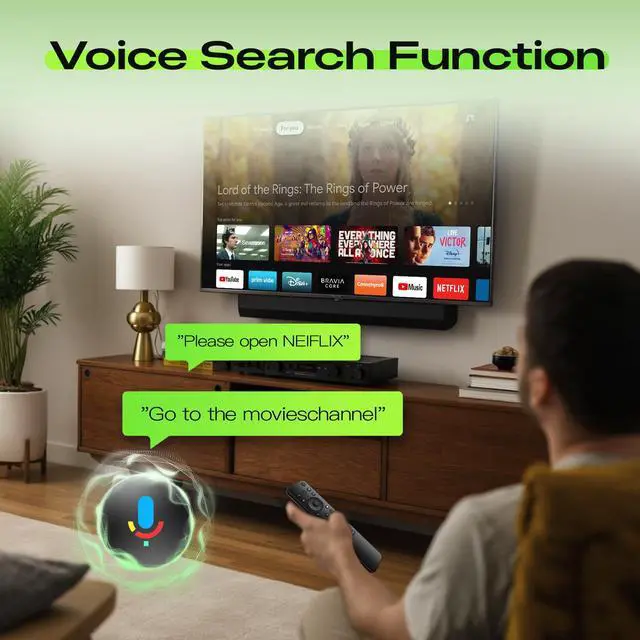
Streaming HotKeys: Featuring six quick-access hotkeys for Netflix, Prime Video, Disney+, YouTube, Bravia Core, and Crunchyroll, plus voice control for hands-free search, app launching, music, weather updates, and moreour remote makes your Sony Smart TV experience faster, easier, and smarter. How to
Use Voice Function: Insert 2 x AAA batteries in your new remote and turn on your TV. Press [Settings] [Remotes & Accessories] [Remote control] [Connect Via Bluetooth]. Press and Hold [Vol-] + [Google Assistant] button for 3-5 seconds until you see the message "Pairing Complete" on your TV screen.
(Note: batteries are not included. )

Remote Control Replacement: Our remote control is ideal for Sony Bravia Google Smart TVs, including BRAVIA 3, BRAVIA 7, BRAVIA 8, BRAVIA 9, X90L, X90CL, X93L, X93CL, X95L, A75L, A80L, A80CL, A95L, and more. Works for Sony Bravia
Remote Replacement: It can also serve as a replacement for these
Sony Bravia TV remote controls: RMF-TX500U, RMF-TX520U, RMF-TX800U/810U/820U, RMF-TX900U/910U, RMF-TX300U, RMF-TX310U, RMF-TX600U/700U, and others. Voice Command and
Streaming HotKeys: Featuring six quick-access hotkeys for Netflix, Prime Video, Disney+, YouTube, Bravia Core, and Crunchyroll, plus voice control for hands-free search, app launching, music, weather updates, and moreour remote makes your Sony Smart TV experience faster, easier, and smarter. How to
Use Voice Function: Insert 2 x AAA batteries in your new remote and turn on your TV. Press [Settings] [Remotes & Accessories] [Remote control] [Connect Via Bluetooth]. Press and Hold [Vol-] + [Google Assistant] button for 3-5 seconds until you see the message "Pairing Complete" on your TV screen.
(Note: batteries are not included. )
Warranty & Returns
Warranty, Returns, And Additional Information
Warranty
- Please contact the Seller directly for warranty information. Warranty information may also be found on the Manufacturer's website.
- CONTACT
Return Policies
- Return for refund within: 30 days
- Return for replacement within: 30 days
- This item is covered by Yihe Global Store Return Policy
Manufacturer Contact Info
- For a directory of all our manufacturers, please click below.
- Manufacturers Directory
LOADING...