Your Browsing History
Meet Your Seller
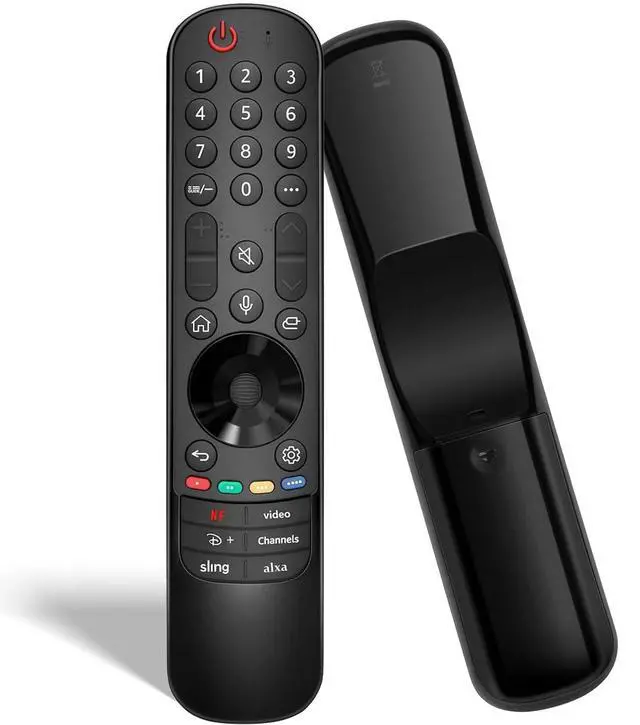
Replacement Remote for LG TVs: for All OLED, QNED, Nano, UHD 4K/8K webOS Smart TVs & for Magic Remote Series MR21/22/23/24GA/GN/GC Featuring Voice Control, Pointer, and Streaming Hot Keys
Limited time offer, ends 09/07 By Yihe Global Store
- Works with webOS TVs: This Magic Remote Control Replacement Is Compatible with LG Smart TVs (2021-2024 Models). It Is Universally Compatible with All OLED Series (Including Z/G/C/B/R/M), NanoCell Series (Such as NANO99/97/95/90/85/80/77/75), QNED Series (Including 99T/90T/85T/80T), and 4K UHD Series (Covering UM/UN/UP/UQ/UR/UT Models). Replaces webOS Remotes: This Remote Control Replacement Is Compatible with LG Remote Models Such as AKB76045002/MR24GA, and the MR Series Including AN-MR21GA/GC, MR22GA/GN, MR23GA/GN, and MR24GA/GN. Note: It Is Not Compatible with Soundbars or TV Boxes. Please Always Verify Your Original Remote Model before Purchase. Voice & Pointer Control: Enjoy Seamless Control with This Replacement Remote Control. Leverage Voice Commands for Hands-Free Operation, Precise Pointer Navigation with a Scroll Wheel, and 6 Dedicated Shortcut Keys for Instant Access to Your Favorite Streaming Apps. Easy Pairing & Setup: First, to Unpair an Existing Remote, Press and Hold the HOME and BACK Buttons Simultaneously Until the Indicator Light Turns On. Then, to Pair This New Remote, Install 2 AA Batteries (Not Included) and Turn On Your TV. Next, Press and Hold the VOICE Button; Once the TV Prompts You On Screen, Press the SCROLL WHEEL (OK) Button to Complete Pairing. (Optional Tip: If the Pointer Doesn't Work, Hold the GUIDE Button for 5 Seconds to Reset the Sensor.) Important Note: For Best Results, Begin by Unpairing Any Previously Used Remote. Please Have 2 AA Batt
+
+
Overview
Specs
Reviews
Any questions? Our AI mode will help you find out quickly.
Try me now
Works with webOS
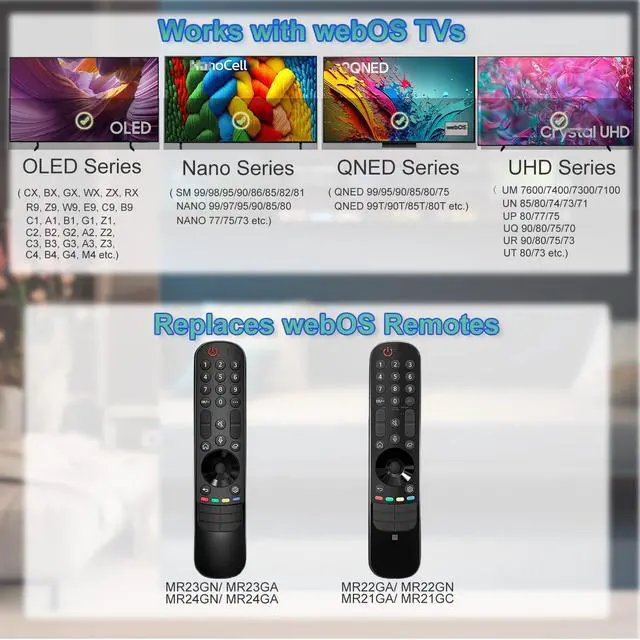
TVs: This Magic Remote Control Replacement Is Compatible with LG Smart TVs (2021-2024 Models). It Is Universally Compatible with All OLED Series (Including Z/G/C/B/R/M), NanoCell Series (Such as NANO99/97/95/90/85/80/77/75), QNED Series (Including 99T/90T/85T/80T), and 4K UHD Series (Covering UM/UN/UP/UQ/UR/UT Models).
Replaces webOS Remotes: This Remote Control Replacement Is Compatible with LG Remote Models Such as AKB76045002/MR24GA, and the MR Series Including AN-MR21GA/GC, MR22GA/GN, MR23GA/GN, and MR24GA/GN.
Note: It Is Not Compatible with Soundbars or TV Boxes. Please Always Verify Your Original Remote Model before Purchase.
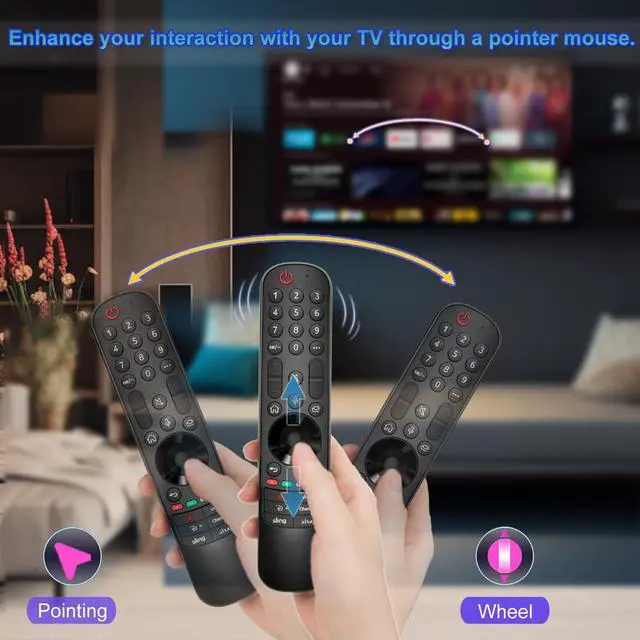
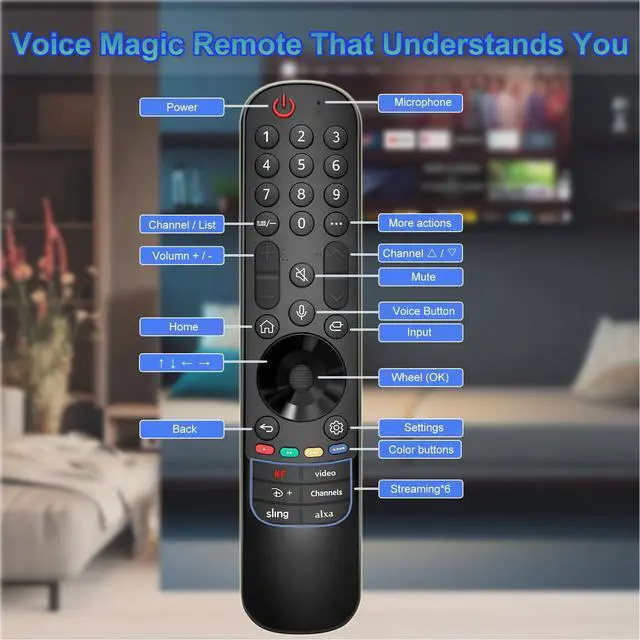
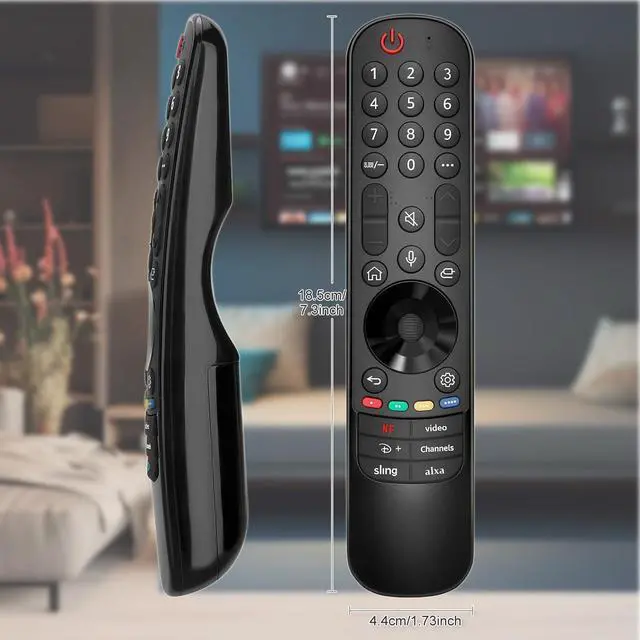
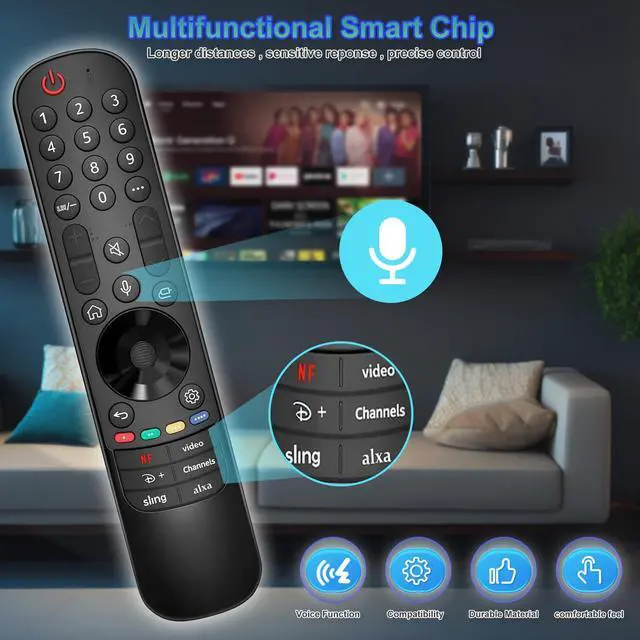
Voice & Pointer Control: Enjoy Seamless Control with This Replacement Remote Control. Leverage Voice Commands for Hands-Free Operation, Precise Pointer Navigation with a Scroll Wheel, and 6 Dedicated Shortcut Keys for Instant Access to Your Favorite Streaming Apps.
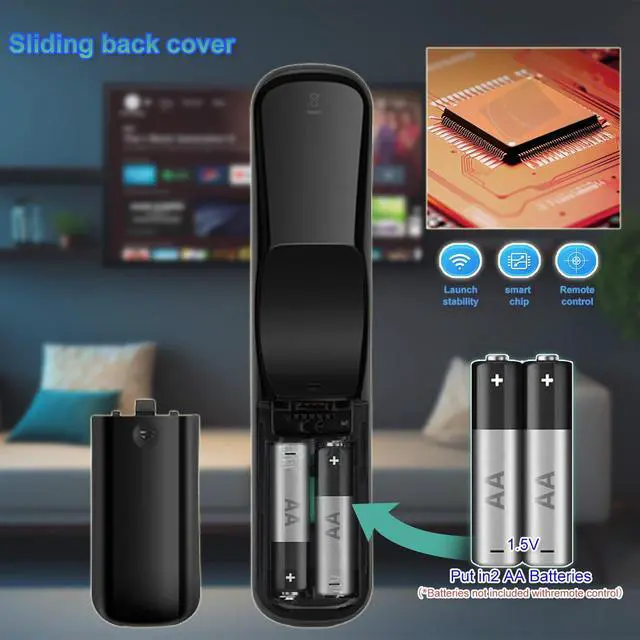
Easy Pairing & Setup: First, to Unpair an Existing Remote, Press and Hold the HOME and BACK Buttons Simultaneously Until the Indicator Light Turns On. Then, to Pair This New Remote, Install 2 AA Batteries (Not Included) and Turn On Your TV. Next, Press and Hold the VOICE Button; Once the TV Prompts You On Screen, Press the SCROLL WHEEL (OK) Button to Complete Pairing.
(Optional Tip: If the Pointer Doesn't Work, Hold the GUIDE Button for 5 Seconds to Reset the Sensor. )
Important Note: For Best Results, Begin by Unpairing Any Previously Used Remote. Please Have 2 AA Batteries ( 1.5V ) Ready, as They Are Required but Not Included. For the Smoothest Setup, We Recommend Consulting the Detailed Steps in the Included User Manual

TVs: This Magic Remote Control Replacement Is Compatible with LG Smart TVs (2021-2024 Models). It Is Universally Compatible with All OLED Series (Including Z/G/C/B/R/M), NanoCell Series (Such as NANO99/97/95/90/85/80/77/75), QNED Series (Including 99T/90T/85T/80T), and 4K UHD Series (Covering UM/UN/UP/UQ/UR/UT Models).
Replaces webOS Remotes: This Remote Control Replacement Is Compatible with LG Remote Models Such as AKB76045002/MR24GA, and the MR Series Including AN-MR21GA/GC, MR22GA/GN, MR23GA/GN, and MR24GA/GN.
Note: It Is Not Compatible with Soundbars or TV Boxes. Please Always Verify Your Original Remote Model before Purchase.
Voice & Pointer Control: Enjoy Seamless Control with This Replacement Remote Control. Leverage Voice Commands for Hands-Free Operation, Precise Pointer Navigation with a Scroll Wheel, and 6 Dedicated Shortcut Keys for Instant Access to Your Favorite Streaming Apps.
Easy Pairing & Setup: First, to Unpair an Existing Remote, Press and Hold the HOME and BACK Buttons Simultaneously Until the Indicator Light Turns On. Then, to Pair This New Remote, Install 2 AA Batteries (Not Included) and Turn On Your TV. Next, Press and Hold the VOICE Button; Once the TV Prompts You On Screen, Press the SCROLL WHEEL (OK) Button to Complete Pairing.
(Optional Tip: If the Pointer Doesn't Work, Hold the GUIDE Button for 5 Seconds to Reset the Sensor. )
Important Note: For Best Results, Begin by Unpairing Any Previously Used Remote. Please Have 2 AA Batteries ( 1.5V ) Ready, as They Are Required but Not Included. For the Smoothest Setup, We Recommend Consulting the Detailed Steps in the Included User Manual
Warranty & Returns
Warranty, Returns, And Additional Information
Warranty
- Please contact the Seller directly for warranty information. Warranty information may also be found on the Manufacturer's website.
- CONTACT
Return Policies
- Return for refund within: 30 days
- Return for replacement within: 30 days
- This item is covered by Yihe Global Store Return Policy
Manufacturer Contact Info
- For a directory of all our manufacturers, please click below.
- Manufacturers Directory
LOADING...