Your Browsing History
Meet Your Seller
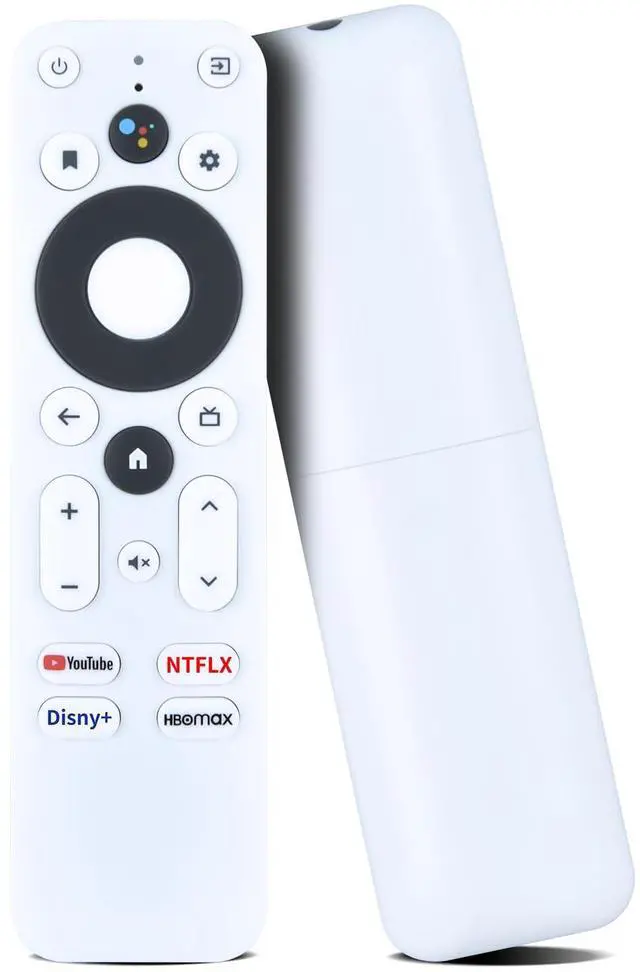
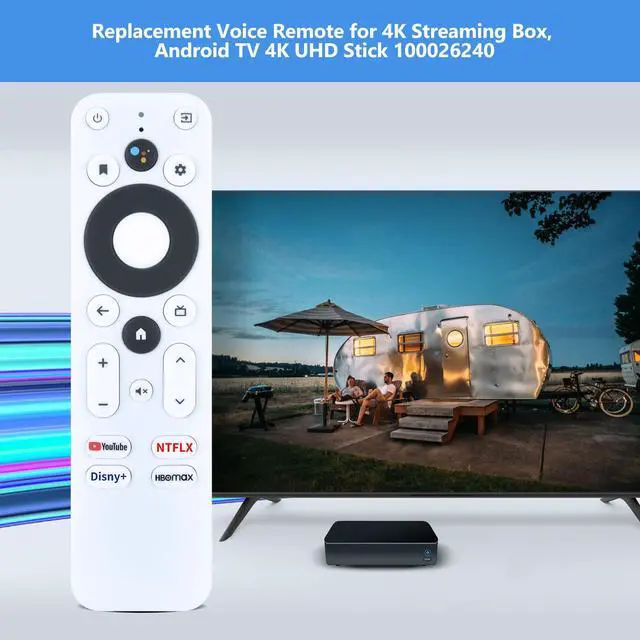
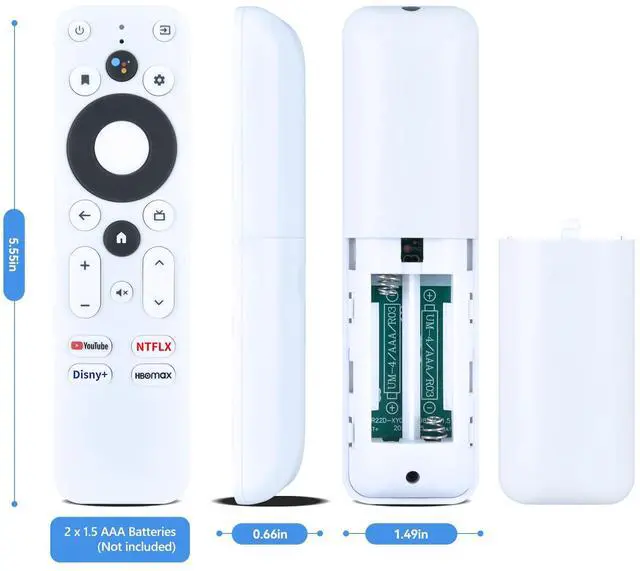
New Replacement Voice for Onn TV Remote Control, Compatible with Onn Google 4K Streaming Box, for Android TV 4K UHD Stick 100026240 (Not for 4k Pro)
- Note: Not compatible with Onn 4k Pro. When used with Google Chromecast with TV 4K, the Disney and HBOMAX buttons may not function. You cannot pair until you unpair the previous remote. This remote uses AAA batteries only. Compatibility: Replacement voice remote control for Onn 100026240 Android TV 4K UHD streaming device, for 1000024646 Android TV 2K FHD streaming stick; for MECOOL MK2 smart TV box, TV streaming stick. How To Pair: Press the Auto Pairing button on your device. When the TV screen shows "Start Pairing", press and hold the [Back] and [Home] buttons on the remote until the LED on the remote control begins blinking, then release (It cannot be used at the same time as the original remote control). If pairing fails, press and hold the button on the side of the streaming box for a few seconds, and then the streaming box will prompt for pairing. Connect New Remote with a Paired Remote: Press [Home] key, then select SETTING - Remotes & Accessories. Select Add accessory, then press [OK] to confirm to pair. Press and hold [Back] and [Home] key together for 3-5 seconds, the indicator light flashes and enters the pairing status; after pairing is successful, the indicator light will go out

+
+
Overview
Specs
Reviews
Any questions? Our AI mode will help you find out quickly.
Try me now
Note: Not compatible with Onn 4k Pro. When used with Google Chromecast with TV 4K, the Disney and HBOMAX buttons may not function. You cannot pair until you unpair the previous remote. This remote uses AAA batteries only.
Compatibility: Replacement voice remote control for Onn 100026240 Android TV 4K UHD streaming device, for 1000024646 Android TV 2K FHD streaming stick; for MECOOL MK2 smart TV box, TV streaming stick.
How To Pair: Press the Auto Pairing button on your device. When the TV screen shows "Start Pairing", press and hold the [Back] and [Home] buttons on the remote until the LED on the remote control begins blinking, then release (It cannot be used at the same time as the original remote control). If pairing fails, press and hold the button on the side of the streaming box for a few seconds, and then the streaming box will prompt for pairing. Connect New Remote with a
Paired Remote: Press [Home] key, then select SETTING - Remotes & Accessories. Select Add accessory, then press [OK] to confirm to pair. Press and hold [Back] and [Home] key together for 3-5 seconds, the indicator light flashes and enters the pairing status; after pairing is successful, the indicator light will go out
Compatibility: Replacement voice remote control for Onn 100026240 Android TV 4K UHD streaming device, for 1000024646 Android TV 2K FHD streaming stick; for MECOOL MK2 smart TV box, TV streaming stick.
How To Pair: Press the Auto Pairing button on your device. When the TV screen shows "Start Pairing", press and hold the [Back] and [Home] buttons on the remote until the LED on the remote control begins blinking, then release (It cannot be used at the same time as the original remote control). If pairing fails, press and hold the button on the side of the streaming box for a few seconds, and then the streaming box will prompt for pairing. Connect New Remote with a
Paired Remote: Press [Home] key, then select SETTING - Remotes & Accessories. Select Add accessory, then press [OK] to confirm to pair. Press and hold [Back] and [Home] key together for 3-5 seconds, the indicator light flashes and enters the pairing status; after pairing is successful, the indicator light will go out
Warranty & Returns
Warranty, Returns, And Additional Information
Warranty
- Please contact the Seller directly for warranty information. Warranty information may also be found on the Manufacturer's website.
- CONTACT
Return Policies
- Return for refund within: 30 days
- Return for replacement within: 30 days
- This item is covered by Yihe Global Store Return Policy
Manufacturer Contact Info
- For a directory of all our manufacturers, please click below.
- Manufacturers Directory
LOADING...