• $29.99
  • Free 30-day Returns
  • Price alert
    Shop it at NeweggBusiness.

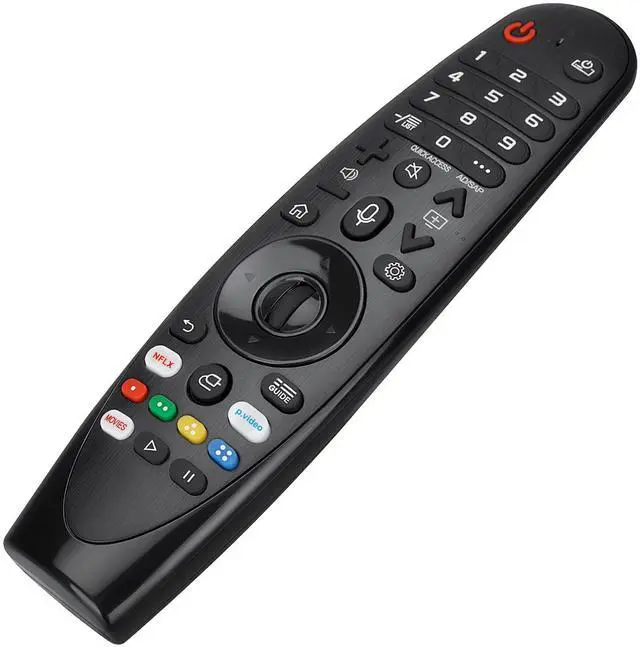
    Voice Magic Remote for LG OLED QNED NanoCell Webos Smart TV Magic Remote Control Replacement AKB75855501 AN-MR20GA MR19BA MR21 MR22 MR23 MR24 GA GN GC MR18BA MR650A, with Pointer Function

    Limited time offer, ends 10/06 By FullChao Living Store

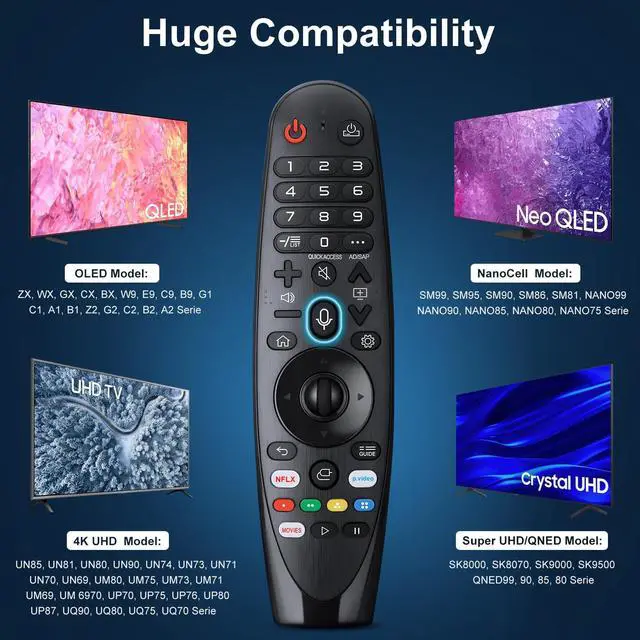
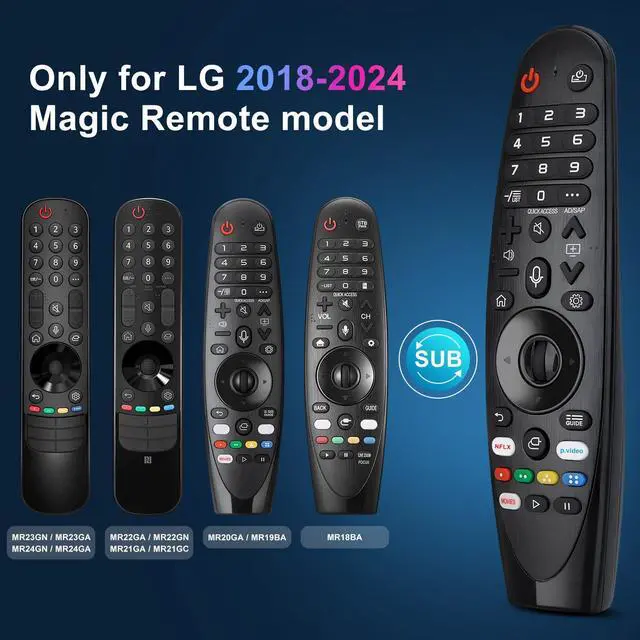
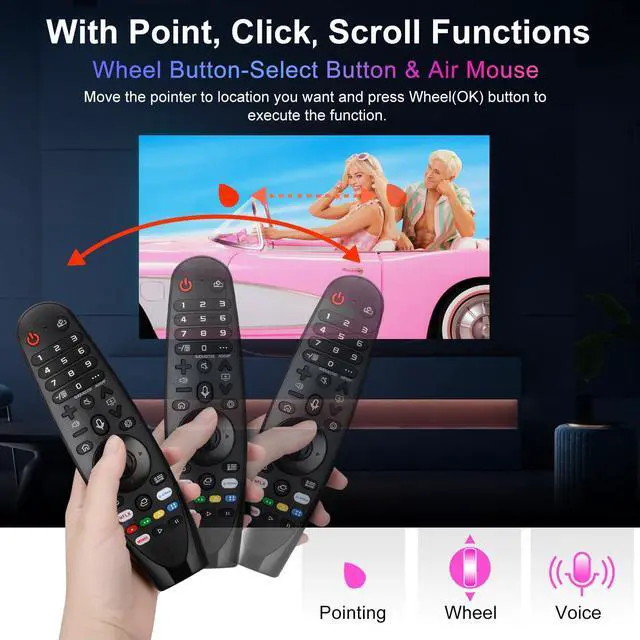
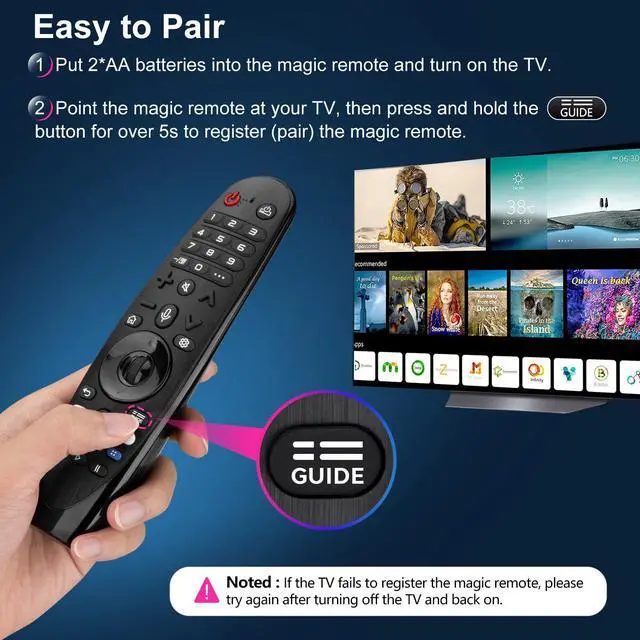
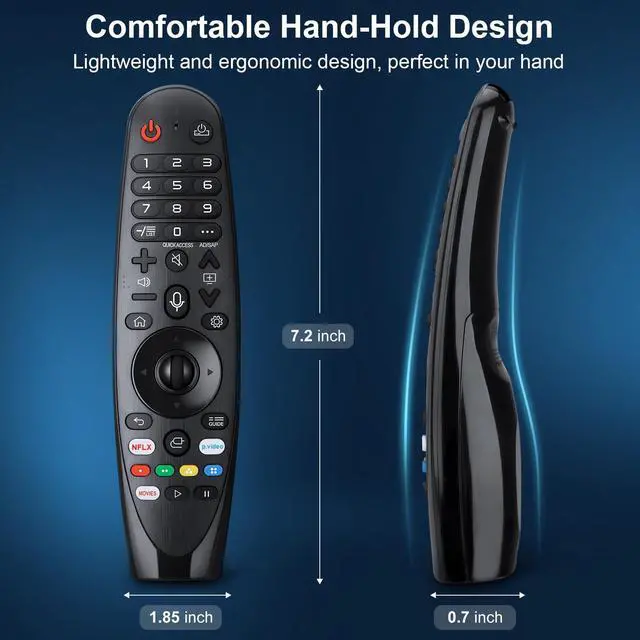
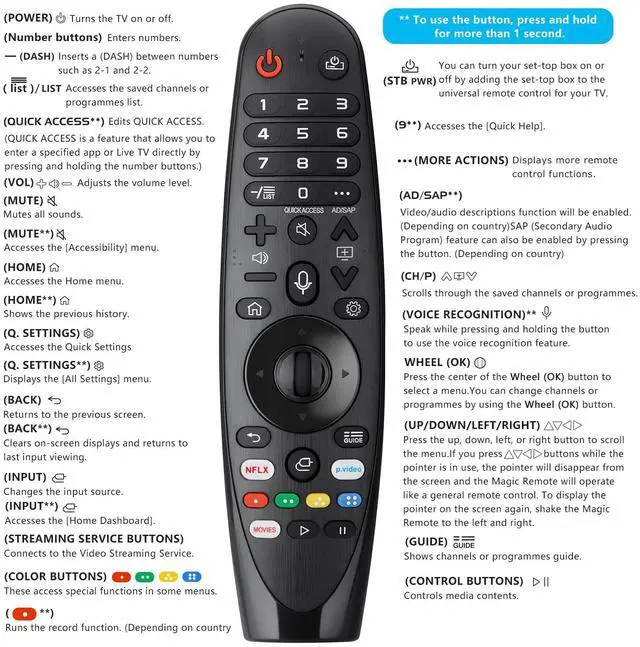
    • [KEY FEATURES] Voice Magic remote control makes interacting with your smart TV easier! Intuitive Mouse-Like Pointing and Wheel Control, and get to your favorite content quickly with 2 preset popular shortcut buttons. [EASY PAIRING] 1. Put batteries into the Magic Remote and turn the TV on. 2. Point the Magic Remote at your TV and press the Wheel (OK) on the remote control. When the pointer is not working, press and hold the GUIDE button for more than 5 seconds to disconnect and re-register the motion sensor remote control at the same time. (Using a new magic remote control, or a magic remote control for another TV, this pairing process is required before use.) [Compatibility] Compatible with OLED UHD NanoCell 4K 8K Webos Smart TV Models: ZX, WX, GX, CX, BX, W9, E9, C9, B9, NANO99, NANO97, NANO95, NANO91, NANO90, NANO86, NANO81, NANO80, SM99, SM95, SM90, SM86, SM81, UN85, UN81, UN80, UN74, UN73, UN71, UM80, UM75, UM73, UM71, UM6970 series. It can also be a replacement for AN-MR18BA, AN-MR19BA, AN-MR20GA, AN-MR21GA, MR22GN, MR22GA, MR23GN, MR23GA, MR24GN magic remote. Please note that this remote isn't compatible with AKB75095307, AN-MR500, AKB73615306. [Voice Function] The Magic remote features a voice function and supports Google Assistant / Alexa. Please make sure your network connection is available when you use the voice recognition. [Packaging Content] 1 * Remote Control and 1 * Manual (Note: Remote needs to work with 1.5V AA batteries, but this remote doesn't come with
    +
    +
    Overview
    Specs
    Reviews
    avatar

    Any questions? Our AI mode will help you find out quickly.

    [KEY FEATURES] Voice Magic remote control makes interacting with your smart TV easier! Intuitive Mouse-Like Pointing and Wheel Control, and get to your favorite content quickly with 2 preset popular shortcut buttons. [EASY PAIRING] 1. Put batteries into the Magic Remote and turn the TV on. 2. Point the Magic Remote at your TV and press the Wheel (OK) on the remote control. When the pointer is not working, press and hold the GUIDE button for more than 5 seconds to disconnect and re-register the motion sensor remote control at the same time.

    (Using a new magic remote control, or a magic remote control for another TV, this pairing process is required before use. ) [Compatibility] Compatible with OLED UHD NanoCell 4K 8K
    Webos Smart TV Models: ZX, WX, GX, CX, BX, W9, E9, C9, B9, NANO99, NANO97, NANO95, NANO91, NANO90, NANO86, NANO81, NANO80, SM99, SM95, SM90, SM86, SM81, UN85, UN81, UN80, UN74, UN73, UN71, UM80, UM75, UM73, UM71, UM6970 series. It can also be a replacement for AN-MR18BA, AN-MR19BA, AN-MR20GA, AN-MR21GA, MR22GN, MR22GA, MR23GN, MR23GA, MR24GN magic remote. Please note that this remote isn't compatible with AKB75095307, AN-MR500, AKB73615306. [Voice Function] The Magic remote features a voice function and supports Google Assistant / Alexa. Please make sure your network connection is available when you use the voice recognition. [Packaging Content] 1 * Remote Control and 1 *
    Manual (Note: Remote needs to work with 1.5V AA batteries, but this remote doesn't come with any batteries. )

    Warranty & Returns

    Warranty, Returns, And Additional Information

    Warranty

    • Please contact the Seller directly for warranty information. Warranty information may also be found on the Manufacturer's website.
    • CONTACT

    Return Policies

    Manufacturer Contact Info

    LOADING...